
python的学习之路Day5
2023.2.16 Day5
今日内容概要
- 逻辑运算符
- 成员运算符
- 身份运算符
- 流程控制(重点)
- if判断
- while循环
今日内容详细
逻辑运算符

and 与 #
# 可以用and连接多个条件,会按照从左到右的顺序依次判断,一旦某一个条件为False,则无需再往右判断,可以立即判定最终结果就为False,只有在所有条件的结果都为True的情况下,最终结果才为True
# 练习题:
2 > 3 and 1 != 1 and True and 3 > 2
or 或
# 可以用or连接多个条件,会按照从左到右的顺序依次判断,一旦某一个条件为True,则无需再往右判断,可以立即判定最终结果就为True,只有在所有条件的结果都为False的情况下,最终结果才为False
# 练习题:
2 > 1 or 1 != 1 or True or 3 > 2
not 非(取反)
not True
成员运算符

# 判断某个个体是否在某个群体中
符号:in(在) not in(不在)
name_list = ['kevin', 'jack', 'tony', 'tom']
# print('kevin' in name_list) # True
# print('aaa' not in name_list)
# print('bbb' in name_list)
print('k' in 'kevin')
print('hello' in 'helloworld')
身份运算符

# 符号:is(比较的是内存地址) ==(比较的是值)
s1 = ['a', 'b', 'c']
s2 = ['a', 'b', 'c']
print(s1 == s2)
print(id(s1))
print(id(s2))
print(s1 is s2)
'''
值相等的内存地址不一定相等
内存地址相等的值一定相等
'''
流程控制(重点)

# 控制事物的执行流程
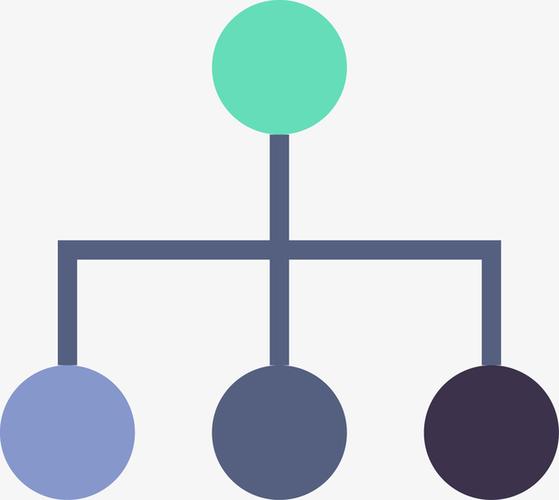
流程控制总共有3种情况:
# 就是自上而下的执行
# 分支结构就是根据条件判断的真假去执行不同分支对应的子代码
# 循环结构就是重复执行某段代码块
分支结构
"""
注意事项:
1. 根据条件的成立与否,决定是否执行if代码块
2. 我们通过缩进代码块,来表示代码之间的从属关系
3. 不是所有的代码都拥有子代码块
4. 我们推荐使用缩进4格
5. 同属于一个代码块的子代码块缩进量一定要一样
ps:遇到冒号就要回车换行,缩进
"""
关键字:if
"""
语法格式:
if 判断条件:
print('小姐姐好')
"""
# """
语法格式:
if 判断条件:
条件成立执行的子代码块
else:
条件不成立执行的子代码块
"""
# """
语法格式:
if 条件1:
条件1成立执行的子代码块
elif 条件2:
条件1不成立条件2成立执行的子代码块
elif 条件3:
条件1、2不成立条件3成立执行的子代码块
elif 条件4:
条件1、2、3不成立条件4成立执行的子代码块
else:
以上条件都不成立的时候执行的代码块
"""
# else语句是可有可无的
score = 56
if score >= 90:
print('优秀')
elif score >=80:
print('良好')
elif score >=70:
print('一般')
elif score >=60:
print('及格')
age = 18
height = 1.6
weight = 90
is_beautiful=True
is_success=True
if age < 20 and height == 1.6 and weight<100 and is_beautiful:
print('给个微信呗!!!')
'''要么给,要么不给'''
if is_success:
print('吃饭 看电影...')
else:
print('慢走不送!!!')
else:
print('好吧')
if练习题
1. 写一个登录功能,用户名是:kevin 密码是:123
# 要求:用户名和密码输入正确,打印登录成功,否则登录失败
username=input('username:>>>')
password=input('password:>>>')  #

if username == 'kevin' and password == '123':
    print('登录成功')
else:
    print('登录失败')

2. 根据用户名的不同打印不同的身份
kevin:管理员   jack:保安  tom:保洁  tank:销售  其余的都是普通人

username = input('请输入你的名字:>>>')
if username == 'kevin':
    print('管理员')
elif username == 'jack':
    print('保安')
elif username == 'tom':
    print('保洁')
elif username == 'tank':
    print('销售')
else:
    print('普通人')
循环结构while

"""
while语法格式
while 条件:
循环体
"""
while True:
username=input('username:>>>')
password=input('password:>>>') #
if username == 'kevin' and password == '123':
print('登录成功')
else:
print('登录失败')
# count = 0
while True:
username=input('username:>>>')
password=input('password:>>>') #
if username == 'kevin' and password == '123':
print('登录成功')
break # 结束本层循环
else:
print('登录失败')
break本层含义
遇到break,直接终止循环,如果是多层(嵌套的)循环,则终止(或跳出)与break最贴近的那层循环,或者说是最内层循环
while True:
    username=input('username:>>>')
    password=input('password:>>>')  #

    if username == 'kevin' and password == '123':
        print('欢迎光临')
        while True:
            cmd=input('请输入你的指令:>>>')
            if cmd == 'q':
                # 结束程序
                break
            print('正在执行你的指令:%s' % cmd)
        break
    else:
        print('登录失败')
print(123)
标志位的使用
导致程序结束的事件有很多时,如果在一条 while 语句中检查所有这些条件,将既复杂又困难。在要求很多条件都满足才继续运行的程序中,可定义一个变量,用于判断整个程序是否处于活动状态。这个变量被称为 标志 ,充当了程序的交通信号灯。你可让程序在标志为 True 时继续运行,并在任何事件导致标志的值为 False 时让程序停止运行。这样,在 while 语句中就只需检查一个条件 —— 标志的当前值是否为 True ,并将所有测试(是否发生了应将标志设置为 False 的事件)都放在其他地方,从而让程序变得更为整洁。
flag = True
while flag:
    username=input('username:>>>')
    password=input('password:>>>')  #

    if username == 'kevin' and password == '123':
        print('欢迎光临')
        while flag:
            cmd=input('请输入你的指令:>>>')
            if cmd == 'q':
                # 结束程序
                flag = False
            print('正在执行你的指令:%s' % cmd)
    else:
        print('登录失败')

 浙公网安备 33010602011771号