

vscode使用自定义模型对话
前提条件
先在vscode中安装copilot,并保证其能够正常使用!!
使用方法
vscode下载插件
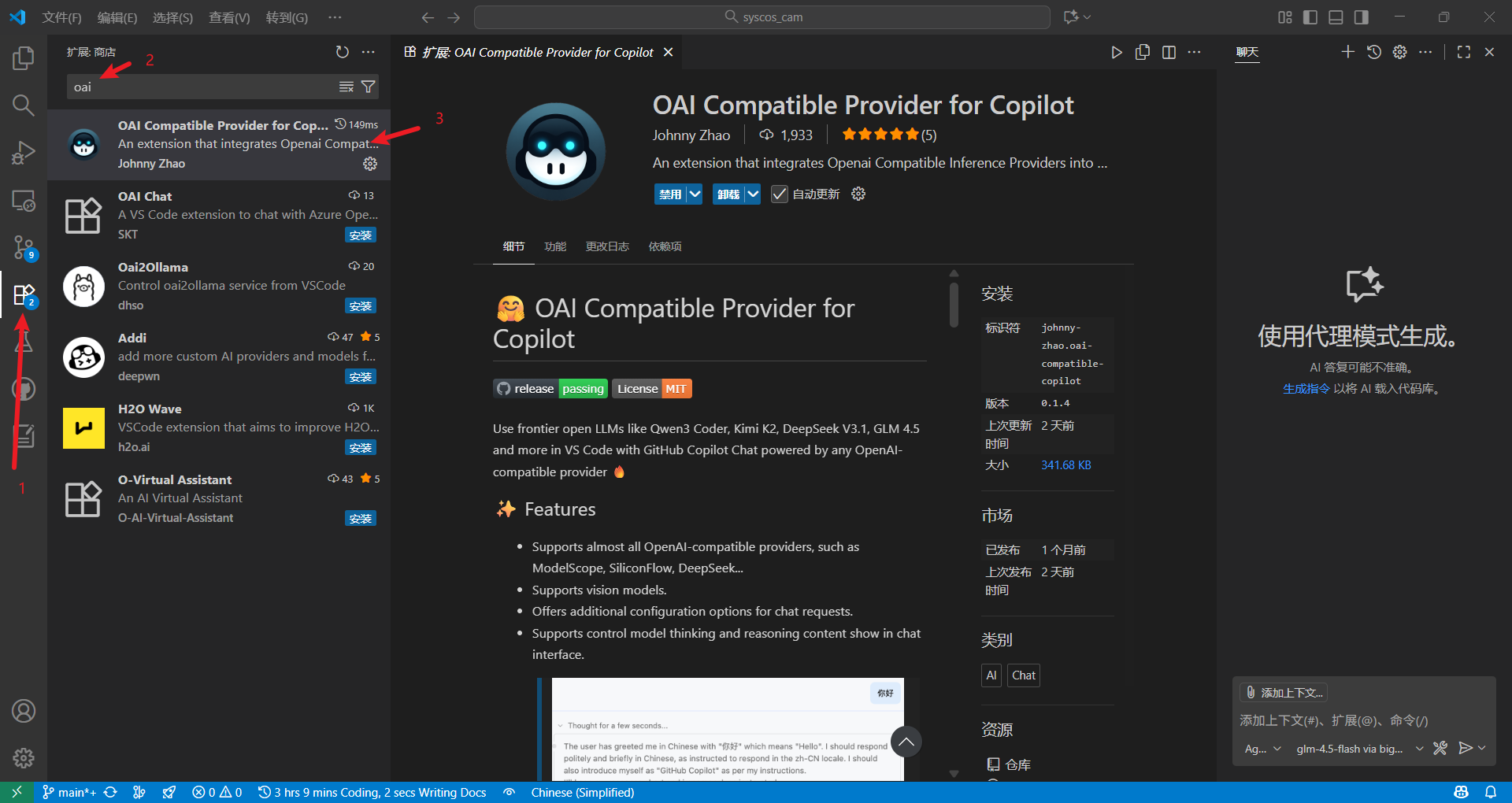
打开vscode用户的setting.json
ctrl+shift+p 打开上方命令后,按照下图操作:
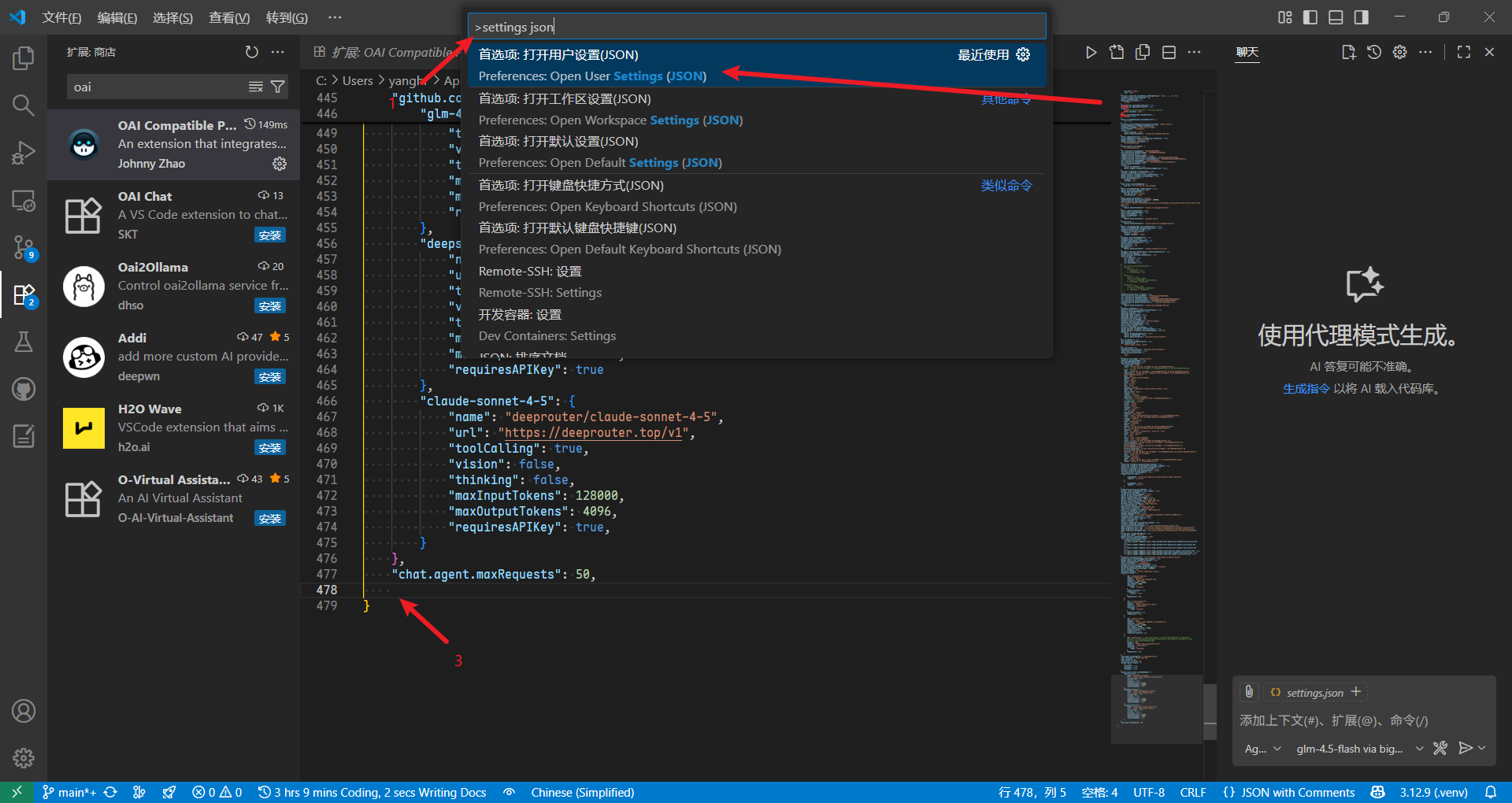
将以下代码复制到打开的json的最后:
    "oaicopilot.baseUrl": "https://open.bigmodel.cn/api/paas/v4",
	"oaicopilot.models": [
        {
            "id": "glm-4.5-flash",
            "family": "glm",
            "baseUrl": "https://open.bigmodel.cn/api/paas/v4",
            "owned_by": "bigmodel",
            "context_length": 128000,
            "max_tokens": 96000,
            "max_completion_tokens": 96000,
            "enable_thinking": true,
            "temperature": 0.5,
            "repetition_penalty": 1.2
        },
    ],
ps: 至于为什么这么写,看插件作者的仓库 JohnnyZ93/oai-compatible-copilot
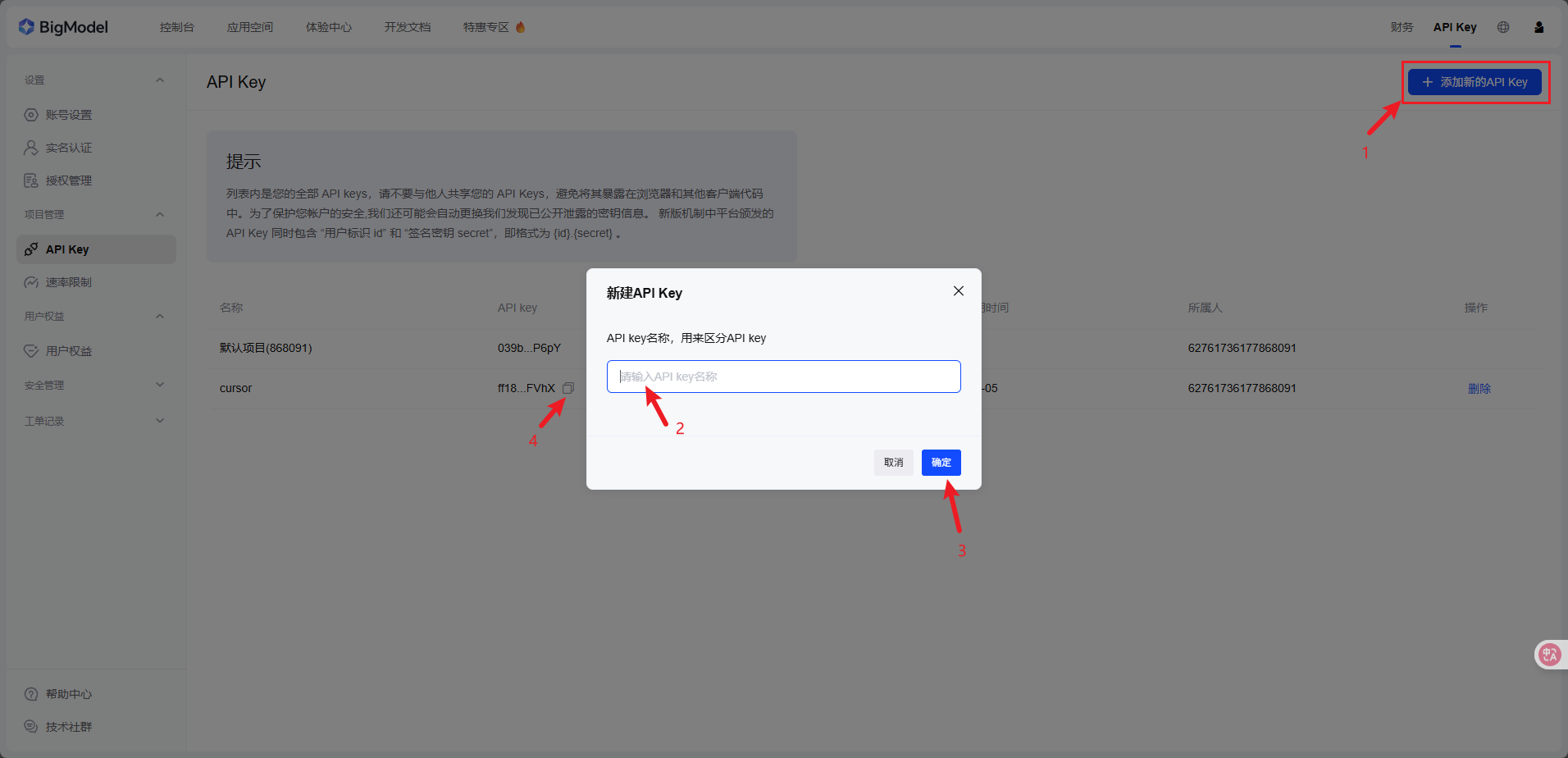
apikey获取
登录后按如下操作得到apikey
使用apikey
依旧是ctrl+shift+p打开命令,然后按如下操作:

选择bigmodel:
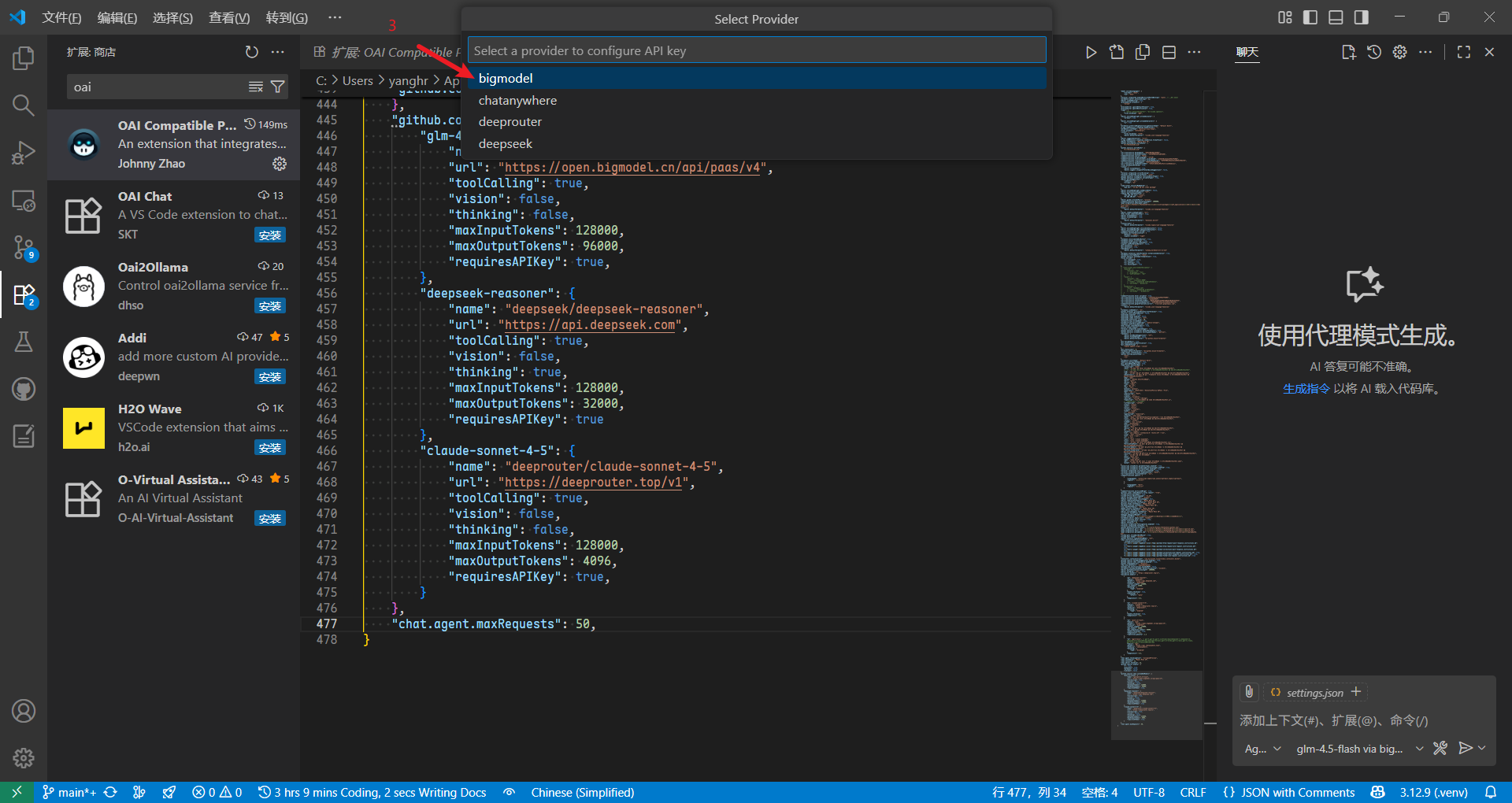
粘贴刚刚复制的apikey:
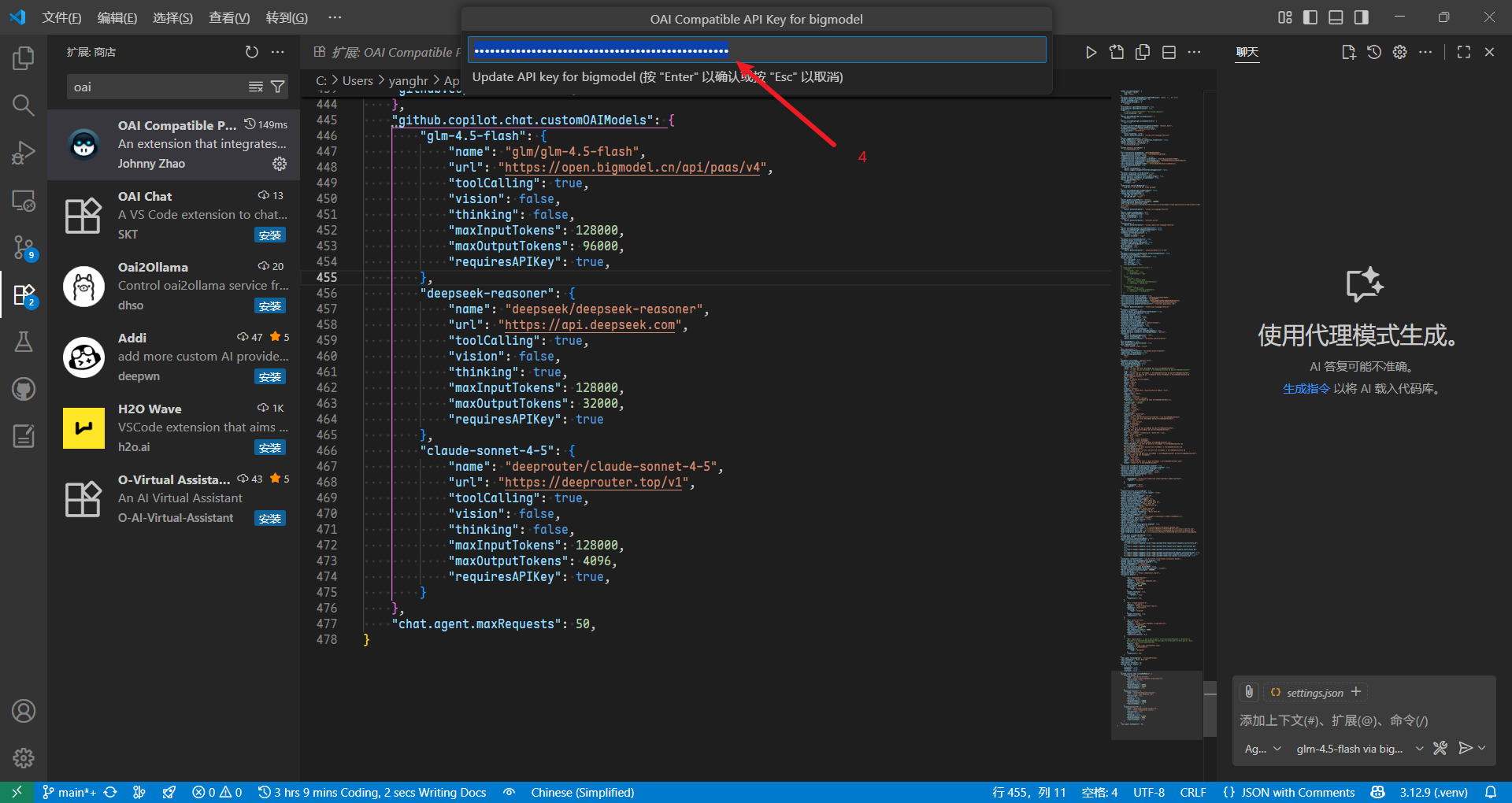
使用模型
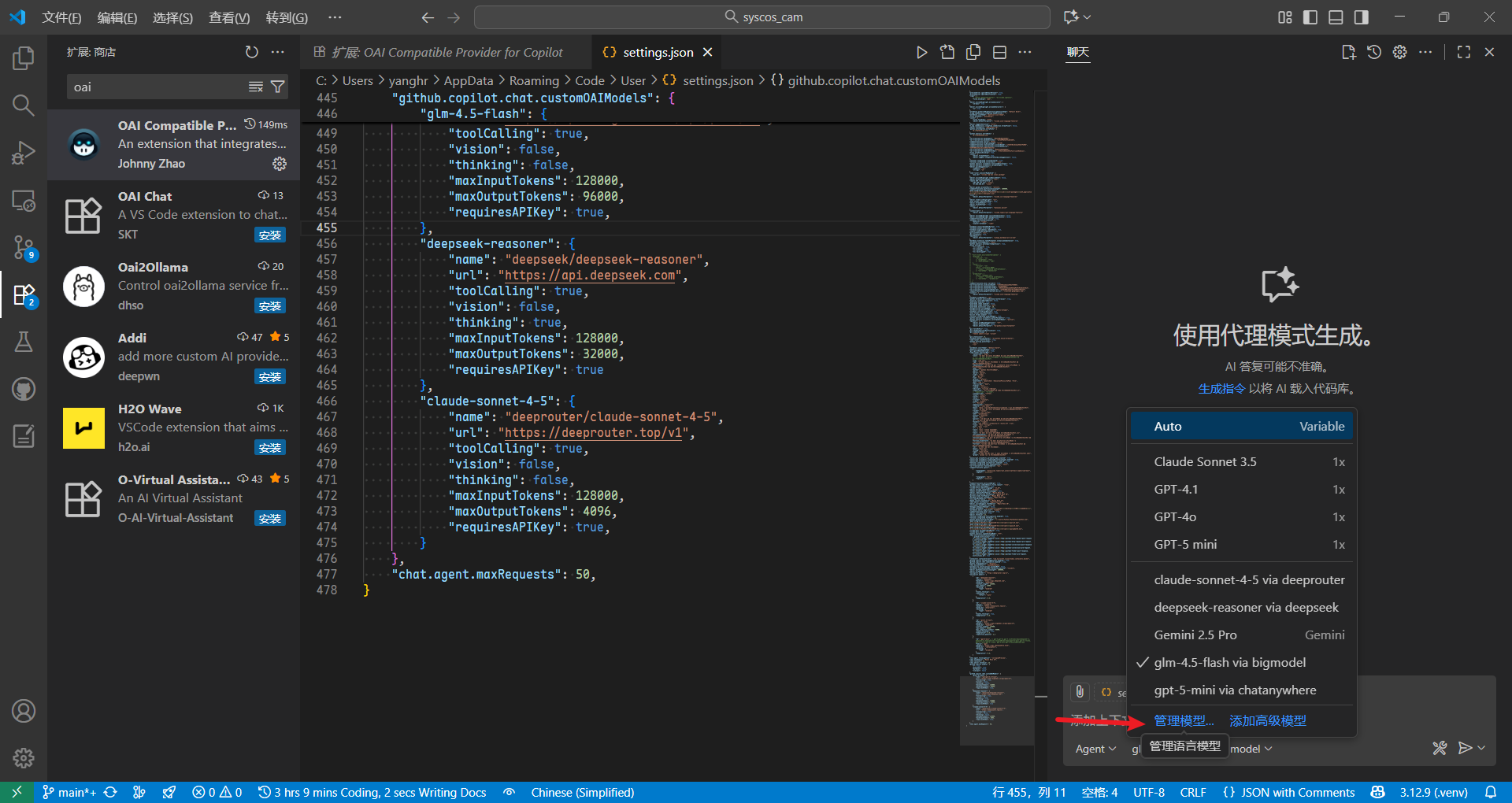
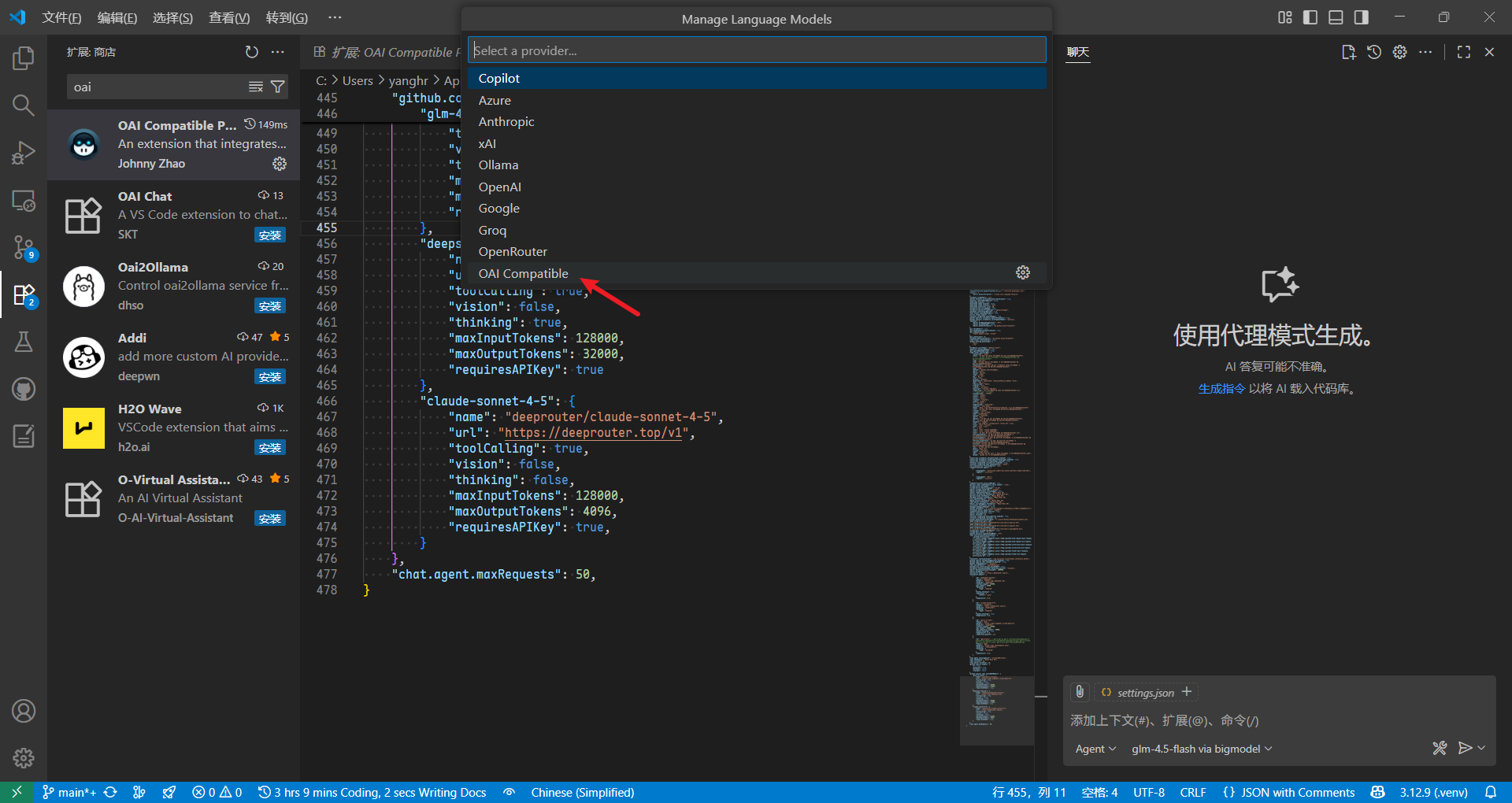
把需要的模型打开选上就行了
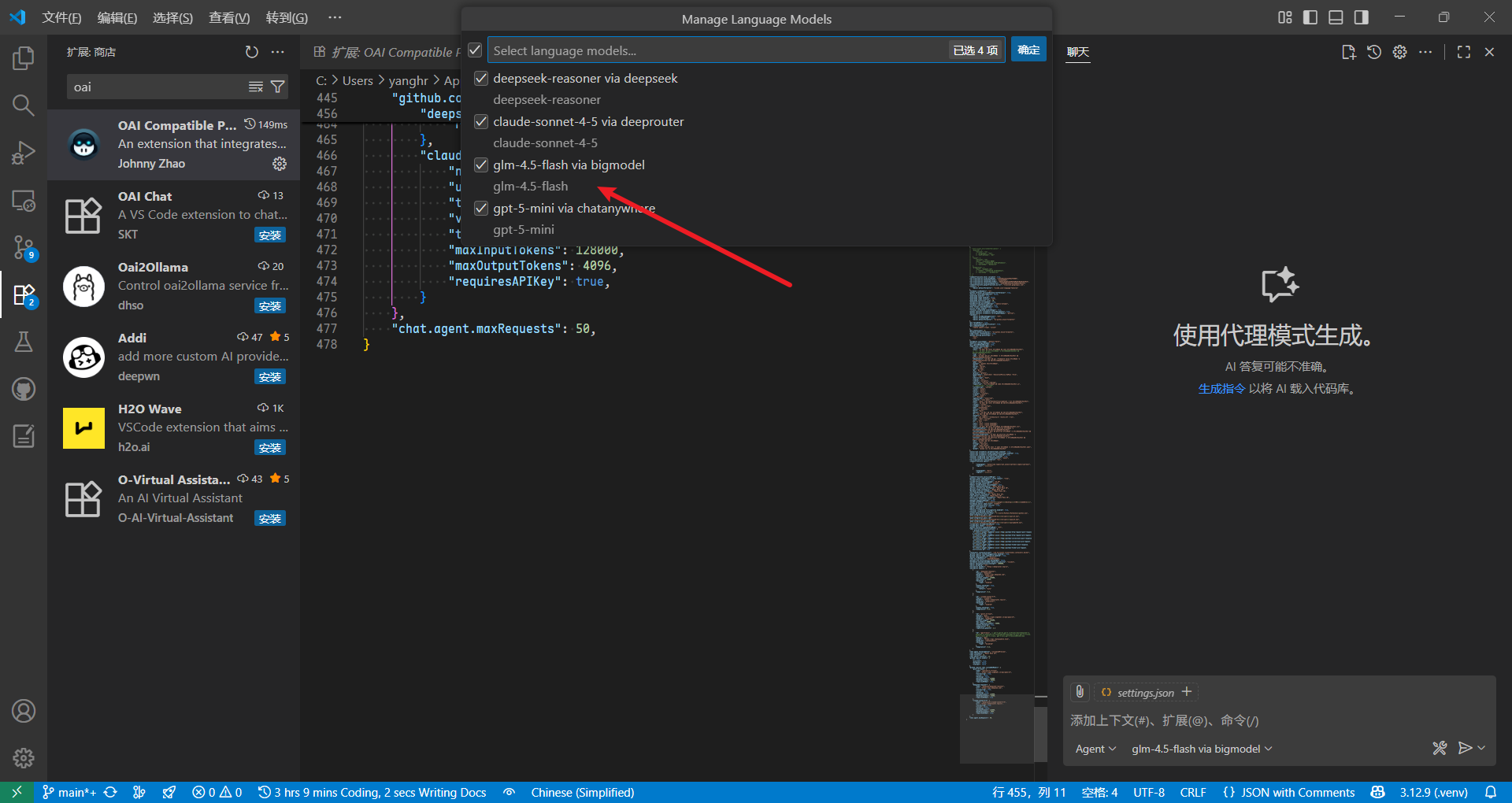
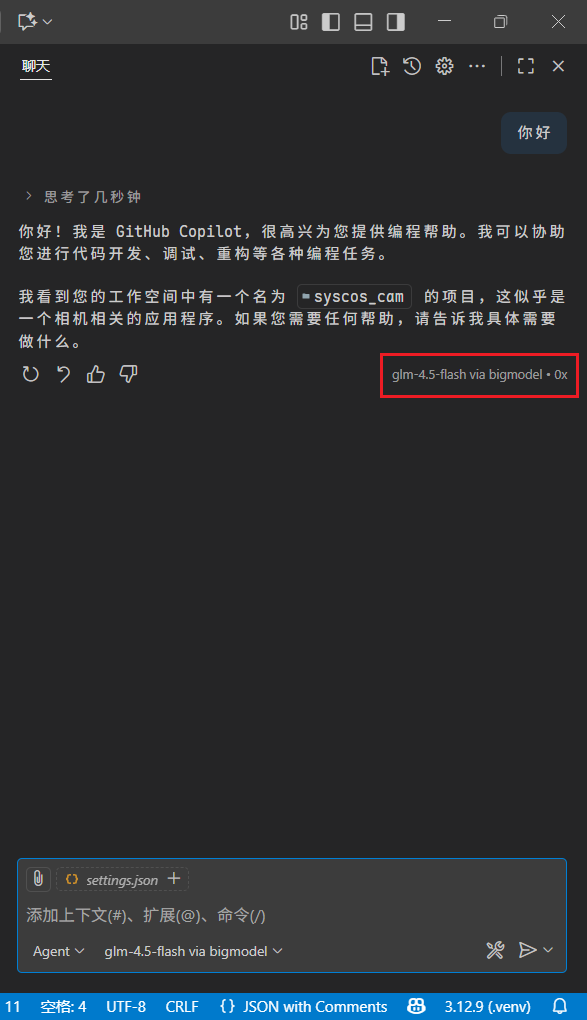
之后就能正常使用了:
其他
小马算力 注册赠送余额,送的挺多的,模型大多为国产模型 活动结束了QAQ
DeepRouter 很便宜!!!可选模型较多,gpt/claude等都有
以上平台都可以看看,使用方法与上方配置教程一样~
本文来自博客园,作者:ling-yuan,转载请注明原文链接:https://www.cnblogs.com/ling-yuan/p/19211108

 浙公网安备 33010602011771号