


Python高级应用程序设计任务
一、主题式网络爬虫设计方案(15分)
1.主题式网络爬虫名称
58同城房产抓取房产买卖信息
2.主题式网络爬虫爬取的内容与数据特征分析
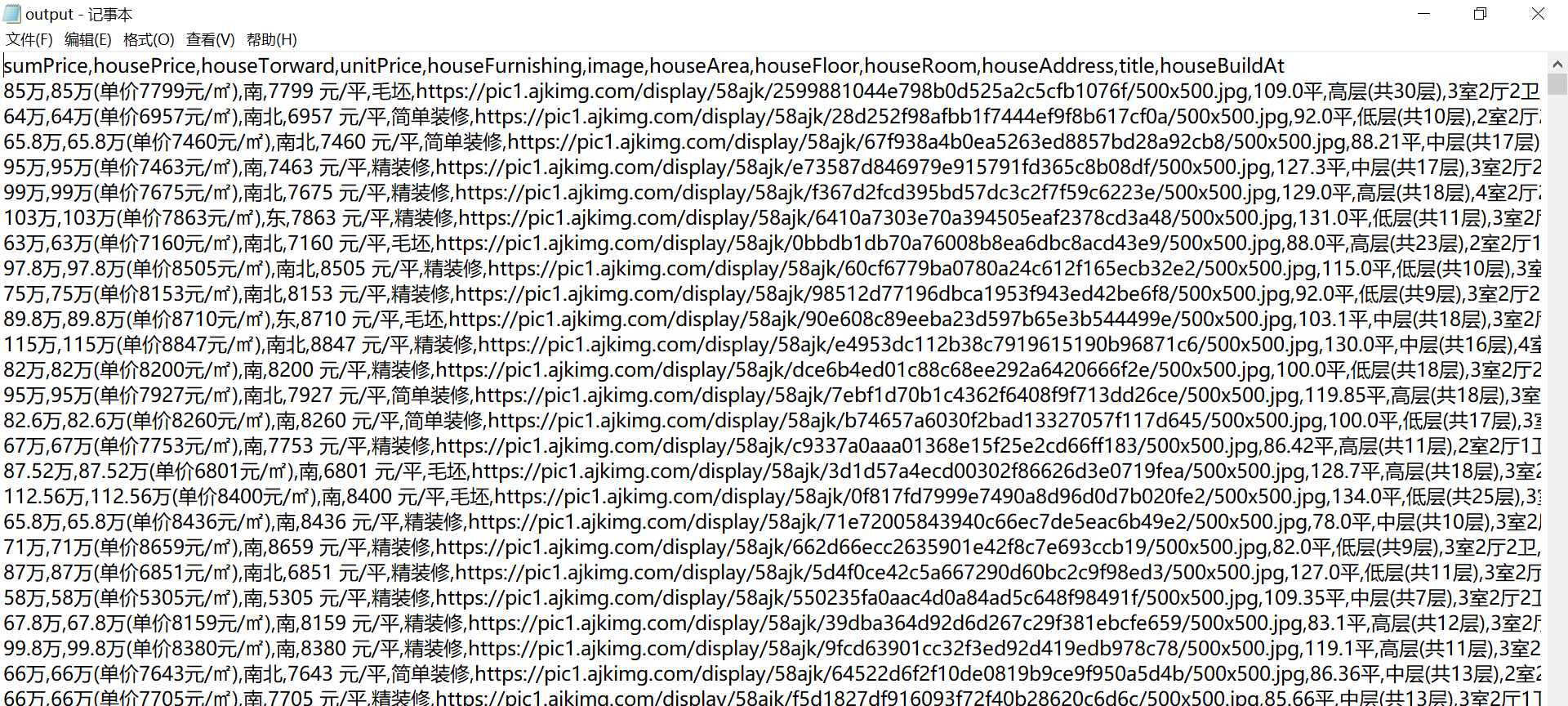
本次爬虫主要爬取房产出售的位置、总价、面积、厅室等相关信息。
3.主题式网络爬虫设计方案概述(包括实现思路与技术难点)
思路:通过requests保持浏览器的登录状态,beautifulsoup对网页中的数据进行清洗,并且对采集到的相关信息进行解析,通过soup的select_one对网页源代码进行匹配从而找出其中想要的数据存到字段中,最后以csv格式文件保存。
难点:58同城具有反爬机制,提取58同城网页结构信息,和相关信息的提取,并且在爬取价格信息时,发现价格字段经过base64加密。
二、主题页面的结构特征分析(15分)
1.主题页面的结构特征
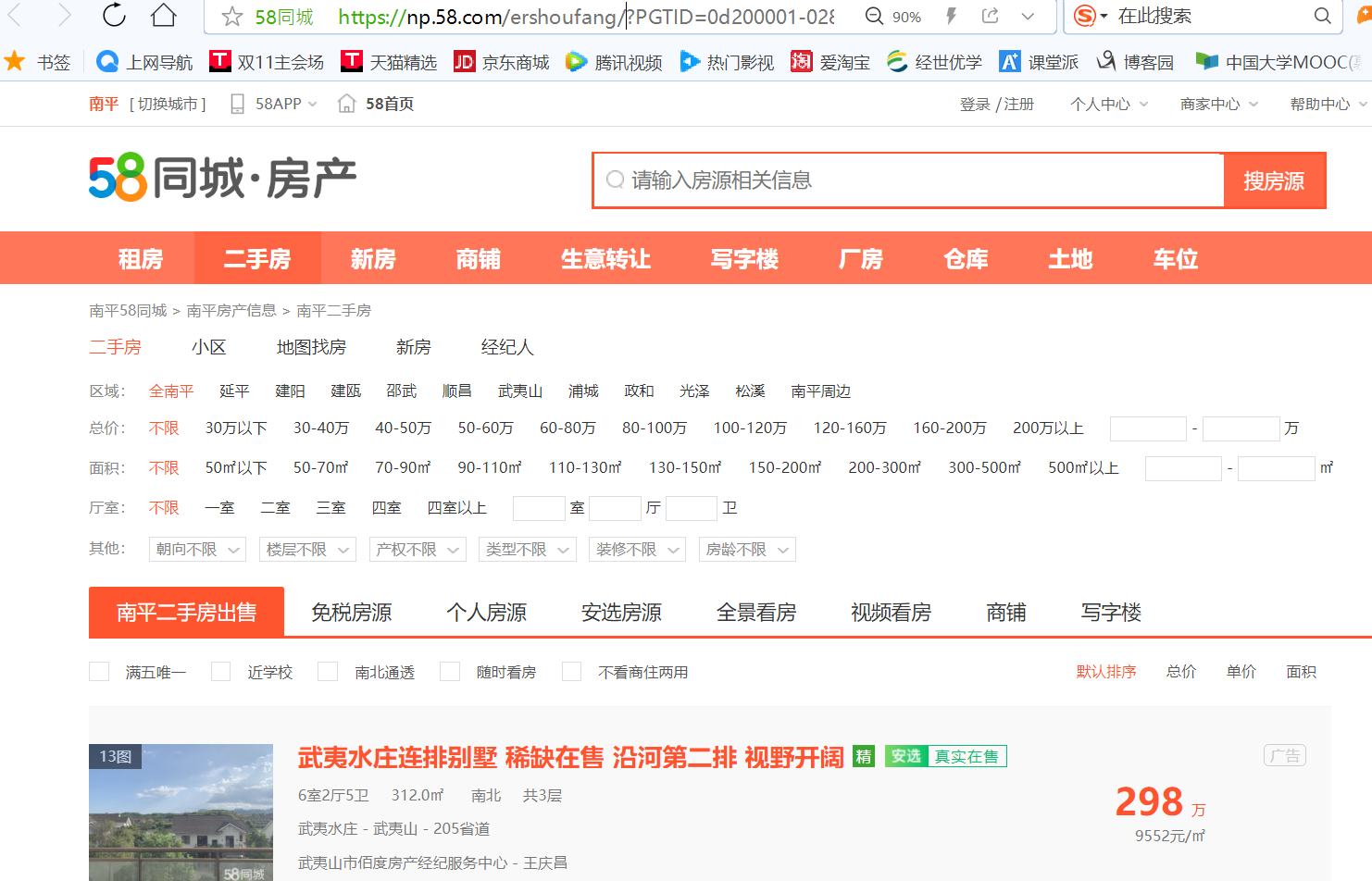
https://np.58.com/ershoufang/?PGTID=0d200001-0283-332c-ca1b-1e5528072199&ClickID=1
包含了二手房的区域、总价、面积、厅室等信息。
2.Htmls页面解析
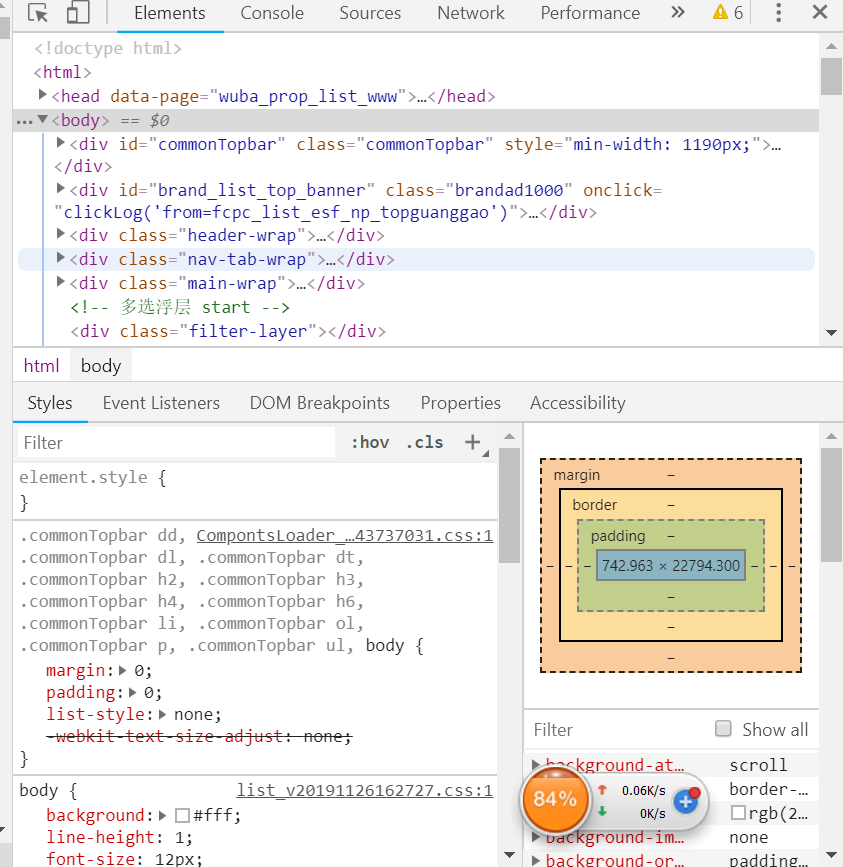
通过F12,查看网页源代码,查询相关信息。
3.节点(标签)查找方法与遍历方法
(必要时画出节点树结构)
通过requests保持浏览器的登录状态,beautifulsoup对网页中的数据进行清洗,并且对采集到的相关信息进行解析,通过soup的select_one对网页源代码进行匹配从而找出其中想要的数据存到字段中。
三、网络爬虫程序设计(60分)
爬虫程序主体要包括以下各部分,要附源代码及较详细注释,并在每部分程序后面提供输出结果的截图。
  1 import requests
  2 import time
  3 import csv
  4 import re
  5 import bs4
  6 import os
  7 import logging
  8 import random
  9 import base64
 10 from urllib.parse import urljoin
 11
 12 from fontTools.ttLib import ttFont, BytesIO
 13
 14 # 用来维持cookie,保持登录状态
 15 session = requests.Session()
 16 # 设置用户代理和cookie,使58认为这是从浏览器去访问它的
 17 session.headers["User-Agent"] = 'Mozilla/5.0 (Macintosh; Intel Mac OS X 10_15_1) AppleWebKit/605.1.15 (KHTML, like Gecko) Version/13.0.3 Safari/605.1.15'
 18 session.headers["Cookie"] = 'commontopbar_ipcity=gllosangeles%7C%E6%B4%9B%E6%9D%89%E7%9F%B6%7C1; commontopbar_new_city_info=10291%7C%E5%8D%97%E5%B9%B3%7Cnp; f=n; als=0; wmda_session_id_11187958619315=1576494942212-5c6d2465-19f1-0b3e; wmda_visited_projects=%3B6333604277682%3B11187958619315; f=n; 58tj_uuid=fef049a4-34c6-42fb-9b5c-032c2de6a7a2; init_refer=; new_session=1; new_uv=1; spm=; utm_source=; wmda_new_uuid=1; wmda_session_id_6333604277682=1576494927127-6600b0cd-c4a6-6ce6; wmda_uuid=a862cf3bd206f96cab08a1c24772181b; JSESSIONID=CDCB6D81046D5476833EE19B97BEA52A; bj58_new_uv=1; bj58_id58s="OD1mblFRc2xpZkxJNTA0MA=="; id58=c5/nn12E1PkwRuPacj8eAg=='
 19
 20 # 设置一个列表,存储地址、结果以及爬过的网址
 21 queue = [('https://np.58.com/ershoufang/pn2/', 'list', 0)]
 22 results = dict()
 23 footprint = dict()
 24 fields = set()
 25
 26 # 反复爬取页面直到爬取完所有页面
 27 while len(queue) > 0:
 28     # 取出一个任务
 29     url, kind, retry = queue.pop(0)
 30
 31     if url in footprint:
 32         continue
 33     # 爬取网页
 34     response = session.get(url)
 35     if response.status_code != 200:
 36         # 如果状态码不是200就是没有爬到,先跳过
 37         print("failed to crawl {}".format(url))
 38         # 重试5次
 39         if retry < 5:
 40             queue.append((url, kind, retry +1))
 41         continue
 42
 43     if response.text.find("验证码") >= 0:
 44         # 遭遇验证码时休眠一会,避免因过于频繁操作而被认为是机器人
 45         print("need captcha, rest for a while")
 46         # 比如说,十分钟
 47         time.sleep(10*60)
 48
 49         if retry < 5:
 50             # 如果重试次数小于5的话,输出访问的url,类型,并让重试次数+1,并随机的休眠5-7秒
 51             # 为了定位错误和输出错误信息
 52             queue.append((url, kind, retry + 1))
 53             time.sleep(2 + random.randint(3,5))
 54         continue
 55
 56
 57     print("crawled url {}".format(url))
 58
 59     # 分析页面
 60     soup = bs4.BeautifulSoup(response.text, "html.parser")
 61     # 记录一下自己爬过了
 62     footprint[url] = True
 63
 64     if kind == "list":
 65         # 如果是房屋列表页面
 66         # 把有关的链接放入队列中
 67         for link in soup.find_all("a"):
 68             new_url = urljoin(url, link.attrs.get("href", ""))
 69             new_url = new_url.split("?")[0]
 70
 71             # pn 打头的都是目录,数字开头的都是房屋信息页
 72             if new_url.startswith("https://np.58.com/ershoufang/pn") and new_url not in footprint:
 73                 print("append list page into queue: {}".format(new_url))
 74                 queue.append((new_url, "list", 0))
 75             elif new_url.startswith("https://np.58.com/ershoufang/") and new_url not in footprint and re.match("https://np.58.com/ershoufang/[0-9]{3,}", new_url):
 76                 print("append detail page into queue: {}".format(new_url))
 77                 queue.append((new_url, "detail", 0))
 78     else:
 79         # 如果是房屋信息页面
 80         # 先提取字体
 81         fontBase64 = re.search("'data:application/font-ttf;charset=utf-8;base64,(?P<data>[^']*)'", response.text)
 82         # 如果房屋信息页面存在字体
 83         if fontBase64 is not None and 'data' in fontBase64.groupdict():
 84             # 从base64恢复字体文件
 85             fontRaw = base64.b64decode(fontBase64.groupdict()['data'])
 86             # 解析字体
 87             font = ttFont.TTFont(BytesIO(fontRaw))
 88
 89             webdata = response.text
 90
 91             # 找到字体对应数字的关系
 92             for code, name in font.getBestCmap().items():
 93                 # 用chr把对应的数字转换成html的unicode字符
 94                 ch = '&#x{:x};'.format(code)
 95                 # 58偷懒,glyph最后一位就是实际的数字
 96                 digit = int(name[-2:]) - 1
 97                 # 还原网页里面的所有unicode字符串
 98                 webdata = webdata.replace(ch, str(digit))
 99
100             # 重新解析页面
101             soup = bs4.BeautifulSoup(webdata, "html.parser")
102         else:
103             print("shit, font is not avaible in ", url)
104
105         results[url] = {
106                 'title': soup.select_one(".main-wrap .house-title h1").text.replace("\n", "").replace(" ", ""),
107                 'image': soup.select_one("#smainPic")["src"],
108                 'sumPrice': soup.select_one(".main-wrap .price").text.replace("\n", "").replace(" ", ""),
109                 'unitPrice': soup.select_one(".main-wrap .unit").text.replace("\n", "").replace(" ", ""),
110                 'houseRoom': soup.select_one(".room .main").text.replace("\n", "").replace(" ", ""),
111                 'houseFloor': soup.select_one(".room .sub").text.replace("\n", "").replace(" ", ""),
112                 'houseArea': soup.select_one(".area .main").text.replace("\n", "").replace(" ", ""),
113                 'houseFurnishing': soup.select_one(".area .sub").text.replace("\n", "").replace(" ", ""),
114                 'houseTorward': soup.select_one(".toward .main").text.replace("\n", "").replace(" ", ""),
115                 'houseBuildAt': soup.select_one(".toward .sub").text.replace("\n", "").replace(" ", ""),
116                 'houseAddress': soup.find(attrs={'class': 'c_999'}, text='位置:').find_next_sibling().text.replace("\n", '').replace(' ', ''),
117                 'housePrice': soup.find(attrs={'class': 'c_999'}, text='房屋总价').find_next_sibling().text.replace("\n", '').replace(' ', ''),
118         }
119         fields.update(results[url].keys())
120
121     # 如果队列里面还有东西,停一下
122     if queue:
123         time.sleep(2 + random.randint(3, 5))
124
125 # done
126 # 存储数据
127
128 writer = csv.DictWriter(open("output.csv", "w+"), tuple(fields))
129 writer.writeheader()
130 writer.writerows(list(results.values()))
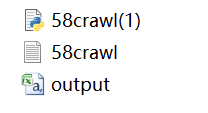
1.产生的文件
2.运行结果
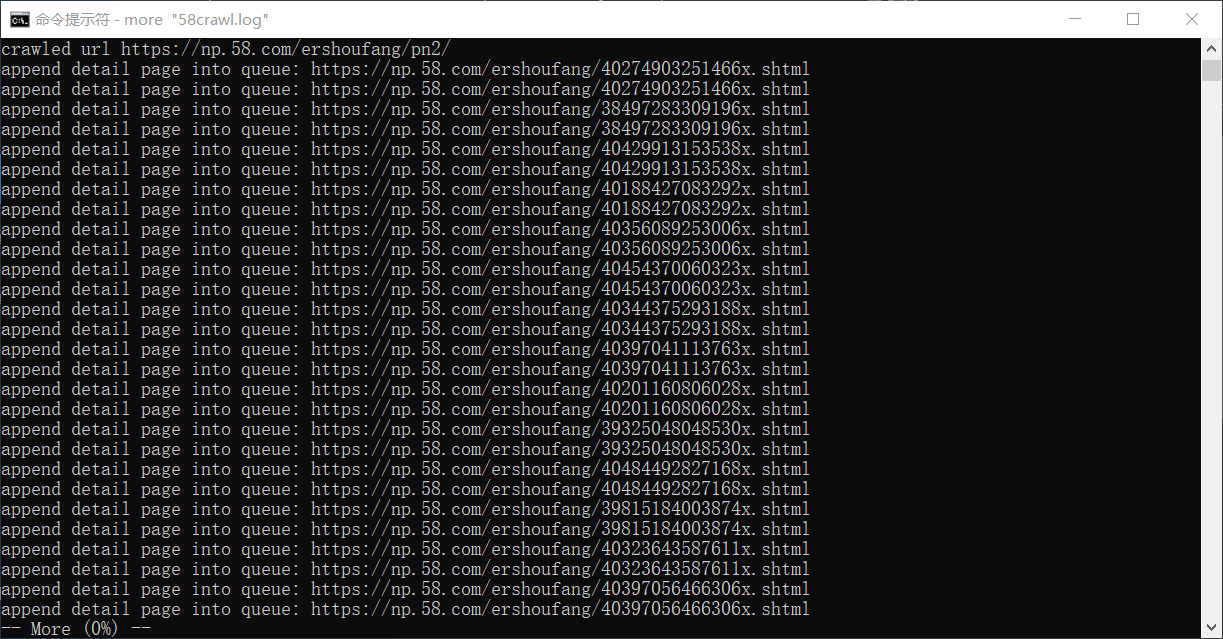
(1)在终端上
(2)在csv中
1.数据爬取与采集
response = session.get(url)
    if response.status_code != 200:
        # 如果状态码不是200就是没有爬到,先跳过
        print("failed to crawl {}".format(url))
        # 重试5次
        if retry < 5:
            queue.append((url, kind, retry +1))
        continue

    if response.text.find("验证码") >= 0:
        # 遭遇验证码时休眠一会,避免因过于频繁操作而被认为是机器人
        print("need captcha, rest for a while")
        # 比如说,十分钟
        time.sleep(10*60)

        if retry < 5:
            # 如果重试次数小于5的话,输出访问的url,类型,并让重试次数+1,并随机的休眠5-7秒
            # 为了定位错误和输出错误信息
            queue.append((url, kind, retry + 1))
            time.sleep(2 + random.randint(3,5))
        continue


    print("crawled url {}".format(url))

2.数据分析
# 分析页面
    soup = bs4.BeautifulSoup(response.text, "html.parser")
    # 记录一下自己爬过了
    footprint[url] = True

    if kind == "list":
        # 如果是房屋列表页面
        # 把有关的链接放入队列中
        for link in soup.find_all("a"):
            new_url = urljoin(url, link.attrs.get("href", ""))
            new_url = new_url.split("?")[0]

            # pn 打头的都是目录,数字开头的都是房屋信息页
            if new_url.startswith("https://np.58.com/ershoufang/pn") and new_url not in footprint:
                print("append list page into queue: {}".format(new_url))
                queue.append((new_url, "list", 0))
            elif new_url.startswith("https://np.58.com/ershoufang/") and new_url not in footprint and re.match("https://np.58.com/ershoufang/[0-9]{3,}", new_url):
                print("append detail page into queue: {}".format(new_url))
                queue.append((new_url, "detail", 0))
    else:
        # 如果是房屋信息页面
        # 先提取字体
        fontBase64 = re.search("'data:application/font-ttf;charset=utf-8;base64,(?P<data>[^']*)'", response.text)
        # 如果房屋信息页面存在字体
        if fontBase64 is not None and 'data' in fontBase64.groupdict():
            # 从base64恢复字体文件
            fontRaw = base64.b64decode(fontBase64.groupdict()['data'])
            # 解析字体
            font = ttFont.TTFont(BytesIO(fontRaw))

            webdata = response.text

            # 找到字体对应数字的关系
            for code, name in font.getBestCmap().items():
                # 用chr把对应的数字转换成html的unicode字符
                ch = '&#x{:x};'.format(code)
                # 58偷懒,glyph最后一位就是实际的数字
                digit = int(name[-2:]) - 1
                # 还原网页里面的所有unicode字符串
                webdata = webdata.replace(ch, str(digit))

            # 重新解析页面
            soup = bs4.BeautifulSoup(webdata, "html.parser")
        else:
            print("shit, font is not avaible in ", url)
3.对数据进行清洗和处理
results[url] = {
                'title': soup.select_one(".main-wrap .house-title h1").text.replace("\n", "").replace(" ", ""),
                'image': soup.select_one("#smainPic")["src"],
                'sumPrice': soup.select_one(".main-wrap .price").text.replace("\n", "").replace(" ", ""),
                'unitPrice': soup.select_one(".main-wrap .unit").text.replace("\n", "").replace(" ", ""),
                'houseRoom': soup.select_one(".room .main").text.replace("\n", "").replace(" ", ""),
                'houseFloor': soup.select_one(".room .sub").text.replace("\n", "").replace(" ", ""),
                'houseArea': soup.select_one(".area .main").text.replace("\n", "").replace(" ", ""),
                'houseFurnishing': soup.select_one(".area .sub").text.replace("\n", "").replace(" ", ""),
                'houseTorward': soup.select_one(".toward .main").text.replace("\n", "").replace(" ", ""),
                'houseBuildAt': soup.select_one(".toward .sub").text.replace("\n", "").replace(" ", ""),
                'houseAddress': soup.find(attrs={'class': 'c_999'}, text='位置:').find_next_sibling().text.replace("\n", '').replace(' ', ''),
                'housePrice': soup.find(attrs={'class': 'c_999'}, text='房屋总价').find_next_sibling().text.replace("\n", '').replace(' ', ''),
        }
        fields.update(results[url].keys())

    # 如果队列里面还有东西,停一下
    if queue:
        time.sleep(2 + random.randint(3, 5))
4.数据持久化
writer = csv.DictWriter(open("output.csv", "w+"), tuple(fields))
writer.writeheader()
writer.writerows(list(results.values()))
四、结论(10分)
1.经过对主题数据的分析与可视化,可以得到哪些结论?
通过对58同城的页面爬取与分析,了解到南平房产出售的位置、总价、面积、厅室等等相关信息。
2.对本次程序设计任务完成的情况做一个简单的小结。
通过本次爬虫的设计,对python的爬虫有了进一步的了解,也加深了requests、beautifulsoup的使用,并且采集到了58同城房产相关信息,学习到了如何爬取网页信息,及如何对加密信息进行解密,有了很大的收获。

 浙公网安备 33010602011771号