
linux自学随笔-yum网络源的配置
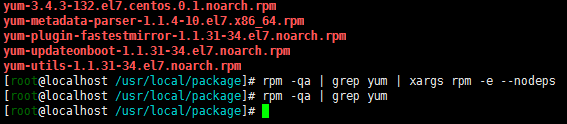
1、首先查看redhat7系统本身安装的yum软件包 ,redhat本身安装了6个关于yum的软件包,我们需要把它给卸载!
2、安装最新的yum软件包,网站地址:http://mirrors.163.com/centos/7/os/x86_64/Packages/
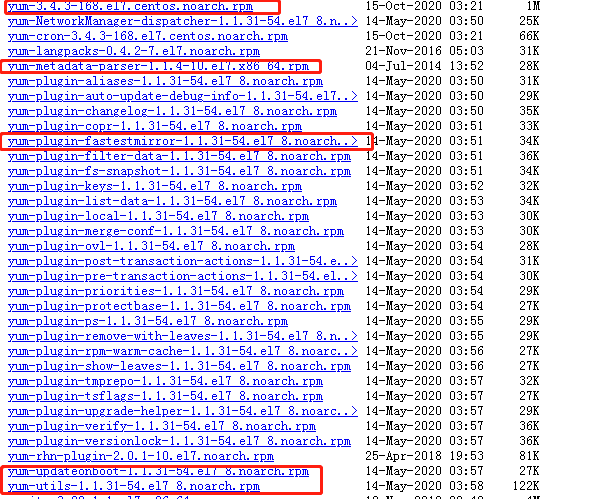
也可以使用wget工具下载,在这里使用windows下载,通过ftp传入linux服务器。
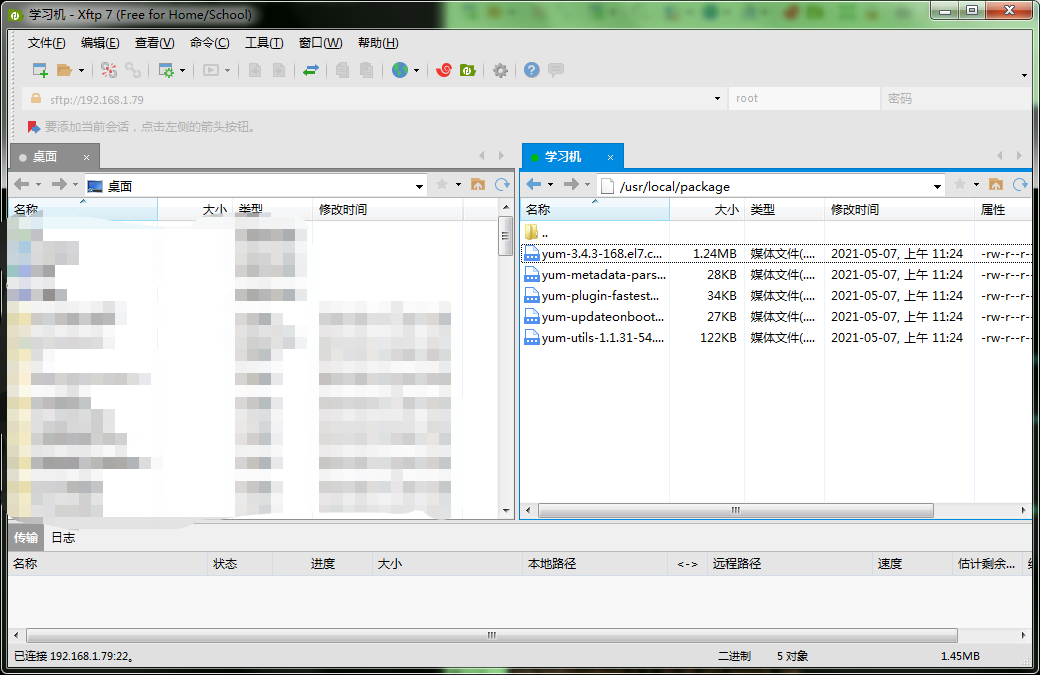
3、将下好的软件包传入linux服务器中
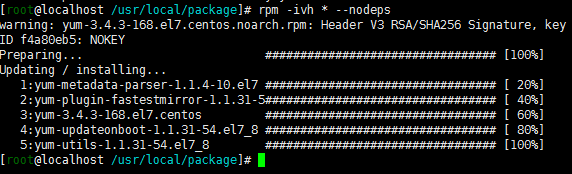
4、安装软件包(忽略依赖强制安装)
5、配置repo文件
 1 #CentOS-Base.repo
 2 #
 3 # The mirror system uses the connecting IP address of the client and the
 4 # update status of each mirror to pick mirrors that are updated to and
 5 # geographically close to the client.  You should use this for CentOS updates
 6 # unless you are manually picking other mirrors.
 7 #
 8 # If the mirrorlist= does not work for you, as a fall back you can try the
 9 # remarked out baseurl= line instead.
10 #
11 #
12 [base]
13 name=CentOS-$7 - Base - 163.com
14 #mirrorlist=http://mirrorlist.centos.org/?release=$7&arch=$basearch&repo=os
15 baseurl=http://mirrors.163.com/centos/7/os/$basearch/
16 gpgcheck=1
17 gpgkey=http://mirrors.163.com/centos/RPM-GPG-KEY-CentOS-7
18
19 #released updates
20 [updates]
21 name=CentOS-$7 - Updates - 163.com
22 #mirrorlist=http://mirrorlist.centos.org/?release=$7&arch=$basearch&repo=updates
23 baseurl=http://mirrors.163.com/centos/7/updates/$basearch/
24 gpgcheck=1
25 gpgkey=http://mirrors.163.com/centos/RPM-GPG-KEY-CentOS-7
26
27 #additional packages that may be useful
28 [extras]
29 name=CentOS-$7 - Extras - 163.com
30 #mirrorlist=http://mirrorlist.centos.org/?release=$7&arch=$basearch&repo=extras
31 baseurl=http://mirrors.163.com/centos/7/extras/$basearch/
32 gpgcheck=1
33 gpgkey=http://mirrors.163.com/centos/RPM-GPG-KEY-CentOS-7
34
35 #additional packages that extend functionality of existing packages
36 [centosplus]
37 name=CentOS-$7 - Plus - 163.com
38 baseurl=http://mirrors.163.com/centos/7/centosplus/$basearch/
39 gpgcheck=1
40 enabled=0
41 gpgkey=http://mirrors.163.com/centos/RPM-GPG-KEY-CentOS-7
6、测试yum是否成功

yum仓库软件包为11509则为配置成功。
2021-05-0711:33:57

 浙公网安备 33010602011771号