
Text2SQL -- vanna
Text2SQL
https://developer.volcengine.com/articles/7370376373124202505
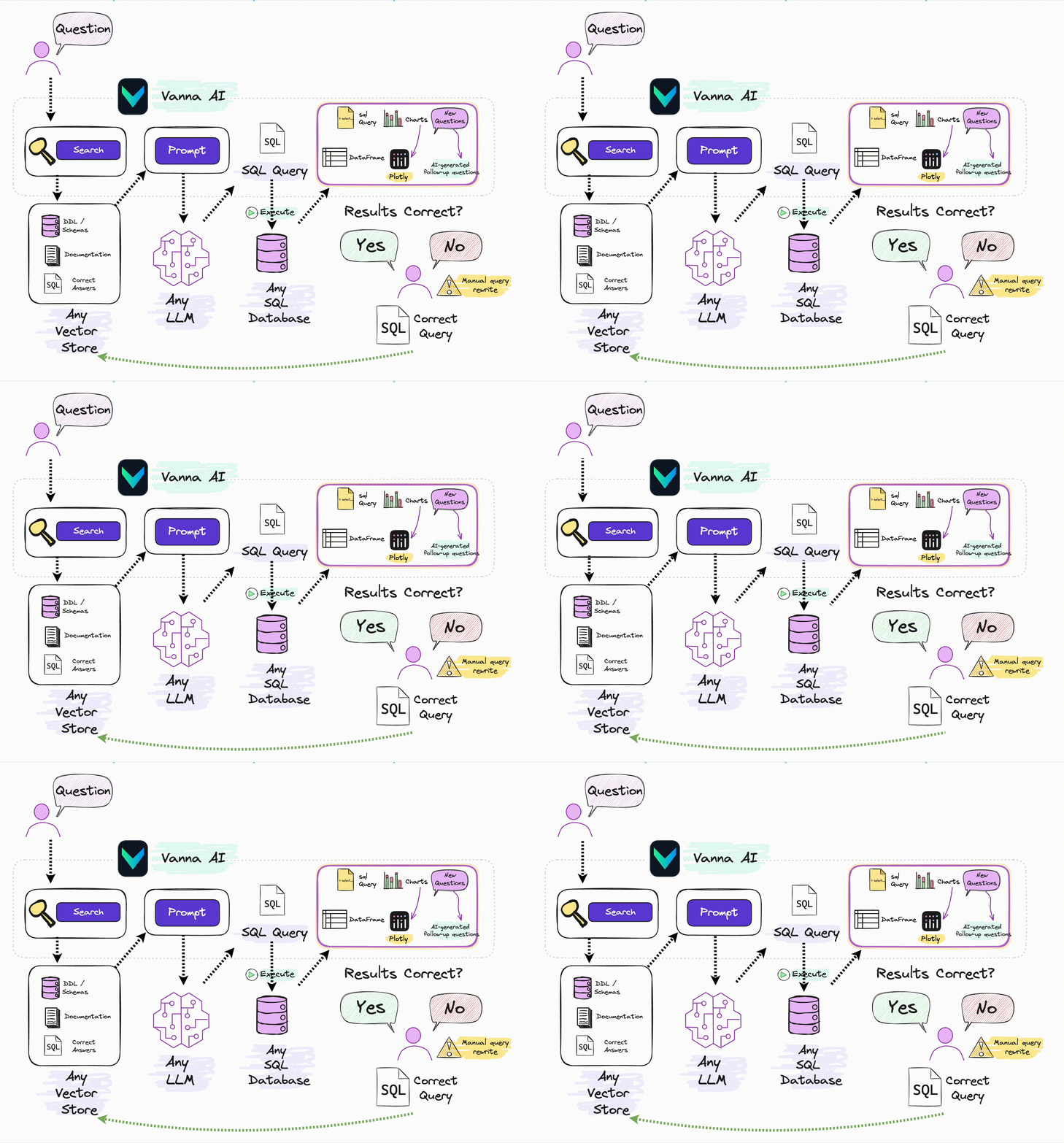
简单的说, Vanna是一个开源的、基于Python的、用于SQL自动生成与相关功能的RAG(检索增强生成)框架 。基本特点:
开放源代码( Github上搜索Vanna可进入该项目,MIT license)
基于Python语言。 可通过PyPi包vanna在自己项目中直接使用
RAG框架。 很多人了解 RAG最典型的应用是私有知识库问答,通过Prompt注入私有知识以提高LLM回答的准确性。但RAG本身是一种Prompt增强方案,完全可以用于其他LLM应用场景。比如之前我们介绍过的在构建Tools Agent时,利用RAG方案可以减少注入到Prompt中的APIs信息的数量,以减少上下文窗口的占用,节约Tokens。 Vanna则是通过RAG方案对输入LLM的Prompt进行优化,以最大限度提高自然语言转换SQL的准确率,提高数据分析结果的可信度。
https://github.com/vanna-ai/vanna
https://vanna.ai/docs/index.html
At its core, Vanna is a Python package that uses retrieval augmentation to help you generate accurate SQL queries for your database using LLMs.
https://developer.volcengine.com/articles/7370376373124202505
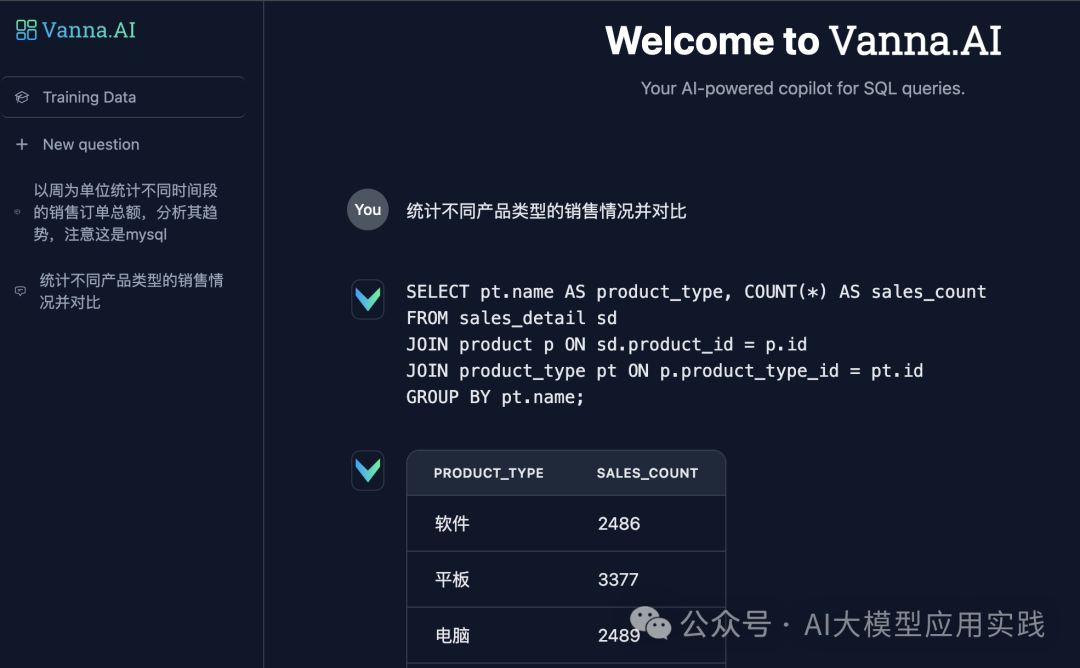
https://vanna.ai/docs/postgres-openai-standard-chromadb/
Generating SQL for Postgres using OpenAI, ChromaDB
This notebook runs through the process of using the
vannaPython package to generate SQL using AI (RAG + LLMs) including connecting to a database and training. If you're not ready to train on your own database, you can still try it using a sample SQLite database.
Which LLM do you want to use?
Where do you want to store the 'training' data?
Setup
%pip install 'vanna[chromadb,openai,postgres]'from vanna.openai import OpenAI_Chat from vanna.chromadb import ChromaDB_VectorStoreclass MyVanna(ChromaDB_VectorStore, OpenAI_Chat): def __init__(self, config=None): ChromaDB_VectorStore.__init__(self, config=config) OpenAI_Chat.__init__(self, config=config) vn = MyVanna(config={'api_key': 'sk-...', 'model': 'gpt-4-...'})
Which database do you want to query?
vn.connect_to_postgres(host='my-host', dbname='my-dbname', user='my-user', password='my-password', port='my-port')Training
You only need to train once. Do not train again unless you want to add more training data.
# The information schema query may need some tweaking depending on your database. This is a good starting point.
df_information_schema = vn.run_sql("SELECT * FROM INFORMATION_SCHEMA.COLUMNS")

# This will break up the information schema into bite-sized chunks that can be referenced by the LLM
plan = vn.get_training_plan_generic(df_information_schema)
plan

# If you like the plan, then uncomment this and run it to train
# vn.train(plan=plan)
# The following are methods for adding training data. Make sure you modify the examples to match your database. # DDL statements are powerful because they specify table names, colume names, types, and potentially relationships vn.train(ddl=""" CREATE TABLE IF NOT EXISTS my-table ( id INT PRIMARY KEY, name VARCHAR(100), age INT ) """) # Sometimes you may want to add documentation about your business terminology or definitions. vn.train(documentation="Our business defines OTIF score as the percentage of orders that are delivered on time and in full") # You can also add SQL queries to your training data. This is useful if you have some queries already laying around. You can just copy and paste those from your editor to begin generating new SQL. vn.train(sql="SELECT * FROM my-table WHERE name = 'John Doe'")# At any time you can inspect what training data the package is able to reference training_data = vn.get_training_data() training_data# You can remove training data if there's obsolete/incorrect information. vn.remove_training_data(id='1-ddl') ```## Asking the AI Whenever you ask a new question, it will find the 10 most relevant pieces of training data and use it as part of the LLM prompt to generate the SQL. ```python vn.ask(question=...)
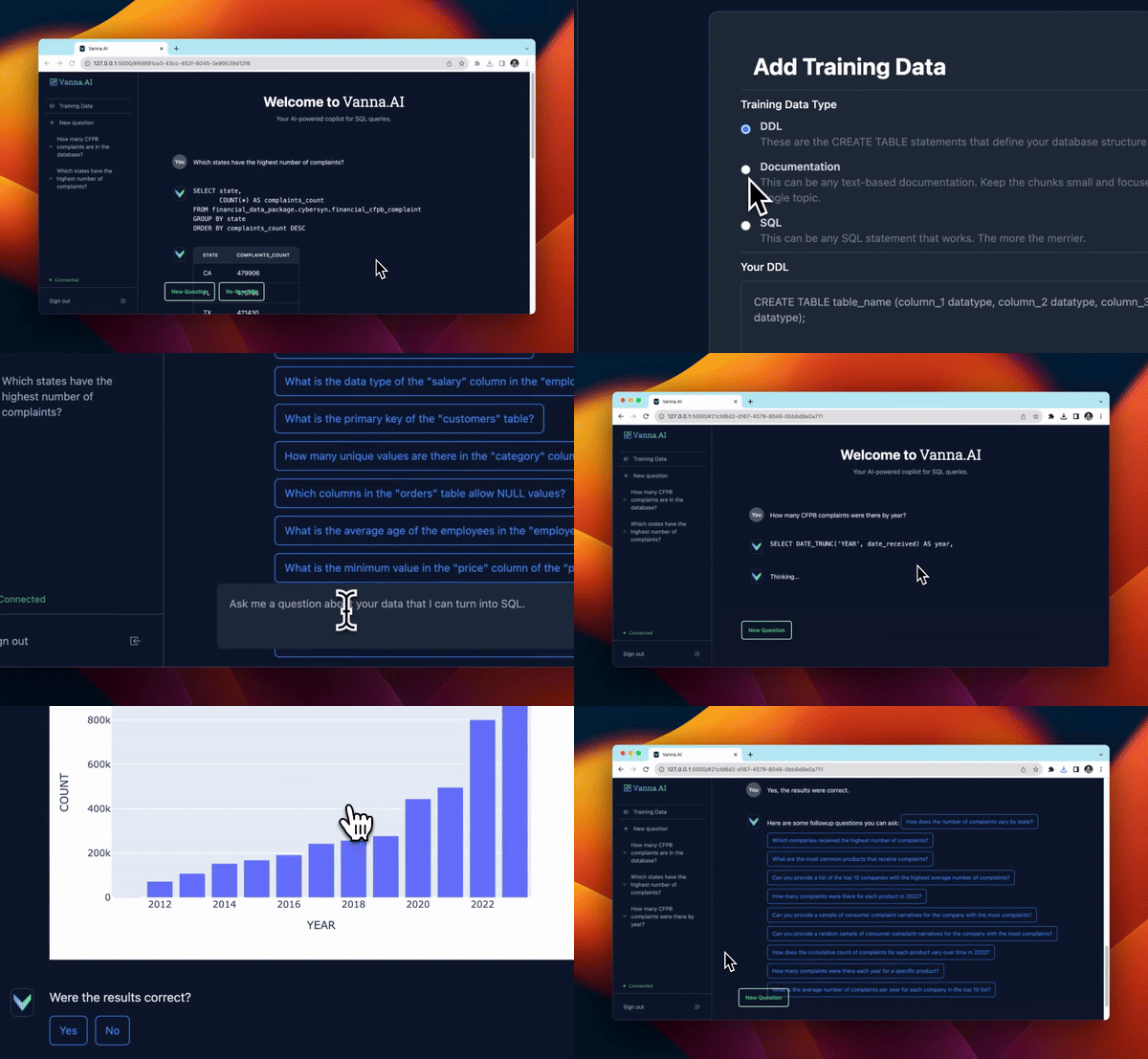
Launch the User Interface
from vanna.flask import VannaFlaskApp
app = VannaFlaskApp(vn)
app.run()
https://vanna.ai/docs/hardening-guide/
https://vanna.ai/docs/web-app-auth/
https://blog.dailydoseofds.com/p/vanna-the-trainable-text-to-sql-agent

 浙公网安备 33010602011771号