


让PlantUML的布线更加简洁的一个方法
- 比如这样的代码:
@startuml 系统架构图
title IntelliJ IDEA AI编程助教插件 - 系统架构图
package "AI编程助教插件" {
    package "表示层 (Presentation Layer)" {
        [Tool Window] as ToolWindow
        [Editor Actions] as EditorActions
    }

    package "应用层 (Application Layer)" {
        [TaToolWindowPanel] as ChatService
        [AskSelectedCodeAction\nCodeRefactorAction] as CodeModificationService
    }

    package "领域层 (Domain Layer)" {
        [SimpleRetriever] as RAGEngine
        [DocumentIndexer] as KnowledgeBaseManager
        [ContextAwareProcessor] as ContextAnalyzer
        [OpenRouterClient] as LLMEngine
    }

    package "基础设施层 (Infrastructure Layer)" {
        [Apache Tika] as DocParser
        [VectorStore] as VectorStore
        [SimpleRetriever] as RetrievalEngine
    }

    package "工具类" {
        [IndexFileManager] as IndexFileManager
    }
}

package "外部系统" {
    [Course Documents] as CourseDocs
    [Large Language Model] as LLM
}

/' 层间关系 '/
ToolWindow --> ChatService : 用户提问
EditorActions --> CodeModificationService : 代码操作请求

ChatService --> RAGEngine : 触发检索流程
CodeModificationService --> ContextAnalyzer : 获取代码上下文
CodeModificationService --> LLMEngine : 调用大语言模型

RAGEngine --> KnowledgeBaseManager : 查询知识库
KnowledgeBaseManager --> RetrievalEngine : 检索相关文档
KnowledgeBaseManager --> DocParser : 解析课程文档
KnowledgeBaseManager --> VectorStore : 存储/检索向量

LLMEngine --> LLM : 调用大语言模型

VectorStore --> RetrievalEngine : 提供向量检索
RetrievalEngine --> RAGEngine : 返回检索结果

DocParser --> CourseDocs : 读取课程文档

/' 数据存储 '/
folder "数据存储" {
    [Index File] as IndexFile
    [Vector Database] as VectorDB
}

IndexFileManager --> IndexFile : 管理文档索引路径
VectorDB --> VectorStore : 存储向量数据

@enduml
- 图的效果是这样的:
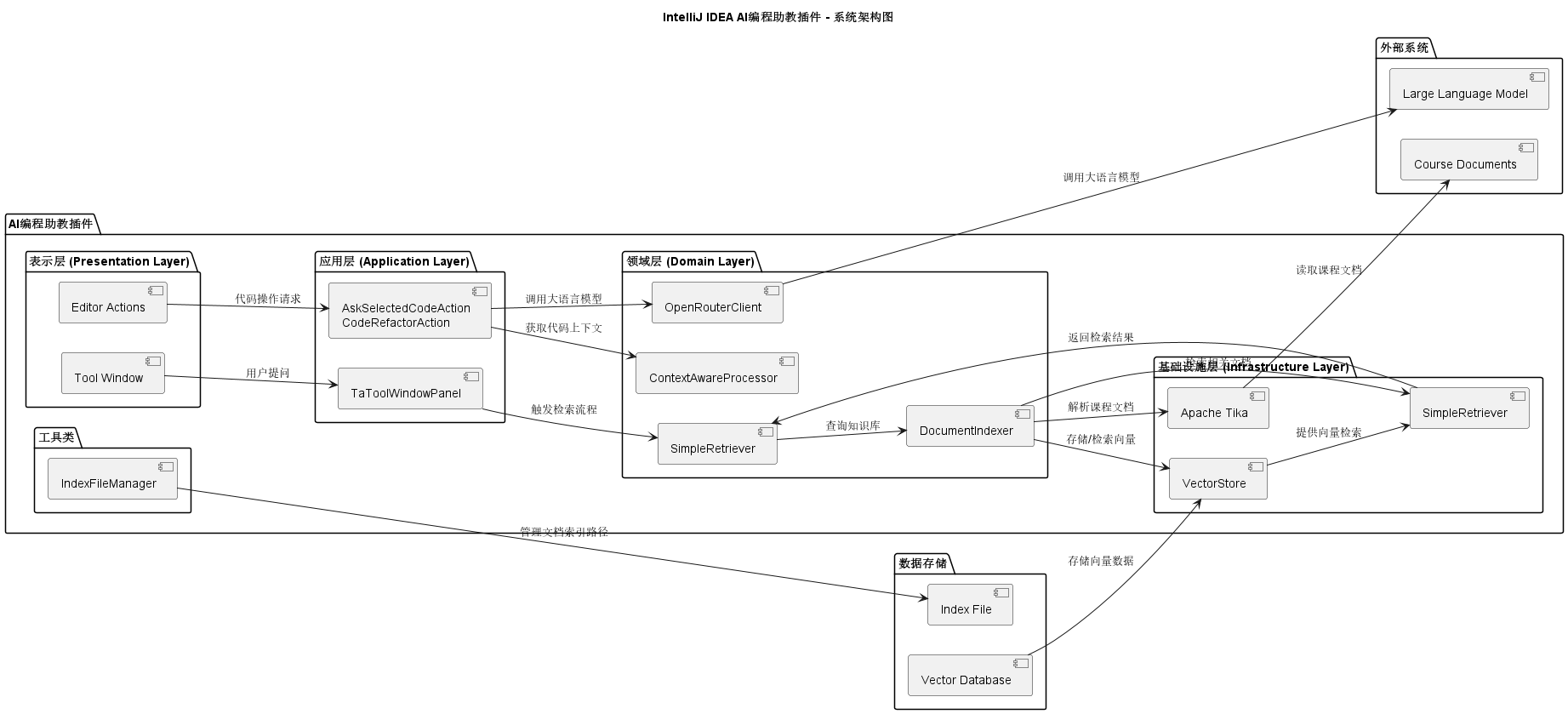
- 布线很乱
解决方法
-
在@startuml下方添加
skinparam linetype ortho设置布线为直线 -
skinparam defaultFontSize 12调小字体大小
skinparam Padding 20调大元素间距 -
图的效果:
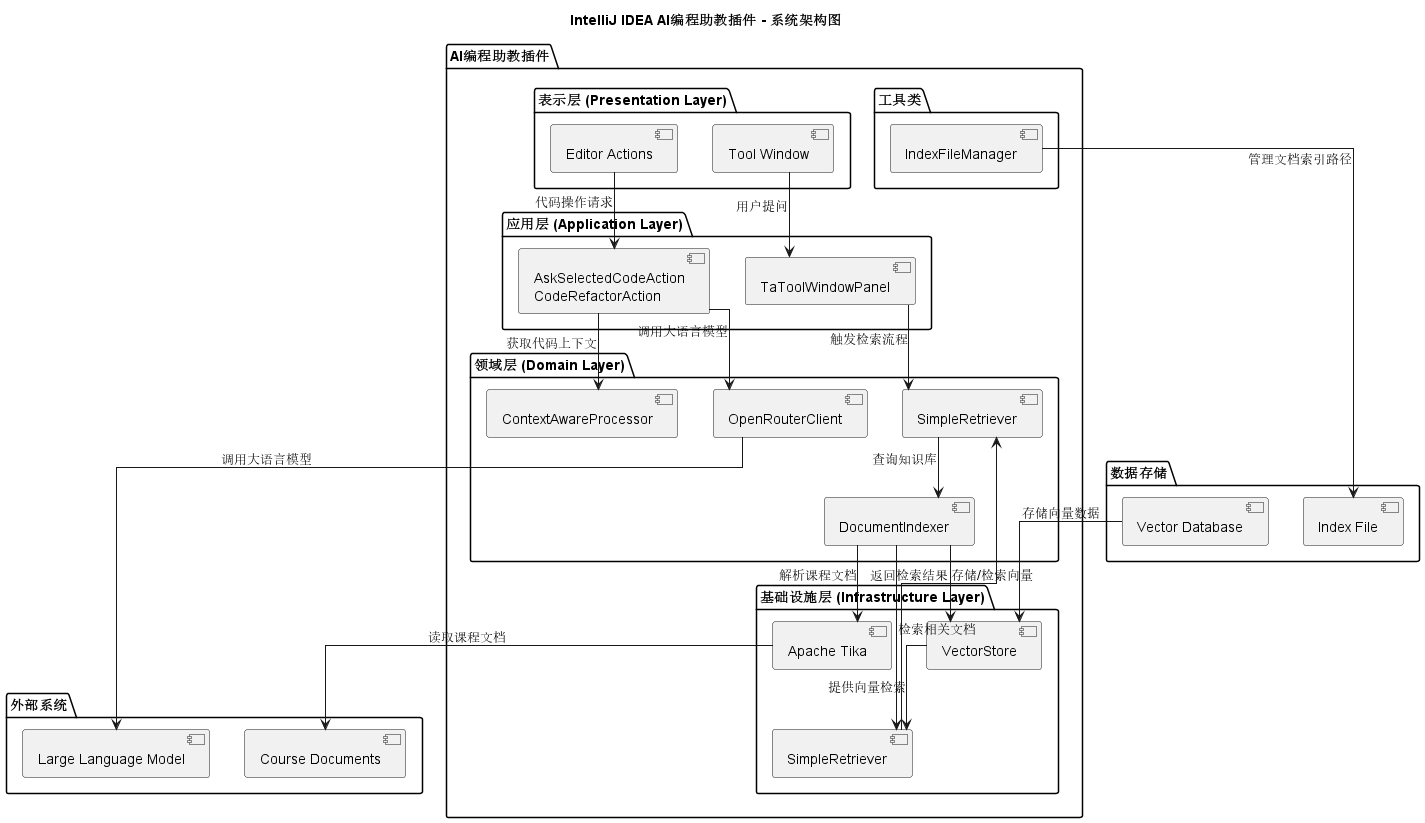
- 好像没有整齐多少, 但是线变直了!

 浙公网安备 33010602011771号