
go-zero使用consul作为注册中心
rpc的注册
导入包:
go get -u github.com/zeromicro/zero-contrib/zrpc/registry/consul
在rpc服务中添加配置:
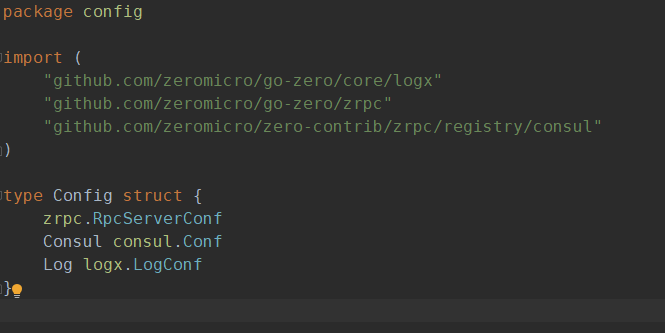
修改 rpc/internal/config 文件
添加一个Consul consul.Conf 配置项
修改 rpc/etc/user.yaml文件
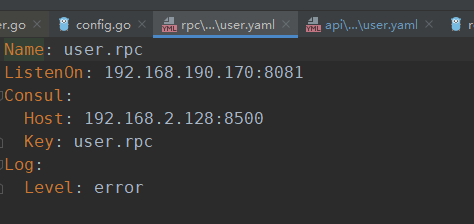
添加一个Consul配置,去掉官方自带的Etcd配置
修改 rpc/user.go 文件

将 rpc注册到consul
rpc的发现
在api服务中添加配置:
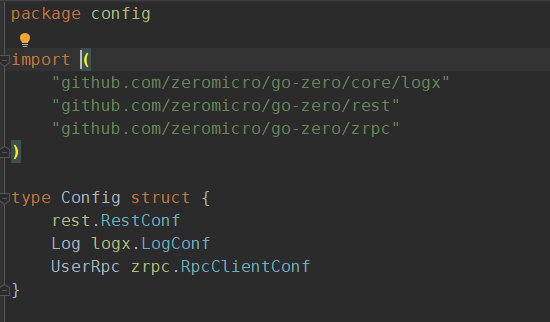
修改 api/internal/config 文件
添加一个UserRpc zrpc.RpcClientConf配置项
修改 api/etc/user.yaml文件
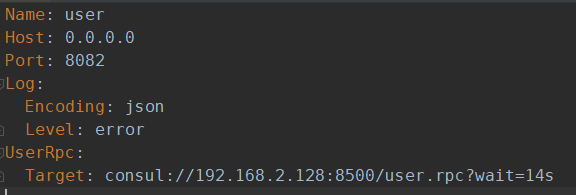
添加一个UserRpc配置,去掉官方自带的Etcd配置
修改 api/user.go 文件
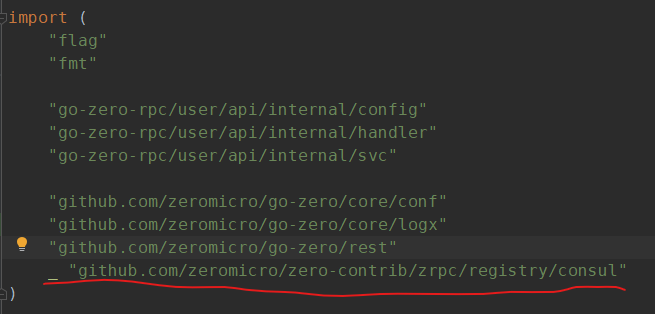
添加导入一个省略包:_ "github.com/zeromicro/zero-contrib/zrpc/registry/consul"
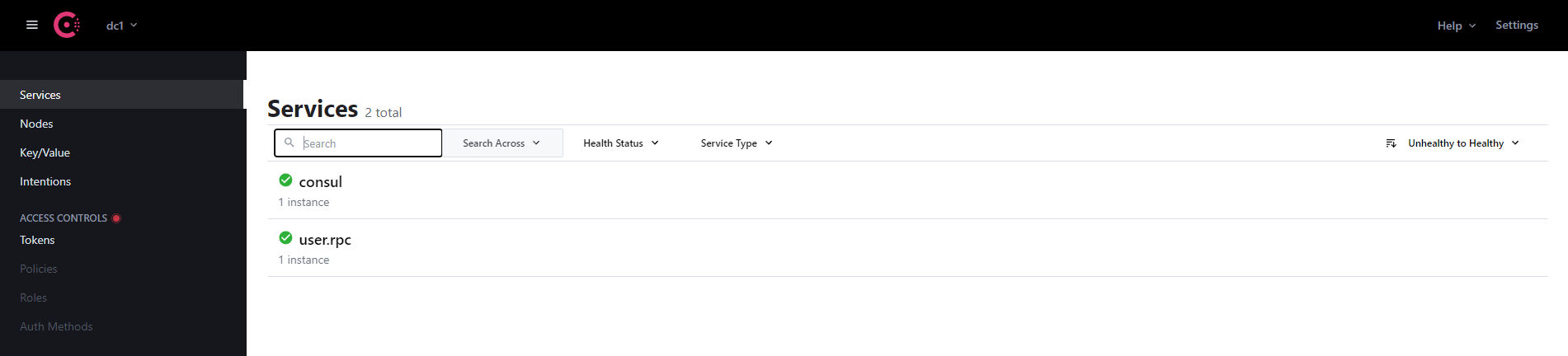
分别启动rpc服务和api服务,可以看到rpc服务已经被注册和发现了


go-zero官方地址:https://go-zero.dev/cn/docs/quick-start/micro-service/
官方包地址:https://github.com/zeromicro/zero-contrib/tree/main/zrpc/registry/consul
个人的例子:https://gitee.com/liangzaihan/go-zero-rpc-consul-demo

 浙公网安备 33010602011771号