使用docker在虚拟机部署redis,远程连接失败是因为什么
①先确保你的redis在虚拟机的配置文件redis.conf正确
bind 0.0.0.0     //允许远程访问
requirepass 123456   //redis的密码
protected-mode no    //保护模式关闭
②关闭虚拟机的防火墙,因为防火墙可能会拦截redis的6379端口
sudo systemctl stop firewalld //关闭防火墙
为了确保防火墙在下次开机时也不会自动启动,你可以运行以下命令:
sudo systemctl disable firewalld
③远程连接redis时
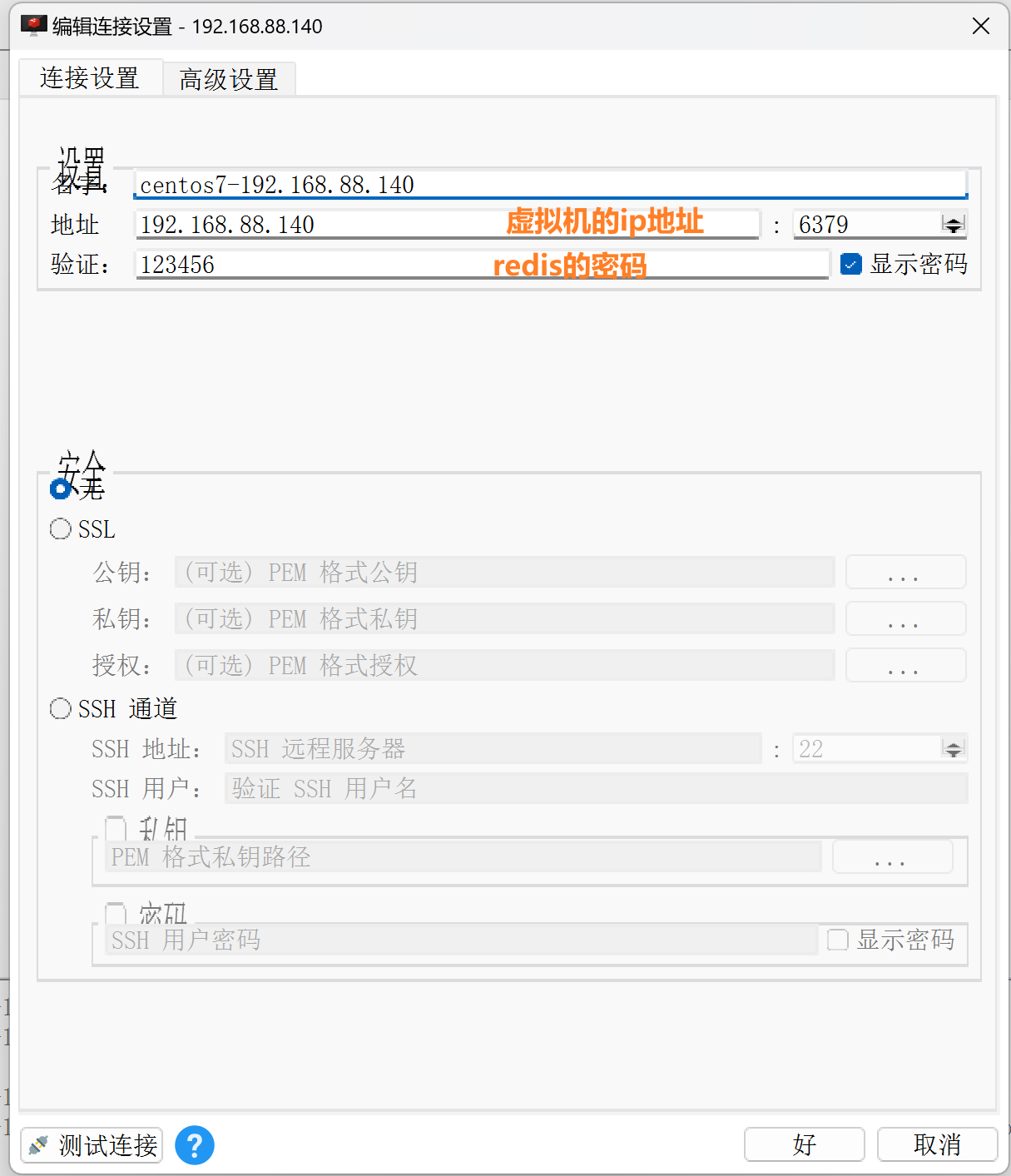
如果报错
2025-07-11 15:33:08 : Connection: Cancel running commands
2025-07-11 15:33:08 : Connection: Disconnect on error: Connection error: The proxy type is invalid for this operation
2025-07-11 15:33:08 : Connection: centos7-192.168.88.140 > connection failed
有可能是因为你使用了魔法,把工具关了就ok了!!!!!!

 浙公网安备 33010602011771号