

03-一个例子
- 登录被测系统bysms
- 双击运行runserver.bat
- 访问页面:http://127.0.0.1/mgr/sign.html
- 账号:byhy,密码:88888888
- 可以直接在pycharm的Terminal中运行hytest,不需要打开命令行窗口
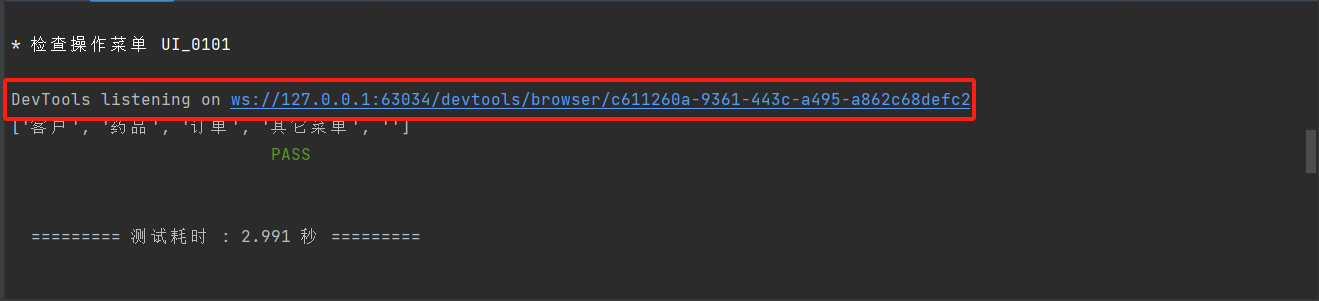
- 浏览器驱动的打印信息:
![]()
-
禁止 chromedriver 日志写屏
1 from selenium import webdriver
2
3 # 加上参数,禁止 chromedriver 日志写屏
4 options = webdriver.ChromeOptions()
5 options.add_experimental_option(
6     'excludeSwitches', ['enable-logging'])
7
8 wd = webdriver.Chrome(options=options  # 这里指定 options 参数
9 )
 1 from hytest import STEP, INFO, CHECK_POINT
 2 from selenium import webdriver
 3 from selenium.webdriver.common.by import By
 4
 5
 6 class UI_0101:
 7     name = '检查操作菜单 UI_0101'
 8
 9     def teststeps(self):
10         STEP(1, '登录')
11         # 加上参数,禁止 chromedriver 日志写屏
12         options = webdriver.ChromeOptions()
13         options.add_experimental_option(
14             'excludeSwitches', ['enable-logging'])
15         wd = webdriver.Chrome(options=options)  # 这里指定 options 参数
16         wd.implicitly_wait(10)
17         wd.get('http://127.0.0.1/mgr/sign.html')
18         wd.find_element(By.ID, 'username').send_keys('byhy')
19         wd.find_element(By.ID, 'password').send_keys('88888888')
20         wd.find_element(By.TAG_NAME, 'button').click()
21
22         STEP(2, '获取左边菜单栏')
23         eles = wd.find_elements(By.CSS_SELECTOR, '.sidebar-menu span')
24         menuText = [ele.text for ele in eles]
25         INFO(menuText)
26         STEP(3, '检查左边菜单栏')
27         CHECK_POINT('检查菜单是否正确', ['客户', '药品', '订单'] == menuText[:3])

 浙公网安备 33010602011771号