
19.Qt使用QPainter绘制按钮与实现动画效果
Qt使用QPainter绘制按钮与实现动画效果
实现效果:
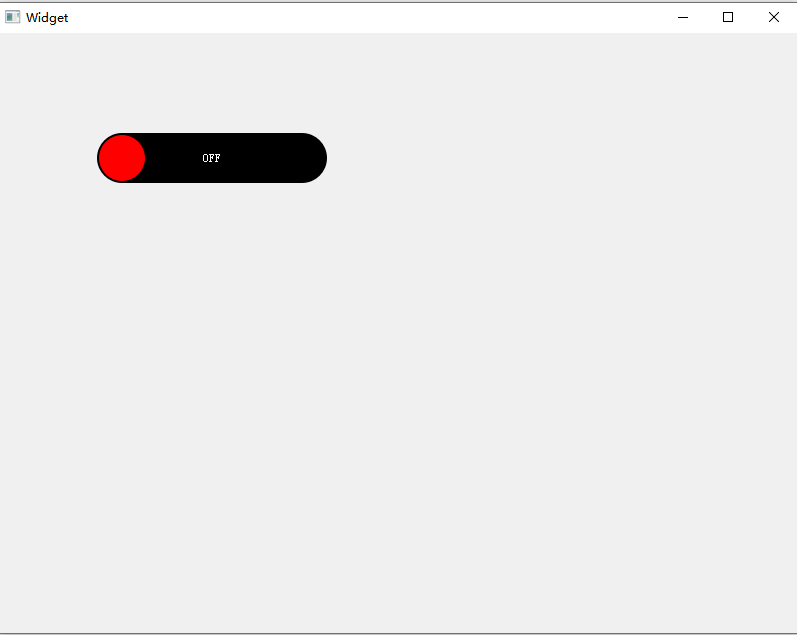
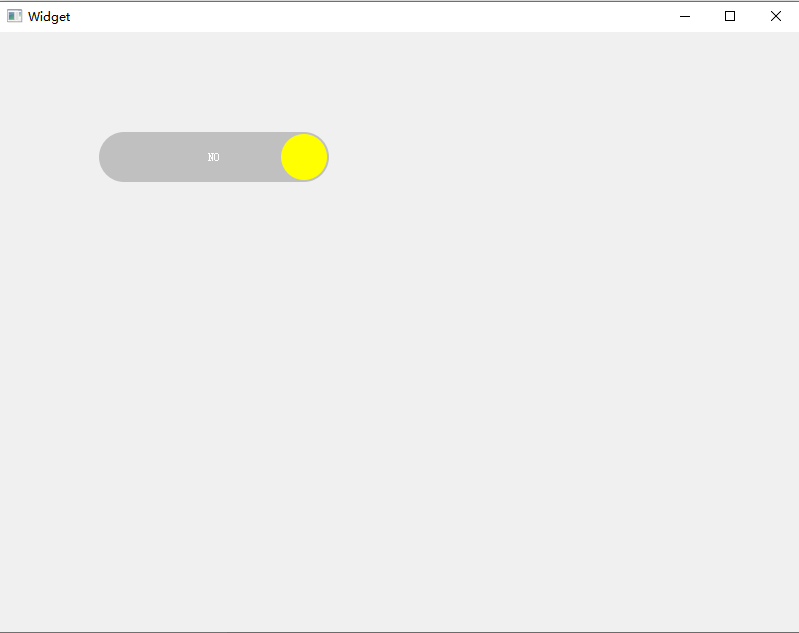
实现代码:
mybutton.h
#ifndef MYBUTTON_H
#define MYBUTTON_H

#include <QPaintEvent>
#include <QPropertyAnimation>
#include <QWidget>

class MyButton : public QWidget
{
    Q_OBJECT
public:
    explicit MyButton(QWidget *parent = nullptr);
    QPropertyAnimation *animation;
    int posX;

    bool isOff = true;
    QBrush offBgBrush = Qt::black;
    QBrush offRbBrush = Qt::red;
    QPoint center;
    QString offText = "OFF";

    QBrush onBgBrush = Qt::lightGray;
    QBrush onRbBrush = Qt::yellow;
    QString onText = "NO";

protected:
    void paintEvent(QPaintEvent *event) override;
    void mousePressEvent(QMouseEvent *event) override;
    void resizeEvent(QResizeEvent *event) override;
signals:
    void clicked();
};

#endif // MYBUTTON_H
mybutton.cpp
#include "mybutton.h"

#include <QPaintEvent>
#include <QPainter>
#include <QDebug>

MyButton::MyButton(QWidget *parent) : QWidget(parent)
{
    this->setFixedSize(80,20);

    animation = new QPropertyAnimation(this);
    animation->setTargetObject(this);
    animation->setDuration(500);
    connect(animation,&QPropertyAnimation::valueChanged,this,[=](const QVariant &value){
        posX = value.toInt();
        update();
    });
    // 设置缓动曲线
    animation->setEasingCurve(QEasingCurve::InOutQuad);
}

void MyButton::paintEvent(QPaintEvent *event)
{

    QPainter painter(this);
    painter.setRenderHint(QPainter::Antialiasing,true);
    int redius = height()/2;

    painter.setPen(Qt::NoPen);
    painter.setBrush(isOff? offBgBrush : onBgBrush);
    painter.drawRoundedRect(this->rect(),redius,redius);

    center.setX(posX);
    center.setY(redius);
    painter.setBrush(isOff? offRbBrush : onRbBrush);
    painter.drawEllipse(center,redius-redius/10,redius-redius/10);


    painter.setPen(Qt::white);
    painter.drawText(this->rect(),Qt::AlignCenter,isOff? offText : onText);

}

void MyButton::mousePressEvent(QMouseEvent *event)
{
    if(event->button() == Qt::LeftButton)
    {
        isOff? animation->setDirection(QAbstractAnimation::Forward):
                animation->setDirection(QAbstractAnimation::Backward);
        animation->start();
        isOff = !isOff;
        emit clicked();
    }
}

void MyButton::resizeEvent(QResizeEvent *event)
{

    animation->setStartValue(height()/2);
    animation->setEndValue(width()-height()/2);
}
widget.cpp
#include "widget.h"
#include "ui_widget.h"
#include "mybutton.h"
#include <QDebug>

Widget::Widget(QWidget *parent)
    : QWidget(parent)
    , ui(new Ui::Widget)
{
    ui->setupUi(this);
    MyButton *myButton = new MyButton(this);
    myButton->move(100,100);
    myButton->setFixedSize(230,50);

    connect(myButton,&MyButton::clicked,this,[](){
        qDebug() << "点击按钮";
    });
}

Widget::~Widget()
{
    delete ui;
}

 浙公网安备 33010602011771号