
3、linux禅道bug新增一个预计解决时间字段
目录
linux禅道bug新增一个预计解决时间字段
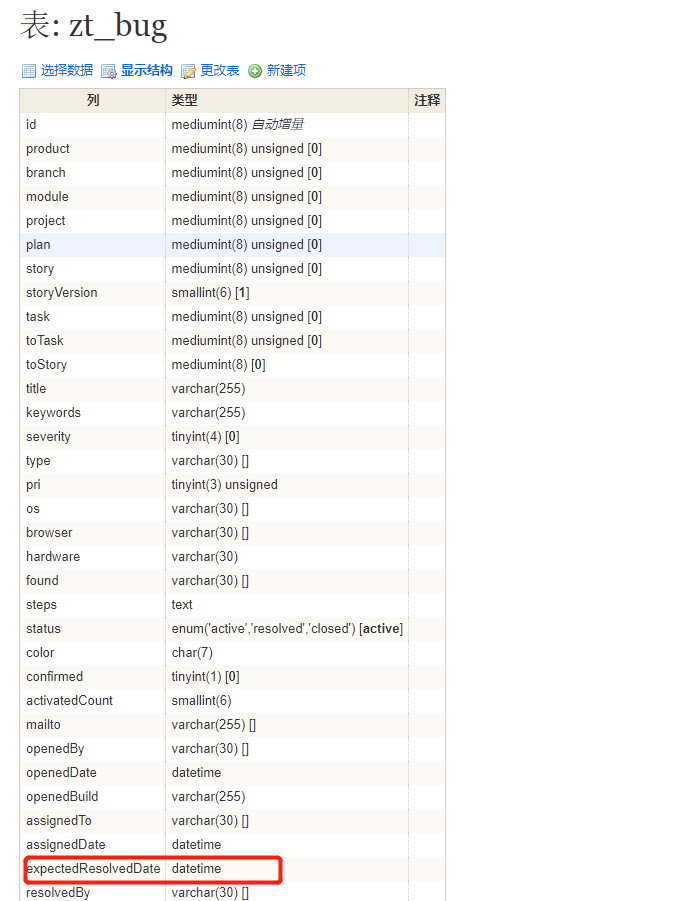
1、数据库新增预计解决日期字段
zentao数据库下,zt_bug表新增一个字段
ALTER table zt_bug add COLUMN expectedResolvedDate DATETIME NOT NUL;
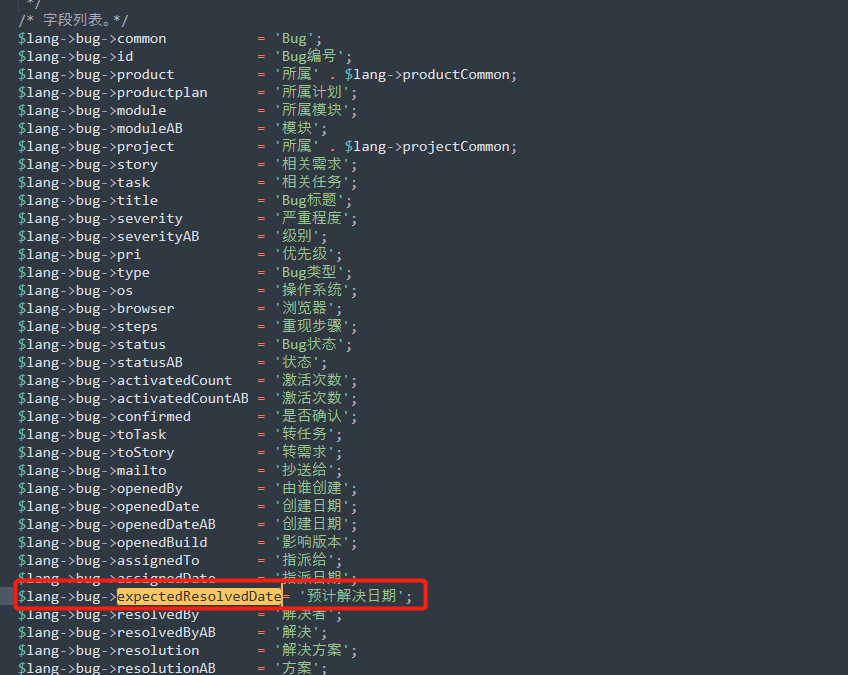
2、国际化文件新增预计解决日期字段
/opt/zbox/app/zentao/module/bug/lang
所有国际化文件
例如:zh-cn.php
3、新增、编辑、查看页面增加预计解决日期字段显示
/opt/zbox/app/zentao/module/bug/view
create.html.php
	<tr>
        <th><?php echo $lang->bug->expectedResolvedDate;?></th>
        <td>
          <div><?php echo html::input('expectedResolvedDate', $bug->expectedResolvedDate, 'class=form-control');?></div>
      </td>
   </tr>
   <?php $showOS      = strpos(",$showFields,", ',os,')      !== false;?>
   <?php $showBrowser = strpos(",$showFields,", ',browser,') !== false;?>
edit.html.php
<tr>
            <th><?php echo $lang->bug->expectedResolvedDate;?></th>
            <td><?php echo html::input('expectedResolvedDate', $bug->expectedResolvedDate, 'class=form-control');?></td>
          </tr>
          <tr>
            <th><?php echo $lang->bug->resolvedBy;?></th>
            <td><?php echo html::select('resolvedBy', $users, $bug->resolvedBy, "class='form-control chosen'");?></td>
          </tr>
view.html.php
	<tr>
                <th><?php echo $lang->bug->expectedResolvedDate;?></th>
                <td><?php echo $bug->expectedResolvedDate?></td>
              </tr>
              <tr>
                <th><?php echo $lang->bug->lblResolved;?></th>
                <td><?php if($bug->resolvedBy) echo $users[$bug->resolvedBy] . $lang->at . $bug->resolvedDate;?></td>
              </tr>
4、显示列表新增预计解决日期字段显示(高级视图)
修改/opt/zbox/app/zentao/module/bug下的config.php文件
默认的显示
$config->bug->datatable->defaultField = array('id', 'severity', 'pri', 'title', 'status', 'openedBy', 'openedDate', 'assignedTo', 'resolvedBy', 'resolution','expectedResolvedDate', 'resolvedDate', 'actions');
表头的显示
$config->bug->datatable->fieldList['expectedResolvedDate']['title']    = 'expectedResolvedDate';
$config->bug->datatable->fieldList['expectedResolvedDate']['fixed']    = 'no';
$config->bug->datatable->fieldList['expectedResolvedDate']['width']    = '90';
$config->bug->datatable->fieldList['expectedResolvedDate']['required'] = 'no';
5、简单视图修改
/opt/zbox/app/zentao/module/bug/view
datatabledata.html.php



 浙公网安备 33010602011771号