
VSCode Unity Godot C# 大括号不换行设置方法
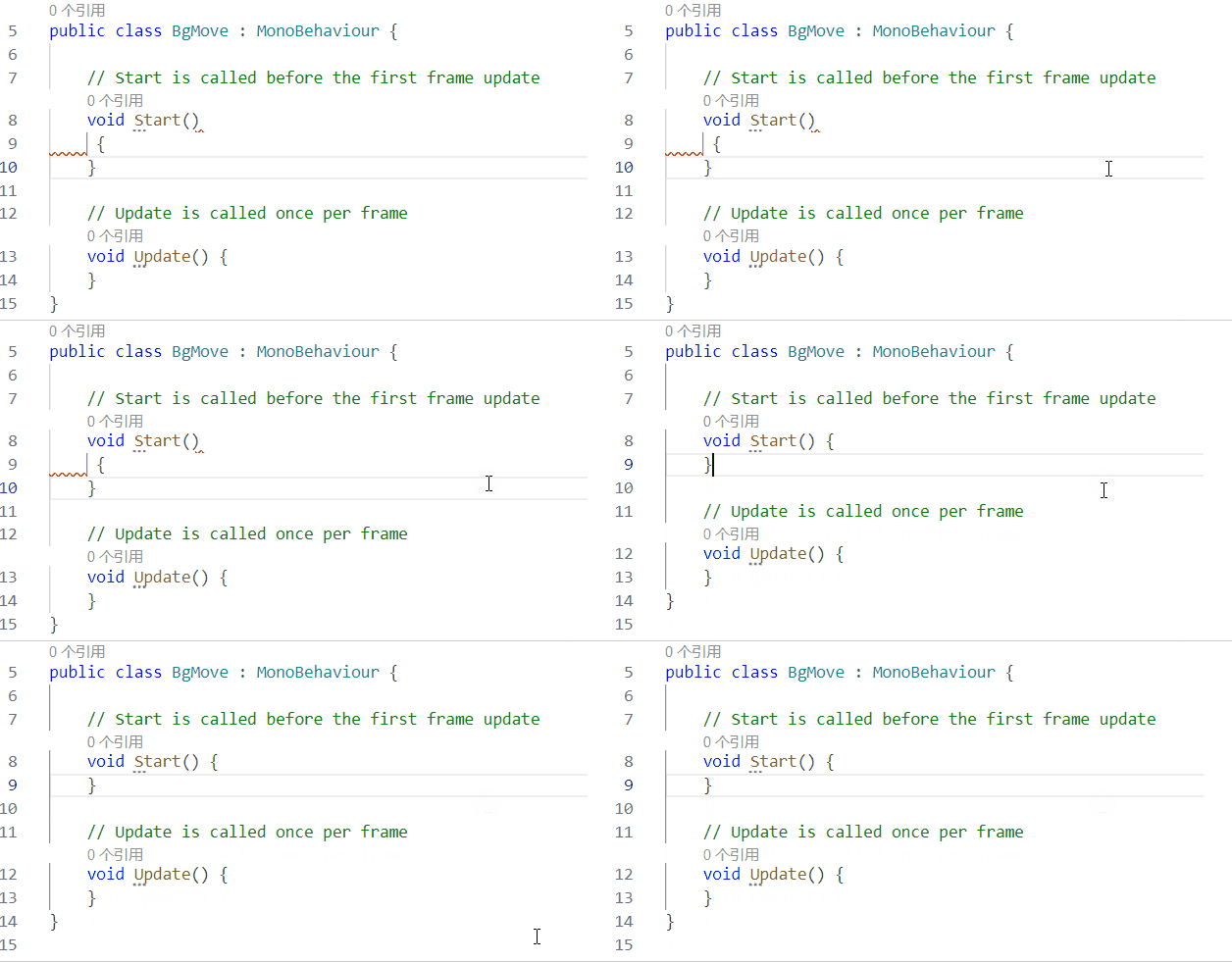
默认格式化方法
void Start()
{
}
C# 大括号不换行
void Start() {
}
需要安装
在设置中
禁用 Use Omnisharp
启用 Enable Editor Config Support
在项目根目录创建 .editorconfig 配置文件,
或者在user目录下创建 .editorconfig 配置文件 实现全局生效。
内容如下
# 表示这是顶级配置文件,不会从更高级目录继承设置
root = true
# 适用于所有文件的通用规则
[*]
charset = utf-8
end_of_line = lf
insert_final_newline = true
trim_trailing_whitespace = true
# 适用于C#源文件的规则
[*.cs]
# 缩进与制表符:关键修改点,根据您的询问将空格改为Tab
indent_style = tab
tab_width = 4
indent_size = 4
#### .NET 编码约定 ####
# 不使用 this. 限定符
dotnet_style_qualification_for_field = false:suggestion
dotnet_style_qualification_for_property = false:suggestion
dotnet_style_qualification_for_method = false:suggestion
dotnet_style_qualification_for_event = false:suggestion
# 使用语言关键字而非BCL类型名称
dotnet_style_predefined_type_for_locals_parameters_members = true:suggestion
dotnet_style_predefined_type_for_member_access = true:suggestion
#### C# 代码样式规则 ####
# 大括号布局偏好 - 核心K&R风格设置
csharp_preserve_single_line_blocks = true
csharp_preserve_single_line_statements = true
# 表达式级偏好
csharp_style_var_elsewhere = false
csharp_style_var_for_built_in_types = false
csharp_style_var_when_type_is_apparent = false
# 推荐:在类型明显时使用 `var`,可以使代码更简洁 [4](@ref)
csharp_style_var_for_built_in_types = false:suggestion
csharp_style_var_when_type_is_apparent = true:suggestion
# 表达式体成员:推荐对简单的方法和属性使用 [4](@ref)
csharp_style_expression_bodied_methods = when_on_single_line:suggestion
csharp_style_expression_bodied_properties = when_on_single_line:suggestion
csharp_style_expression_bodied_accessors = when_on_single_line:suggestion
#### C# 格式化规则 ####
# 这是实现K&R风格(左大括号不换行)的关键设置 [6](@ref)
csharp_new_line_before_open_brace = none
# 其他换行规则
csharp_new_line_before_else = true
csharp_new_line_before_catch = true
csharp_new_line_before_finally = true
csharp_new_line_before_members_in_object_initializers = true
csharp_new_line_before_members_in_anonymous_types = true
# 空格偏好
csharp_space_after_cast = false
csharp_space_after_colon_in_inheritance_clause = true
csharp_space_after_comma = true
csharp_space_after_dot = false
csharp_space_after_keywords_in_control_flow_statements = true
csharp_space_after_semicolon_in_for_statement = true
csharp_space_around_binary_operators = before_and_after
csharp_space_before_colon_in_inheritance_clause = true
csharp_space_before_comma = false
csharp_space_before_dot = false
csharp_space_before_open_square_brackets = false
csharp_space_before_semicolon_in_for_statement = false
# 排序using指令
dotnet_sort_system_directives_first = true
#### 命名约定 - 新增的重要部分 ####
# 命名风格规则,确保命名一致性 [1,3,4](@ref)
dotnet_naming_rule.types_should_be_pascal_case.severity = suggestion
dotnet_naming_rule.types_should_be_pascal_case.symbols = types
dotnet_naming_rule.types_should_be_pascal_case.style = pascal_case_style
dotnet_naming_rule.non_field_members_should_be_pascal_case.severity = suggestion
dotnet_naming_rule.non_field_members_should_be_pascal_case.symbols = non_field_members
dotnet_naming_rule.non_field_members_should_be_pascal_case.style = pascal_case_style
# 私有实例字段使用 _camelCase [1,4](@ref)
dotnet_naming_rule.instance_fields_should_be_camel_case.severity = suggestion
dotnet_style_require_accessibility_modifiers = for_non_interface_members:suggestion
# 发出警告
dotnet_diagnostic.IDE0055.severity = warning
保存后重启,效果如下
提示:
如果没有生效,可能你用错了.net sdk 版本哦!!!
引用自:
如何让我的 Omnisharp 格式化程序在 C# 开发工具包中工作? ·期刊 #6026 ·dotnet/vscode-csharp ·GitHub的

 浙公网安备 33010602011771号