

场景
使用dataOutputStream.writeUTF写入文件名,然后使用dataOutputStream.readUTF读取文件名
readUTF读取时报错java.io.UTFDataFormatException: malformed input around byte
debug的情况下,客户端执行一次发送,服务端执行一次查看数据大小
以发送文件名"file"为例
发送端
DataOutputStream dos = new DataOutputStream(os);
dos.writeUTF("file");
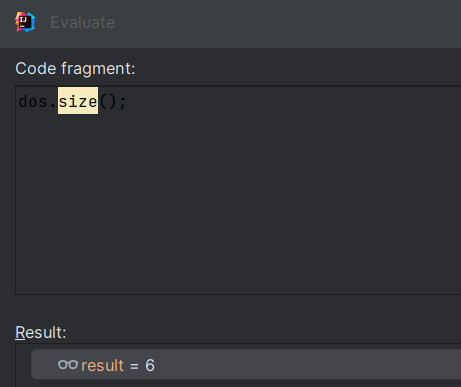
接受端:
InputStream is = socket.getInputStream();
DataInputStream dis = new DataInputStream(is);
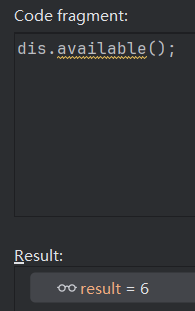
发送6字节,接收6字节
分析
效果看起来写多少就能读多少;但是实际传输过程中数据过长时会分包传输数据,
即数据被截断了,当readUTF不满足格式要求时,就导致报错java.io.UTFDataFormatException: malformed input around byte;
即使恰好不报错,也可能导致后续读取都是错位的;
尤其在一个socket中,连续发送多个文件名和文件时,容易触发。
介绍DataInputStream几个方法
read(byte[] b)读取流上的字节直到流中没有字节为止,当声明的缓存字节数组长度大于流中数据长度时会提前返回;
readFully(byte[] b)是读取流中指定长度的字节数组,即readFully(byte[] b)方法只有读取len长度字节时才返回,否则阻塞等待,如果超时,则会抛出异常 EOFException
解决
写入字符串
    public static void writeString(DataOutputStream out, String msg) throws IOException {
        byte[] bts = msg.getBytes(StandardCharsets.UTF_8);
        out.writeInt(bts.length);
        out.write(bts);
    }
读取字符串
public static String read(DataInputStream in) throws IOException {
        int length = in.readInt();
        byte[] bts = new byte[length];
        in.readFully(bts);
        return new String(bts, StandardCharsets.UTF_8);
}
le.li

 浙公网安备 33010602011771号