
quill版本1.3.7
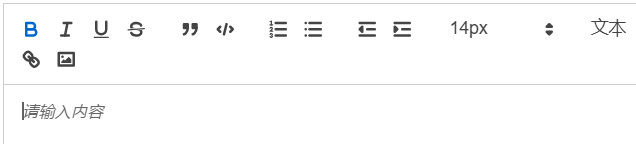
xxx.vue


<script>
export default {
  data() {
    return {
      tooltips: [
        { choice: '.ql-bold', title: '加粗' },
        { choice: '.ql-italic', title: '斜体' },
        { choice: '.ql-underline', title: '下划线' },
        { choice: '.ql-header', title: '段落格式' },
        { choice: '.ql-strike', title: '删除线' },
        { choice: '.ql-blockquote', title: '块引用' },
        { choice: '.ql-code', title: '插入代码' },
        { choice: '.ql-code-block', title: '插入代码段' },
        { choice: '.ql-font', title: '字体' },
        { choice: '.ql-size', title: '字体大小' },
      ],
    }
  },
  mounted() {
    // 清空富文本默认值
    docuemnt.getElementsByClassName('.ql-toolbar')[0].placeholder = ''
    // 遍历添加提示
    for (let item of this.tooltips) {
      let tip = document.querySelector('.ql-toolbar ' + item.choice)
      if (!tip) {
        continue
      }
      tip.setAttribute('title', item.title)
    }
  },
}
</script>
修改后效果
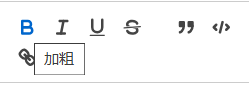
成功则跳过之后内容
如果不生效,需要检查标签之间的关系是否正确
浏览器F12,鼠标左键点击最左侧第一个带鼠标箭头的图标
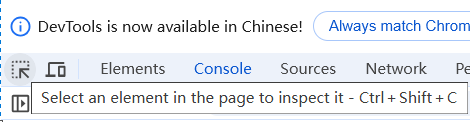
在页面中点击富文本外层元素
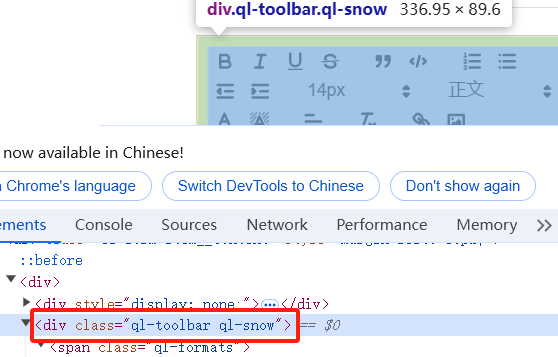
看到元素名称 <div class="ql-toolbar ql-snow"...
执行
document.querySelector(".ql-toolbar")
获取元素正常

再次点击带鼠标箭头的图标,点击页面内工具栏B按钮,可以看到class为.ql-bold

保证元素获取都是正确的,检查完代码再次尝试吧。
js拼接时,注意querySelector时,外层class与内层class之间的空格
le.li

 浙公网安备 33010602011771号