ZedGraph控件下载与安装
1、下载ZedGraph
下载地址:https://sourceforge.net/projects/zedgraph

解压zedgraph_dll_v515
2、安装ZedGraph控件
Visual Studio 2010,打开解决方案...
在 工具箱 - 所有Windows窗体 上,右键点击“选择项”,打开
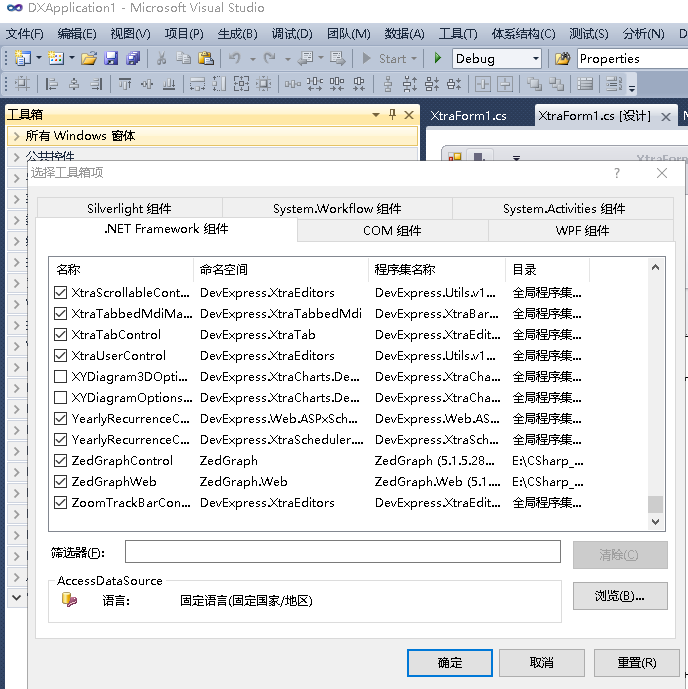
点击“选择工具箱项”对话框 的浏览,打开文件选择对话框,选择解压的ZedGraph.dll 和 ZedGraph.Web.dll ,最后点击确认。
这样在“所有Windows窗体”,就能看到ZedGraphControl控件了。
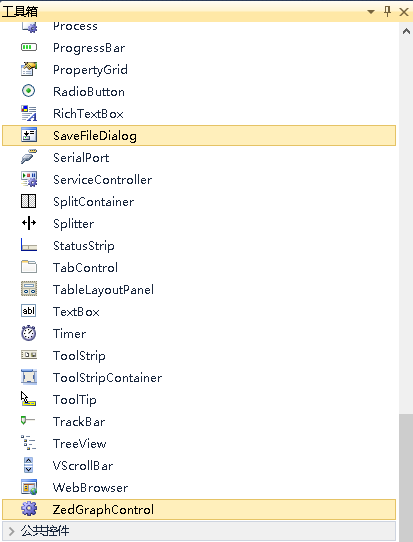
3、使用例子
拖动ZedGraphControl控件到窗体上,
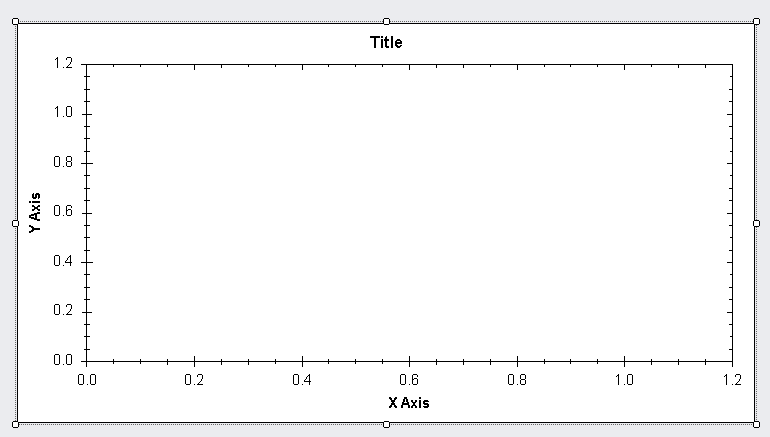
代码:
using System;
using System.Collections.Generic;
using System.ComponentModel;
using System.Data;
using System.Drawing;
using System.Text;
using System.Linq;
using System.Windows.Forms;
using DevExpress.XtraEditors;
using ZedGraph; // 引用ZedGraph控件
namespace DXApplication1
{
public partial class XtraForm1 : DevExpress.XtraBars.Ribbon.RibbonForm
{
public XtraForm1()
{
InitializeComponent();
}
private void XtraForm1_Load(object sender, EventArgs e)
{
GraphPane myPane = zedGraphControl1.GraphPane;
myPane.Title.Text = "My Test Graph";
myPane.XAxis.Title.Text = "My X Axis";
myPane.YAxis.Title.Text = "My Y Axis";
double x, y1, y2;
PointPairList list1 = new PointPairList();
PointPairList list2 = new PointPairList();
for (int i = 0; i < 36; i++)
{
x = (double)i + 5;
y1 = 1.5 + Math.Sin((double)i * 0.2);
// y2 = 3.0 + Math.Sin((double)i * 0.2);
y2 = 3.0 + Math.Cos((double)i * 0.2);
list1.Add(x, y1);
list2.Add(x, y2);
}
LineItem myCurve = myPane.AddCurve("aaa", list1, Color.Red, SymbolType.Diamond);
LineItem myCurve2 = myPane.AddCurve("bbb", list2, Color.Blue, SymbolType.Plus);
zedGraphControl1.AxisChange();
}
}
}
参考文档:
1)https://www.codenong.com/cs109643765/
2)https://blog.csdn.net/wwwlyj123321/article/details/104785439

 浙公网安备 33010602011771号