
vue结合动态class实现一个tabs选项卡效果
写在前面
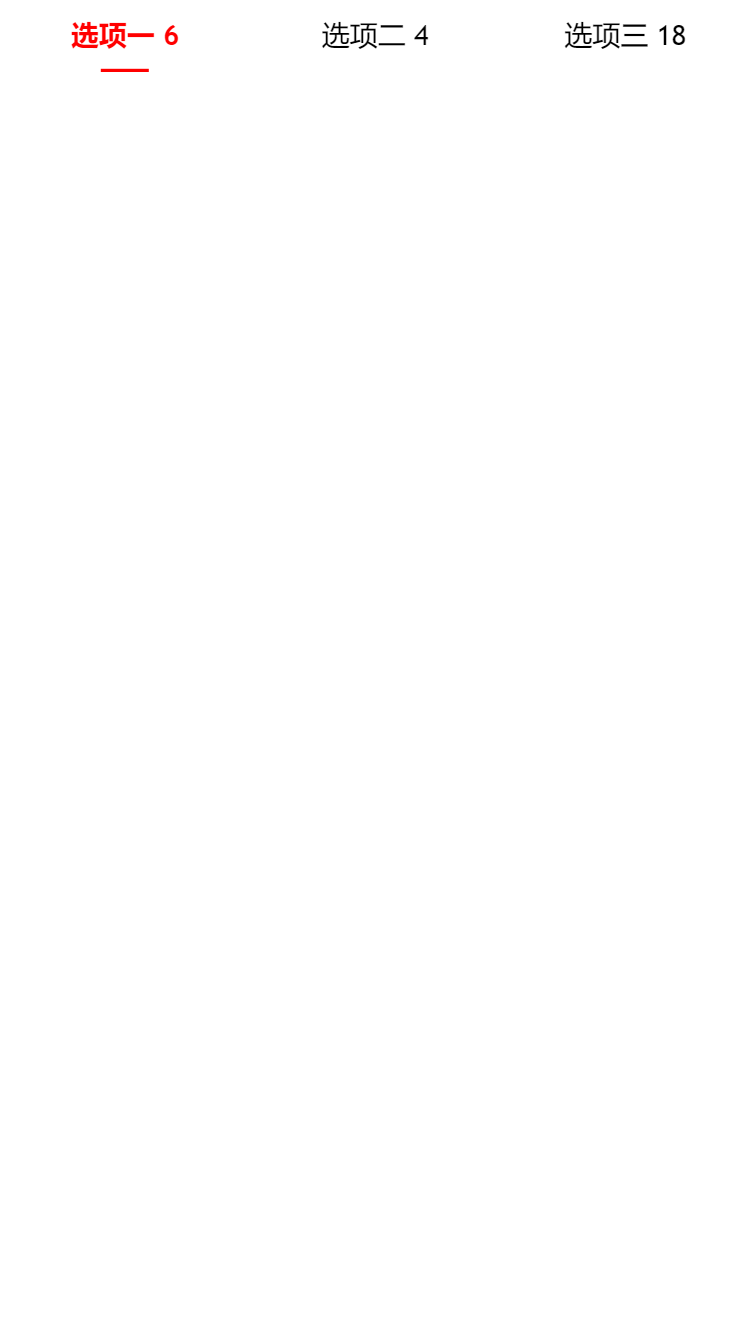
平时做开发会写很多功能效果,这些功能效果有很多主流的UI框架都包含的,比如vant / element / bootstrap / iview等等,今天这里自己动手用vue实现了一个简单的tabs切换效果,记录下。
项目目录结构
- tabs
  css
    tabs.css
  index.html
代码视图
html部分
**<!DOCTYPE html>
<html lang="en">
<head>
    <meta charset="UTF-8">
    <meta http-equiv="X-UA-Compatible" content="IE=edge">
    <meta name="viewport" content="width=device-width, initial-scale=1.0">
    <title>通过Vue实现tab切换</title>

    <!-- import style -->
    <link rel="stylesheet" href="./css/tab.css">
</head>
<body>
    <<div id="app">
        <div class="tabs">
            <div class="tabs-item" :class="{'tabs-active': index == queryParams.active}" v-for="(item,index) in tabsConf" :key="index" @click="tabsChange(item,index)">
                {{item.title}}
                {{item.dot}}
                <div :class="{'tabs-line': index == queryParams.active}"></div>
            </div>
        </div>
    </>
</body>
</html>**
css部分
* {
    margin: 0;
    padding: 0;
    font-family: 'Trebuchet MS', 'Lucida Sans Unicode', 'Lucida Grande', 'Lucida Sans', Arial, sans-serif;
}

.tabs {
    height: 36px;
    display: flex;
    align-items: center;
    justify-content: space-between;
}

.tabs-item {
    flex: 1;
    height: 100%;
    font-size: 14px;
    color: ##242526;
    line-height: 36px;
    text-align: center;
}

.tabs-active {
    color: red;
    font-weight: 600;
}

.tabs-line {
    width: 24px;
    height: 2px;
    position: absolute;
    left: 50%;
    bottom: 0;
    transform: translate(-50%,0);
    background-color: red;
}
js部分
<script src="https://unpkg.com/vue/dist/vue.js"></script>
<script>
var app = new Vue({
    el: '#app',
    data: {
        // tabs配置
        tabsConf: [
            {title: '选项一', dot: 6},
            {title: '选项二', dot: 4},
            {title: '选项三', dot: 18},
        ],
        // 双向绑定选中的tabs-item
        queryParams: {
            active: 0
        }
    },
    methods: {
        // 监听tab切换
        tabsChange (row,rowIndex) {
            console.log('点击了---->>>',rowIndex)
            this.queryParams.active = rowIndex
        }
    }
})
</script>
本文来自博客园,作者:杨凌云的博客,转载请注明原文链接:https://www.cnblogs.com/leacloud/articles/15690137.html

 浙公网安备 33010602011771号