llama-recipes fine-tuning-2
data preparation
we use huggingface shibin6624/medical to fine-tuning llama2, please note that this dataset is consist of en and cn data, here we just use en data.
dataset structure
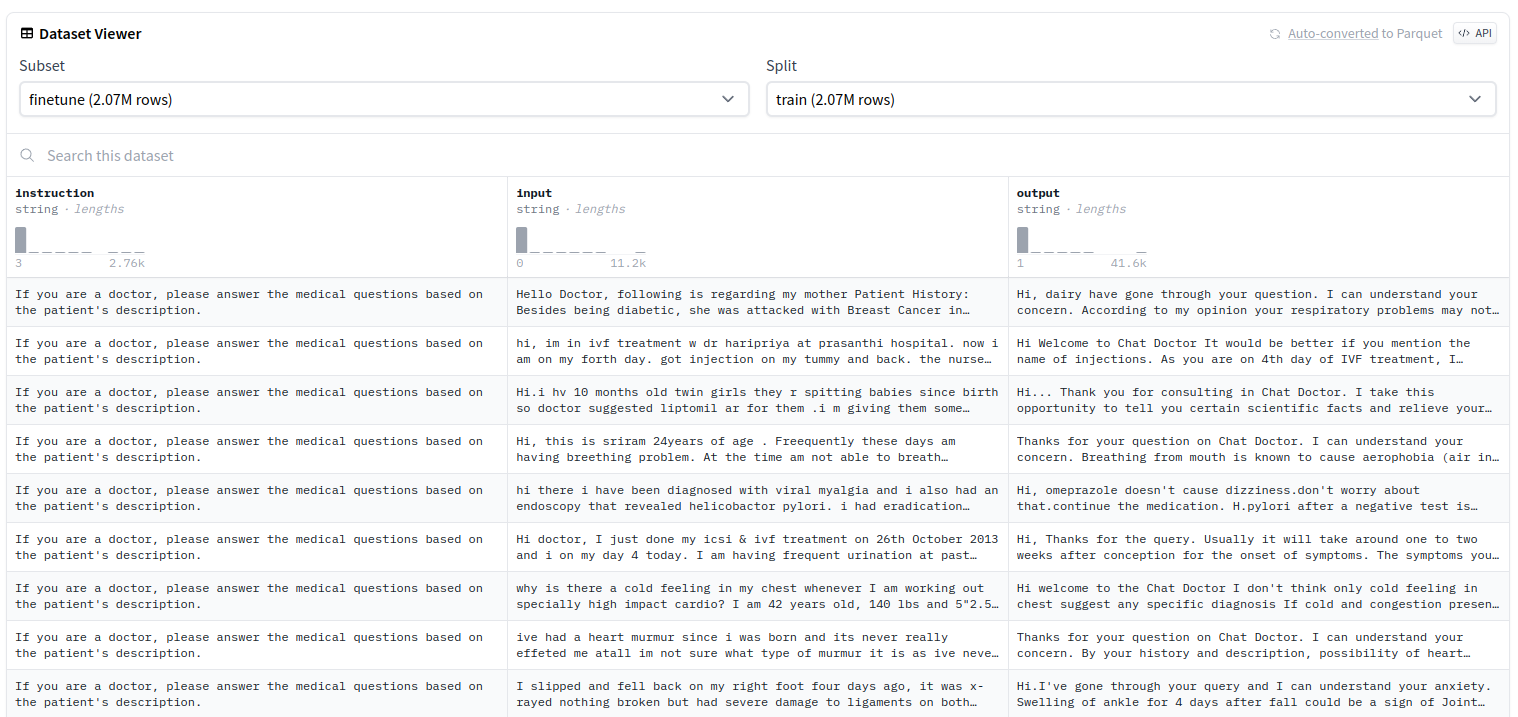
now we download and load dataset, then save them into train.csv, validation.csv and test.csv.
from datasets import load_dataset
import os


dataset = load_dataset("shibing624/medical", "finetune")


save_path = "../medical"
os.makedirs(save_path, exist_ok=True)


dataset['train'].to_csv(os.path.join(save_path, 'train.csv'), index=False)
dataset['validation'].to_csv(os.path.join(save_path, 'validation.csv'), index=False)
dataset['test'].to_csv(os.path.join(save_path, 'test.csv'), index=False)
then we split English part from their name as test_en.csv, validation_en.csv, train_en.csv, shown as bellow.
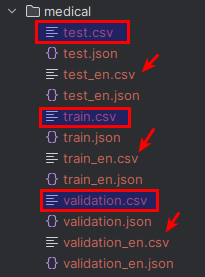
data volume
| name | volume | addtion_into |
| train.csv | 2288856 | |
| validation.csv | 1015 | |
| test.csv | 1097 | |
| train_en.csv | 114407 | 5.0% |
| validation_en.csv | 501 | 49.4% |
| test_en.csv | 501 | 45.7% |
change code
in repository llama2-tutorial, replace the dataset.py as the following code
def get_preprocessed_medical(dataset_config, tokenizer, split):
    if split == "train":
        data_path = "../dataset/medical/train_en.csv"
    elif split == "validation":
        data_path = "../dataset/medical/validation_en.csv"
    elif split == "test":
        data_path = "../dataset/medical/test_en.csv"

    dataset = datasets.load_dataset(
        "csv",
        data_files={split: "../dataset/medical/train_en.csv"}
    )[split]

    prompt = (
        f"answer the question in instruction:\n{{instruction}}\n---\noutput:\n"
    )

    def apply_prompt_template(sample):
        return {
            "prompt": prompt.format(instruction=sample["instruction"]),
            "output": sample["output"],
        }

    dataset = dataset.map(apply_prompt_template, remove_columns=list(dataset.features))

    def tokenize_add_label(sample):
        prompt = tokenizer.encode(tokenizer.bos_token + sample["prompt"], add_special_tokens=False)
        answer = tokenizer.encode(sample["output"] + tokenizer.eos_token, add_special_tokens=False)

        sample = {
            "input_ids": prompt + answer,
            "attention_mask": [1] * (len(prompt) + len(answer)),
            "labels": [-100] * len(prompt) + answer,
        }

        return sample

    dataset = dataset.map(tokenize_add_label, remove_columns=list(dataset.features))

    return dataset
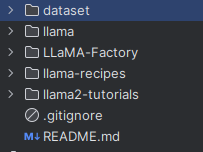
clone llama-recipes repository tied with llama2-tutorial, here is the directory structure, no matter where you put your data, but needs to be specified in your dataset.py code
fine tuning
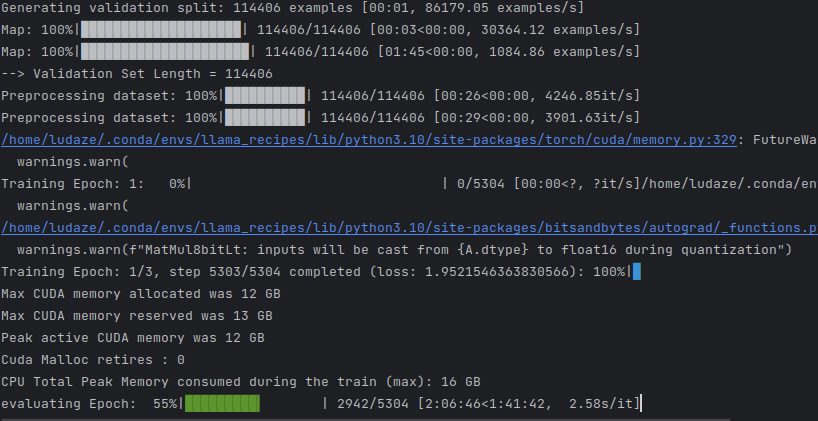
run the following code under llama2-tutorial folder.
python -m llama_recipes.finetuning \
    --use_peft \
    --peft_method lora \
    --quantization \
    --model_name ./llama/models_hf/7B \
    --dataset custom_dataset \
    --custom_dataset.file "dataset.py:get_preprocessed_medical" \
    --output_dir ../llama/fine-tuning/medical \
    --batch_size_training 1 \
    --num_epochs 3
evaluation
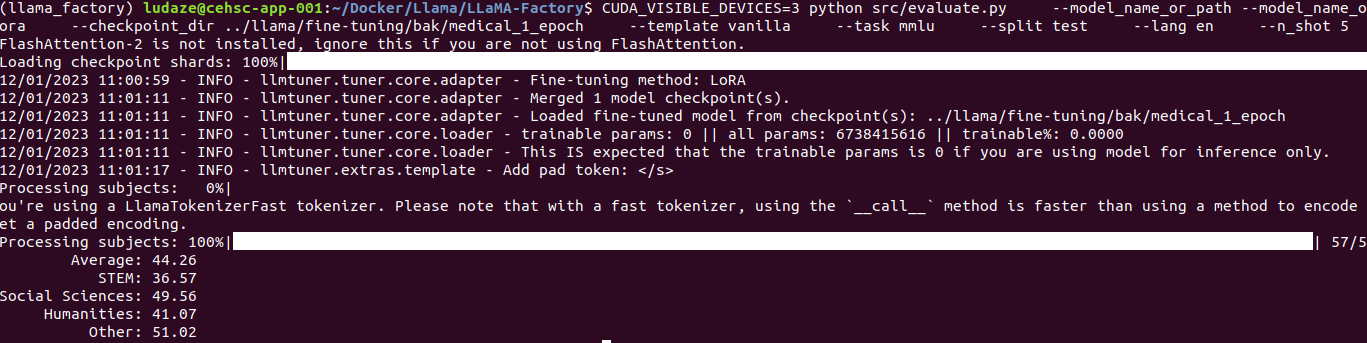
1st epoch
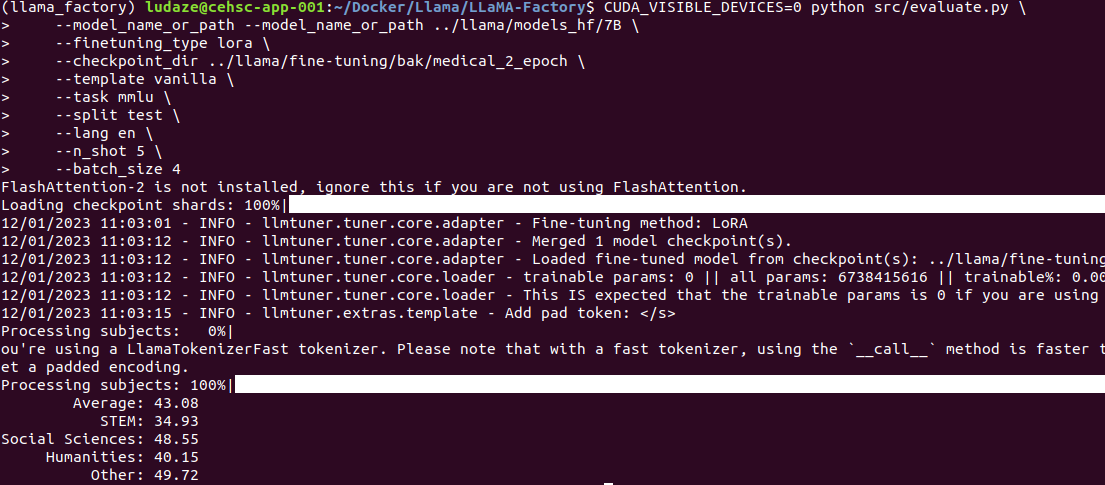
2ed epoch
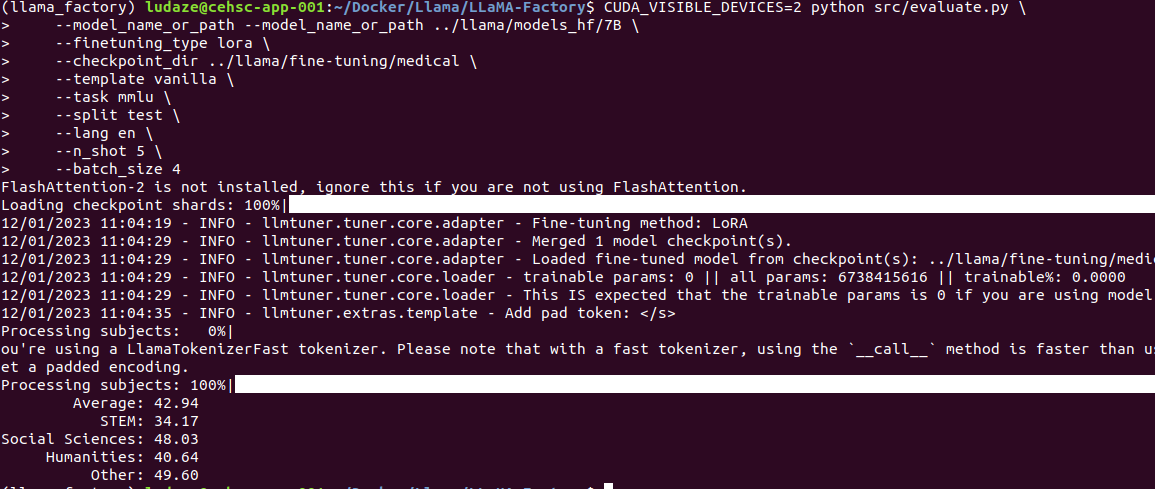
3rd epoch
reference
1 llama2-tutorial: https://github.com/mmdatong/llama2-tutorials/tree/v1.0
2 llama-recipes: https://github.com/facebookresearch/llama-recipes/tree/main
3 llama: https://github.com/facebookresearch/llama

 浙公网安备 33010602011771号