
博客园主页皮肤设置 - 第一版
只修改了侧边栏和自定义透明背景;
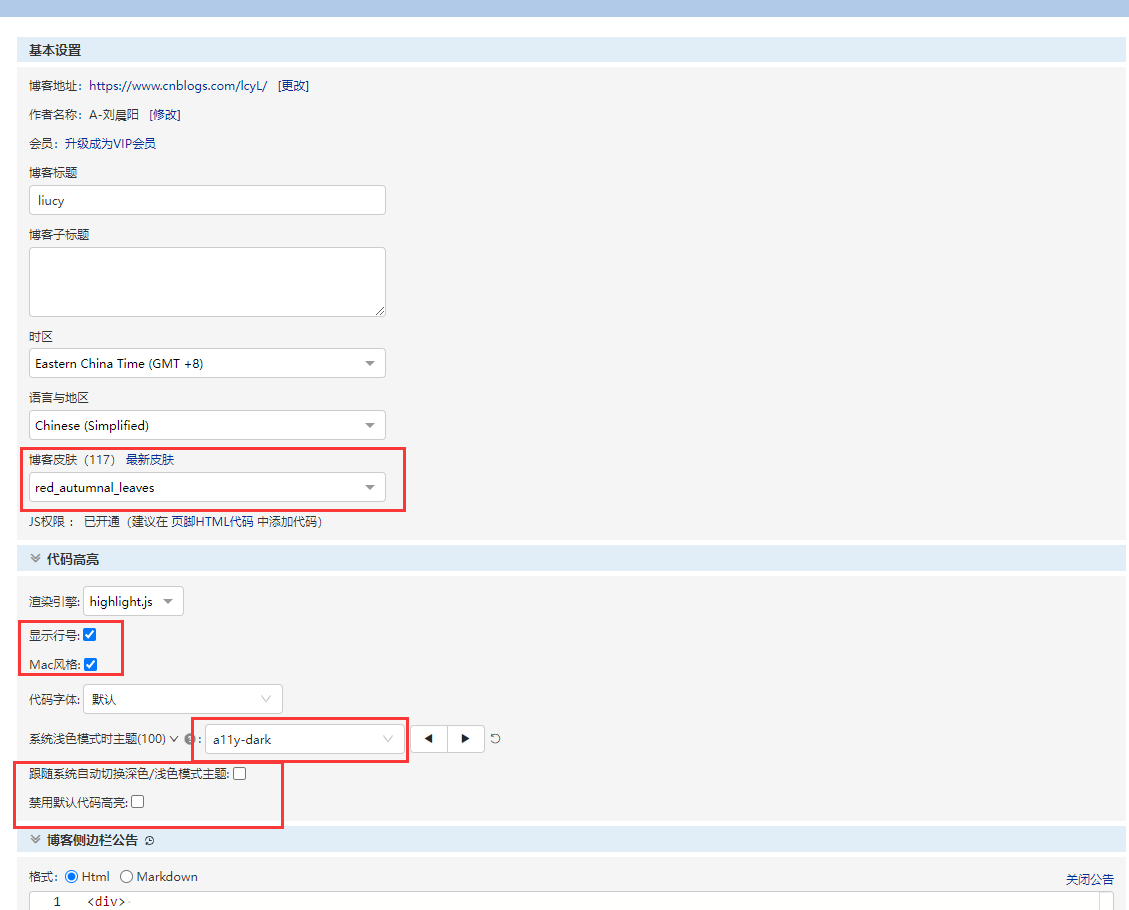
基本设置
侧边栏
<div>
	<marquee direction="left" bgcolor="#e66465" scrollamount="30" scrolldelay="450" width="100%" height="30" style="line-height:30px;color:#fff;">不能太贪心,否则你什么也抓不住,过去的就让它过去吧。在IT运维领域,我会一如既往的坚持下去。不荒废现在,不畏惧未来。</marquee><p> </p>
    <div style="text-align: center;border-radius:10px;background-image: linear-gradient(#e66465, #9198e5);">
	<p> </p>
	<span style="color:#000000;">个人博客:</span>
		<a style="color:#ffffff;" href="http://www.liuchenyang.top" target="_blank">点击进入</a>
	<p> </p>
	<span style="color:#000000;">CSDN博客:</span>
		<a style="color:#ffffff;" href="https://liucy.blog.csdn.net/" target="_blank">点击进入</a>
	<p> </p>
	<span style="color:#000000;">运维交流社区:</span>
		<a style="color:#ffffff;" href="https://bbs.csdn.net/forums/lcy" target="_blank">点击进入</a>
	<p> </p>
	<span style="color:#000000;">Gitee个人主页:</span>
        <a style="color:#ffffff;" href="https://gitee.com/liu-chenyang" target="_blank">点击进入</a>
	<p> </p>
	<span style="color:#000000;">GitHub个人主页:</span>
		<a style="color:#ffffff;" href="https://github.com/liuchenyang0703" target="_blank">点击进入</a>
	<p> </p>
	<span style="color:#000000;">GitCode个人主页:</span>
		<a style="color:#ffffff;" href="https://gitcode.net/liu_chen_yang" target="_blank">点击进入</a>
	<p> </p>
	<span style="color:#000000;">华为云个人主页:</span>
		<a style="color:#ffffff;" href="https://bbs.huaweicloud.com/community/usersnew/id_1661843828089234" target="_blank">点击进入</a>
	<p> </p>
    <span style="color:#000000;">阿里云个人主页:</span>
		<a style="color:#ffffff;" href="https://developer.aliyun.com/profile/7yu26jk3lfqxg" target="_blank">点击进入</a>
	<p> </p>
	<span style="color:#000000;">个人QQ邮箱:</span>
		<a style="color: #ffffff;">2162059863@qq.com</a>
	<p> </p>
    </div>
</div>

<br>
<center>
    <font color="#D2691E">微信公众号:小刘Linux</font>
</center>
<center>
    <img src="https://img2024.cnblogs.com/blog/2585009/202407/2585009-20240723152211870-623519190.jpg" alt="202406261105639.jpeg" width="230" height="230" />
</center>
<br>
<center>
    <font color="#D2691E">感谢大家的关注与支持!</font>
</center>
<br>
页面定制css代码
body {

    background-image: url(https://lcy-blog.oss-cn-beijing.aliyuncs.com/blog/202406251629791.jpg);

    background-width: 100%;

    background-height: 100%;

    background-size: cover;

    background-attachment: fixed;

    background-position: center 0;
}

.postTitle {

    font-size: x-large !important;

}


#home, pre {

    background-color: #fffc !important;

    border-radius: 10px;

}


code {

    background-color: rgba(0, 0, 0, 0.8) !important;

}


#sideBar div {

    background-color: transparent !important;

}


.table-wrapper {

    background-color: #fff9;

}

.table-wrapper th {

    background-color: #fff9 !important;

}


blockquote, details {

    background: none !important;

    background-color: #eee8 !important;

    border-radius: 10px;

}

summary {

    border-radius: 10px;

    background-color: #eee9;

    font-size: large;

    font-weight: bold;

}

 浙公网安备 33010602011771号