

WSL2+ Centos7 + GUI window11
1 WSL2 安装
进入终端管理员命令行 安装WSL,并进行更新
wsl --install
wsl –update --web-download
wsl –status 检查 WSL 状态
wsl –version
wsl –shutdown
wsl --terminate
wsl hostname -I 返回通过 WSL 2 安装的 Linux 发行版 IP 地址
wsl --export
wsl --import
wsl --unregister
2 Centos7
手动下载安装,https://github.com/mishamosher/CentOS-WSL/releases/tag/7.9-2211
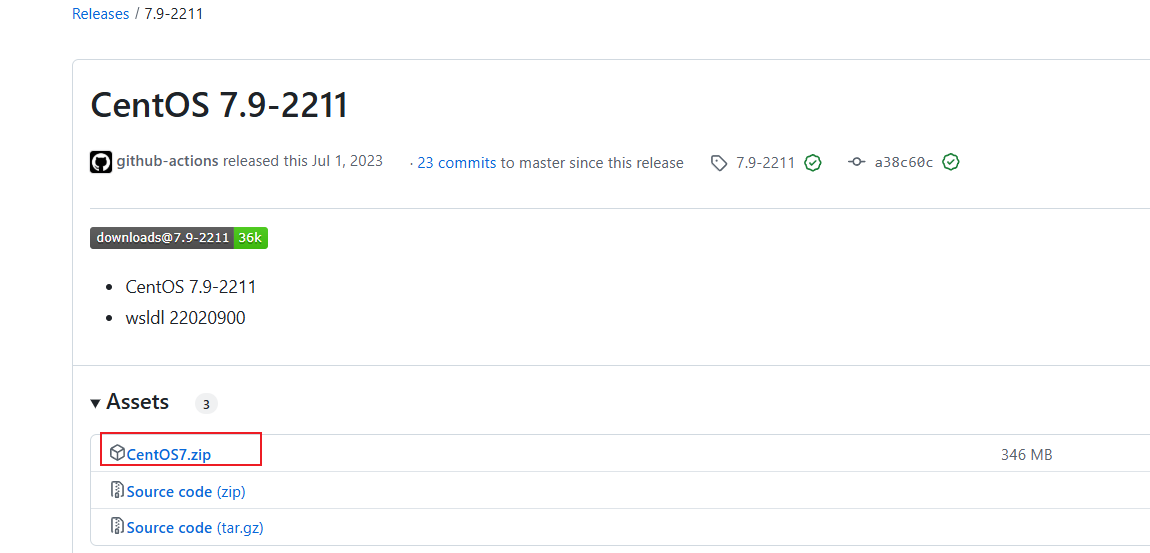
3 GUI
不需要安装显卡驱动,通用;不需要安装新的GUI,与windows共用
如安装轻量级xfce4
yum install epel-release -y
yum groupinstall "Server with GUI" -y
yum groupinstall "Xfce" -y
systemctl get-default
4 reboot
sudo reboot
5 在windows应用调用xface
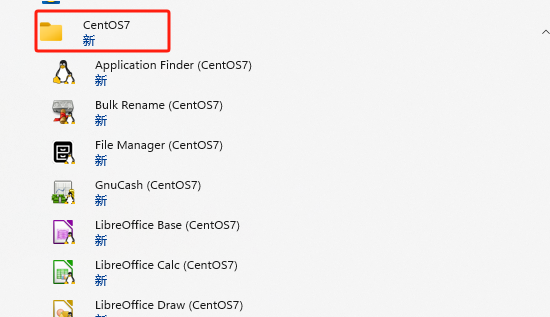

即可实现gui运行,不需要远程连接
参考链接:
https://blog.csdn.net/whatday/article/details/105053918
https://learn.microsoft.com/zh-cn/windows/wsl/install

 浙公网安备 33010602011771号