Nignx+innotify实现LB热加载
1:环境
| 主机名 |
IP |
软件 |
| LB_1 |
10.0.0.10 |
nginx,innotify |
| Web |
10.0.0.11 |
Web |
2:部署LB与测试web服务器
#基础配置
1:配置主机名
[root@virtual_host:10.0.0.10 ~]# hostnamectl set-hostname LB_1
[root@virtual_host:10.0.0.11 ~]# hostnamectl set-hostname web

2:关闭防火墙与selinux
[root@lb_1 ~]# systemctl disable firewalld --now && setenforce 0   (这里的selinux是临时关闭,若想永久关闭需要改配置)
[root@lb_1 ~]# sed -i s#SELINUX=enabled#SELINUX=disabled#g /etc/sysconfig/selinux

3:安装所需软件
# LB服务器安装软件
yum install -y nginx inotify-tools

4:部署网站服务器
[root@web ~]# yum install -y nginx

# 开放三个端口提供服务
[root@web conf.d]# cat /etc/nginx/conf.d/web.conf
server {
    listen 8080;
    server_name _;

    location / {
        index index.html;
        root /usr/share/nginx/8080;
    }
}
server {
    listen 8081;
    server_name _;

    location / {
        index index.html;
        root /usr/share/nginx/8081;
    }
}
server{
    listen 8082;
    server_name _;

    location / {
        index index.html;
        root /usr/share/nginx/8082;
    }
}
[root@web conf.d]# for i in {0..2};do mkdir /usr/share/nginx/808$i ;done
[root@web conf.d]# ls /usr/share/nginx/
8080  8081  8082  html  modules
[root@web conf.d]# for i in {0..2};do echo "<h1>Nginx_808$i</h1>" > /usr/share/nginx/808$i/index.html;done
[root@web conf.d]# for i in {0..2};do cat /usr/share/nginx/808$i/index.html;done
<h1>Nginx_8080</h1>
<h1>Nginx_8081</h1>
<h1>Nginx_8082</h1>
[root@web conf.d]# nginx -t
nginx: the configuration file /etc/nginx/nginx.conf syntax is ok
nginx: configuration file /etc/nginx/nginx.conf test is successful
# 启动并测试
[root@web conf.d]# for i in {0..2};do curl 10.0.0.11:808$i;done
<h1>Nginx_8080</h1>
<h1>Nginx_8081</h1>
<h1>Nginx_8082</h1>

5:配置LB并配置动态热加载
[root@lb_1 ~]# yum install -y nginx inotify-tools
# 修改nginx配置,去除nginx.conf内的Server模块
[root@lb_1 ~]# cat /etc/nginx/nginx.conf
user nginx;
worker_processes auto;
error_log /var/log/nginx/error.log;
pid /run/nginx.pid;
include /usr/share/nginx/modules/*.conf;
events {
    worker_connections 1024;
}
http {
    log_format  main  '$remote_addr - $remote_user [$time_local] "$request" '
                      '$status $body_bytes_sent "$http_referer" '
                      '"$http_user_agent" "$http_x_forwarded_for"';
    access_log  /var/log/nginx/access.log  main;
    sendfile            on;
    tcp_nopush          on;
    tcp_nodelay         on;
    keepalive_timeout   65;
    types_hash_max_size 4096;
    include             /etc/nginx/mime.types;
    default_type        application/octet-stream;
    include /etc/nginx/conf.d/*.conf;
}

6:编写inotify监控脚本
[root@lb_1 conf.d]# cat /etc/nginx/hotload.sh
#!/bin/bash
lbdir=/etc/nginx/conf.d/
#log_file=/var/log/lb.log
while
inotifywait -r $lbdir -e create,delete,close_write, \
--timefmt '%d/%m/%y %H:%M' --format '%T %w %f %e';
do
    /usr/sbin/nginx -t
    if [ $? -eq 0 ];then
        /usr/sbin/nginx -s reload
        if [ $? -eq 0 ];then
            echo "重载完成"
        fi
    else
        exit 1
    fi
done
#用systemd管理此程序
[root@lb_1 conf.d]# cat /lib/systemd/system/lb-mor.service
[Unit]
Description=lb-mor
After=network.target

[Service]
Type=simple
User=root
ExecStart=/usr/bin/bash /etc/nginx/hotload.sh
Restart=on-failure

[Install]
WantedBy=multi-user.target

# 启动程序
[root@lb_1 conf.d]# systemctl start lb-mor.service
[root@lb_1 conf.d]# systemctl status lb-mor.service
● lb-mor.service - lb-mor
   Loaded: loaded (/usr/lib/systemd/system/lb-mor.service; disabled; vendor preset: disabled)
   Active: active (running) since Fri 2022-04-01 02:49:18 EDT; 3min 40s ago
 Main PID: 16117 (bash)
   CGroup: /system.slice/lb-mor.service
           ├─16117 /usr/bin/bash /etc/nginx/hotload.sh
           └─23099 inotifywait -r /etc/nginx/conf.d/ -e create,delete,close_write, --timefmt %d/%m/%y %H:%M --format %T %w %f %e


# 此时我们模拟写入一个配置
[root@lb_1 conf.d]# cat << eof>/etc/nginx/conf.d/web.conf
server {
    listen 8080;
    server_name _;

    location / {
        proxy_pass http://10.0.0.11:8080;
    }
}
server {
    listen 8081;
    server_name _;

    location / {
        proxy_pass http://10.0.0.11:8081
    }
}
eof
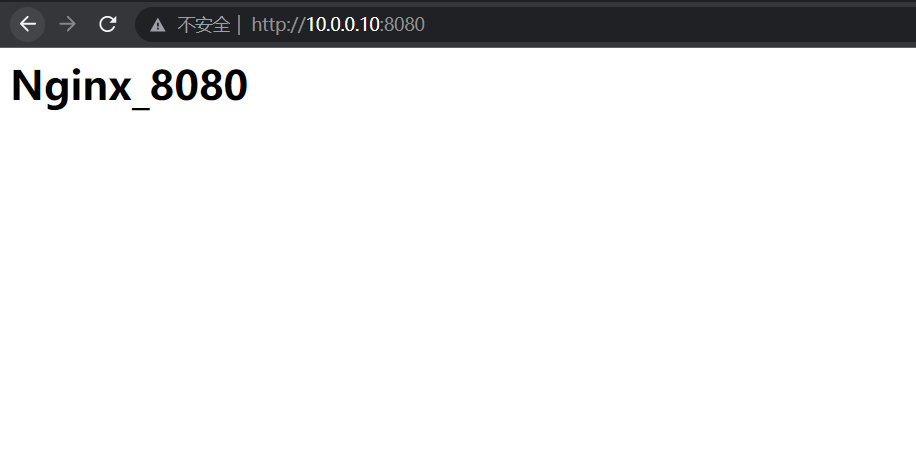
[root@lb_1 ~]# cat << eof>>/etc/nginx/conf.d/web.conf
> server {
>     listen 8080;
>     server_name _;
>
>     location / {
>         proxy_pass http://10.0.0.11:8080;
>     }
> }
> eof
[root@lb_1 ~]# ss -lnt
State       Recv-Q Send-Q                       Local Address:Port                                      Peer Address:Port
LISTEN      0      128                                      *:111                                                  *:*
LISTEN      0      128                                      *:8080                                                 *:*
LISTEN      0      128                                      *:22                                                   *:*
LISTEN      0      128                                   [::]:111                                               [::]:*
LISTEN      0      128                                   [::]:22                                                [::]:*


 浙公网安备 33010602011771号