
sql之查询语句基本操作详解下
### 子查询
-
子查询出现的位置
- SELECT 列1,列2 ... from TABLE_NAME3 WHERE 列 = 值4 GROUP BY 分组列 HAVING 分组列 = 值5 ORDER BY 列
- 上述例1、列2、TABLE_NAME3、值4、值5为子查询嵌套的位置,使用子查询时使用括号() 进行标识
-
子查询的分类
- 非关联子查询:子查询 可以单独于主查询执行,仅执行1次,效率较高
- 关联子查询:子查询不能单独于主查询执行,如果主查询有N行,子查询将执行N次,效率相对较低,但灵活度高
-
非关联子查询的使用
-
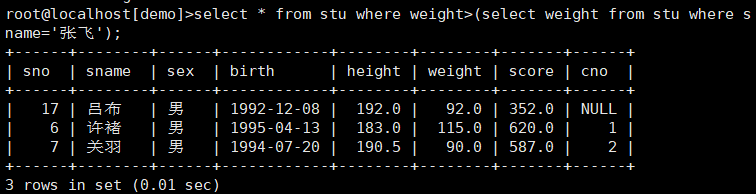
查询学生中哪些人比张飞的体重重?
![image-20191129142114640]()
-
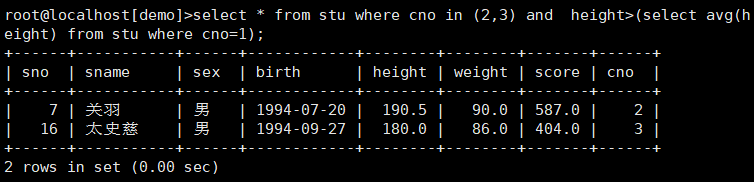
2班3班中哪些同学的身高比1班的平均身高高?
![image-20191129142318484]()
-
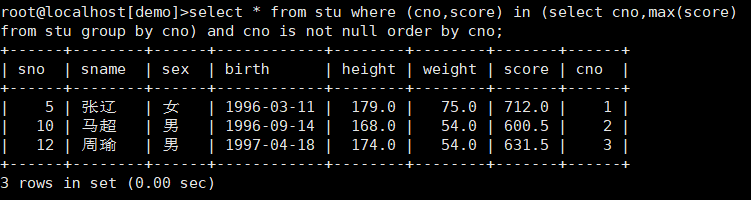
每个班考分最高的同学都是谁?
![image-20191129142603722]()
select * from stu where (cno,score) in (select cno,max(score) from stu group by cno) and cno is not null order by cno; #(cno,score) in (select cno,max(score) from stu group by cno) 表示cno和score都等于子查询的结果的记录 -
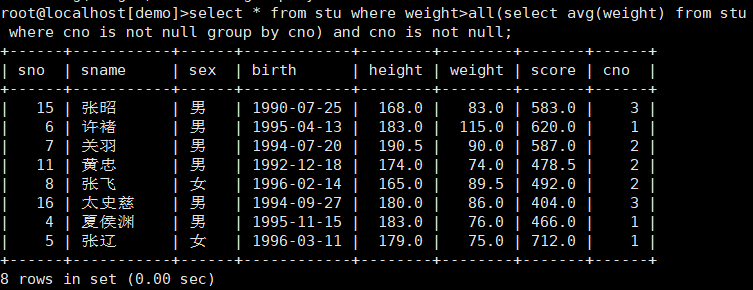
哪些同学的体重比所有班的平均体重都重?
![image-20191129145014191]()
select * from stu where weight>all(select avg(weight) from stu where cno is not null group by cno) and cno is not null; #>all 大于全部 <all 小于全部 #>any 大于任意一个 <any 小于任意一个 #也可以使用<=,>=,=,!= -
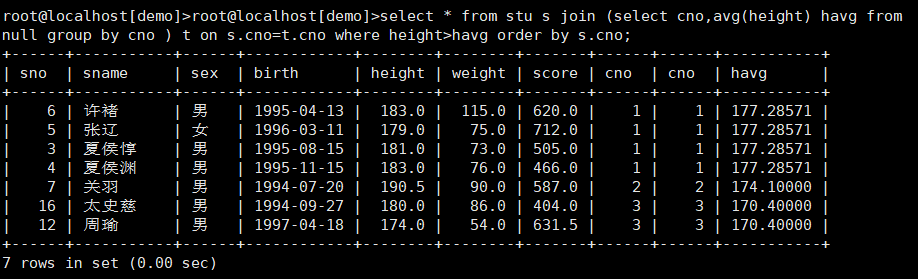
哪些同学的身高高于本班的平均身高?
![image-20191129150449875]()
select * from stu s join (select cno,avg(height) havg from null group by cno ) t on s.cno=t.cno where height>havg order by s.cno; #使用子查询位于from关键字后时需要给子查询起别名,称为内联视图子查询 -
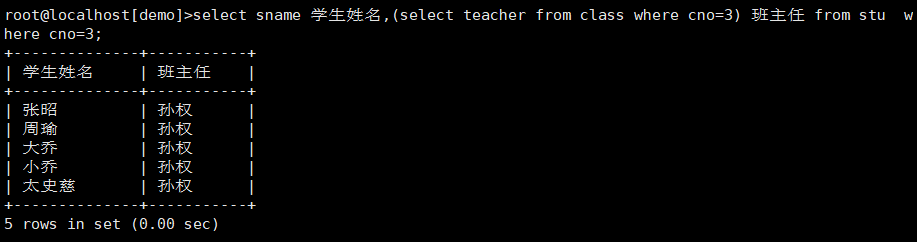
不用多表连接方式,列出3班学生姓名和3班的班主任
![image-20191129151304414]()
-
-
关联子查询
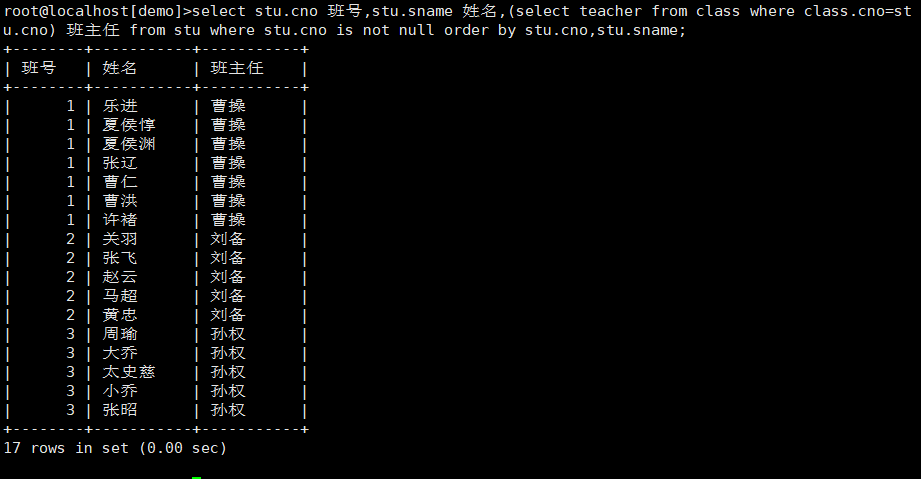
- 不用多表连接方式,列出每个学生的班号,姓名和其所在班的班主任
![image-20191129151820319]()
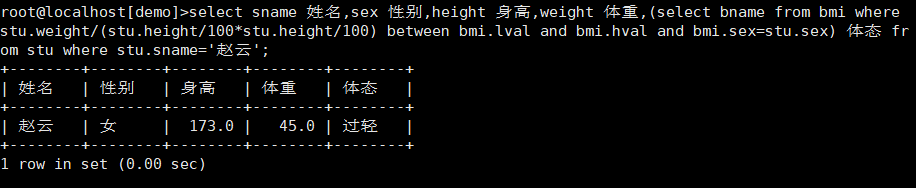
- 不用多表连接方式,根据学生赵云的性别、身高和体重求出bmi体态(bname)
![image-20191129152858691]()
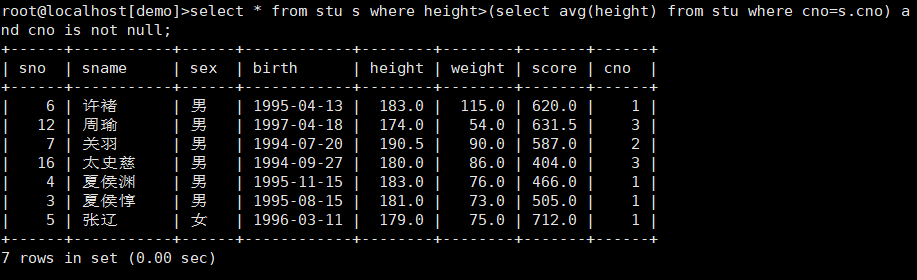
- 使用关联子查询,在已分班学生中列出身高高于本班平均身高的学生
![image-20191129153704185]()
- 不用多表连接方式,列出每个学生的班号,姓名和其所在班的班主任
综合查询
-
体重最重的同学的班主任是谁?
![image-20191129160814567]()
-
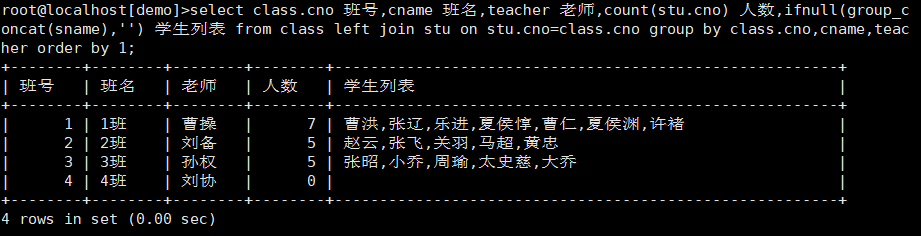
统计出所有班级的人数和学生列表,显示班号、班名、老师、人数、学生列表
![image-20191129163955576]()
-
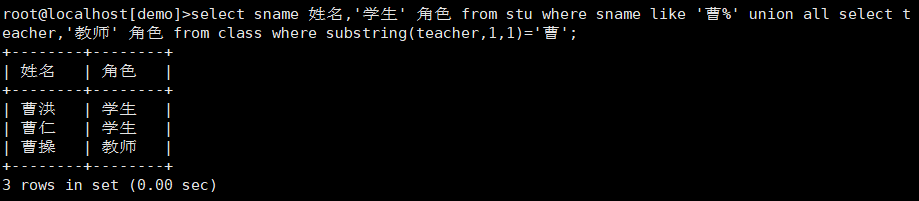
从学生表和班级表中找出姓曹的人,并标明其角色,学生或者教师
![image-20191129165540871]()
-
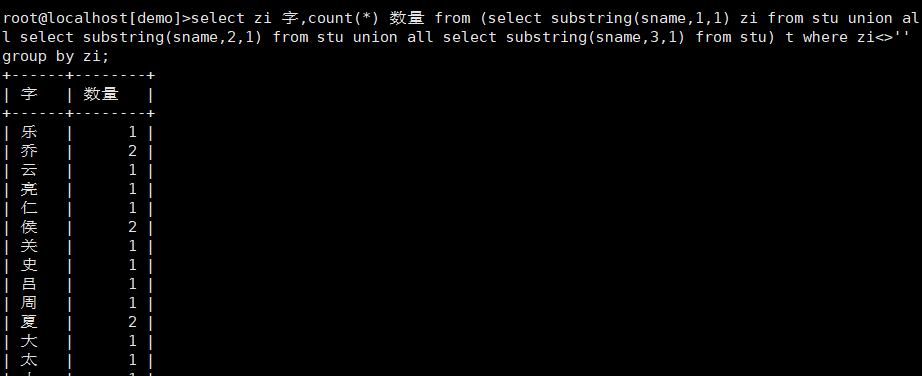
统计学生表中所有学生的姓名所用到的汉字,以及每个汉字用到的次数。即统计有多少个‘张’,多少个‘曹’,多少个‘刘’,多少个‘羽’等
![image-20191202140631485]()
select zi 字,count(*) 数量 from (select substring(sname,1,1) zi from stu union all select substring(sname,2,1) from stu union all select substring(sname,3,1) from stu) t where zi<>'' group by zi;


 浙公网安备 33010602011771号