
linux 下如何安装MySql
2024年更新
如果你使用的是 CentOS/RHEL 等系统,可以使用 yum 包管理器来安装 MySQL,步骤如下:
- 更新 yum 软件包索引:
sudo yum update
- 安装 MySQL 服务器:
sudo yum install mysql-server
- 安装完成后,启动 MySQL 服务:
sudo systemctl start mysqld
- 验证 MySQL 服务是否启动:
sudo systemctl status mysqld
如果 MySQL 服务已经启动,则会显示 active (running)。
- (可选) 运行安全性脚本以加强 MySQL 安全性:
sudo mysql_secure_installation
根据提示依次进行配置,包括设置 root 密码、移除匿名用户、禁止 root 远程登录等。
- 进入 MySQL 控制台:
sudo mysql -u root -p
输入之前设置的 root 密码即可进入 MySQL 控制台。
如果你使用的是其他 Linux 发行版,可以根据相应的包管理器进行安装,或者到 MySQL 官方网站下载适合你系统的安装包进行安装。
2022年更新
update mysql.user set plugin='mysql_native_password' where user='root';第一步去官网寻找安装文档 地址 https://dev.mysql.com/doc/

第二步骤 选择 Using the Mysql Yum Repository
去下载社区版本

执行 sudo rpm -Uvh 下载的安装包.rpm
禁用默认模块执行 yum repolist enabled | grep mysql
安装 执行 sudo yum install mysql-community-server
启动执行 systemctl start mysqld
查看状态执行 systemctl status mysqld
高于5.7版本 默认会在错误日志中生成一个比较强的密码
查看密码的命令 sudo grep 'temporary password' /var/log/mysqld.log
链接
登录mysql,输入mysql –uroot –p;输入密码
如果链接不成功 出现一下错误

解决方案:
vim /etc/my.cnf文件;
在[mysqld]后添加skip-grant-tables(登录时跳过权限检查)
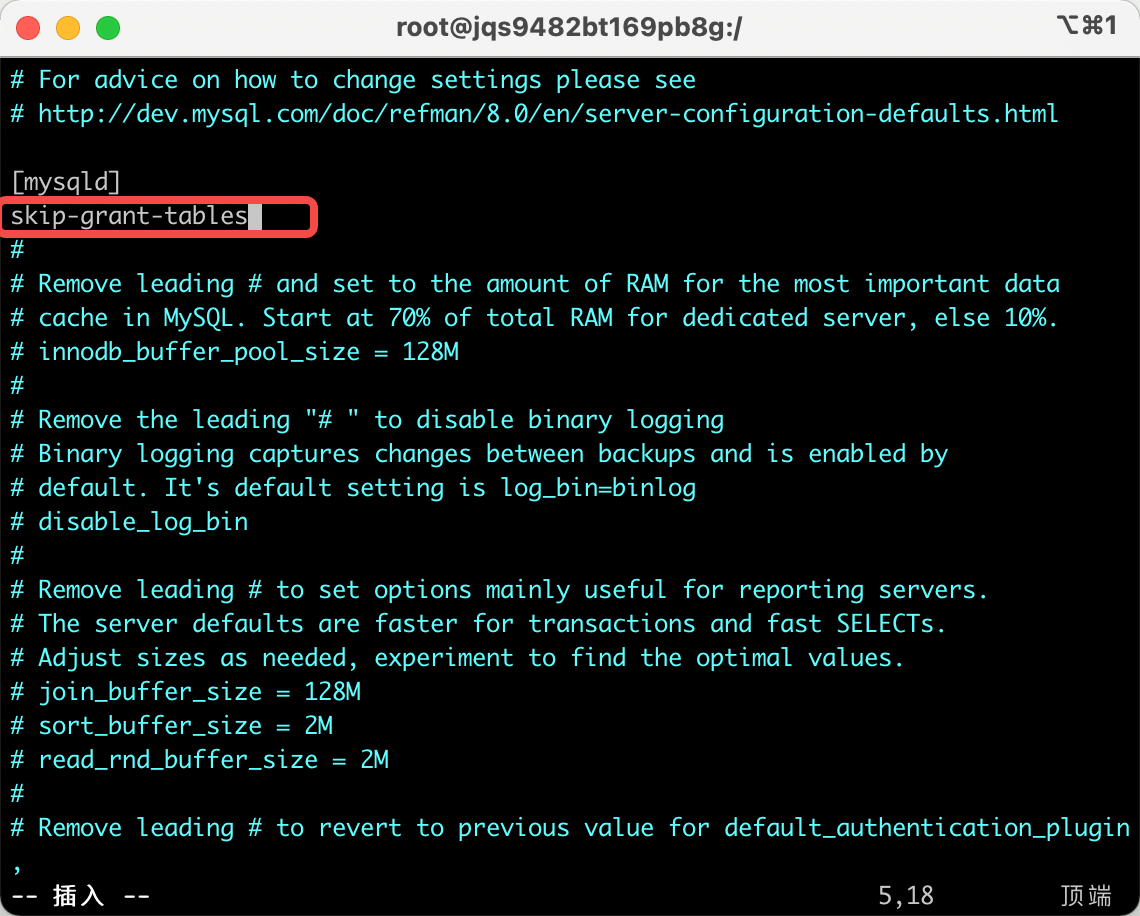
重启MySQL服务:sudo systemctl restart mysqld
登录mysql,输入mysql –uroot –p;直接回车(Enter)就进入到了mysql 数据库中
修改密码
alter user 'root'@'localhost' identified by 'Tengaaa5.';
如果是8.0+ 版本数据库 那么需要修改密码认证方式 不然 远程客户端链接不上 继续往下看
查询密码认证方式
select user,plugin from mysql.user;

修改成以前的认证方式
update mysql.user set plugin='mysql_native_password' where user='root';
远程连接问题

解决方案
select Host from User where User='root';

设置成可以所有域名访问
update user set Host='%' where User='root';
然后刷新
flush privileges;
修改了密码认证方式你就需要重新 设置一下密码了
1 进入 vim /etc/my.cnf 文件 然后 按 i 把注释掉 # skip-grant-tables 放开 保存
并且重新启动刷新mysql配置 命令如下: sudo systemctl restart mysqld
2 msyql -u root -p 按回车 进入到mysql 数据库后 把密码设置为空命令如下
update user set authentication_string='' where User='root'; exit 退出后 进入 vim /etc/my.cnf 文件 然后 按 i 重新注释掉 # skip-grant-tables 并且 保存
并且重新启动刷新mysql配置 命令如下: sudo systemctl restart mysqld
3 最后一步 msyql -u root -p 按回车 进入到mysql 数据库后 设置密码
alter user 'root'@'%' identified by '密码 大小写英文 字母 符号'
刷新配置 flush privileges;
完事 OK

 浙公网安备 33010602011771号