
微服务-13 SpringCloud快速集成redis缓存,Redisson分布式锁
redis缓存,Redisson分布式锁
Redis介绍:
本文快速集成Redis缓存与Redisson分布式锁,想要让学习redis基础的同学可以去看我另一篇博客 https://www.cnblogs.com/langjunnan/p/15974106.html, 言归正转,在开发当中我们一定会去集成缓存 ,那么Redis缓存是单线程多路IO复用的,非常快,而且提供了9种数据类型,使用起来也很方便,一会我们就去整合Redis到我们的现有微服务项目当中
Redisson介绍:
在微服务架构或集群当中,我们避免不了分布式锁的存在,单体应用我们还可以使用 syn look等java提供的锁,但是在多个服务节点中 我们又无法控制统一状态,所以我们需要分布式锁的存在,
为什么要使用Redisson呢? 因为人家给我们集成好了分布式框架,用起来也很方便,Redisson没出现之前我们很多同学再用 redis的setNx 做分布式锁,但是运行过程中也出现了很多问题,例如 加锁后宕机突然就死锁,或者是加了超时时间后超时了,另一个线程进入后,第一个线程执行完了释放错了锁,等等种种原因都存在,但是我们使用了Redisson就不会出现这种问题,因为人家Redisson都为我们封装好了,处理好了这些问题,我们只关注怎么用分布式锁就可以了,
快速集成Redis
我们还是在原来的基础之上进行集成Redis,
第一步 添加配置redis的pom文件
<!-- 缓存-->
<dependency>
<groupId>org.springframework.boot</groupId>
<artifactId>spring-boot-starter-data-redis</artifactId>
</dependency>
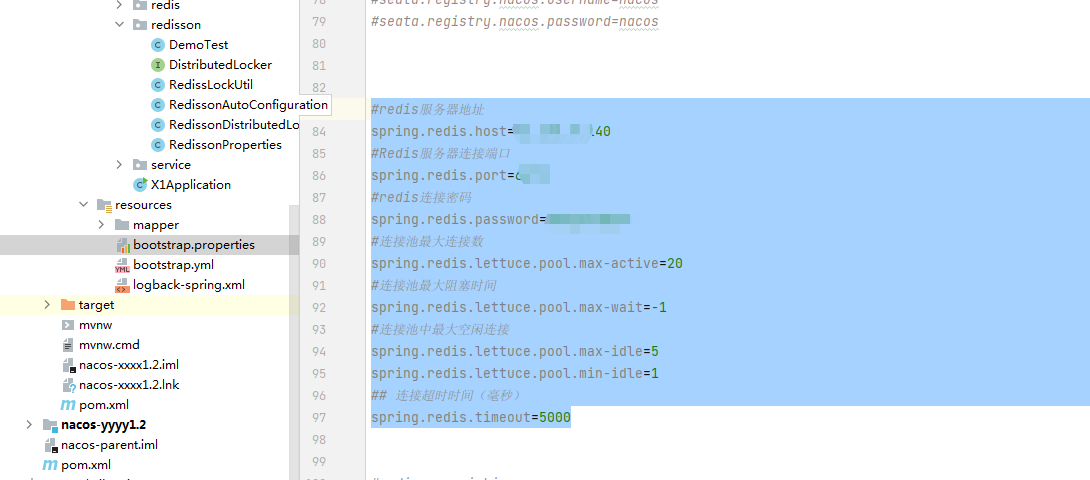
#redis服务器地址
spring.redis.host=127.0.0.1
#Redis服务器连接端口
spring.redis.port=6379
#redis连接密码
spring.redis.password=123456
#连接池最大连接数
spring.redis.lettuce.pool.max-active=20
#连接池最大阻塞时间
spring.redis.lettuce.pool.max-wait=-1
#连接池中最大空闲连接
spring.redis.lettuce.pool.max-idle=5
spring.redis.lettuce.pool.min-idle=1
## 连接超时时间(毫秒)
spring.redis.timeout=5000
第三步 创建程序启动加载配置类RedisTemplate,和自封装工具类,可以看到 redis文件夹下一共两个类 RedisConfig,RedisUtil
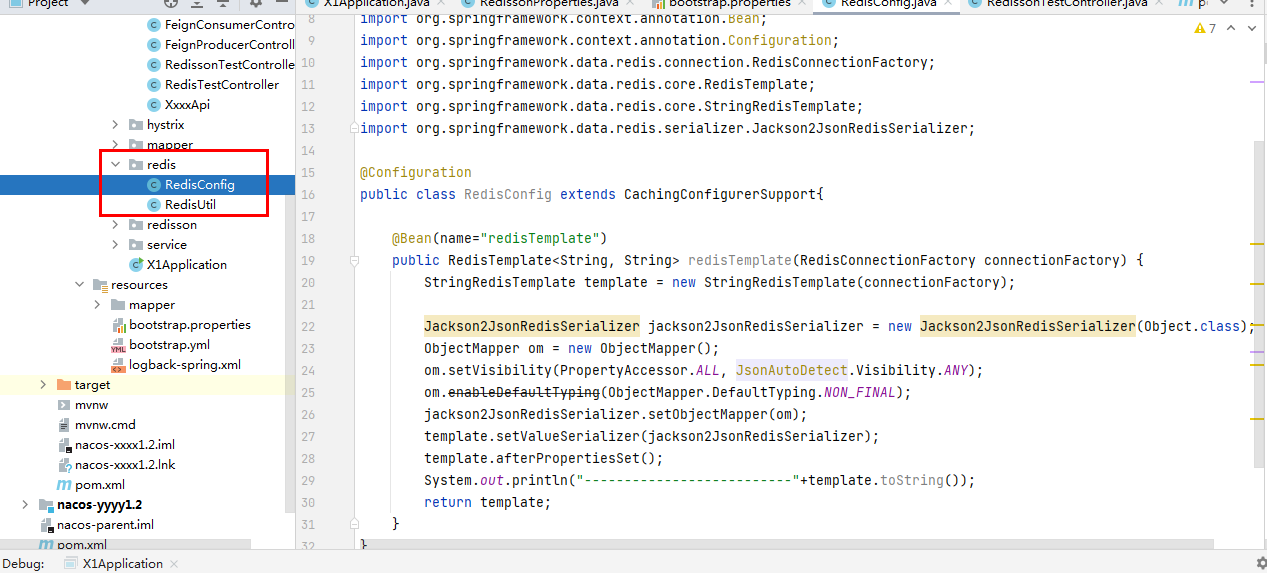
import com.fasterxml.jackson.annotation.JsonAutoDetect;
import com.fasterxml.jackson.annotation.PropertyAccessor;
import com.fasterxml.jackson.databind.ObjectMapper;
import org.springframework.cache.annotation.CachingConfigurerSupport;
import org.springframework.context.annotation.Bean;
import org.springframework.context.annotation.Configuration;
import org.springframework.data.redis.connection.RedisConnectionFactory;
import org.springframework.data.redis.core.RedisTemplate;
import org.springframework.data.redis.core.StringRedisTemplate;
import org.springframework.data.redis.serializer.Jackson2JsonRedisSerializer;
@Configuration
public class RedisConfig extends CachingConfigurerSupport{
@Bean(name="redisTemplate")
public RedisTemplate<String, String> redisTemplate(RedisConnectionFactory connectionFactory) {
StringRedisTemplate template = new StringRedisTemplate(connectionFactory);
Jackson2JsonRedisSerializer jackson2JsonRedisSerializer = new Jackson2JsonRedisSerializer(Object.class);
ObjectMapper om = new ObjectMapper();
om.setVisibility(PropertyAccessor.ALL, JsonAutoDetect.Visibility.ANY);
om.enableDefaultTyping(ObjectMapper.DefaultTyping.NON_FINAL);
jackson2JsonRedisSerializer.setObjectMapper(om);
template.setValueSerializer(jackson2JsonRedisSerializer);
template.afterPropertiesSet();
System.out.println("--------------------------"+template.toString());
return template;
}
}
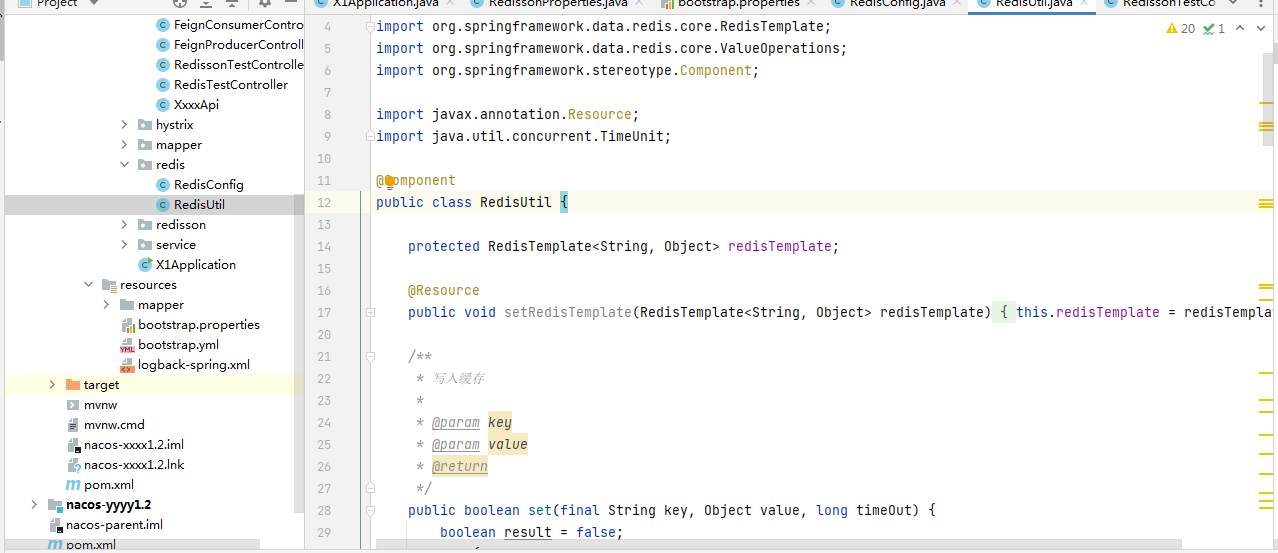
copy的代码
import org.springframework.data.redis.core.RedisTemplate;
import org.springframework.data.redis.core.ValueOperations;
import org.springframework.stereotype.Component;
import javax.annotation.Resource;
import java.util.concurrent.TimeUnit;
@Component
public class RedisUtil {
protected RedisTemplate<String, Object> redisTemplate;
@Resource
public void setRedisTemplate(RedisTemplate<String, Object> redisTemplate) {
this.redisTemplate = redisTemplate;
}
/**
* 写入缓存
*
* @param key
* @param value
* @return
*/
public boolean set(final String key, Object value, long timeOut) {
boolean result = false;
try {
ValueOperations<String, Object> operations = redisTemplate.opsForValue();
operations.set(key, value, timeOut, TimeUnit.SECONDS);
result = true;
} catch (Exception e) {
e.printStackTrace();
}
return result;
}
/**
* 写入缓存
*
* @param key
* @param value
* @return
*/
public boolean set(final String key, Object value) {
boolean result = false;
try {
ValueOperations<String, Object> operations = redisTemplate.opsForValue();
operations.set(key, value);
result = true;
} catch (Exception e) {
e.printStackTrace();
}
return result;
}
/**
* 读取缓存
*
* @param key
* @return
*/
public Object get(final String key) {
Object result = null;
try {
ValueOperations<String, Object> operations = redisTemplate.opsForValue();
if (!exists(key)) {
return null;
}
result = operations.get(key);
return result;
} catch (Exception e) {
e.printStackTrace();
return null;
}
}
/**
* 删除缓存
*/
public void remove(final String key) {
redisTemplate.delete(key);
}
public boolean exists(String key) {
return redisTemplate.hasKey(key);
}
public Long createIncrement(String key,int value){
ValueOperations<String, Object> operations = redisTemplate.opsForValue();
return operations.increment(key, value);
}
public void expire(String key,int coloseSeconds){
redisTemplate.expire(key,coloseSeconds,TimeUnit.SECONDS);
}
/*添加当天新增用户数量*/
public void newIncrement() {
ValueOperations<String, Object> operations = redisTemplate.opsForValue();
operations.increment("new", 1);
}
/*添加当天活跃用户数量*/
public void activeIncrement() {
ValueOperations<String, Object> operations = redisTemplate.opsForValue();
operations.increment("active", 1);
}
/*获取当天新增用户数量*/
public Integer getNewCount() {
return Integer.valueOf(redisTemplate.boundValueOps("new").get(0, -1));
}
/*获取当天活跃用户数量*/
public Integer getActiveCount() {
return Integer.valueOf(redisTemplate.boundValueOps("active").get(0, -1));
}
}
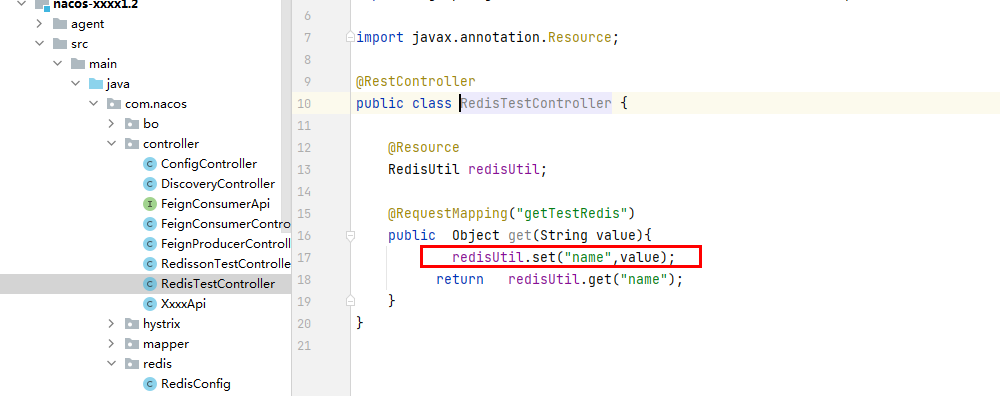
import com.nacos.redis.RedisUtil;
import org.springframework.web.bind.annotation.RequestMapping;
import org.springframework.web.bind.annotation.RestController;
import javax.annotation.Resource;
@RestController
public class RedisTestController {
@Resource
RedisUtil redisUtil;
@RequestMapping("getTestRedis")
public Object get(String value){
redisUtil.set("name",value);
return redisUtil.get("name");
}
}
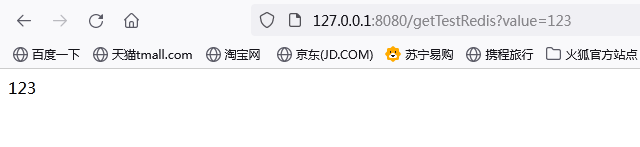
结果:
快速集成Redisson
第一步 添加配置redis的pom文件
<!-- redisson -->
<dependency>
<groupId>org.redisson</groupId>
<artifactId>redisson-spring-boot-starter</artifactId>
<version>3.9.1</version>
<exclusions>
<exclusion>
<groupId>org.redisson</groupId>
<artifactId>redisson-spring-data-23</artifactId>
</exclusion>
</exclusions>
</dependency>
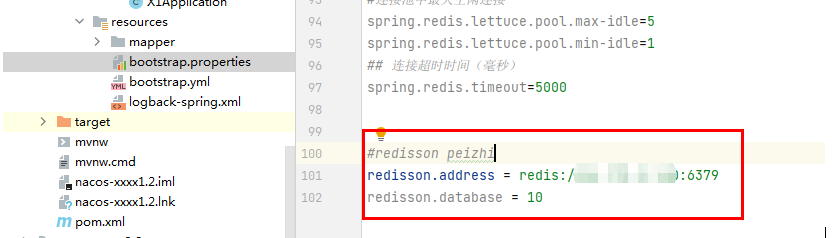
第二步: 配置文件
#redisson peizhi
redisson.address = redis://61.171.3.140:6379
redisson.database = 10
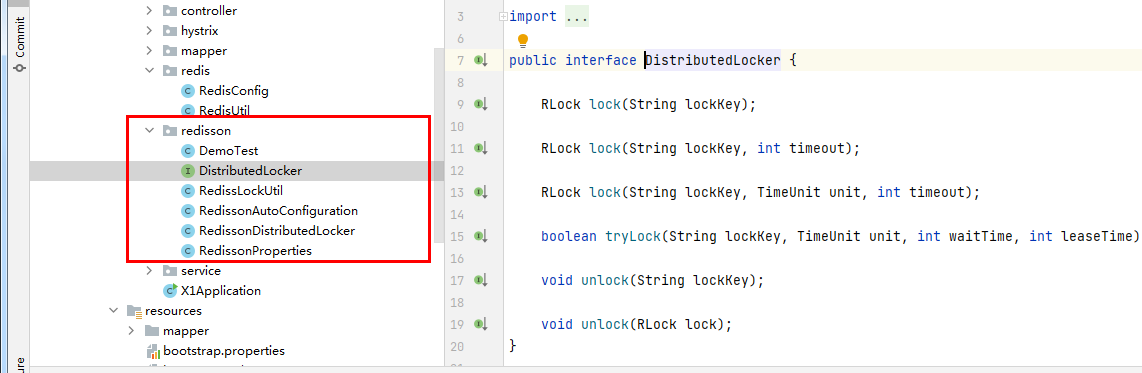
第三步: 配合类 redisson 目录下的了都是相关的类, 请自行下载上面的源码查看
第四步:测试
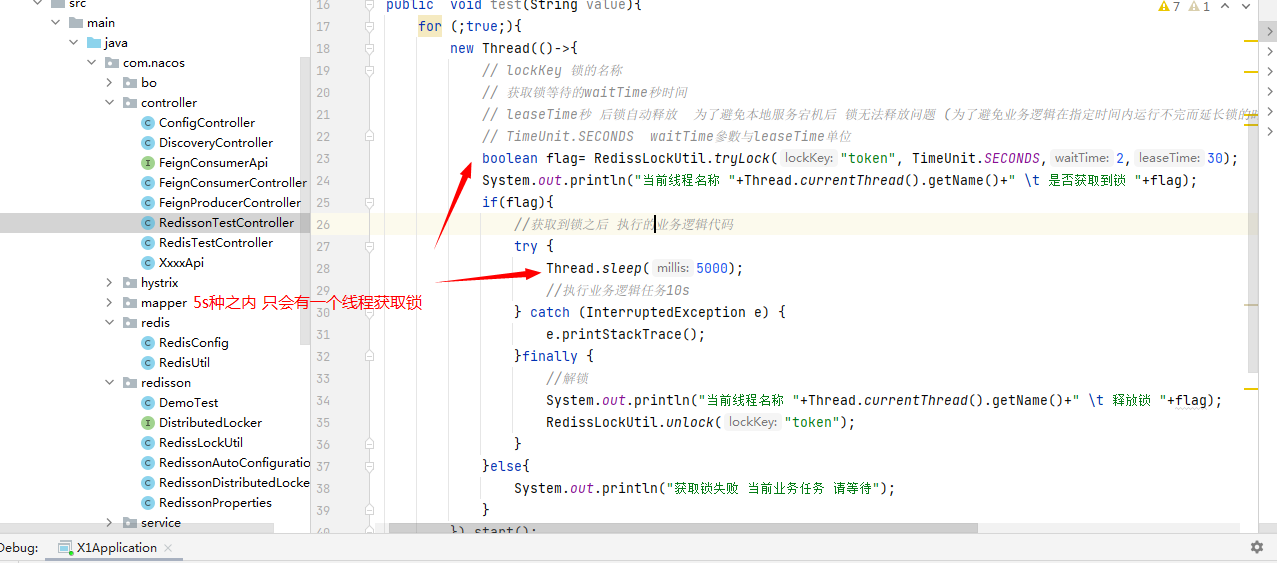
测试代码:
import com.nacos.redis.RedisUtil;
import com.nacos.redisson.RedissLockUtil;
import org.springframework.web.bind.annotation.RequestMapping;
import org.springframework.web.bind.annotation.RestController;
import javax.annotation.Resource;
import java.util.concurrent.TimeUnit;
@RestController
public class RedissonTestController {
@RequestMapping("testRedissonRedis")
public void test(String value){
for (;true;){
new Thread(()->{
// lockKey 锁的名称
// 获取锁等待的waitTime秒时间
// leaseTime秒 后锁自动释放 为了避免本地服务宕机后 锁无法释放问题 (为了避免业务逻辑在指定时间内运行不完而延长锁的时间,消耗性能较大,建议给定足够的时间)跑完业务逻辑代码
// TimeUnit.SECONDS waitTime參數与leaseTime单位
boolean flag= RedissLockUtil.tryLock("token", TimeUnit.SECONDS,2,30);
System.out.println("当前线程名称 "+Thread.currentThread().getName()+" \t 是否获取到锁 "+flag);
if(flag){
//获取到锁之后 执行的业务逻辑代码
try {
Thread.sleep(5000);
//执行业务逻辑任务10s
} catch (InterruptedException e) {
e.printStackTrace();
}finally {
//解锁
System.out.println("当前线程名称 "+Thread.currentThread().getName()+" \t 释放锁 "+flag);
RedissLockUtil.unlock("token");
}
}else{
System.out.println("获取锁失败 当前业务任务 请等待");
}
}).start();
try {
Thread.sleep(1000);
} catch (InterruptedException e) {
e.printStackTrace();
}
}
}
}

 浙公网安备 33010602011771号