
zerotier 内网穿透
1.简介
官方介绍
Connect team members from anywhere in the world on any device. ZeroTier creates secure networks between on-premise, cloud, desktop, and mobile devices.
使用zerotier可以让多台内网设备组成一个局域网,实现内网穿透。
2.网站配置
登录官网 https://my.zerotier.com/network
创建一个默认的NETWORK,我使用免费版本,一个NETWORK只可以添加25个成员:

点击该NETWORK,可以看到更多的配置信息
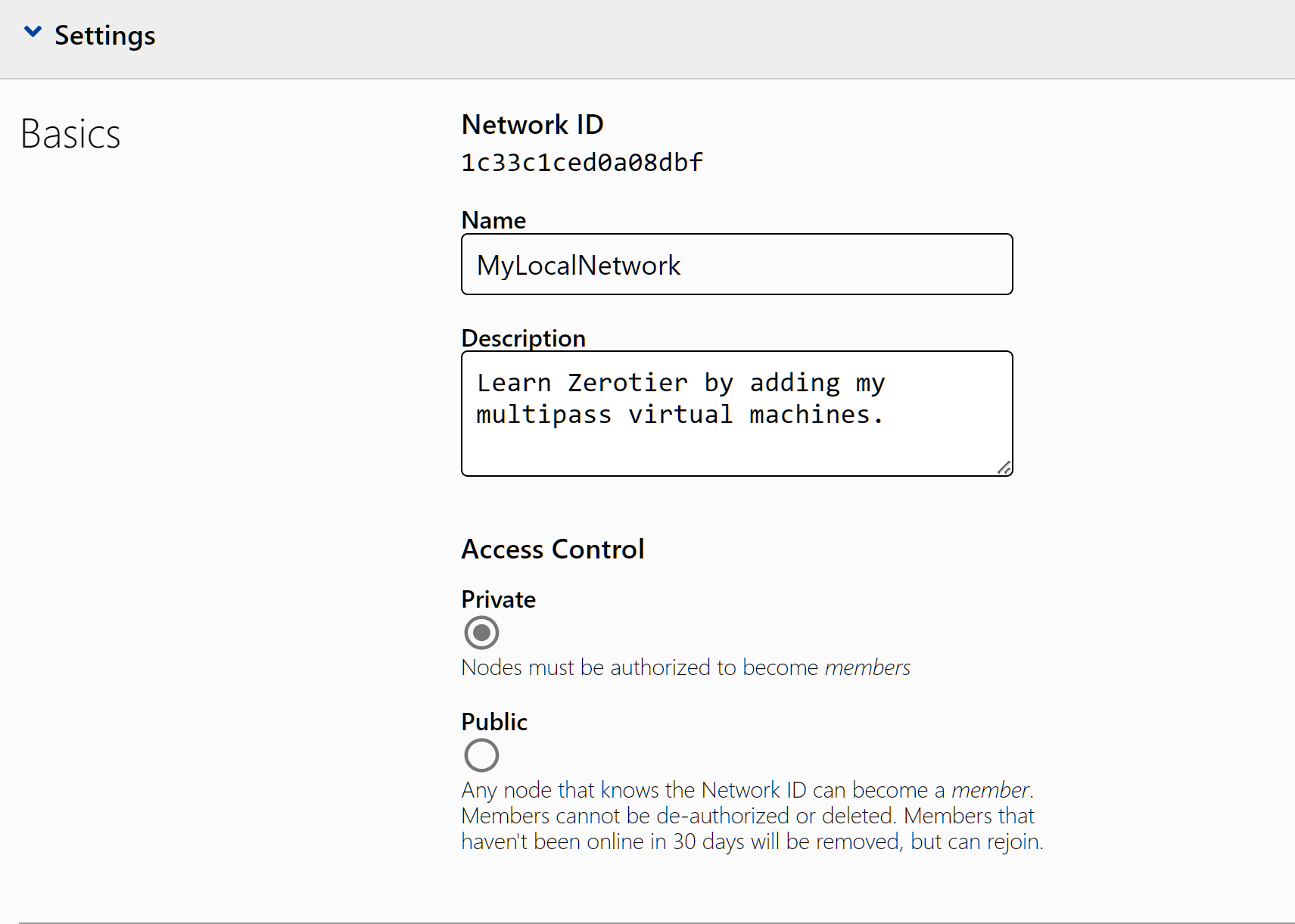
选择private模式,后续成员添加到这个NETWORK时会需要手动认证放行。
配置下分配的IP范围从172.30.0.100-130,也可以按默认的来

还有其它配置暂时用不到
3.内网设备添加到NETWORK
内网设备可以是Windows、MacOS、iOS、Android、Linux、FreeBSD、Synology、QNAP、WD MyCloud、OpenWRT。再不济,支持 Docker,凡是能跑 Docker 能联网的设备都可以用。
我这里使用multipass创建的ubuntu实例来添加
在ubuntu里安装zerotier
curl -s https://install.zerotier.com | sudo bash
安装完成
......(省略一部分输出)
*** Enabling and starting ZeroTier service...
Synchronizing state of zerotier-one.service with SysV service script with /lib/systemd/systemd-sysv-install.
Executing: /lib/systemd/systemd-sysv-install enable zerotier-one

*** Waiting for identity generation...

*** Success! You are ZeroTier address [ 09d1666caa ].
设备加入NETWORK
# 一般安装完成,默认会enable & start zerotier-one.service
# sudo systemctl enable zerotier-one.service
# sudo systemctl start zerotier-one.service
# NETWORK ID就是网站上显示
sudo zerotier-cli join 1c33c1ced0a08dbf
接着在网站上授权,勾选可选框

其中address里的ID就是ubuntu上安装完成显示的 ZeroTier address [ 09d1666caa ].
ubuntu上多了一张zt(zerotier)开头名称的网卡

网卡IP和MAC和授权页面的信息一致。
接着如法炮制,再添加一台ubuntu2设备
4.网络连通
现在有2台设备了

ubuntu ping ubuntu2
ubuntu@ubuntu:~$ ping 172.30.0.124
PING 172.30.0.124 (172.30.0.124) 56(84) bytes of data.
64 bytes from 172.30.0.124: icmp_seq=1 ttl=64 time=8.02 ms
64 bytes from 172.30.0.124: icmp_seq=2 ttl=64 time=6.86 ms
64 bytes from 172.30.0.124: icmp_seq=3 ttl=64 time=7.25 ms
64 bytes from 172.30.0.124: icmp_seq=4 ttl=64 time=7.09 ms
ubuntu2 ping ubuntu
ubuntu@ubuntu2:~$ ping 172.30.0.104
PING 172.30.0.104 (172.30.0.104) 56(84) bytes of data.
64 bytes from 172.30.0.104: icmp_seq=1 ttl=64 time=1431 ms
64 bytes from 172.30.0.104: icmp_seq=3 ttl=64 time=9.76 ms
64 bytes from 172.30.0.104: icmp_seq=4 ttl=64 time=8.41 ms
64 bytes from 172.30.0.104: icmp_seq=5 ttl=64 time=10.2 ms
64 bytes from 172.30.0.104: icmp_seq=6 ttl=64 time=10.5 ms
64 bytes from 172.30.0.104: icmp_seq=7 ttl=64 time=13.5 ms

 浙公网安备 33010602011771号