


《DSP using MATLAB》示例Example4.15
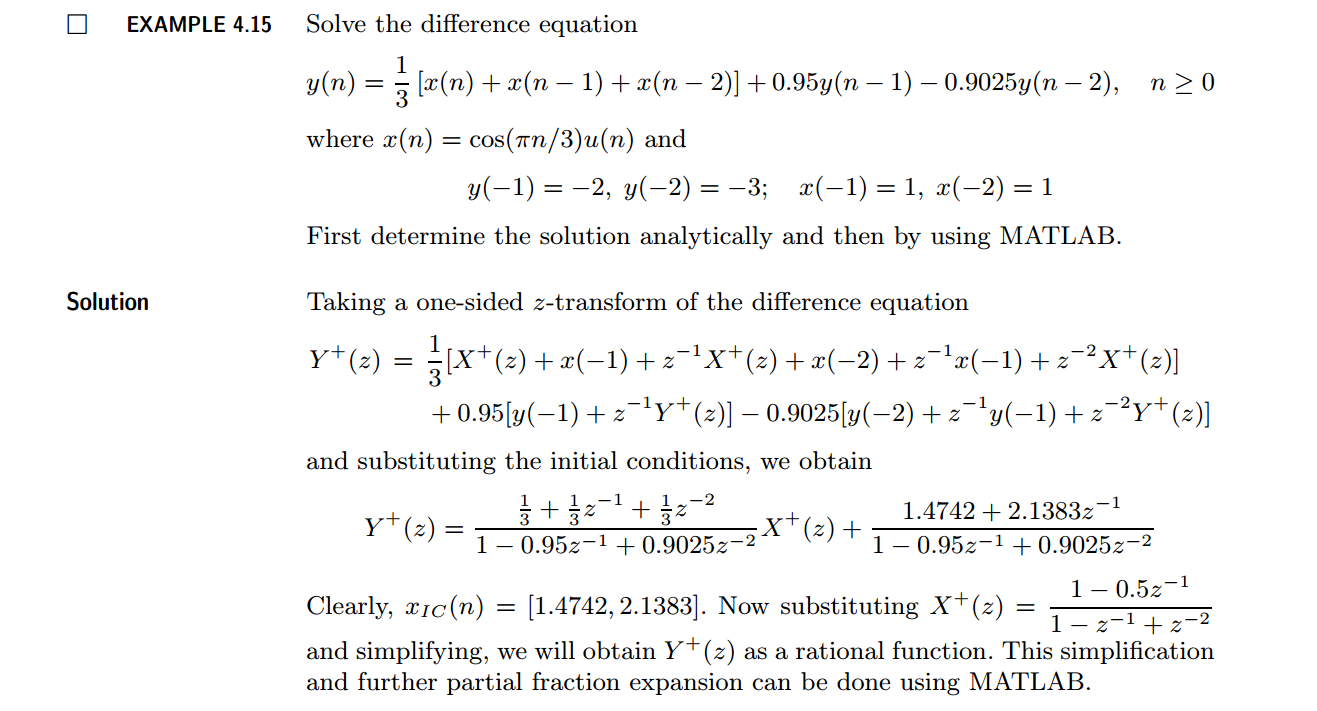
代码:
b = [1/3, 1/3, 1/3]; a = [1, -0.95, 0.9025];               % x(n)  y(n)   coefficient

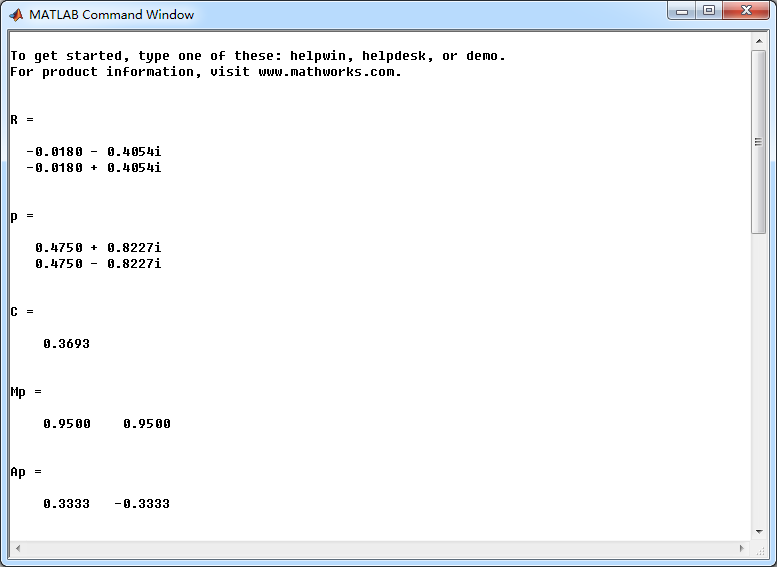
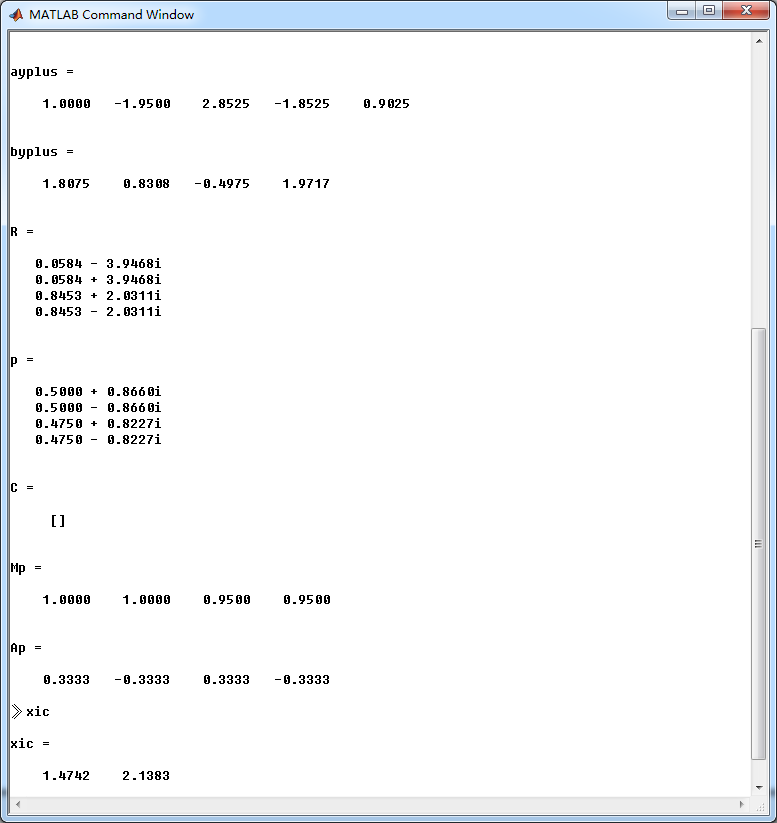
[R, p, C] = residuez(b,a)

Mp = (abs(p))', Ap = (angle(p))'/pi                        % polar form

Y = [-2, -3]; X =[1, 1]; xic = filtic(b,a,Y,X);

%% ----------------------------------------------
%%   START a    determine H(z) and sketch
%% ----------------------------------------------
figure('NumberTitle', 'off', 'Name', 'Example4.15 H(z) its pole-zero plot')
set(gcf,'Color','white');
zplane(b,a);
title('pole-zero plot'); grid on;

%% ----------------------------------------------
%%    END
%% ----------------------------------------------

bxplus = [1, -0.5]; axplus = [1, -1, 1];          % X(z) transform coeff
ayplus = conv(a, axplus)                          % Denominator of Yplus(z)
byplus = conv(b,bxplus) + conv(xic,axplus)        % Numerator of Yplus(z)

[R, p, C] = residuez(byplus, ayplus)
Mp = (abs(p))' , Ap = (angle(p))'/pi              % polar form

%% --------------------------------------------------------------
%%    START    b   |H|   <H
%%    1st form of freqz
%% --------------------------------------------------------------
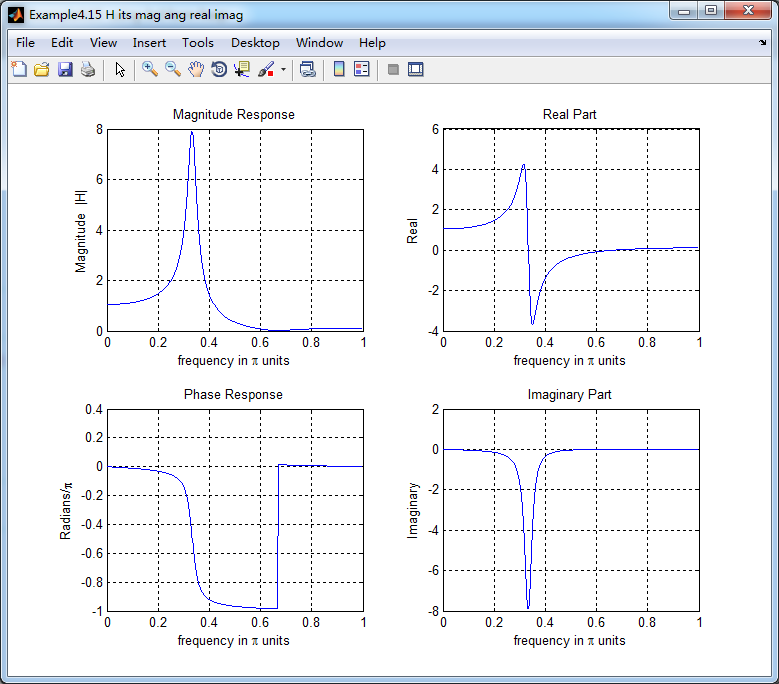
[H,w] = freqz(b,a,500);                 % 1st form of freqz

magH  = abs(H);  angH  = angle(H);  realH  = real(H);  imagH  = imag(H);

%% ================================================
%%              START H's  mag ang real imag
%% ================================================
figure('NumberTitle', 'off', 'Name', 'Example4.15 H its mag ang real imag');
set(gcf,'Color','white');
subplot(2,2,1); plot(w/pi,magH); grid on;  %axis([0,1,0,1.5]);
title('Magnitude Response');
xlabel('frequency in \pi units'); ylabel('Magnitude  |H|');
subplot(2,2,3); plot(w/pi, angH/pi); grid on; % axis([-1,1,-1,1]);
title('Phase Response');
xlabel('frequency in \pi units'); ylabel('Radians/\pi');

subplot('2,2,2'); plot(w/pi, realH); grid on;
title('Real Part');
xlabel('frequency in \pi units'); ylabel('Real');
subplot('2,2,4'); plot(w/pi, imagH); grid on;
title('Imaginary Part');
xlabel('frequency in \pi units'); ylabel('Imaginary');
%% ==================================================
%%             END H's  mag ang real imag
%% ==================================================

%% ---------------------------------------------------------------
%%    END    b   |H|   <H
%% ---------------------------------------------------------------


%% --------------------------------------------------------------
%%    START    b   |H|   <H
%%    3rd form of freqz
%% --------------------------------------------------------------
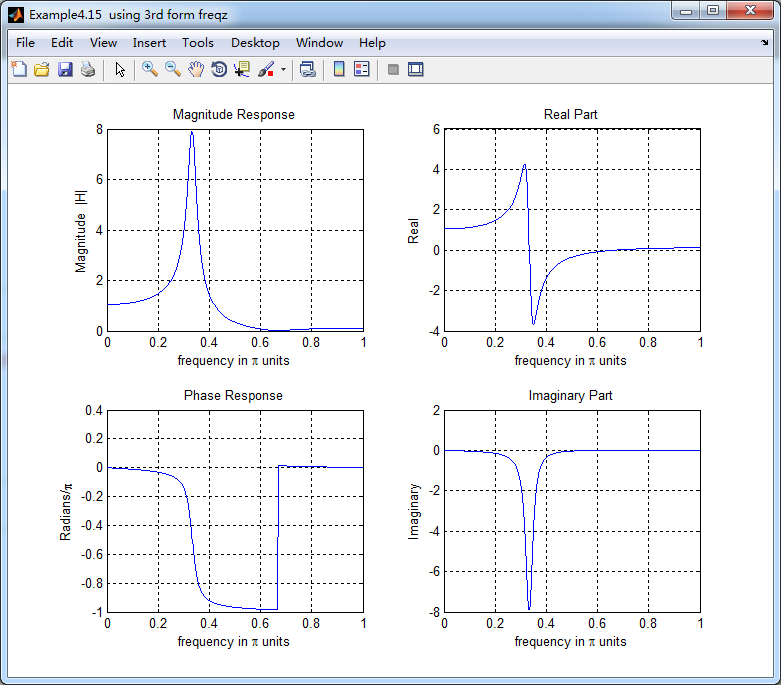
w = [0:1:500]*pi/500;     H = freqz(b,a,w);
%[H,w] = freqz(b,a,200,'whole');                 % 3rd form of freqz

magH  = abs(H);  angH  = angle(H);  realH  = real(H);  imagH  = imag(H);

%% ================================================
%%              START H's  mag ang real imag
%% ================================================
figure('NumberTitle', 'off', 'Name', 'Example4.15  using 3rd form freqz ');
set(gcf,'Color','white');
subplot(2,2,1); plot(w/pi,magH); grid on;  %axis([0,1,0,1.5]);
title('Magnitude Response');
xlabel('frequency in \pi units'); ylabel('Magnitude  |H|');
subplot(2,2,3); plot(w/pi, angH/pi); grid on; % axis([-1,1,-1,1]);
title('Phase Response');
xlabel('frequency in \pi units'); ylabel('Radians/\pi');

subplot('2,2,2'); plot(w/pi, realH); grid on;
title('Real Part');
xlabel('frequency in \pi units'); ylabel('Real');
subplot('2,2,4'); plot(w/pi, imagH); grid on;
title('Imaginary Part');
xlabel('frequency in \pi units'); ylabel('Imaginary');
%% ==================================================
%%             END H's  mag ang real imag
%% ==================================================

%% ---------------------------------------------------------------
%%    END    b   |H|   <H
%% ---------------------------------------------------------------

%%  START Check
n = [0:7]; x = cos(pi*n/3); y_ori = filter(b,a,x,xic)

%% MATLAB verification
A = real(2*R(1)); B = imag(2*R(1)); C = real(2*R(3)); D = imag(2*R(4));
y_check = A*cos(pi*n/3) + B *sin(pi*n/3) + ((0.95).^n) .* (C*cos(pi*n/3) + D*sin(pi*n/3))
结果:
牢记:
1、如果你决定做某事,那就动手去做;不要受任何人、任何事的干扰。2、这个世界并不完美,但依然值得我们去为之奋斗。

 浙公网安备 33010602011771号