
windows下Sphinx + php 简易使用记录
Sphinx3.5.1
windows使用流程
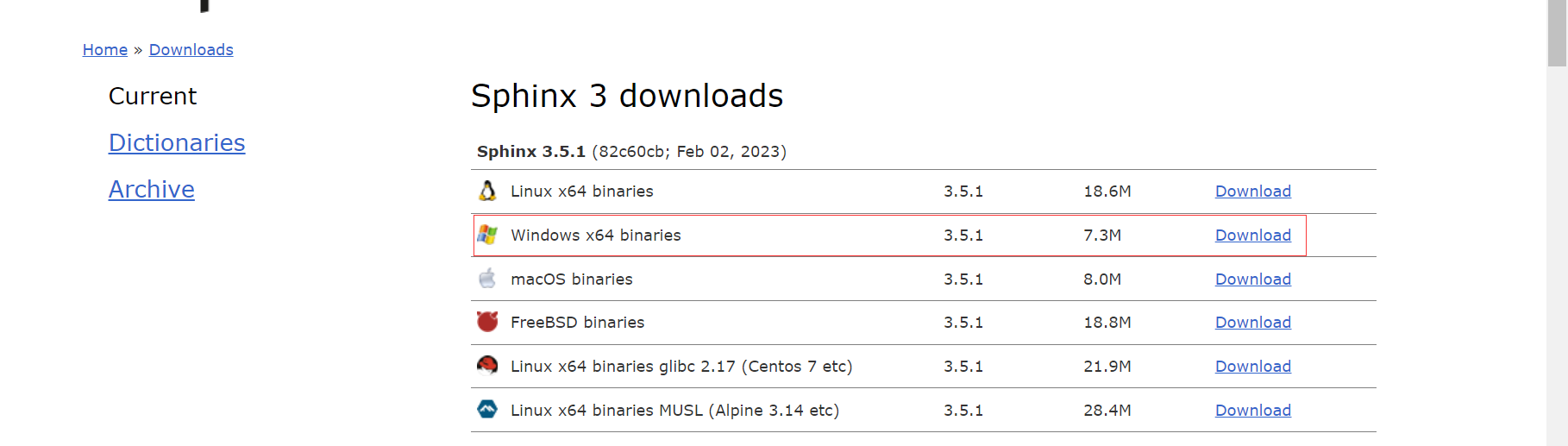
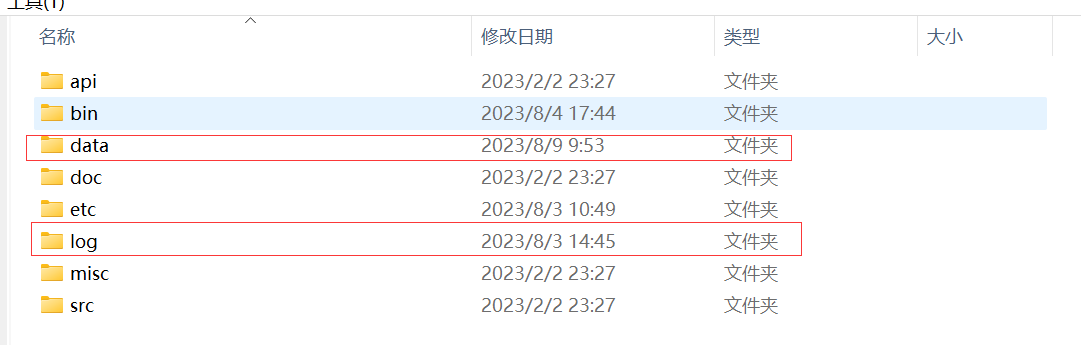
下载完成后会有这样一个目录,新建data和log目录存放数据和日志
将etc目录的 sphinx.conf.dist 文件复制一份到 bin目录下,将.dist 删除
以下是我的配置文件,可以根据下面的进行修改,如果有特别的需求可以看下面3.x的文档
source doc
{

    type     = mysql
    sql_host = 127.0.0.1
    sql_user = root
    sql_pass = 123456
    sql_db   = dbname
    sql_port = 3306
    sql_query_pre = SET NAMES utf8
    sql_query = SELECT proId,siteLang, proName,subSkuTitle,naviId,price,brandId,saleNum FROM products where isOnSale = 1
    sql_attr_uint = siteLang
    sql_attr_uint = naviId
    sql_attr_uint = brandId
    sql_attr_uint = saleNum
    sql_attr_float = price
    //sql_attr_string 如果是string类型不能参与过滤,解决方式可以参考这个网址内容 https://www.ttlsa.com/sphinx/sphinx-filter-string/

}

index products
{
    source  = doc
    path    = D:/phpstudy_pro/Extensions/sphinx/data/products #索引存放位置
}

indexer
{
    mem_limit       = 128M
}
searchd
{
    listen      = 9312
    listen      = 9306:mysql41
    log         = D:/phpstudy_pro/Extensions/sphinx/log/searchd.log
    query_log   = D:/phpstudy_pro/Extensions/sphinx/log/query.log
    pid_file    = D:/phpstudy_pro/Extensions/sphinx/data/searchd.pid
    workers     = threads # for RT to work
    binlog_path = D:/phpstudy_pro/Extensions/sphinx/data
}
通过命令创建索引
通过命令行cd到sphinx下的bin目录 --all 是全部索引一起创建 --products 也可以创建指定的索引
.\indexer.exe --all
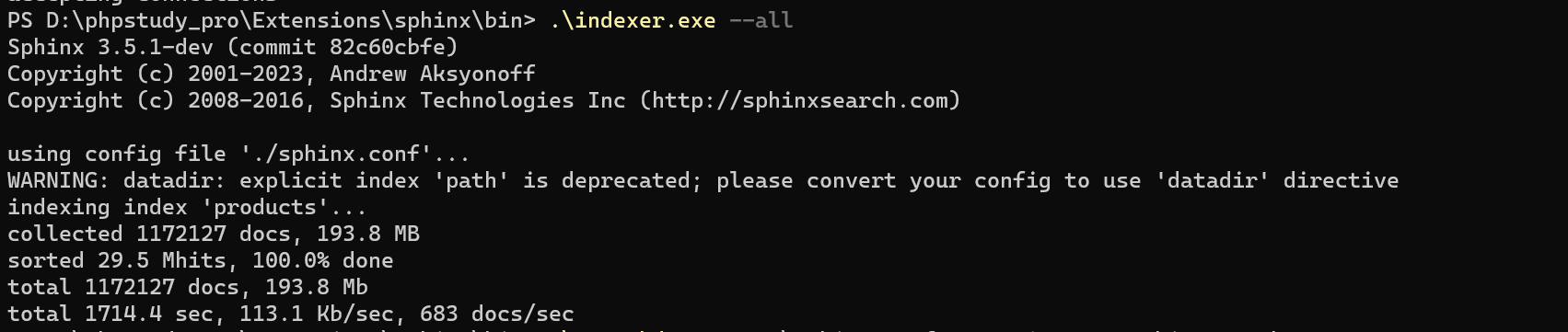
.\searchd.exe -c .\sphinx.conf --servicename SphinxSearch
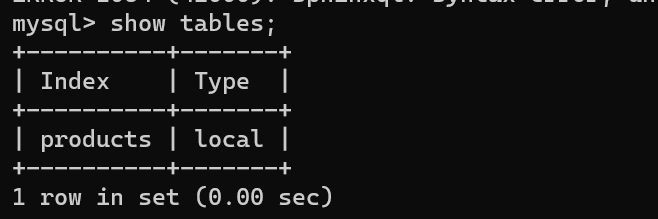
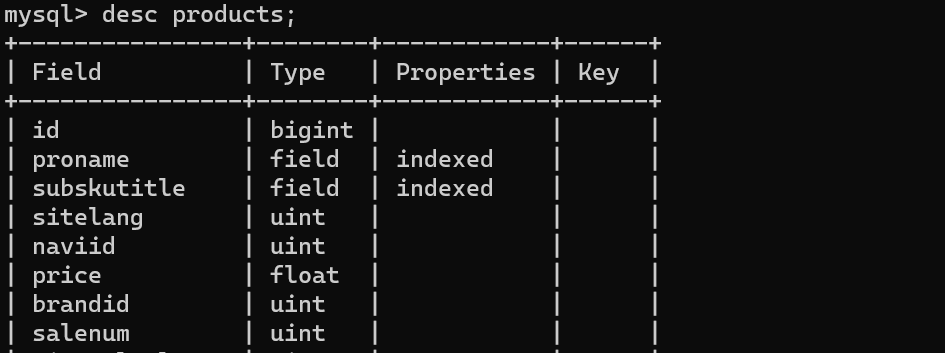
索引创建完成后可以通过mysql查看创建的数据是否存在问题
新开一个CMD窗口,到mysql目录下
D:\phpstudy_pro\Extensions\MySQL8.0.12\bin> .\mysql.exe -h 127.0.0.1 -P 9306
连接到创建的索引
indexer.exe -c d:/sphinx.conf --all # 生成增量索引
searchd.exe -c d:/sphinx.conf & # 启动
-- # 在表documents中加入一条记录id=12,移除id=1记录。在表sphinx中 增加2条记录('doc',1,0),('doc',12,1)
-- # 执行增量索引生成
indexer.exe -c d:/sphinx.conf delta --rotate
-- # 执行合并增量索引到全量索引
indexer.exe -c d:/sphinx.conf --merge main delta --merge-klists --rotate # 报错如标题
然后测试使用官方的sdk 测试
D:\phpstudy_pro\Extensions\sphinx\api 找到 sphinxapi.php到项目文件引入或者直接复制过去
<?php
$t1 = microtime(true);
require ("sphinxapi.php");
$cl = new SphinxClient();

$cl->SetServer('127.0.0.1',9312);
$cl->SetArrayResult(true);
$cl->SetConnectTimeout(60);

$page = $_GET['page'] ?? 0;
$pageSize = 40;
$cl->SetLimits($page * $pageSize, $pageSize, 1000);
if (!empty($_GET['priceSort'])) {
    //排序
    if (strtoupper($_GET['priceSort']) == 'ASC') {
        $cl->SetSortMode(SPH_SORT_EXTENDED,'price ASC');
    }
    if (strtoupper($_GET['priceSort']) == 'DESC') {
        $cl->SetSortMode(SPH_SORT_EXTENDED,'price DESC');
    }
}


if (!empty($_GET['minPrice']) && !empty($_GET['maxPrice'])) {
    //区间查询
    $cl->setFilterRange('price',$_GET['minPrice'],$_GET['maxPrice']);
}


// $cl->SetSortMode(SPH_SORT_EXTENDED, "@weight DESC");
// $cl->setGroupBy('price',SPH_GROUPBY_ATTR);
// $cl->SetSortMode(SPH_SORT_ATTR_DESC,'price');

$cl->SetFilter('siteLang',[3]);

$keyword = $_GET['keyword'] ?? '';
if (empty($keyword)) {
    echo "keyword not empty!";exit;
}
print_r($cl);
$res = $cl->Query($keyword,'products');

if ( $res===false )
{
    print "Query failed: " . $cl->GetLastError() . ".\n";
    exit;

}

print_r($res);
纳百川汇成海

 浙公网安备 33010602011771号