
Istio实践(3)- 路由控制及多应用部署(netcore&springboot)
前言:接上一篇istio应用部署及服务间调用,本文介绍通过构建.netcore与springboot简单服务应用,实现服务间调用及相关路由控制等
1、.netcore代码介绍及应用部署
-
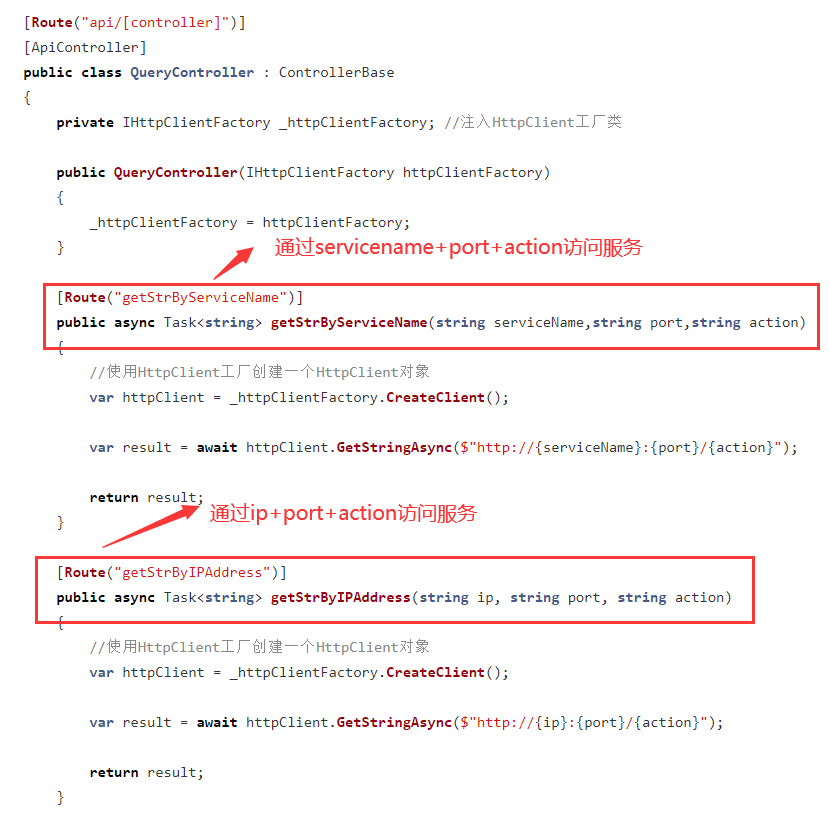
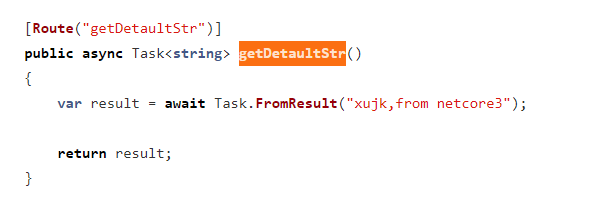
新建.netcore webapi服务项目,添加简单服务调用方法(getStrByServiceName与getStrByIPAddress),返回默认字符串方法getDetaultStr
![image]()
![image]()
-
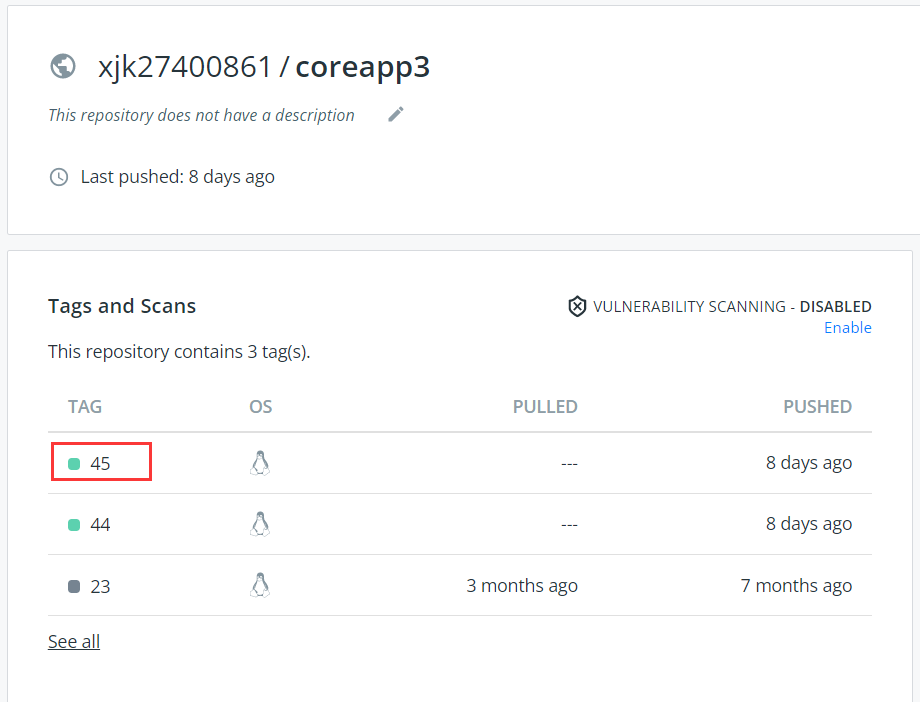
通过我们前面文章《Azure 实践(3)- Azure Devops构建.netcore项目,打包Docker镜像+运行容器部署》,打包我们的服务应用,并构建镜像推送到docker hub中,构建Tag为45的镜像
![image]()
-
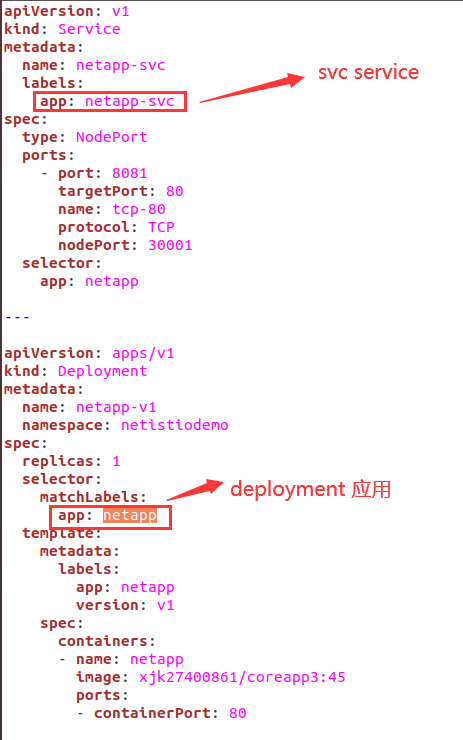
创建netapp-1nodes.yaml文件,构建应用netapp及k8s svc service对外提供服务访问
![image]()
-
创建命名空间netistiodemo,并设置istio自动注入:
sudo kubectl create namespace netistiodemo
sudo kubectl label namespace netistiodemo istio-injection=enabled
sudo kubectl get ns netistiodemo --show-labels # 查看注入状态 -
创建应用(namespace:netistiodemo):
sudo kubectl apply -f netapp-1nodes.yaml -n netistiodemo -
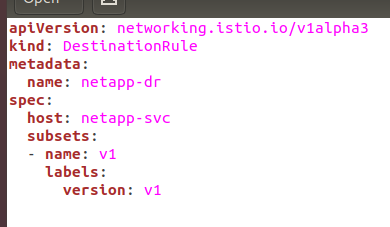
创建netapp-destination.yaml并创建DestinationRule
sudo kubectl apply -f netapp-destination.yaml -n netistiodemo
![image]()
-
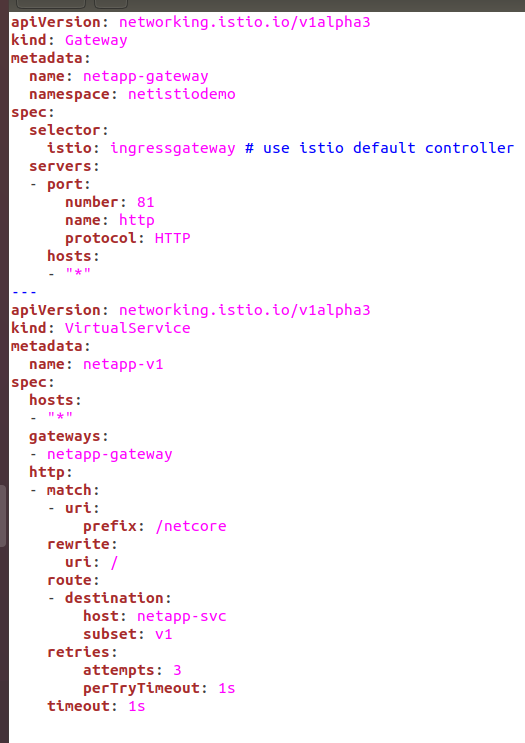
创建Gateway & VirtualService
sudo kubectl apply -f nettapp-vs-v1.yaml -n netistiodemo
![image]()
-
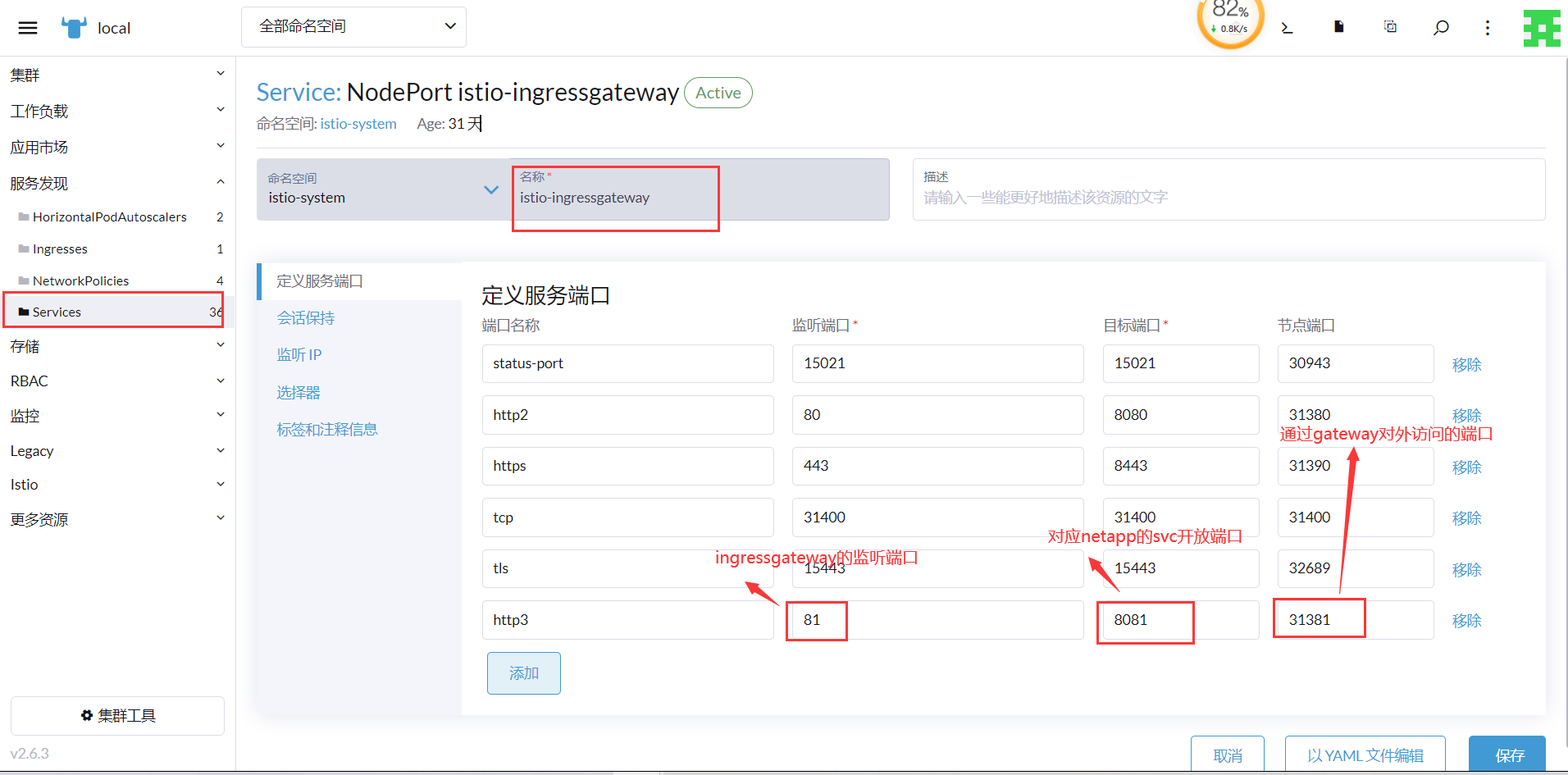
GateWay设置的port端口为81,由于istio-ingressgateway的80端口,我们已经开放对应了springbootapp应用,所以我们要给istio-ingressgateway添加端口映射,映射到netapp应用上,我们可以通过rancher管理工具添加端口映射,当然你也可以通过编辑istio-ingressgateway的yaml文件来添加端口映射
![image]()
-
这样,我们就通过多个gateway来访问不同命名空间的应用(k8s节点ip+端口31381)来访问netapp;(k8s节点ip+端口31380)来访问springbootapp
![image]()
![image]()


2、springboot代码介绍及应用部署
-
springboot服务项目,参考我以前的dubbo实践代码,这里只展示我们要用的简单的webapi服务
![image]()
-
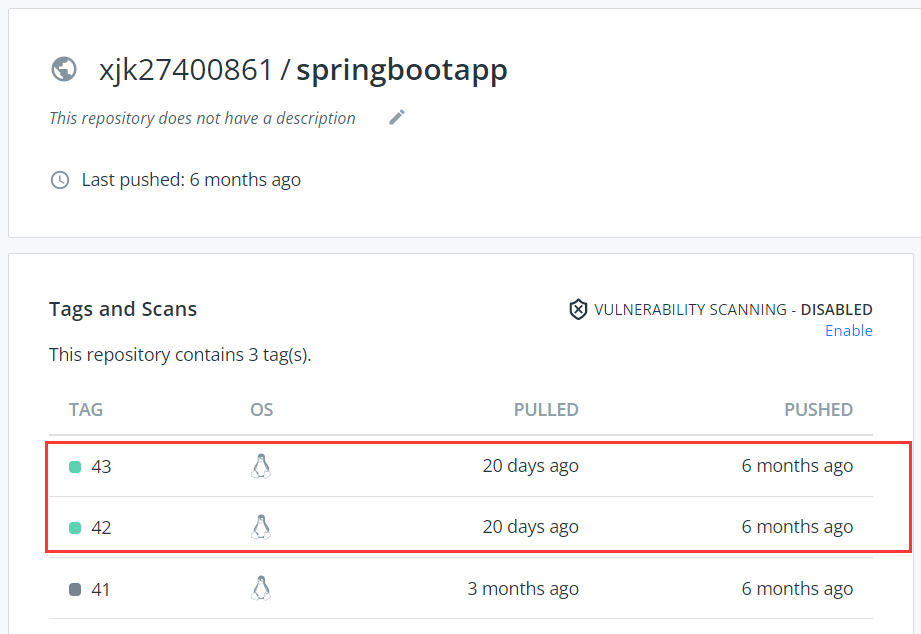
部署应用参考前面两篇文章,都是基于这个应用部署的,使用到2个版本;这里省略部署步骤(命名空间:springistiodemo)
![image]()

3、springboot应用与.netcore服务应用调用介绍
-
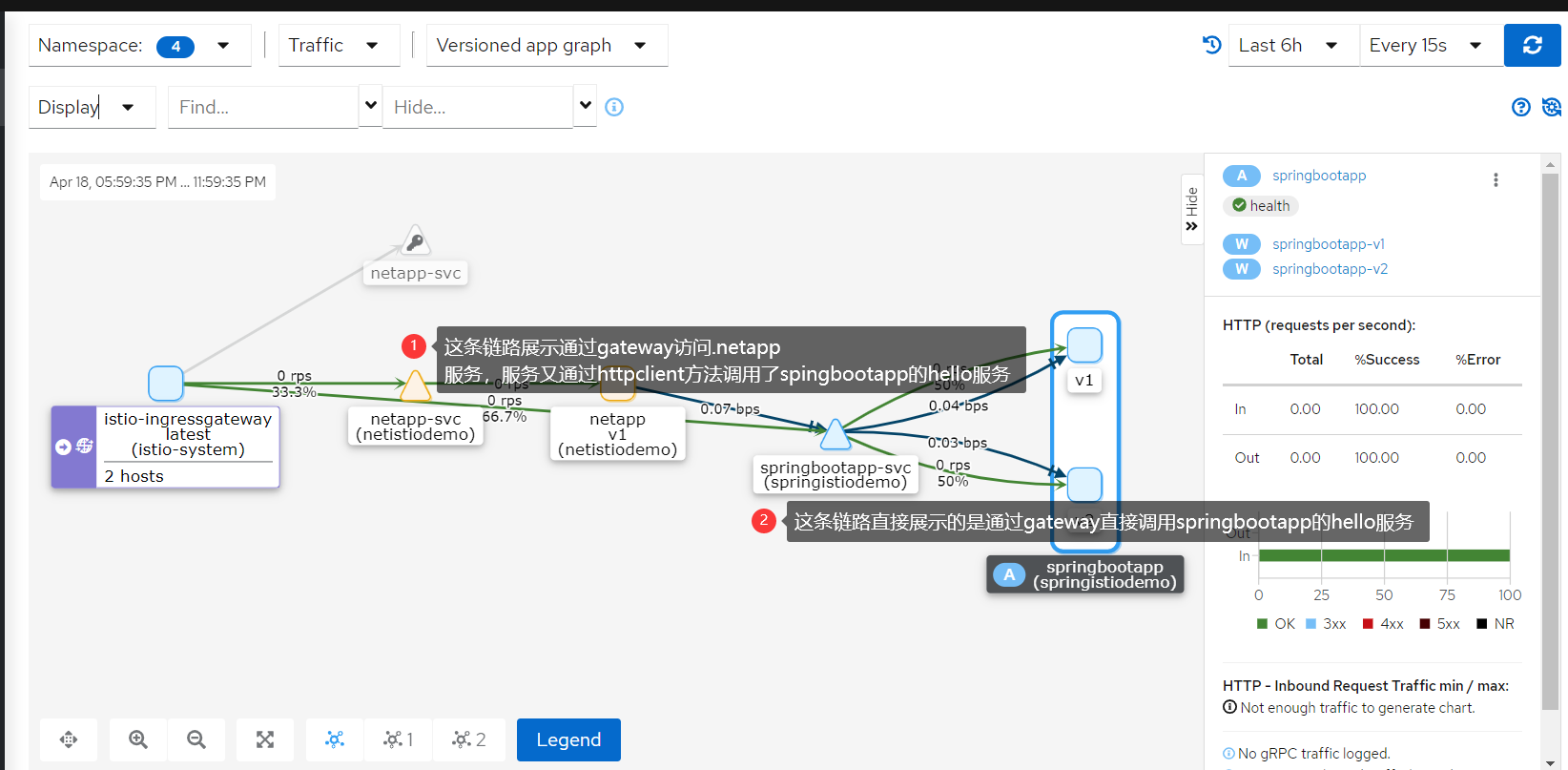
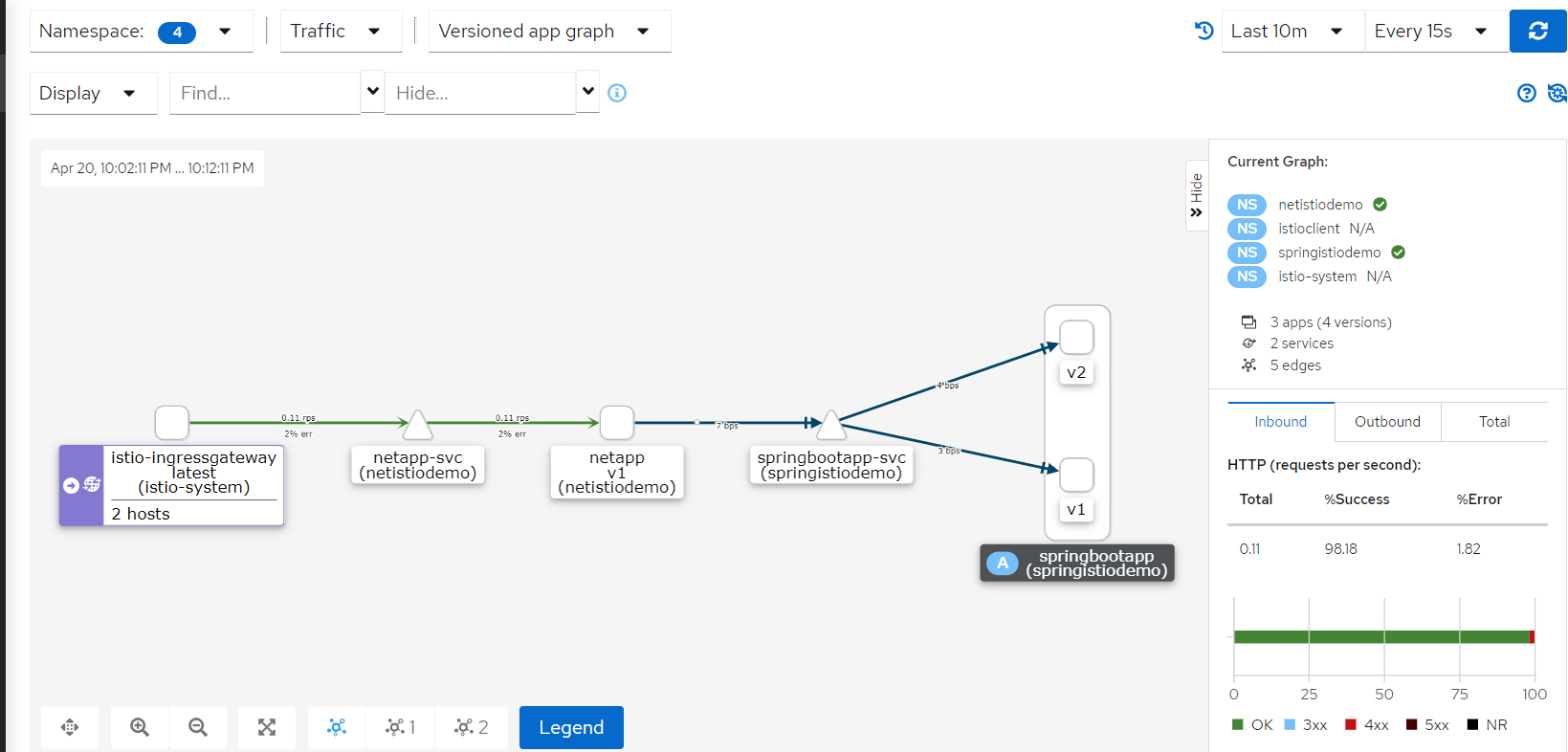
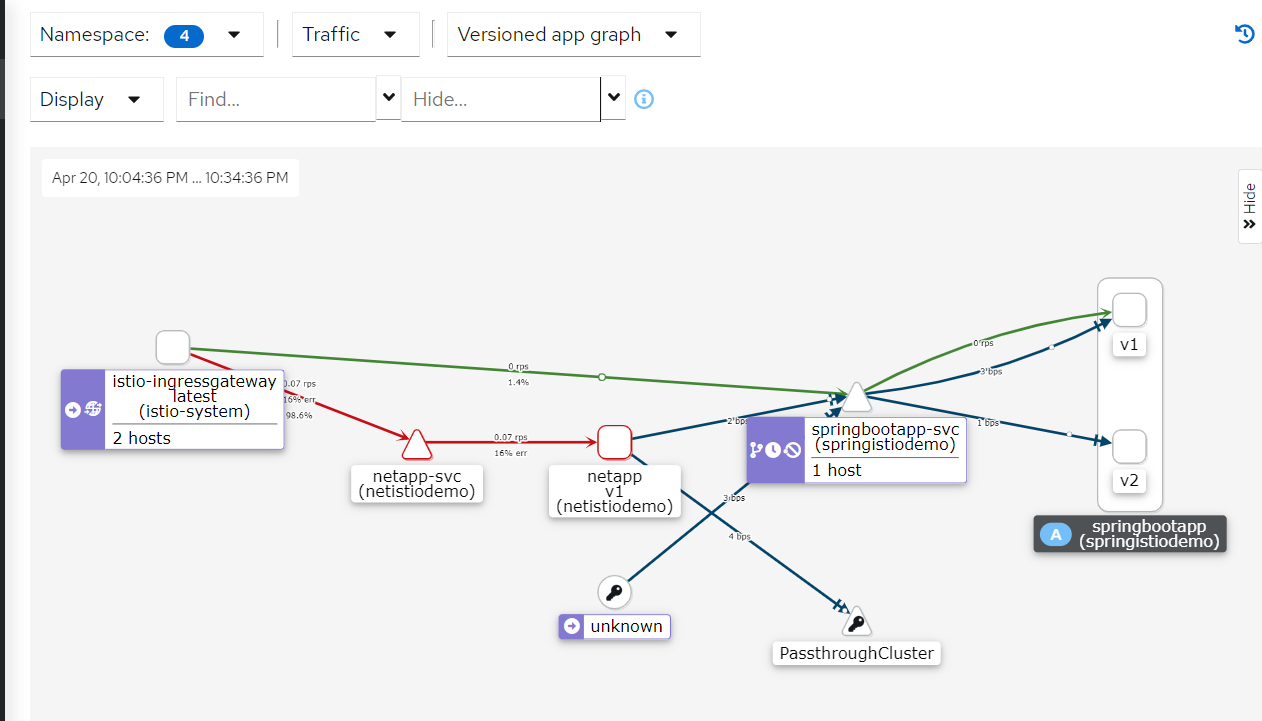
我们可以通过netapp的方法(getStrByServiceName与getStrByIPAddress)来调用springbootapp的hello服务方法
-
我通过管理工具kiali的服务调用链路图来展示服务调用关系;有蓝色线的是情况1,纯绿色先的是情况2
![image]()
4、路由控制
-
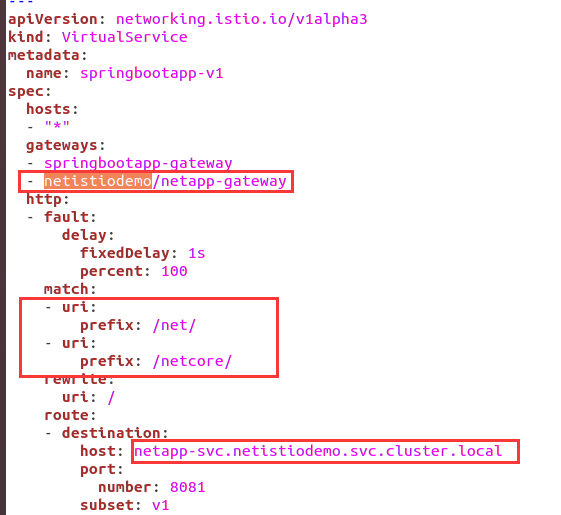
配置1:修改springbootapp-vs-v1.yaml文件,添加不同命名空间的应用服务的配置,添加多个gateway
![image]()
-
说明:
gateway:springbootapp-gateway为同namespace的gateway;netistiodemo/netapp-gateway为netistiodemo空间的gateway,格式【命名空间】/【gateway名】
match:uri prefix前缀匹配,将以/net/、/netcore/为前缀的请求,映射到netapp服务上;请求规则支持exact(完全匹配),prefix(前缀匹配)、regex(正则匹配)三种匹配方式
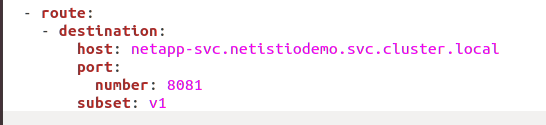
host:netapp-svc.netistiodemo.svc.cluster.local,指向namespace为netistiodemo的.netcore服务中,格式【service svc】+【命名空间】+ 【默认:svc.cluster】 + 【集群名称】 -
路由结果(两个gateway的监听端口【31380&31381】均可访问),并且不同的uri前缀(/net/ 与/netcore/)都定位到了服务
![image]()
![image]()
-
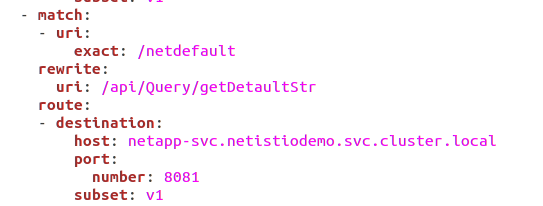
配置2:路由直接匹配到应用服务具体的服务上(netapp应用的api/Query/getDetaultStr服务)
![image]()
![image]()
-
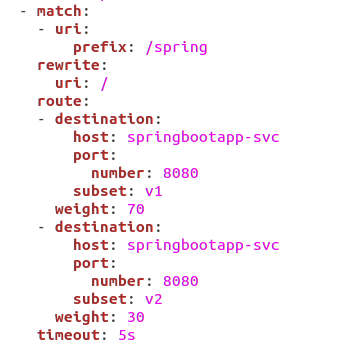
配置3:通过添加spring的前缀,定位到本namespace的springbootapp应用上
![image]()
![image]()
-
配置4:如无路由匹配规则(无前缀匹配),则直接定位到netcoreapp上
![image]()
![image]()
-
Istio virtual service文件springbootapp-vs-v1.yaml详情:
apiVersion: networking.istio.io/v1alpha3
kind: VirtualService
metadata:
name: springbootapp-v1
spec:
hosts:
- "*"
gateways:
- springbootapp-gateway
- netistiodemo/netapp-gateway
http:
- fault:
delay:
fixedDelay: 1s
percent: 100
match:
- uri:
prefix: /net/
- uri:
prefix: /netcore/
rewrite:
uri: /
route:
- destination:
host: netapp-svc.netistiodemo.svc.cluster.local
port:
number: 8081
subset: v1
- match:
- uri:
exact: /netdefault
rewrite:
uri: /api/Query/getDetaultStr
route:
- destination:
host: netapp-svc.netistiodemo.svc.cluster.local
port:
number: 8081
subset: v1
- match:
- uri:
exact: /redirect
redirect:
authority: springbootapp-svc
uri: /hello
- match:
- uri:
prefix: /spring
rewrite:
uri: /
route:
- destination:
host: springbootapp-svc
port:
number: 8080
subset: v1
weight: 70
- destination:
host: springbootapp-svc
port:
number: 8080
subset: v2
weight: 30
timeout: 5s
- route:
- destination:
host: netapp-svc.netistiodemo.svc.cluster.local
port:
number: 8081
subset: v1





5、服务调用实践
-
通过netapp的服务/api/Query/getStrByServiceName传入服务名端口等信息访问springbootapp应用的hello服务;可以看到可以访问到springbootapp的v1和v2版本服务
![image]()
![image]()
![image]()
-
通过netapp的服务/api/Query/getStrByIPAddress传入IP端口等信息访问springbootapp应用的hello服务;可以看到可以访问到springbootapp的v1和v2版本服务
![image]()
-
通过访问springbootapp的svc对外访问端口也可以实现服务调用,且遵循Istio流量规则
![image]()
![image]()
![image]()






 浙公网安备 33010602011771号