
微信小程序长图完整滚动显示
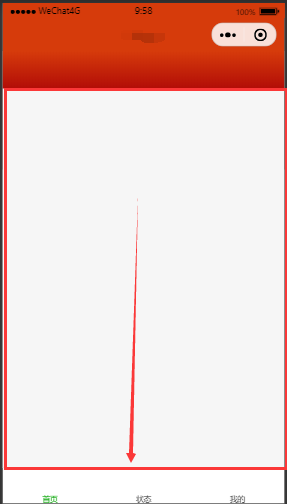
如图,当插入的图片的长度超屏幕的高度时,会导致图片高度被压缩。
解决的方法是,给图片外面加一个scroll-view组件实现滚动显示,添加属性mode="widthFix"使得图片宽度完整显示,详见代码。
.wxml
1 <scroll-view scroll-y="{{true}}" style="width:100%;height:{{sysheight}}px;">
2     <view class="img-size">
3         <image src="../../images/liucheng.jpg" mode="widthFix" class="liucheng-img"></image>
4     </view>
5 </scroll-view>
.js
onLoad: function (options) {
    wx.getSystemInfo({//获取设备屏幕真实高度
      success: (result) => {
        this.setData({
          sysheight:result.windowHeight
        })
      },
    })
  },
.wxss
page{
width: 100%;
height: 100%;
}
.img-size {
  width: 100%;
  margin: auto;

}

.liucheng-img {
  width: 100%;
  height: 100%;

}
希望以上解决方案对你有用!

 浙公网安备 33010602011771号