wireshark 抓包学习笔记
1.Wireshark 抓包分析
-
使用Wireshark抓取微信电脑端登录的过程
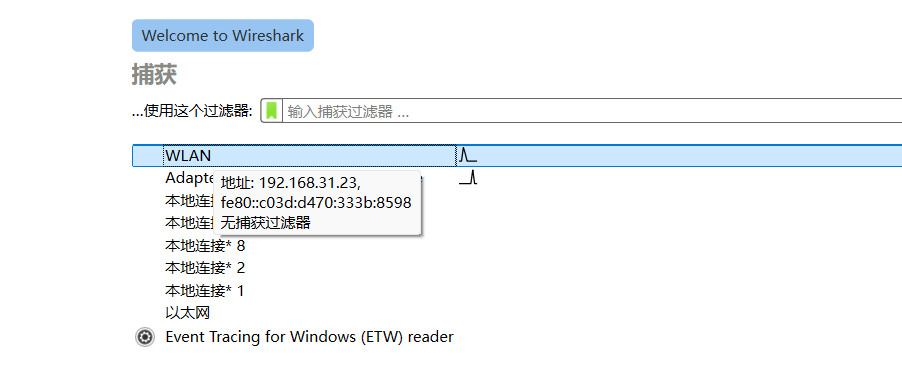
首先,打到wireshark,选择网卡后,开始捕获数据包
![image-20250217183442575]()
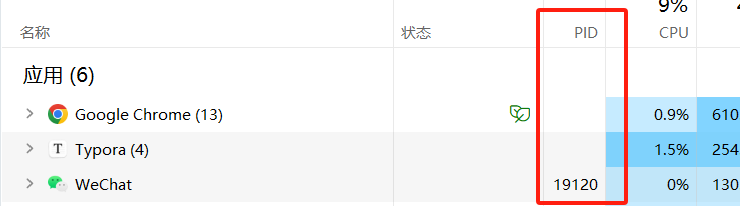
第一步:获取微信进程的PID
![image-20250217183632756]()
第二步:使用netstat -ano |findstr 19120,获取微信进程的网络连接地址
![image-20250217183611236]()
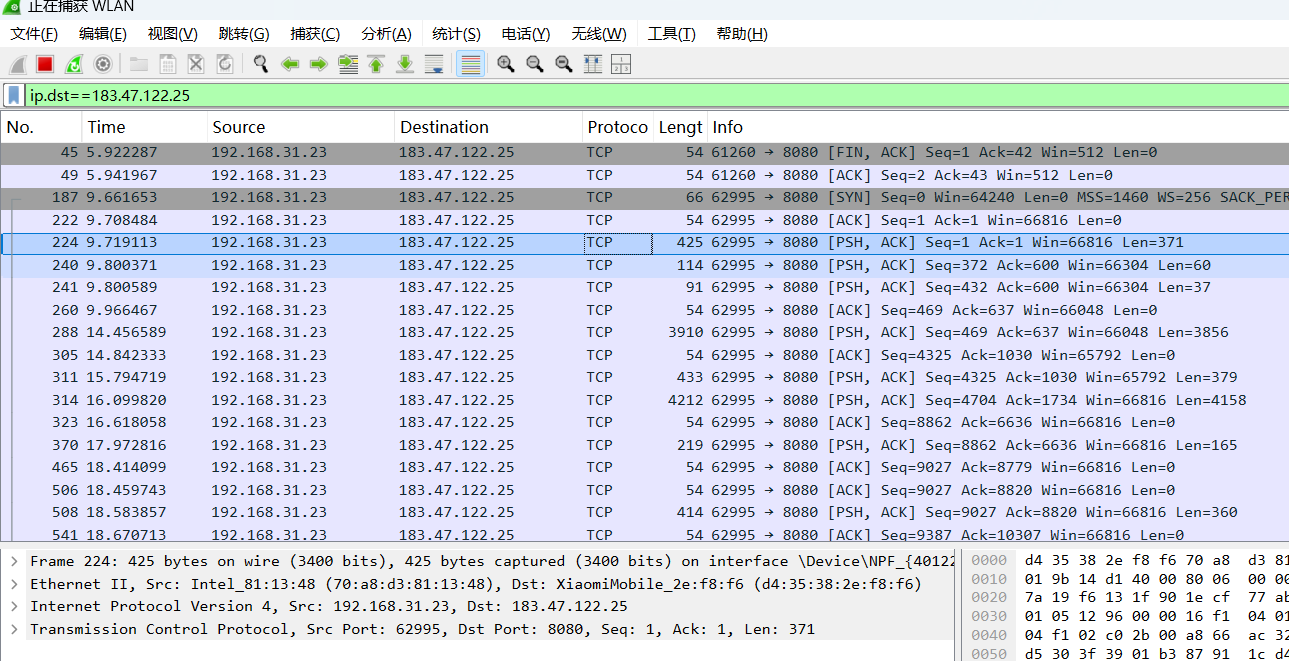
第三步:使用ip.dst==183.47.122.25,过滤数据包
![image-20250217183702648]()
-
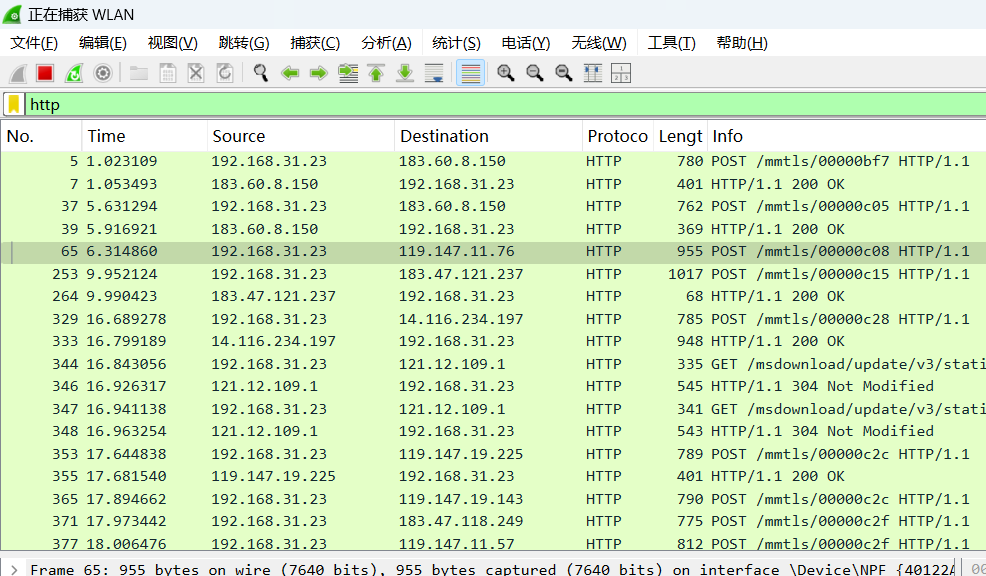
过滤出所有HTTP请求的数据包
在过滤栏中输入http,即可过滤所有http协议
![image-20250217183901906]()

2.tshark 命令练习
-
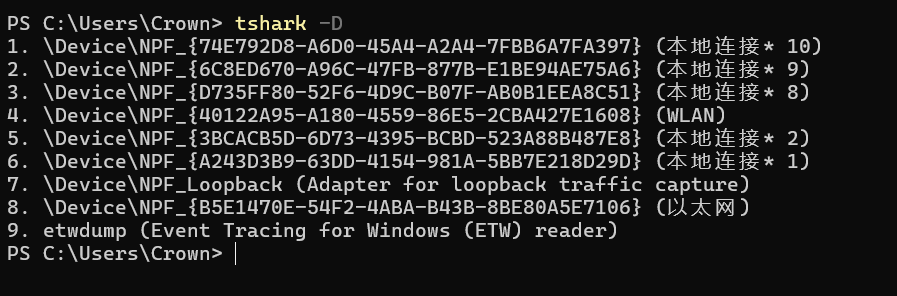
使用 tshark -D 枚举你的网络接口
tshark -D![image-20250217183942728]()
-
选择合适的网卡接口并抓取1000个数据包(提示:使用 -c 1000 参数限制抓包数量),然后保存为capture.pcap。
tshark -i wlan -c 1000 -w capture.pcap![image-20250217184414565]()
-
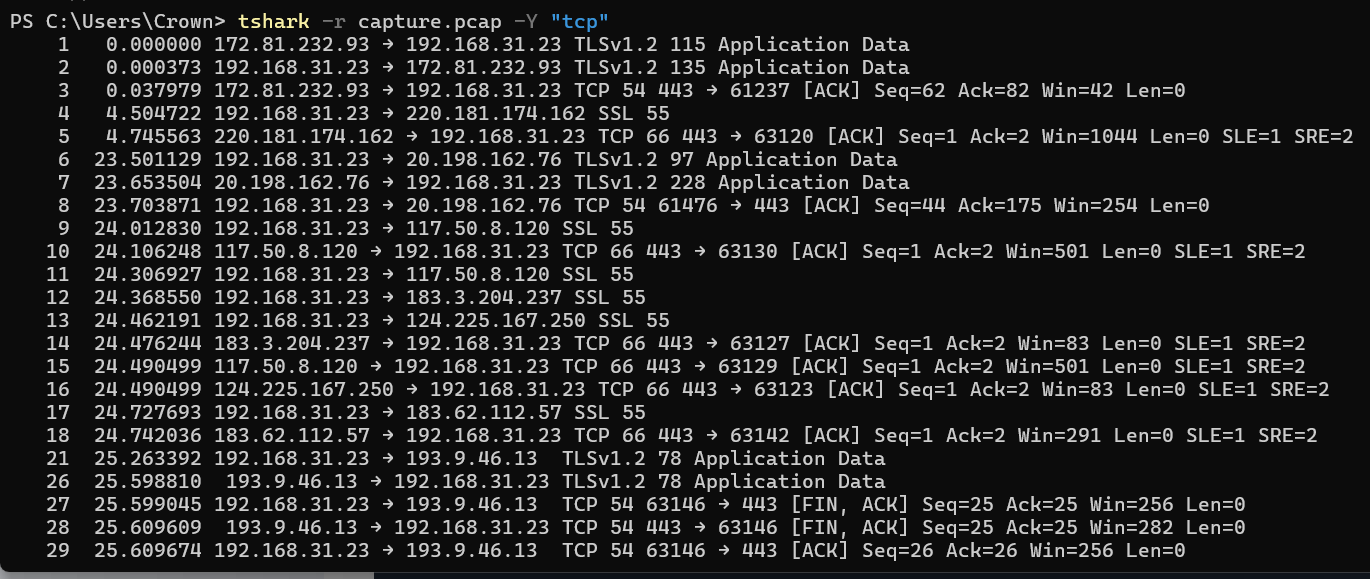
解析 capture.pcap 并筛选出所有TCP协议的数据包
tshark -r capture.pcap -Y "tcp"![image-20250217185213620]()
-
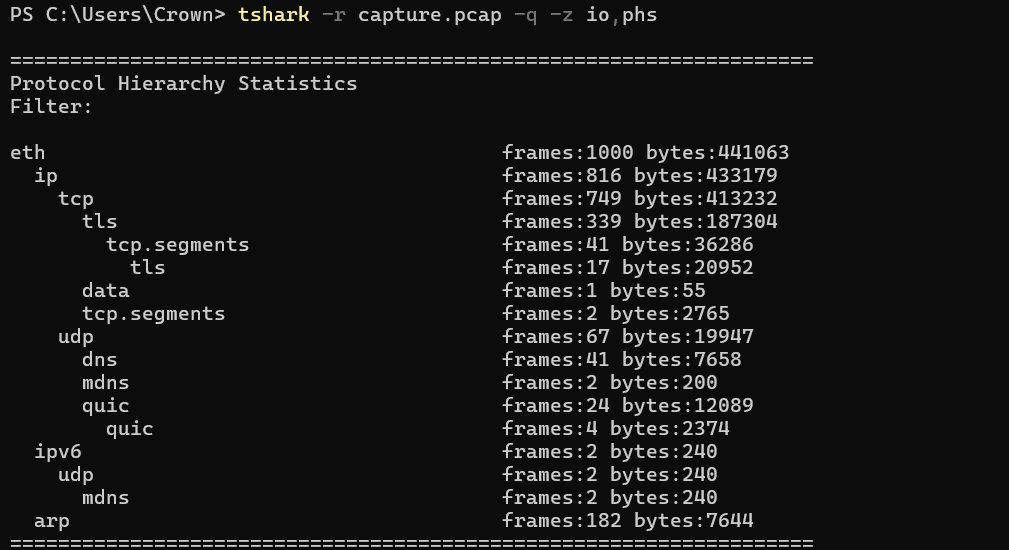
统计 capture.pcap 中各个协议的数据包数量
tshark -r capture.pcap -q -z io,phs![image-20250217191441958]()


 浙公网安备 33010602011771号