


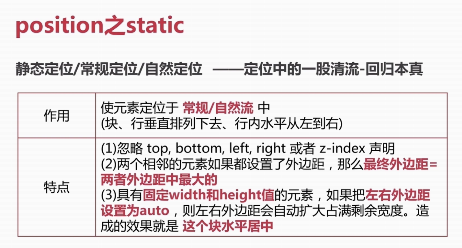
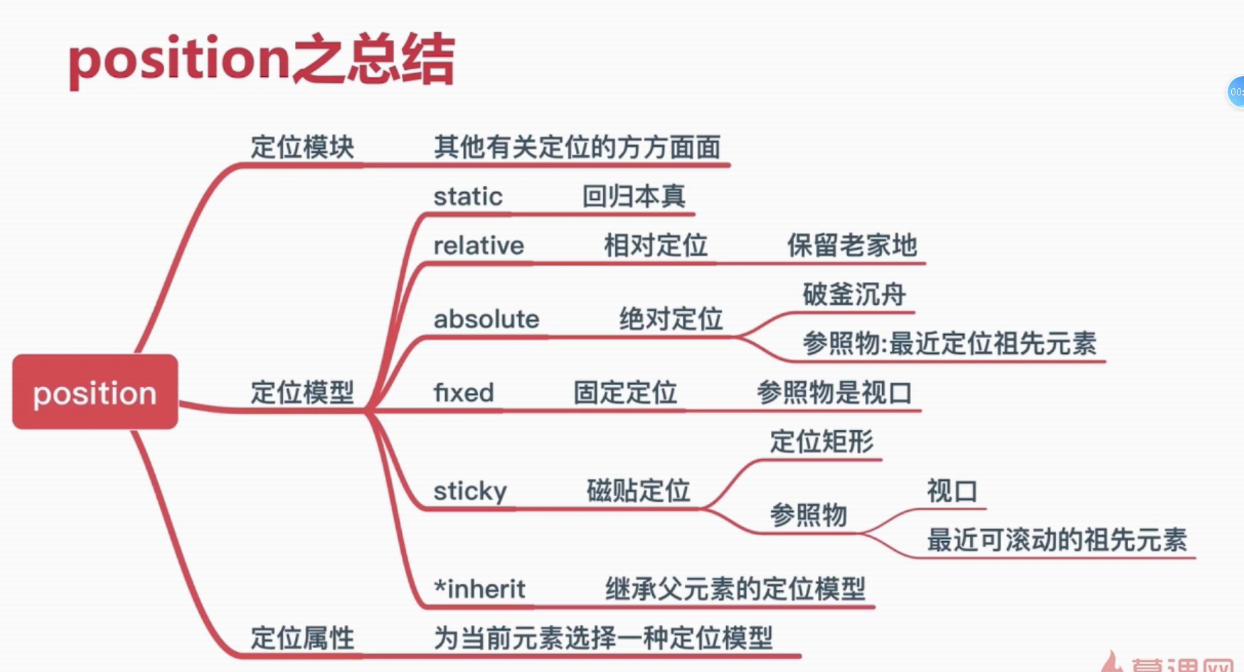
1、static
<!DOCTYPE html>
<html lang="en">
<head>
    <meta charset="UTF-8">
    <meta name="viewport" content="width=device-width, initial-scale=1.0">
    <title>Document</title>
    <style>
        .block{
            position: relative;
            left: 10px;
            width: 50px;
            height: 50px;
            line-height: 50px;
            text-align: center;
            border: 2px solid blue;
            box-sizing: border-box;
        }
        .block:nth-child(2){
            border-color: red;
            position: static;
        }
    </style>
</head>
<body>
    <div class="block">A</div>
    <div class="block">B</div>
    <div class="block">C</div>
</body>
</html>
显示效果
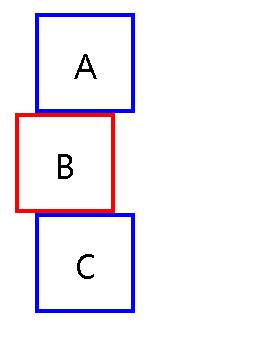
设定了ABC相对定位且向右偏移10px,但是B设定了static,元素回到原来位置
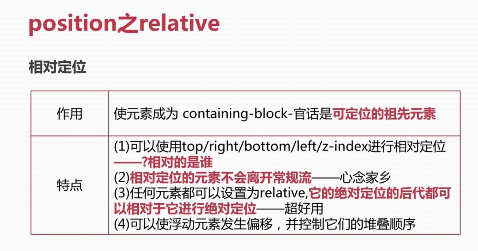
2、relative
3、absolute
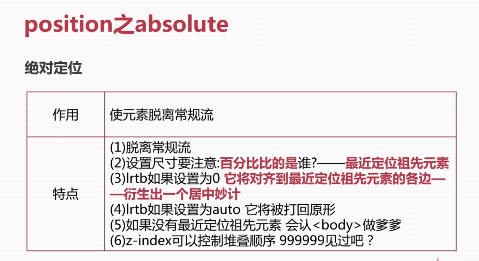
寻找最近定位的祖先元素
<!DOCTYPE html>
<html lang="en">
<head>
    <meta charset="UTF-8">
    <meta name="viewport" content="width=device-width, initial-scale=1.0">
    <title>Document</title>
    <style>
        *{margin: 0;padding: 0;}
        .parent{
            width: 300px;
            height: 300px;
            background-color: yellow;
            border: 2px solid #000;
        }
        .child{
            position: absolute;
            left: 0;
            top: 0;
            width: 50%;
            height: 50px;
            border: 2px solid blue;
        }
    </style>
</head>
<body>
    <div class="parent">
        <div class="child">
        </div>
    </div>
</body>
</html>
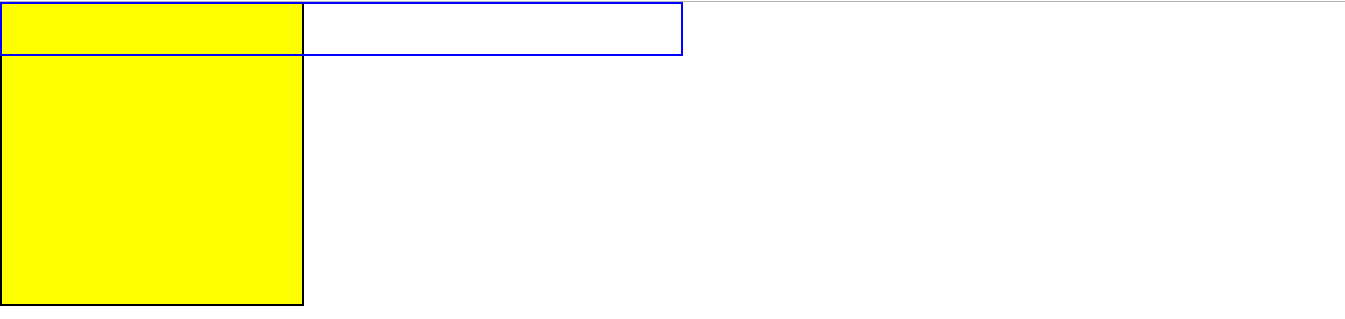 child元素绝对定位,设置宽为50%,虽然父级元素parent设了宽为300px,但是没有设置定位,所以child不会以此参照,最终宽为body的50%
<!DOCTYPE html>
<html lang="en">
<head>
    <meta charset="UTF-8">
    <meta name="viewport" content="width=device-width, initial-scale=1.0">
    <title>Document</title>
    <style>
        *{margin: 0;padding: 0;}
        .parent{
            position: relative;
            width: 300px;
            height: 300px;
            background-color: yellow;
            border: 2px solid #000;
        }
        .child{
            position: absolute;
            left: 0;
            right: 0;
            top: 0;
            bottom: 0;
            border: 2px solid blue;
            background: skyblue;
        }
    </style>
</head>
<body>
    <div class="parent">
        <div class="child">
        </div>
    </div>
</body>
</html>

子绝父相,子lrtb都为0且未设宽高,子与父同宽高
<!DOCTYPE html>
<html lang="en">
<head>
    <meta charset="UTF-8">
    <meta name="viewport" content="width=device-width, initial-scale=1.0">
    <title>Document</title>
    <style>
        *{margin: 0;padding: 0;}
        .parent{
            position: relative;
            width: 300px;
            height: 300px;
            background-color: yellow;
            border: 2px solid #000;
        }
        .child{
            position: absolute;
            left: 0;
            right: 0;
            margin: 0 auto;
            width: 50%;
            height: 50px;
            border: 2px solid blue;
            background: skyblue;
        }
    </style>
</head>
<body>
    <div class="parent">
        <div class="child">
        </div>
    </div>
</body>
</html>
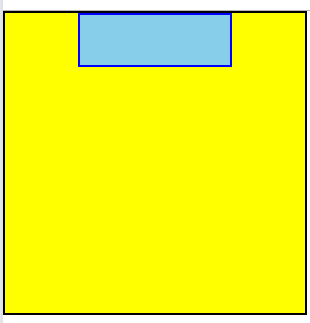
子绝父相,子居中显示,其他方向居中也类似
上下居中显示:
.child{
            position: absolute;
            top: 0;
            bottom: 0;
            margin: 0 auto;
            width: 50%;
            height: 50px;
            border: 2px solid blue;
            background: skyblue;
        }
上下左右居中显示:
.child{
position: absolute;
left: 0;
right: 0;
top: 0;
bottom: 0;
margin: auto auto;
width: 50%;
height: 50px;
border: 2px solid blue;
background: skyblue;
}
4、fixed
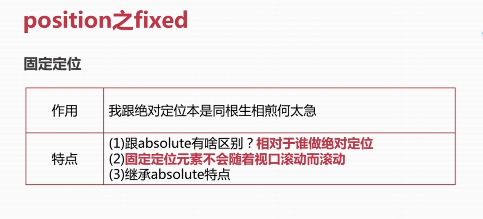
固定定位是相对于视口
5、sticky
<!DOCTYPE html>
<html lang="en">
<head>
    <meta charset="UTF-8">
    <meta name="viewport" content="width=device-width, initial-scale=1.0">
    <title>Document</title>
    <style>
        .logo{
            height: 120px;
            background-color: yellow;
        }
        .nav{height: 60px;background-color: skyblue;position: sticky;top:0;}
        .content{height: 1200px;background-color: #ccc;}
        .footer{height: 120px;background-color: red;}
    </style>
</head>
<body>
   <div class="logo">logo</div>
   <div class="nav">nav</div>
   <div class="content">
       <p>2017年8月26日 - 是这样的,我想动态修改laydate选中的日期,比如我用input初始化的话,那我可以用element.value="2017-08-28"来赋值,
但是position=static的方式,我没有找...</p>
   </div>
   <div class="footer">
       footer
   </div>
</body>
</html>
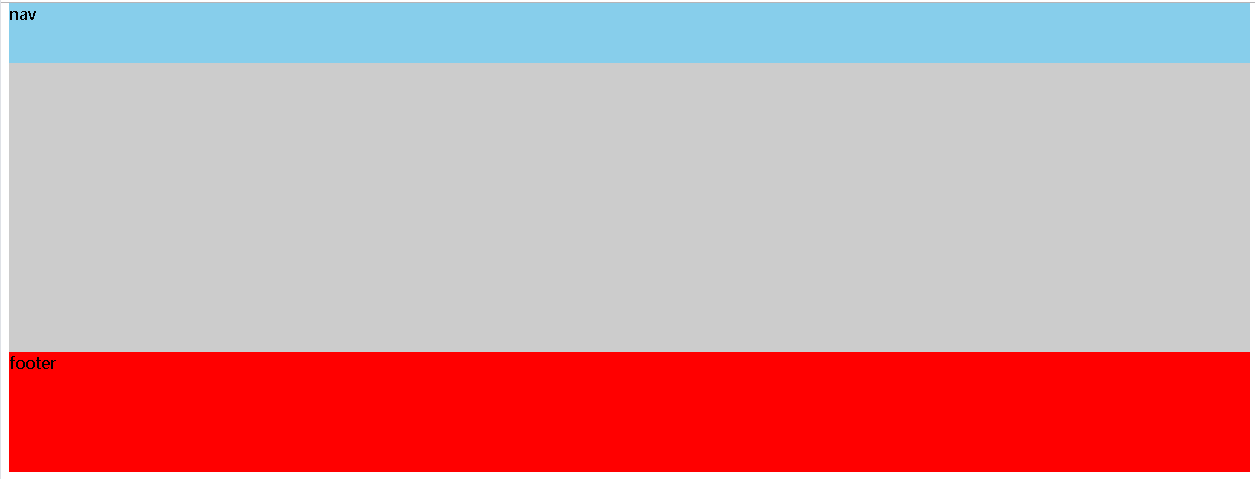
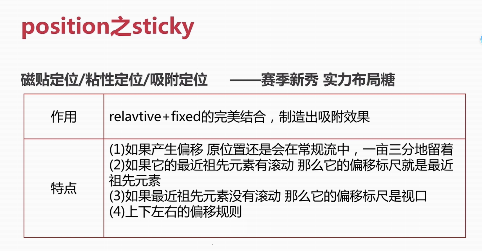
该属性在IE浏览器还不兼容

 浙公网安备 33010602011771号