
Hdoop集群上安装Hive
Hadoop集群安装参考:
https://www.cnblogs.com/kopao/p/14312108.html
Hive安装
一、从https://mirror.bit.edu.cn/apache/hive/下载hive,并上传到服务器上
我这里用的是 apache-hive-3.1.2-bin.tar.gz
解压并更名为 hive

二、设置环境变量
vi .bash_profile
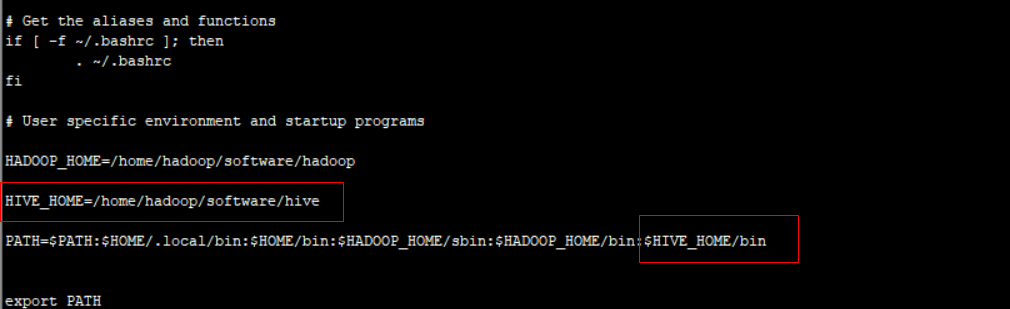
source .bash_profile
使之生效
三、修改hive-site.xml文件
cd /home/hadoop/software/hive/conf
cp hive-default.xml.template hive-site.xml
vi hive-site.xml
<?xml version="1.0" encoding="UTF-8" standalone="no"?>
<?xml-stylesheet type="text/xsl" href="configuration.xsl"?>
<configuration>

<property>
     <!-- mysql为我本地已有的数据库 -->
      <name>javax.jdo.option.ConnectionURL</name>
      <value>jdbc:mysql://192.168.31.250:3306/hive?createDatabaseIfNotExist=true</value>
      <description>JDBC connect string for a JDBC metastore</description>
</property>

<property>
      <name>javax.jdo.option.ConnectionDriverName</name>
      <value>com.mysql.jdbc.Driver</value>
      <description>Driver class name for a JDBC metastore</description>
</property>

<property>
      <name>javax.jdo.option.ConnectionUserName</name>
      <value>root</value>
      <description>username to use against metastore database</description>
</property>

<property>
      <name>javax.jdo.option.ConnectionPassword</name>
      <value>123456</value>
      <description>password to use against metastore database</description>
</property>

<property>
        <name>hive.cli.print.header</name>
        <value>true</value>
        <description>Whether to print the names of the columns in query output.</description>
</property>

<property>
        <name>hive.cli.print.current.db</name>
        <value>true</value>
        <description>Whether to include the current database in the Hive prompt.</description>
 </property>
<property>
<name>hive.metastore.schema.verification</name>
<value>false</value>
</property>
<property>
<name>datanucleus.schema.autoCreateAll</name>
<value>true</value>
</property>
</configuration>
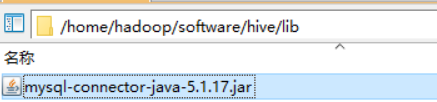
四、将mysql连接的jar拷贝到$HIVE_HOME/lib目录下
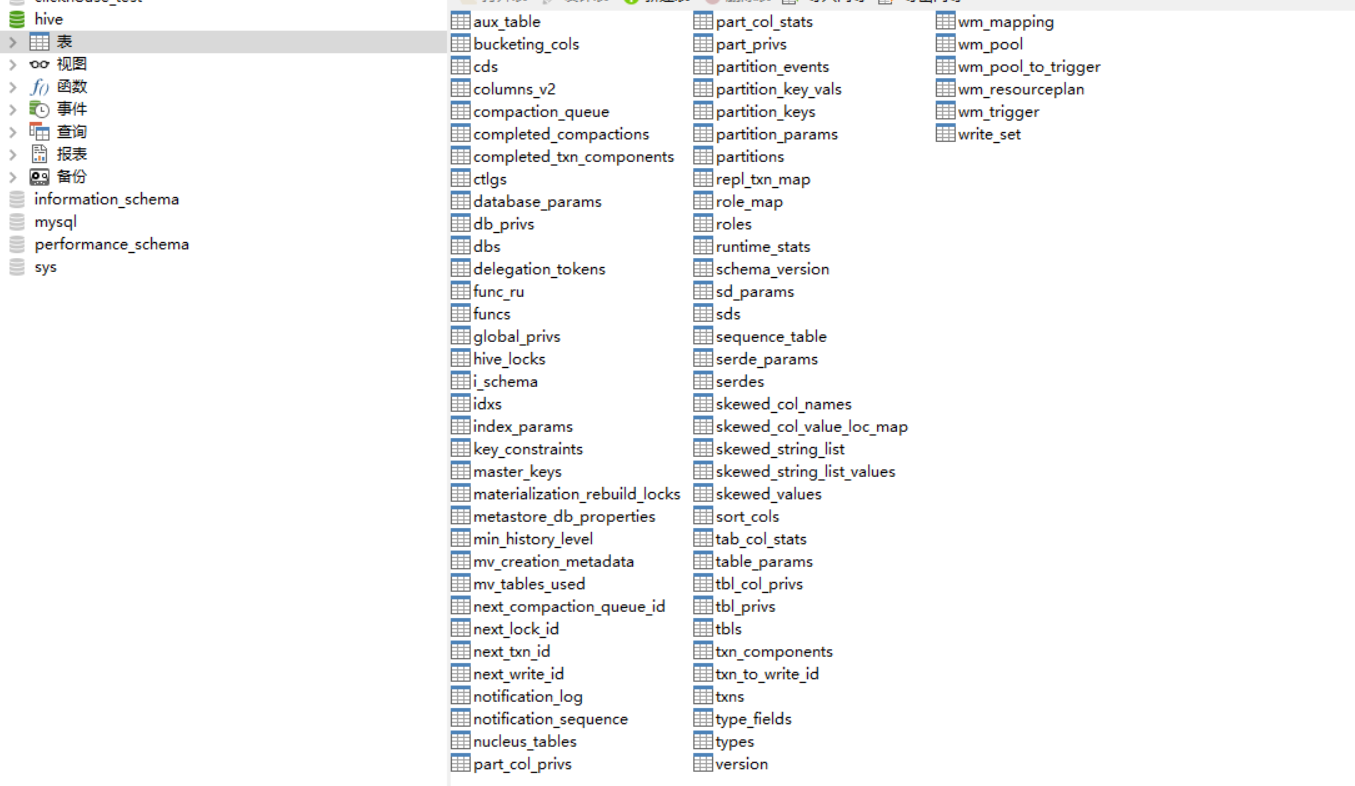
五、创建hive元数据库,数据库名为hive

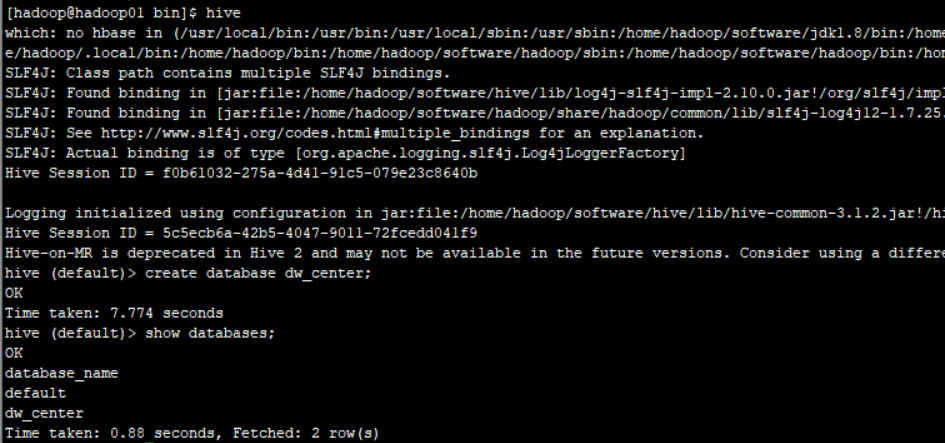
六、运行hive
初始化源数据库对应的数据
schematool -dbType mysql -initSchema
运行hive
ok

 浙公网安备 33010602011771号