
CC的Marketplace、Plugins、Skills、SubAgents、MCPs(更新中)
前言
一些ClaudeCode的使用学习/参考资料:
官方文档
Anthropic黑客松冠军的使用
lengleng佬的博客
如何写好CLAUDE.md
Agent Skills商店
MCP商店
Boris的13条使用cc的技巧
有用的其它资料:
11 个生产级 Skill 仓库
https://github.com/fcakyon/claude-codex-settings
个人理解,一般来说有如下关系:
Marketplace & Plugins
概念:即插件市场,提供了获取插件的方式,一个Marketplace有若干插件
添加方式:输入/plugin然后在Marketplaces中选择Add Marketplace。或者直接使用指令/plugin marketplace add XXX
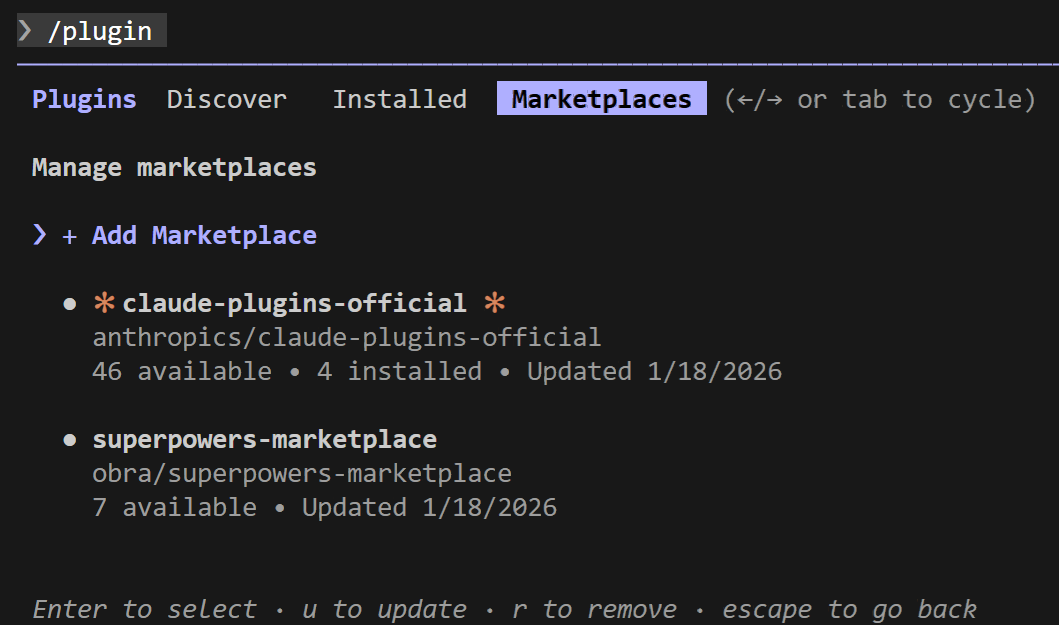
Plugin在Marketplace安装的时候其实就会完全下载下来,安装的时候只是在
enabledPlugins里面的enabledPlugins字段里写上使用哪个Marketplace的Plugin
一些可用的Marketplace介绍:
anthropics/claude-plugins-official:A curated directory of high-quality plugins for Claude Code.anthropics/skills:Anthropic's implementation of skills for Claudeobra/superpowers:Superpowers is a complete software development workflow for your coding agents, built on top of a set of composable "skills" and some initial instructions that make sure your agent uses them.lackeyjb/playwright-skill:A Claude Skill that enables Claude to write and execute any Playwright automation on-the-fly - from simple page tests to complex multi-step flows.Piebald-AI/claude-code-lsps:A repository contains a Claude Code marketplace with plugins that offer LSP servers for TypeScript, Rust, Python, Go, Java, Kotlin, C/C++, PHP, Ruby, C#, PowerShell, HTML/CSS, LaTeX, Julia, Vue, and BSL (1C:Enterprise).K-Dense-AI/claude-scientific-skills: A comprehensive collection of 140 ready-to-use scientific skills for Claude, created by K-Dense. Transform Claude into your AI research assistant capable of executing complex multi-step scientific workflows across biology, chemistry, medicine, and beyond.
更新插件市场:/plugin marketplace update <Marketplace Name>
安装插件市场内的某个Plugin/Skill:/plugin install <Plugin/Skill Name>@<Marketplace Name>
注意,配置LSP插件时官方(anthropics/claude-plugins-official)提供的需要自己安装语言服务器二进制文件,否则启动claude时右下角会出现类似于LSP for typescript-lsp failed · /plugin for details的报错,参考Claude Code LSP 完整配置指南:
- 安装python语言服务器二进制文件:
npm install -g pyright - 安装TS/JS语言服务器二进制文件:
npm install -g typescript-language-server typescript
LSP起效果的例子(可以看到它调用了LSP(XXX)):
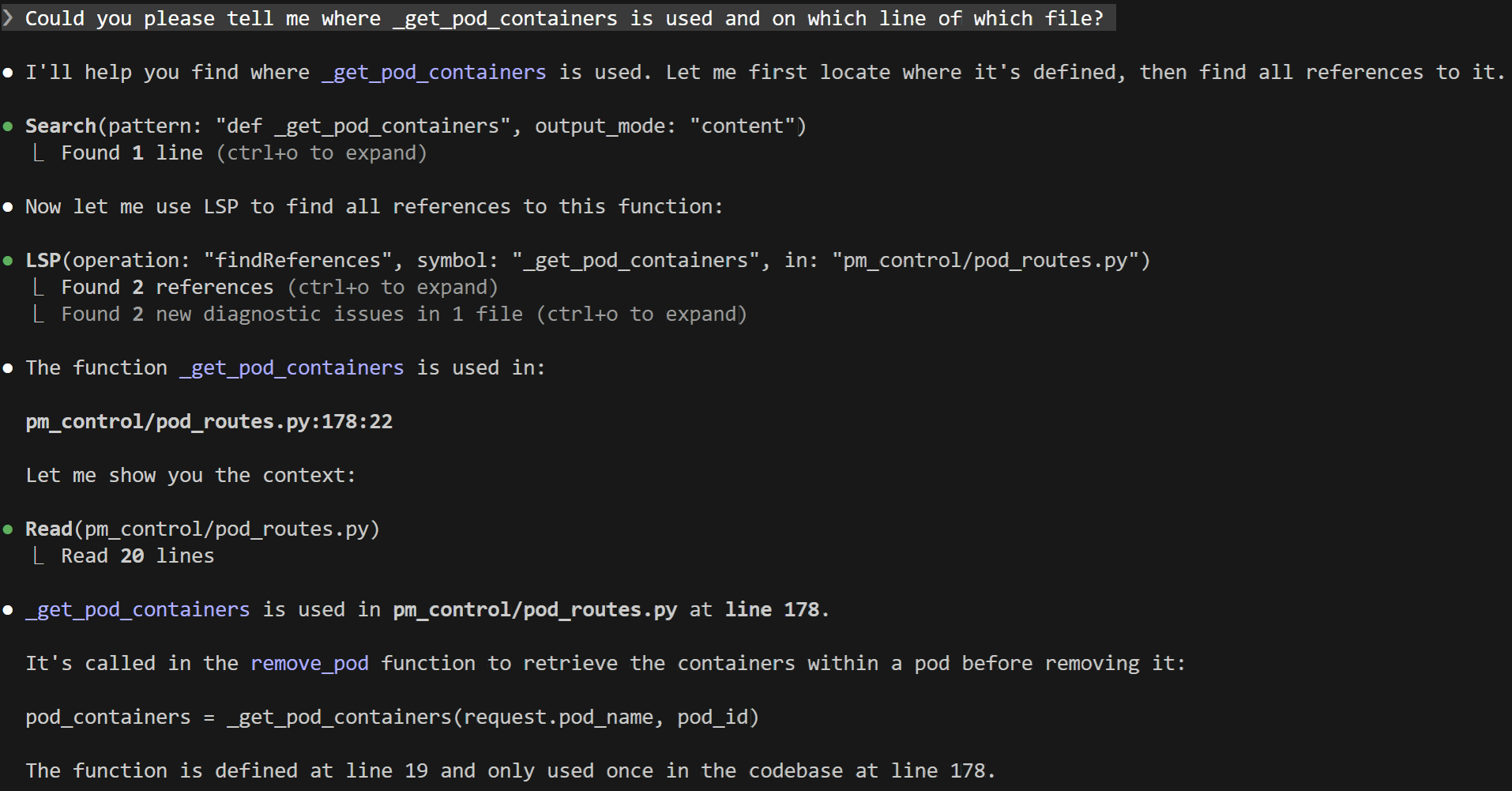
也可以直接调用LSP来完成,参考博文终于在Claude code 里用上LSP了
Skills
自己创建Skill可以使用skill-creator创建一个初始版本,然后自己再在上面迭代。
使用skill-creator创建的Skill是指令可调用的(是一种Skill工具)。
自己创建的Skill通常会直接生效,可以用指令/skills确认。
以安装Plugin方式安装一系列的Skills时,需要重启Claude才会生效。
由于Plugin在Marketplace安装的时候就会完全下载下来,实际安装Plugin的Skill的时候都是直接将Skill目录完整复制然后应用。
比如安装example-skills@anthropic-agent-skills后,会将~/.claude/plugins/marketplaces/anthropic-agent-skills/skills复制到~/.claude/plugins/cache/anthropic-agent-skills/example-skills/69c0b1a06741/skills,具体运行时就从复制的路径那里载入Skills,如果有某个不需要的Skill,直接在复制路径那里删掉对应的Skill就行(不要忘了重启Claude生效)
参考:
ComposioHQ/awesome-claude-skills
BehiSecc/awesome-claude-skills
VoltAgent/awesome-claude-skills
travisvn/awesome-claude-skills
Tips:安装多个Skill的时候需要注意是否有冲突的可能,尤其是那些名字和功能类似的,如果功能一样的,自己选一个用,另一个禁掉/删除就好了。

 浙公网安备 33010602011771号