Centos7 安装 Chrome 浏览器
1. 下载
wget https://dl.google.com/linux/direct/google-chrome-stable_current_x86_64.rpm
2. 安装
sudo yum localinstall google-chrome-stable_current_x86_64.rpm
3. 创建Chrome桌面快捷方式
直接把 /usr/share/applications 对应的 google-chrome.desktop 文件复制到桌面
cp /usr/share/applications/google-chrome.desktop ~/Desktop
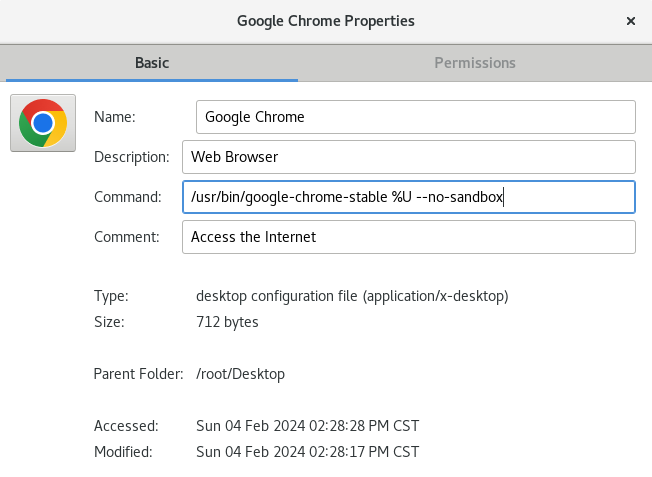
4. 加启动参数 --no-sandbox,不然打不开
桌面图标右击 - 属性 - 启动命令后添加 --no-sandbox

 浙公网安备 33010602011771号