

Git Push推送到GitHub问题解决
报错: Failed to connect to github.com port 443
原因分析:Git命令没有正确联网。
解决办法:配置http/https代理(Windows、Linux、MacOS命令相同):
配置socks5代理
# IP和端口号 需要 按照注意事项改成自己的
git config --global http.proxy socks5 127.0.0.1:7897
git config --global https.proxy socks5 127.0.0.1:7897
配置http代理
# IP和端口号 需要 按照注意事项改成自己的
git config --global http.proxy 127.0.0.1:7897
git config --global https.proxy 127.0.0.1:7897
注意:
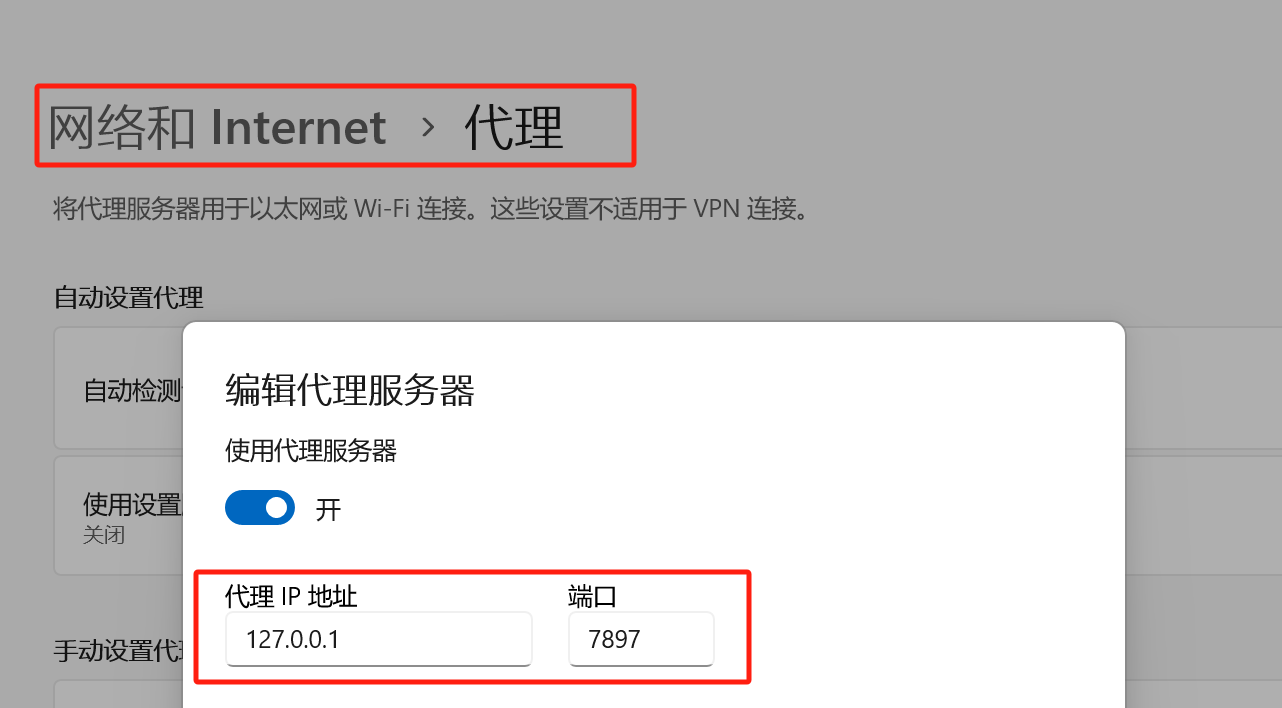
IP和端口号 Win11的设置可以查看,路径和如下:网络和Internet-> 代理 -> 使用代理服务器(编辑)
报错: git:OpenSSL SSL_read: SSL_ERROR_SYSCALL, errno 0
一般也是上面的问题,同理。如果不行,可以先取消代理:
#取消http代理
git config --global --unset http.proxy
#取消https代理
git config --global --unset https.proxy
然后在走上面的步骤。
如若不行,请使用:
git config http.sslVerify "false"
git config --global http.sslVerify "false"
然后再在走上面的步骤。

 浙公网安备 33010602011771号