基于svCom制作windows服务(一)
这是一个老牌的,专门为开发windows服务的控件!可惜是收费的。
如何用这个框架建立服务呢?
1.用向导建立,如下图:
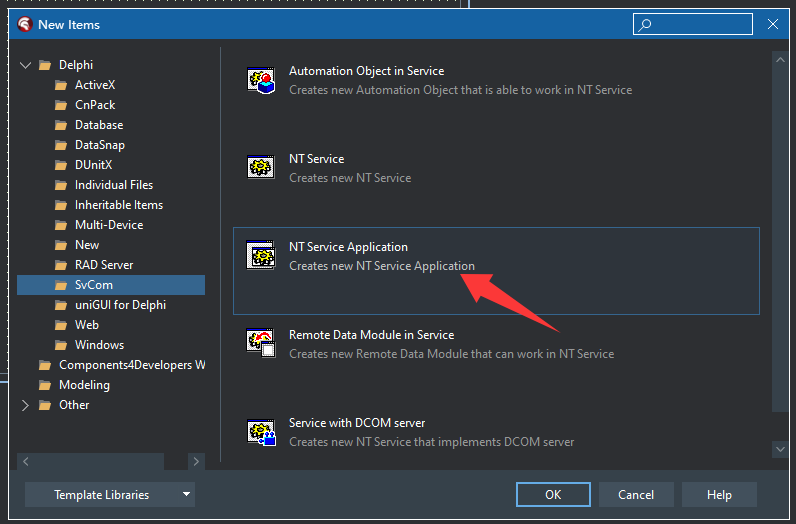
再建立一个Service:
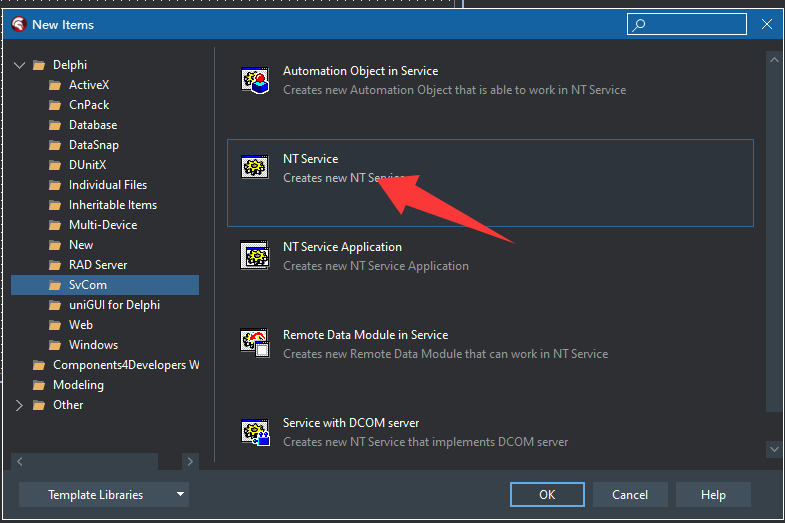
现在,我们建立一个Windows service程序了!下面是自动生成的代码:
program Project9;

uses
  SvCom_NTService,
  svc1 in 'svc1.pas' {NTService1: TNtService};

{$R *.RES}

begin
  Application.Initialize;
  Application.CreateForm(TNTService1, NTService1);
  Application.Run;
end.
unit svc1;

interface

uses
    Windows,
    Messages,
    SysUtils,
    Classes,
    Graphics,
    Dialogs,
    Controls,
    SvCom_NTService;

type
  TNTService1 = class(TNtService)
  private
    { Private declarations }
  public
    { Public declarations }
  end;

var
  NTService1: TNTService1;

implementation

{$R *.DFM}


end.
好的,现在,我们可以基于TNTService1写业务逻辑了。
为了在IDE中能直接调试,可以加参数debug:
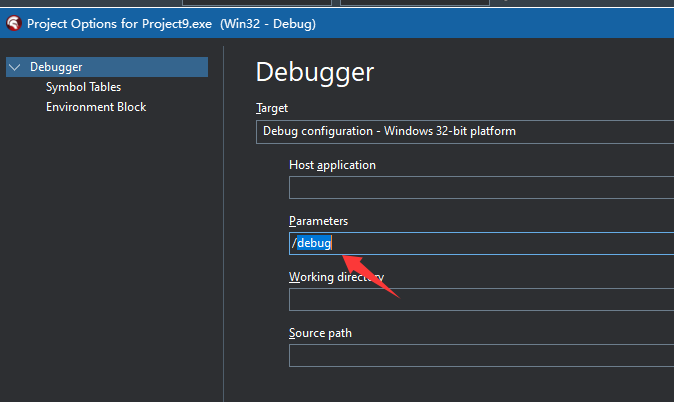
然后运行程序:
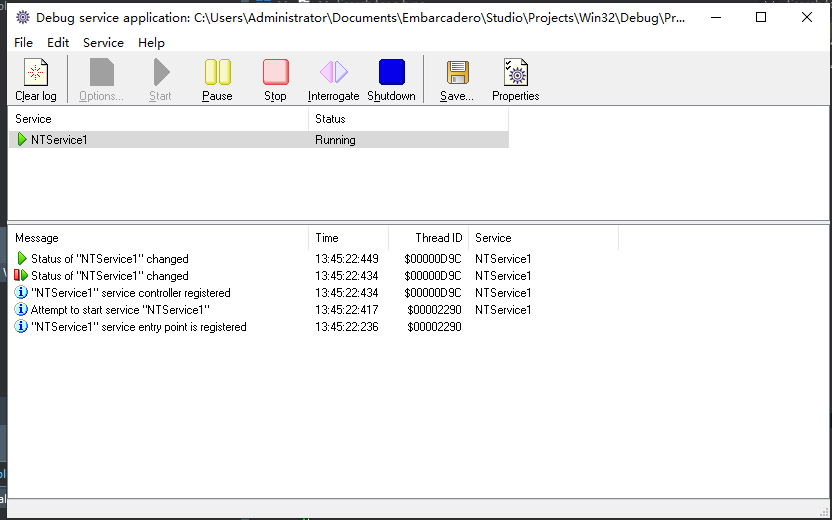
太完美了,这样就可以跟踪调试代码,可以启动、停止服务程序,检查代码的执行。
当发布时,用install来安装服务:
应用程序 -install
卸载程序,用uninstall
应用程序 -uninstall
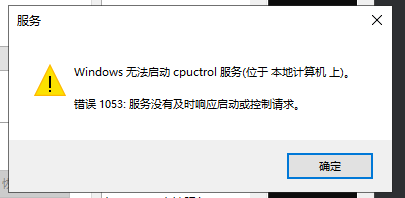
注意:不能用windows 的sc命令来安装,否则启动服务会失败!

 浙公网安备 33010602011771号