
Blazor Web App—鉴权
一 鉴权的技术背景
1 安全地维护敏感数据和凭证
客户端代码禁止:应用机密、连接字串、凭据、密码、个人标识、专用.net/c#代码或私钥、令牌
客户端代码应通过服务器端控制的安全WebAPI访问安全服务和数据库。
避免使用环境变量存储敏感数据。
使用机密管理工具保存敏感数据。
2 Blazor在导航事件期间检查身份验证,仅当向服务器发出请求时,才会发送cookie.
二 启用鉴权的前置条件
1 appsettings.json
1.1 用途:用于存放一些配置
1.2 读取配置:数据库连接字串
从appsettings.json中读取连接字串。
try
{
    //read configuration
    string connectionString = builder.Configuration
        .GetConnectionString("DefaultConnection")
        ?? throw new InvalidOperationException("Connect string 'Default connection' not found");
}
catch(Exception ex)
{
    exMsg = ex.Message;
}
三 代码解析
1 添加DB上下文(以下两段代码等价),可见AddDbContext()方法需要一个Action方法。
builder.Services.AddDbContext<ApplicationDbContext>((options) =>
{
    options.UseSqlServer(connectionString);
});


builder.Services.AddDbContext<ApplicationDbContext>(F);
void F(DbContextOptionsBuilder op)
{
    op.UseSqlServer(connectionString);

}
这段代码的作用:
1.1 ApplicationDbContext 是 DbContext 子类,将这个类注册为 ASP.NET Core 应用程序服务提供程序(也称为 依赖关系注入容器)中的作用域服务;
1.2 上下文配置为使用Sqlserver数据库提供程序。
builder.Services.AddDbContextFactory<ApplicationDbContext>(options =>
{
    options.UseSqlServer(connectionString);
});
2 诊断异常信息
builder.Services.AddDatabaseDeveloperPageExceptionFilter();
需要的包:Microsoft.AspNetCore.Diagnostics.EntityFrameworkCore
四 鉴权的使用
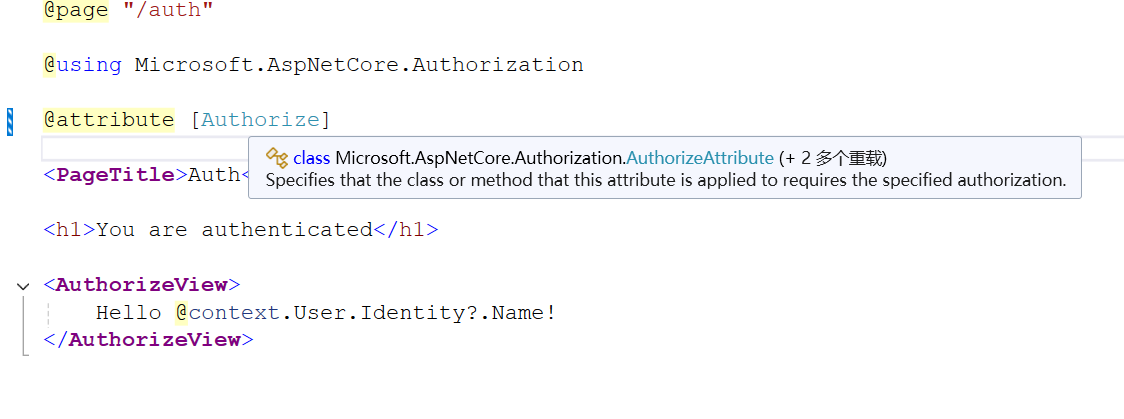
1 使用属性@attribute [Authorize]
此属性可用于类和方法,使用这个属性后,被修饰的类或方法需要指定的授权。换句话说,只有授权后才能使用此类或方法;或者说只有用户登录后才能使用此类或方法。
@page "/auth"

@using Microsoft.AspNetCore.Authorization
@using Microsoft.AspNetCore.Components.Authorization

@attribute [Authorize]

<PageTitle>Auth</PageTitle>

<h1>You are authenticated</h1>

<AuthorizeView>
    Hello @context.User.Identity?.Name!
</AuthorizeView>
五 关于数据有效性校验
提交按钮<button type="submit" class="w-100 btn btn-lg btn-primary">Resend</button>必须放在放在表单<EditFrom>内部,如果放在<EditFrom>结构外侧,就不起作用了。
<div class="row">
    <div class="col-md-4">
        <EditForm Model="Input" FormName="resend-email-confirmation" method="post"
                  OnValidSubmit="OnValidSubmitAsync">
            <DataAnnotationsValidator />
            <ValidationSummary class="text-danger" role="alert" />
            <div class="form-floating mb-3">
                <InputText @bind-Value="Input.Email" class="form-control" aria-required="true"
                           placeholder="name@example.com" />
                <label for="email" class="form-label">Email</label>
                <ValidationMessage For="() => Input.Email" class="text-danger" />
            </div>
            <button type="submit" class="w-100 btn btn-lg btn-primary">Resend</button>
        </EditForm>
    </div>
</div>

 浙公网安备 33010602011771号