

U3D小游戏之箱子炸裂
本次用到的素材及炸裂插件在文末已附上
1、导入箱子素材
2、导入爆炸插件(一个package)
3、修改场地大小并重新定位相机位置
4、制作箱子预制物。如果进入后拖入的模型原始大小不合适,自己在原模型处修改大小Scale Factor,然后添加刚体 rigidbody和碰撞box Colllider,改名为Box,新建文件夹,将预制体拖入,调节BoxManager的X坐标轴
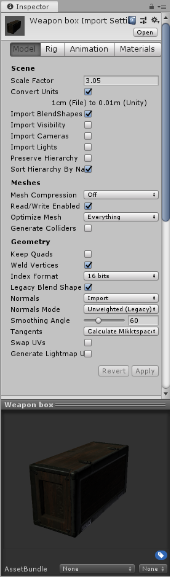
5、开发BoxManager。先创建一个空物体,命名为BoxManager,放在地面上方15米地方(0,15,0),为其添加脚本BoxManager。
using System.Collections;
using System.Collections.Generic;
using UnityEngine;

public class BoxManager : MonoBehaviour
{
    //要生成的物体
    public GameObject go;
    // Start is called before the first frame update
    void Start()
    {
        InvokeRepeating("GetBox", 5, 5);//延迟五秒且以五秒为周期
    }

    // Update is called once per frame
    void Update()
    {

    }
    void GetBox()
    {
        //生成箱子:1、要生成的物体2、在什么位置生成3、以什么角度生成(如果生成的Box的方位不对,可以手动修改BoxManage的rotation)
        //(1,5)
        Instantiate(go, new Vector3(Random.Range(-15f, 16f), transform.position.y, Random.Range(-15f, 16f)), transform.rotation);
    }
}
6、为角色添加角色控制器(character Controller)并测试碰撞
7、修改箱子预制物标签为Untagged(需要特别注意,容易忽视)
8、场景中添加爆炸范围Exploder并将其position归零,让其包含整个平面
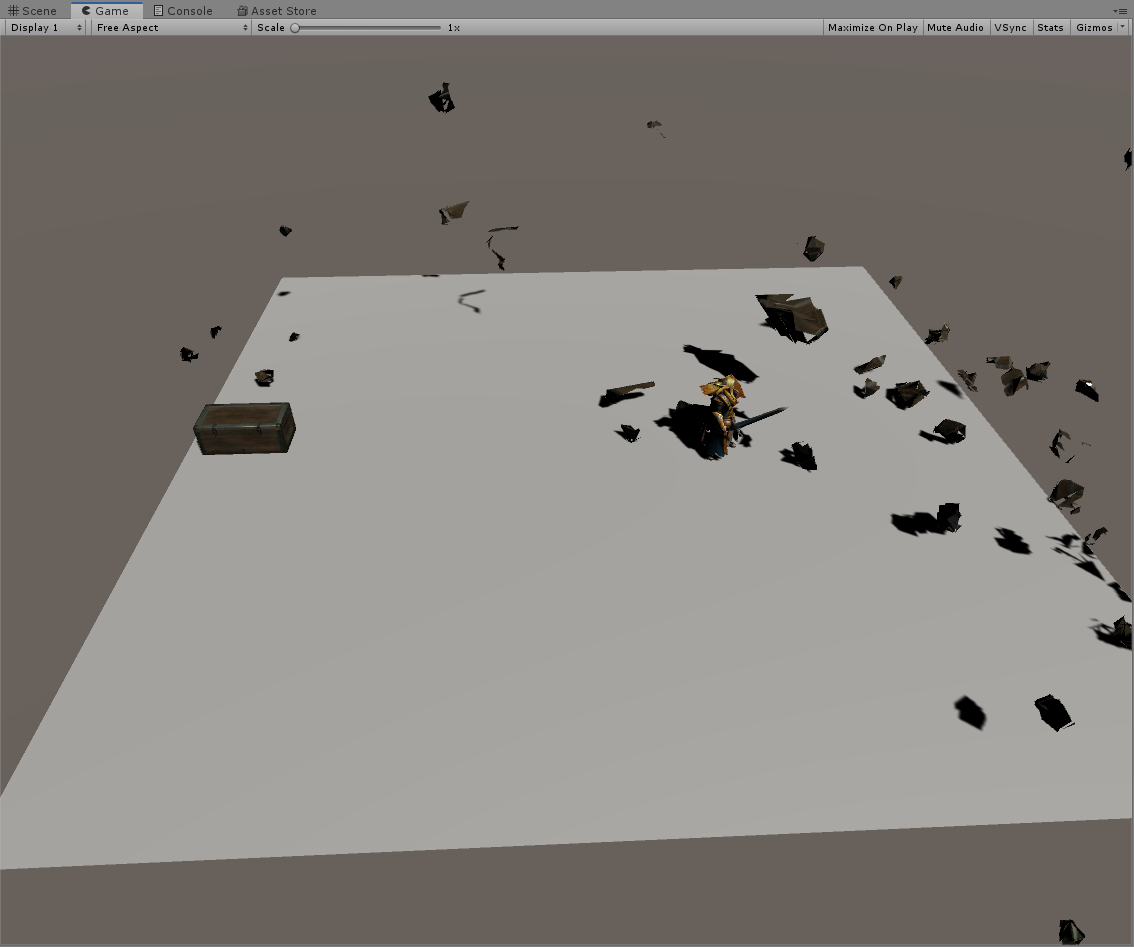
9、添加爆炸功能,添加Box脚本
using System.Collections;
using System.Collections.Generic;
using UnityEngine;
//引用爆炸空间

namespace  Exploder.Utils
{
    public class Box : MonoBehaviour
    {
        private ExploderObject Exploder;
        // Start is called before the first frame update
        void Start()
        {
            //为爆炸实例赋值
            Exploder = Utils.ExploderSingleton.ExploderInstance;
        }

        // Update is called once per frame
        void Update()
        {

        }
        private void OnCollisionEnter(Collision co)
        {
            if (co.gameObject.name == "Player")
            {
               // print("111");
                ExploderObject(this.gameObject);
                Destroy(GameObject.Find("FragmentRoot"), 3f);
            }
        }
        //爆炸方法
        void ExploderObject(GameObject gameObject)
        {
             //print("222");
            //设定爆炸可以生效
            ExploderUtils.SetActive(Exploder.gameObject, true);
            //爆炸方位在准备爆炸的物体中心处开始炸裂
            Exploder.transform.position = ExploderUtils.GetCentroid(gameObject);
            //设置爆炸的直径
            Exploder.Radius = 0.5f;
            //爆炸方法本体
            Exploder.ExplodeRadius();
        }
    }
}
链接:https://pan.baidu.com/s/1RuvubxRVSRBl-iox427eMg
提取码:9kcy

 浙公网安备 33010602011771号