

U3D小游戏之角色的移动
此代码实现的是人物随鼠标点击自动转向并移动(用到了两个动画——idle和walk),类似于LOL移动
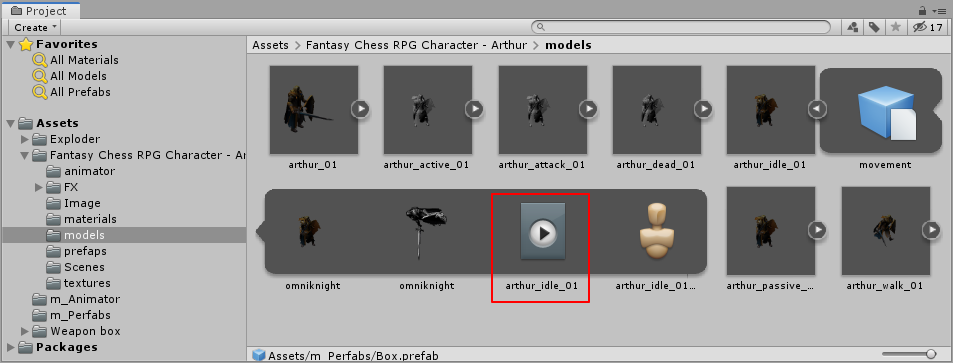
实现此功能的关键不仅要写好代码还要把角色动画弄好(动画一般都在人物模型model中可以找到)
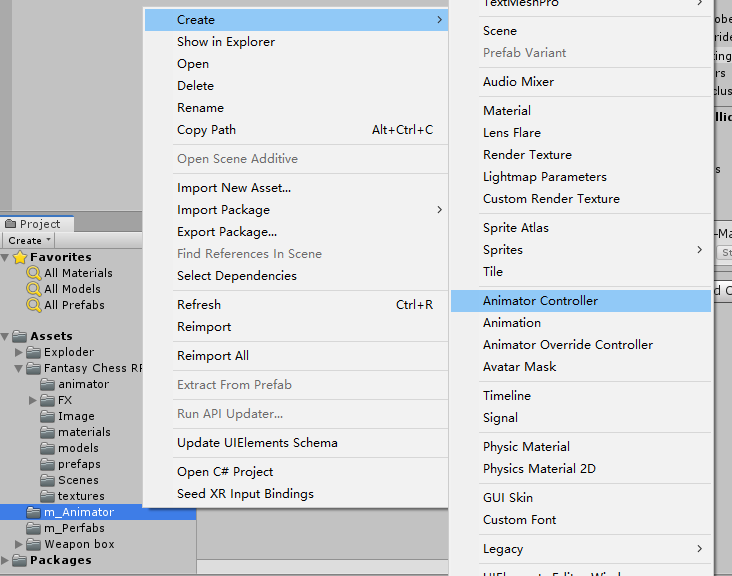
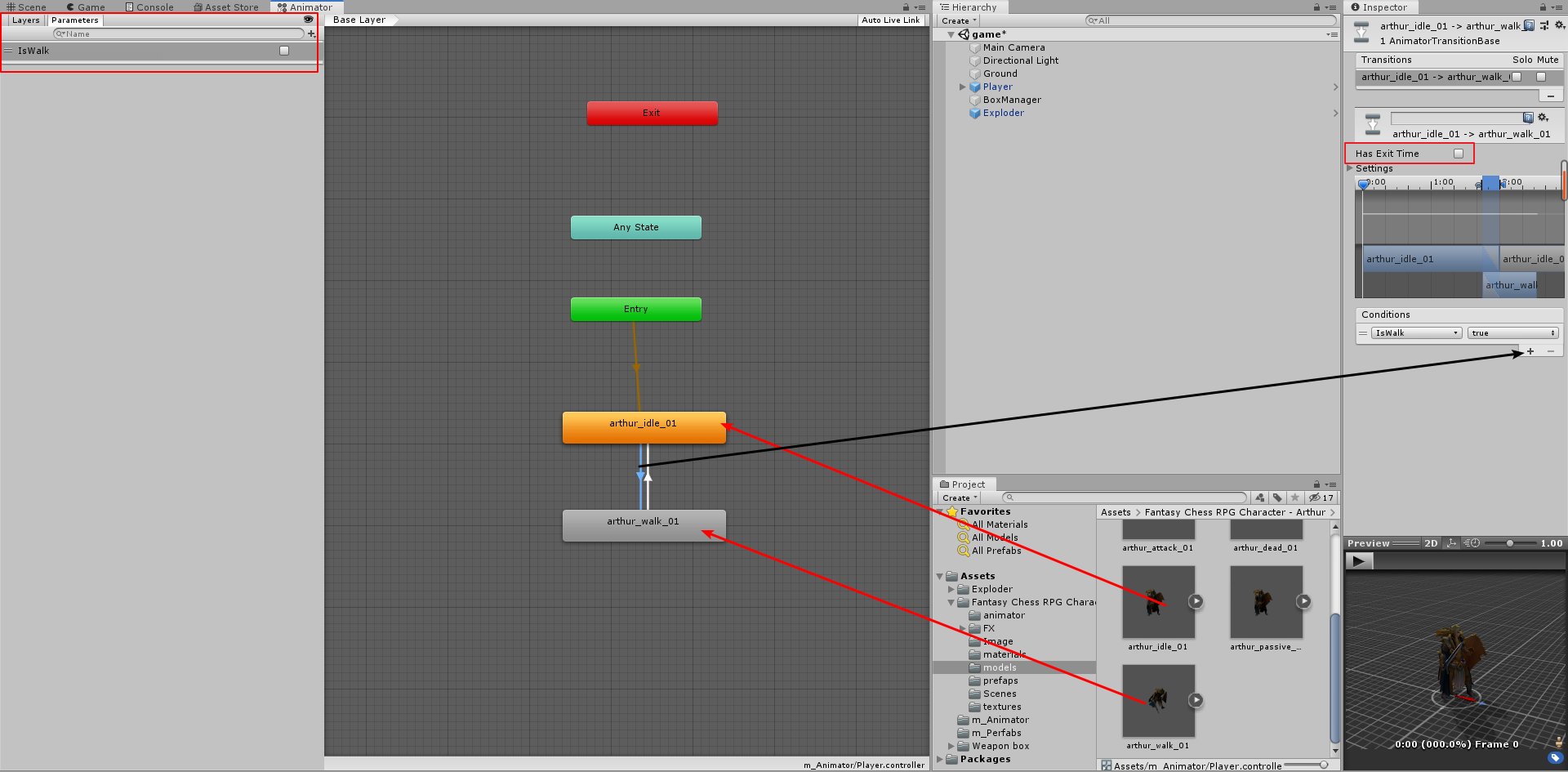
首先呢先在文件夹右击创建一个animator Controller ,先将idle拖入,然后将walk拖入;将两个动画互联,然后在Parameters添加Bool,命名为IsWalk;
然后点击idle到walk的通道,为其添加Conditions 设置为true并将Has Exit Time 取消勾选 这样能快速过度衔接下一个动作,反过来另一边设置为false并将Has Exit Time 取消勾选;
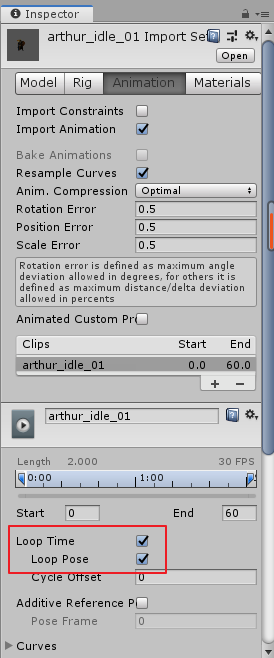
还要找到两个model的Animation,将其Loop tim和Pose勾选,可以让两个动画循环播放。
差不多了,把弄好的状态机控制器拖给人物预制体吧,然后写代码吧
 1 using System;
 2 using System.Collections;
 3 using System.Collections.Generic;
 4 using UnityEngine;
 5   //鼠标控制人物移动
 6 public class PlayerMoves : MonoBehaviour
 7 {
 8     //定义动画组件
 9     private Animator animator;
10     //定义移动速度
11     public float moveSpeed;
12     //定义标记点
13     private Vector3 target;
14     //定义移动状态
15     private bool isOver = true;
16     // Start is called before the first frame update
17     void Start()
18     {
19         //获取动画组件
20         animator = this.GetComponent<Animator>();
21     }
22
23     // Update is called once per frame
24     void Update()
25     {
26         //如果按下鼠标右键
27         if (Input.GetMouseButton(1))
28         {
29             //由主相机向前发射一条射线
30             Ray ray = Camera.main.ScreenPointToRay(Input.mousePosition);
31             //定义碰撞信息
32             RaycastHit hit;
33             //如果射线跟某个物体发生了碰撞
34             if (Physics.Raycast(ray, out hit))
35             {
36                 if (hit.collider.name == "Ground")//***注意要将地面命名为Ground
37                 {
38                     //设定目标点的位置 hit.point;
39                     target = hit.point;
40                     //设定目标点的高度
41                     target.y = 0f;
42                     //设定移动状态
43                     isOver = false;
44                 }
45             }
46
47         }
48         MoveTo(target);//Alt+Shift+F10
49     }
50
51     private void MoveTo(Vector3 target)
52     {
53         //判断移动的状态
54         if (!isOver)
55         {
56             //让玩家看向目标点
57             transform.LookAt(target);
58             //走路的动作
59             animator.SetBool("IsWalk", true);
60             //设定目标点的偏移
61             Vector3 offset = target - transform.position;
62             //让玩家发生位移
63             transform.position += offset.normalized * moveSpeed * Time.deltaTime;
64             //判断玩家什么情况下停止移动
65             if(Vector3.Distance (target ,transform .position)<0.1f)
66             {
67                 //改变完成移动的状态
68                 isOver = true;
69                 //让玩家的坐标与目标点的坐标重合
70                 transform.position = target;
71             }
72         }
73         //切换回站立的动作
74         else
75         {
76             animator.SetBool("IsWalk", false);
77         }
78
79     }
80 }

 浙公网安备 33010602011771号