
SAPUI5 Walkthrough Step 20: Aggregation Binding
https://sapui5.hana.ondemand.com/#/topic/bf71375454654b44af01379a3c3a6273
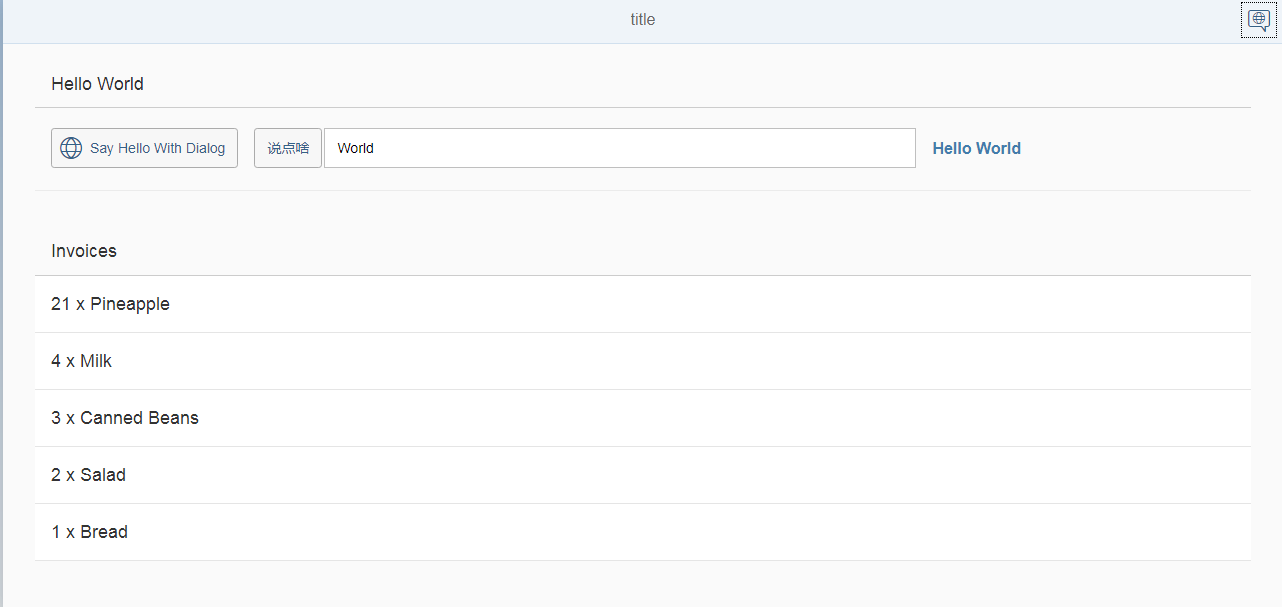
使用sap.m.List控件, 显示多行数据
增加文件 webapp/Invoices.json, 用于提供数据
{
  "Invoices": [
    {
      "ProductName": "Pineapple",
      "Quantity": 21,
      "ExtendedPrice": 87.2000,
      "ShipperName": "Fun Inc.",
      "ShippedDate": "2015-04-01T00:00:00",
      "Status": "A"
    },
    {
      "ProductName": "Milk",
      "Quantity": 4,
      "ExtendedPrice": 9.99999,
      "ShipperName": "ACME",
      "ShippedDate": "2015-02-18T00:00:00",
      "Status": "B"
    },
    {
      "ProductName": "Canned Beans",
      "Quantity": 3,
      "ExtendedPrice": 6.85000,
      "ShipperName": "ACME",
      "ShippedDate": "2015-03-02T00:00:00",
      "Status": "B"
    },
    {
      "ProductName": "Salad",
      "Quantity": 2,
      "ExtendedPrice": 8.8000,
      "ShipperName": "ACME",
      "ShippedDate": "2015-04-12T00:00:00",
      "Status": "C"
    },
    {
      "ProductName": "Bread",
      "Quantity": 1,
      "ExtendedPrice": 2.71212,
      "ShipperName": "Fun Inc.",
      "ShippedDate": "2015-01-27T00:00:00",
      "Status": "A"
    }
  ]
}
修改 webapp/manifest.json 文件, 增加如下代码(增加模型 invoice, 类型为JSONModel,路径为 Invoices.json 文件)
        "models": {
            "i18n": {
                "type": "sap.ui.model.resource.ResourceModel",
                "settings": {
                    "bundleName": "sap.ui.demo.walkthrough.i18n.i18n"
                }
            },
            "invoice": {
                "type": "sap.ui.model.json.JSONModel",
                "uri": "Invoices.json"
            }
        },
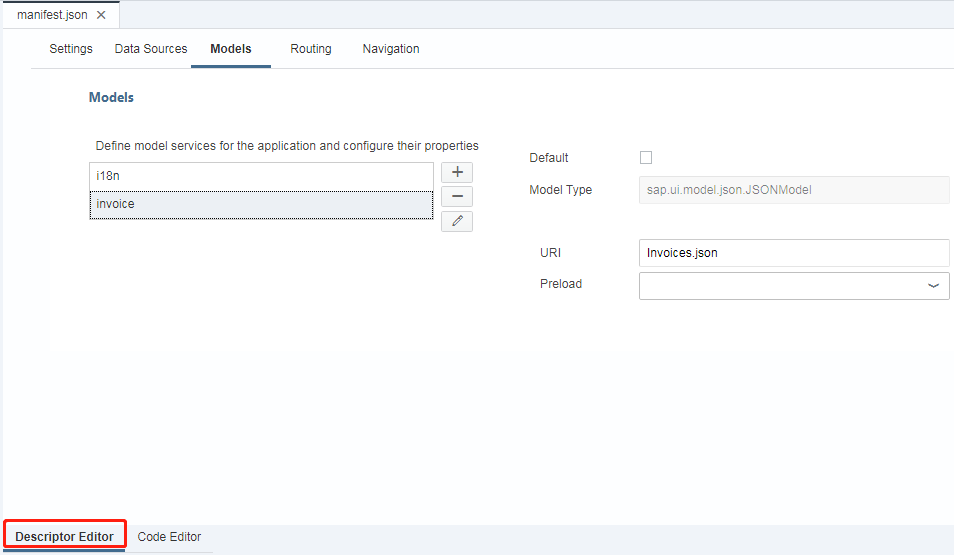
增加如上代码后, 我们通过左下方的按钮,切换到“ Descriptor Editor”, 在 Models 页签中,Models中多出来 invoice,且和我们在上面加的一致
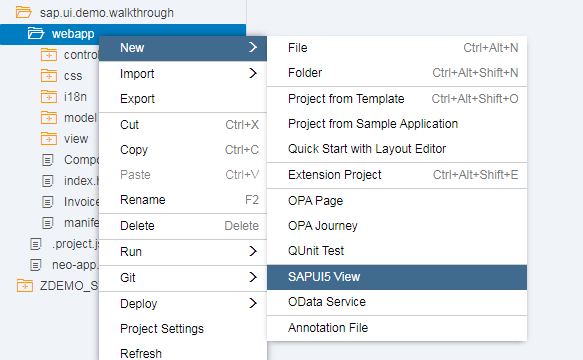
新增视图 InvoiceList
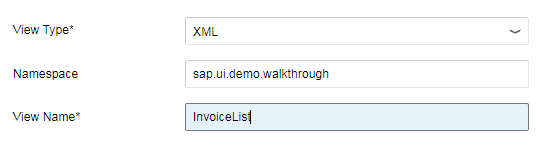
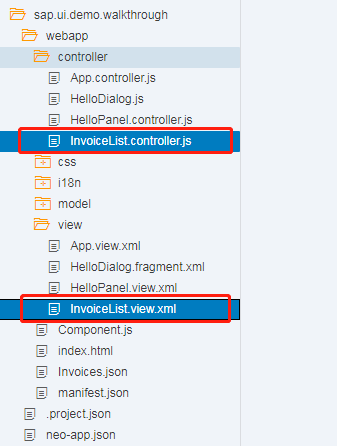
加好后, WEBIDE会自动创建 webapp/controller/InvoiceList.controller.js 和 webapp/view/InvoiceList.view.xml 文件
修改 webapp/view/InvoiceList.view.xml 文件
<mvc:View xmlns="sap.m" xmlns:mvc="sap.ui.core.mvc">
    <List headerText="{i18n>invoiceListTitle}" class="sapUiResponsiveMargin" width="auto" items="{invoice>/Invoices}">
        <items>
            <ObjectListItem title="{invoice>Quantity} x {invoice>ProductName}"/>
        </items>
    </List>
</mvc:View>
修改 webapp/view/App.view.xml 文件, 增加视图InvoiceList
<mvc:View controllerName="sap.ui.demo.walkthrough.controller.App" xmlns:html="http://www.w3.org/1999/xhtml" xmlns:mvc="sap.ui.core.mvc"
    displayBlock="true" xmlns="sap.m">
    <Shell>
        <App class="myAppDemoWT">
            <pages>
                <Page title="{i18n>title}">
                    <headerContent>
                        <Button icon="sap-icon://hello-world" press=".onOpenDialog"/>
                    </headerContent>
                    <content>
                        <mvc:XMLView viewName="sap.ui.demo.walkthrough.view.HelloPanel"/>
                        <mvc:XMLView viewName="sap.ui.demo.walkthrough.view.InvoiceList"/>
                    </content>
                </Page>
            </pages>
        </App>
    </Shell>
</mvc:View>
修改webapp/i18n/i18n.properties 文件, 增加如下内容
# Invoice List
invoiceListTitle=Invoices
执行

 浙公网安备 33010602011771号