Consul:Service Register and Discovery
Consul is a service mesh solution providing a full featured control plane with service discovery, configuration, and segmentation functionality. Each of these features can be used individually as needed, or they can be used together to build a full service mesh. Consul requires a data plane and supports both a proxy and native integration model. Consul ships with a simple built-in proxy so that everything works out of the box, but also supports 3rd party proxy integrations such as Envoy.
1. download consul from https://www.consul.io

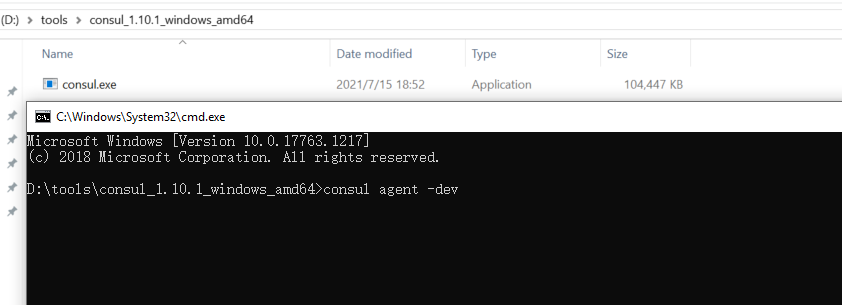
2. run consul by cd > download directory with cmd
3. create demo api to register service
 public static class ConsulExtension
    {
        /// <summary>
        /// 服务注册到consul
        /// </summary>
        /// <param name="app"></param>
        /// <param name="lifetime"></param>
        public static IApplicationBuilder RegisterConsul(this IApplicationBuilder app, IConfiguration configuration, IHostApplicationLifetime lifetime)
        {
            var consulClient = new ConsulClient(c =>
            {
                //consul地址
                c.Address = new Uri(configuration["ConsulSetting:ConsulAddress"]);
            });

            var registration = new AgentServiceRegistration()
            {
                ID = Guid.NewGuid().ToString(),//服务实例唯一标识
                Name = configuration["ConsulSetting:ServiceName"],//服务名
                Address = configuration["ConsulSetting:ServiceIP"],//服务IP
                Port = int.Parse(configuration["port"]),//服务端口 因为要运行多个实例,端口不能在appsettings.json里配置,在docker容器运行时传入
                Check = new AgentServiceCheck()
                {
                    DeregisterCriticalServiceAfter = TimeSpan.FromSeconds(5),//服务启动多久后注册
                    Interval = TimeSpan.FromSeconds(10),//健康检查时间间隔
                    HTTP = $"http://{configuration["ConsulSetting:ServiceIP"]}:{configuration["port"]}{configuration["ConsulSetting:ServiceHealthCheck"]}",//健康检查地址
                    Timeout = TimeSpan.FromSeconds(5)//超时时间
                }
            };
            //服务注册
            consulClient.Agent.ServiceRegister(registration).Wait();
            //应用程序终止时,取消注册
            lifetime.ApplicationStopping.Register(() =>
            {
                consulClient.Agent.ServiceDeregister(registration.ID).Wait();
            });
            return app;
        }
    }
4. register in startup
        public void Configure(IApplicationBuilder app, IWebHostEnvironment env, IHostApplicationLifetime liftTime)
        {
            if (env.IsDevelopment())
            {
                app.UseDeveloperExceptionPage();
                app.UseSwagger();
                app.UseSwaggerUI(c => c.SwaggerEndpoint("/swagger/v1/swagger.json", "Consul_Demo v1"));
            }

            app.UseRouting();

            app.UseAuthorization();

            app.UseEndpoints(endpoints =>
            {
                endpoints.MapControllers();
            });

            app.RegisterConsul(Configuration, liftTime);
        }
5. add consulSetting in appsettings.json
{
  "Logging": {
    "LogLevel": {
      "Default": "Information",
      "Microsoft": "Warning",
      "Microsoft.Hosting.Lifetime": "Information"
    }
  },
  "AllowedHosts": "*",
  "ConsulSetting": {
    "ServiceName": "message",
    "ServiceIP": "localhost",
    "ServiceHealthCheck": "/api/health/index",
    "ConsulAddress": "http://127.0.0.1:8500" //注意,docker容器内部无法使用localhost访问宿主机器,如果是控制台启动的话就用localhost
  }
}
6. add health check api
    [Route("api/[controller]/[action]")]
    [ApiController]
    public class HealthController : ControllerBase
    {

        private readonly ILogger<HealthController> _logger;
        private readonly IConfiguration _configuration;

        public HealthController(ILogger<HealthController> logger, IConfiguration configuration)
        {
            _logger = logger;
            _configuration = configuration;
        }


        [HttpGet]
        public IActionResult Index()
        {
           Console.WriteLine("heath check" + _configuration["port"]);
            return Ok();

        }
    }
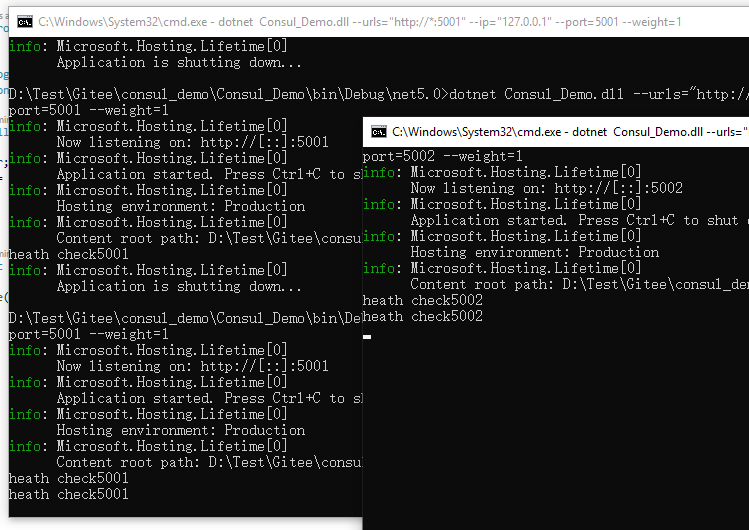
7. start api
dotnet Consul_Demo.dll --urls="http://*:5001" --ip="127.0.0.1" --port=5001 --weight=1
dotnet Consul_Demo.dll --urls="http://*:5002" --ip="127.0.0.1" --port=5002 --weight=1
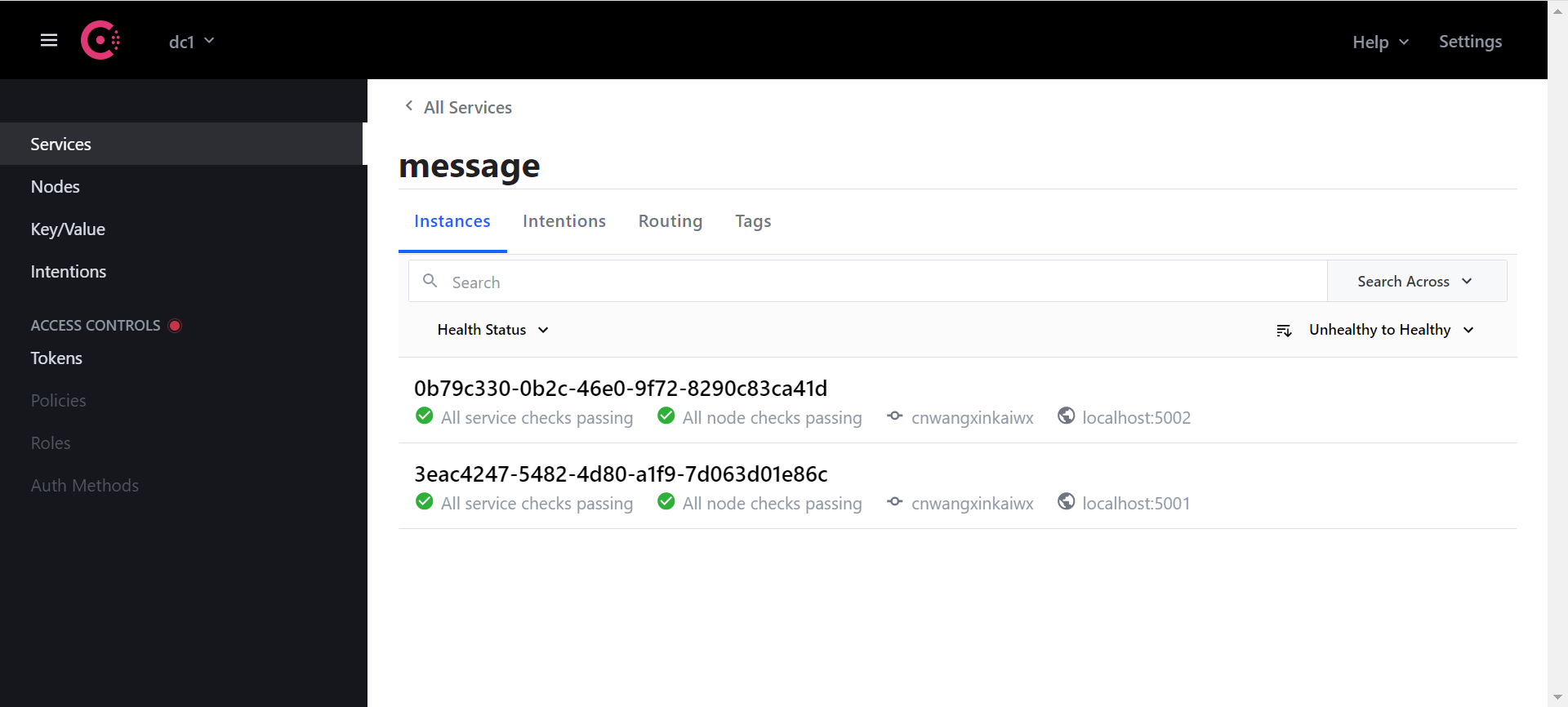
8. testing

 浙公网安备 33010602011771号