
Enlarge disk space in VirtualBox
1 Enlarge space first
Shutdown your vm, and adjust space in setting
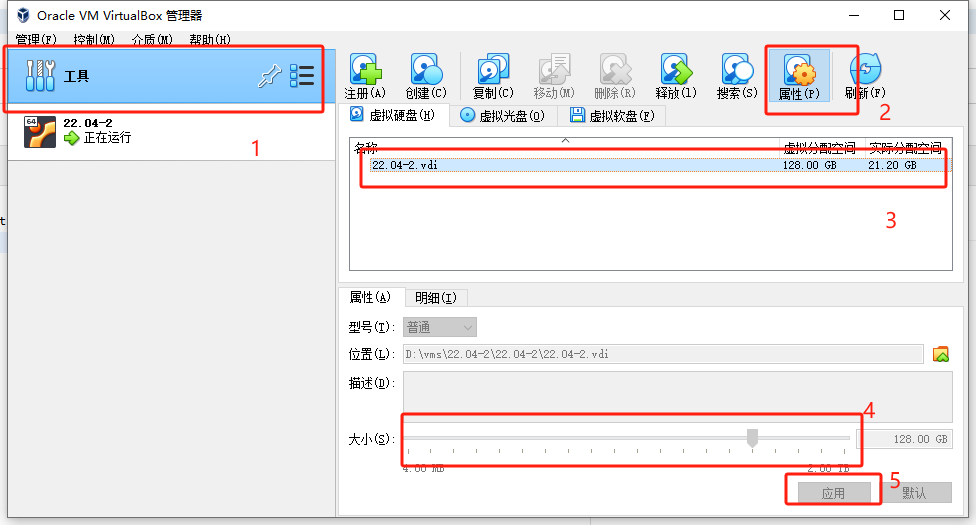
2 Increate partition size
Keep in mind that though you increased the size of your virtual disk, the actual partition size remains the same if your space is dynamically allocated.
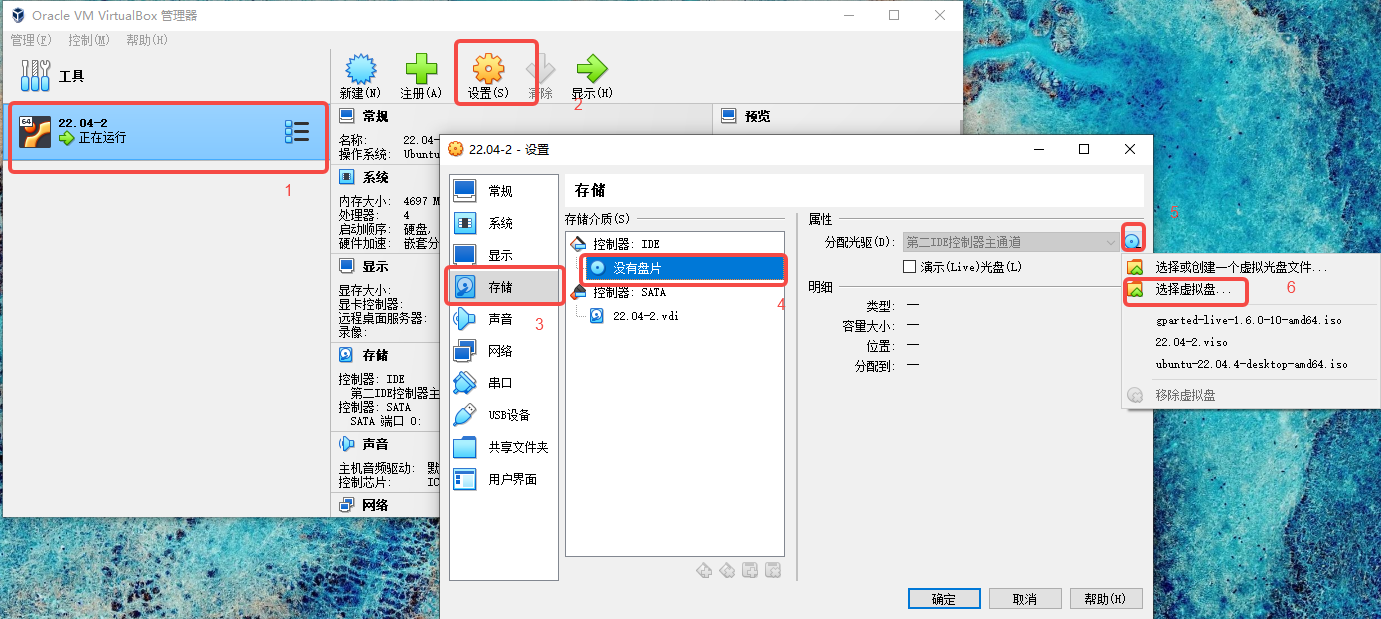
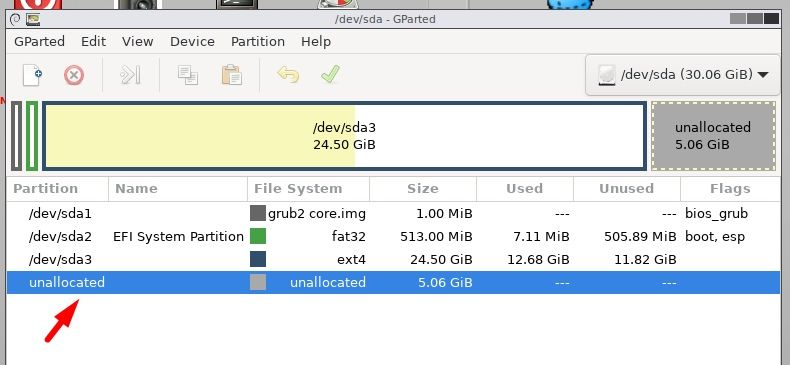
Download GParted ISO, mount it as an optical drive from the virtual manager settings to find the extra space as “unallocated” space.
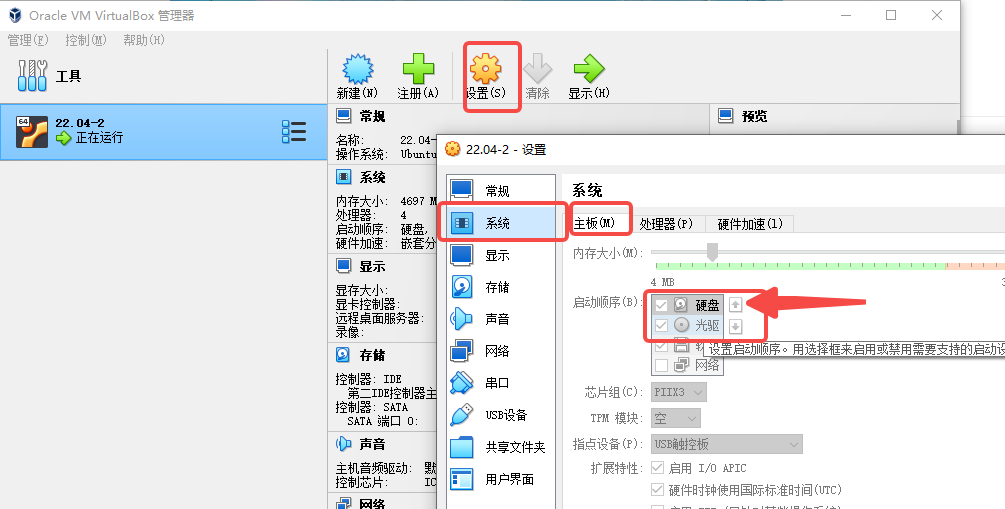
In case it does not boot into GParted, you can head to "System" settings of the virtual machine, and adjust the boot order to have Optical Disk boot first.
resize it and restart

 浙公网安备 33010602011771号