
tensorflow2.0 创建张量
预备工作
在使用tensorflow之前需要先安装tensorflow,然后检查是否安装成功
运行下面的代码
import tensorflow as tf
print("tensorflow-version",tf.__version__)
显示tensorflow的版本
tensorflow-version 2.1.0
tensorflow默认为EagerExcution模式,如果运行tensorflow1版本的程序会报错,需要切换模式
查看当前运行模式
print("eager execution is",tf.executing_eagerly()) # 默认为EagerExcution
eager execution is True
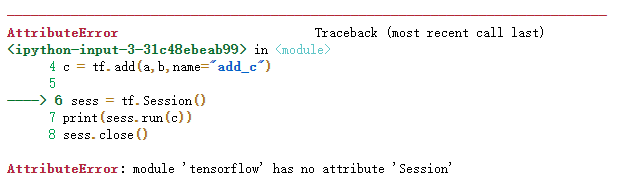
执行tensorflow 1.x的代码会报错 module 'tensorflow' has no attribute 'Session'
a = tf.constant(2,name="input_a")
b = tf.constant(3,name="input_b")
c = tf.add(a,b,name="add_c")

sess = tf.Session()
print(sess.run(c))
sess.close()
会报错
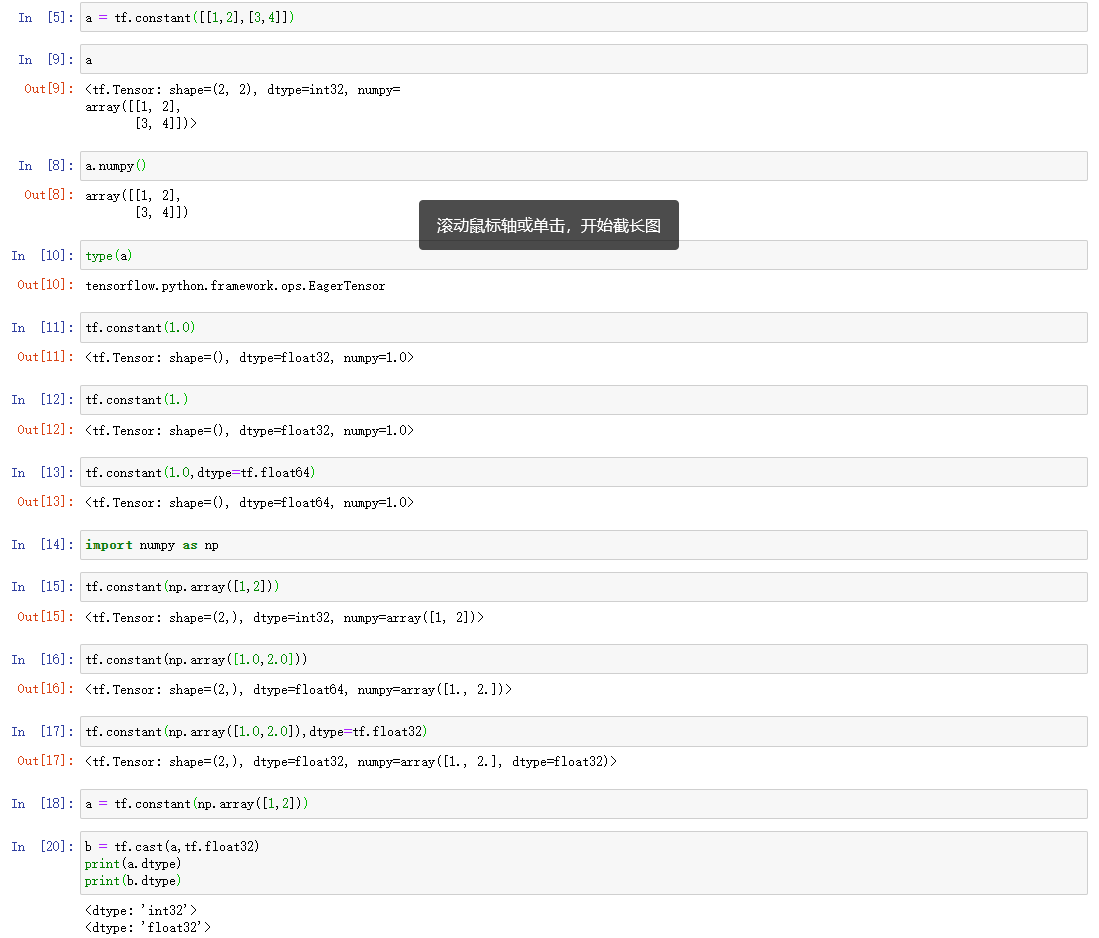
创建张量(tensor对象)
tf.constant(value,dtype,shape)
- value:数字/python列表/numpy数组
- dtype:元素的数据类型
- shape:张量的形状
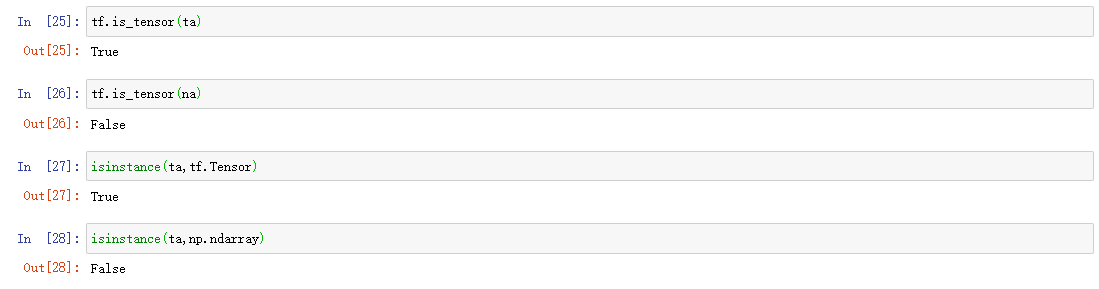
tf.convert_to_tensor(数组/列表/数字/布尔值/字符串)

is_tensor()判断是否为张量
创建特殊的张量
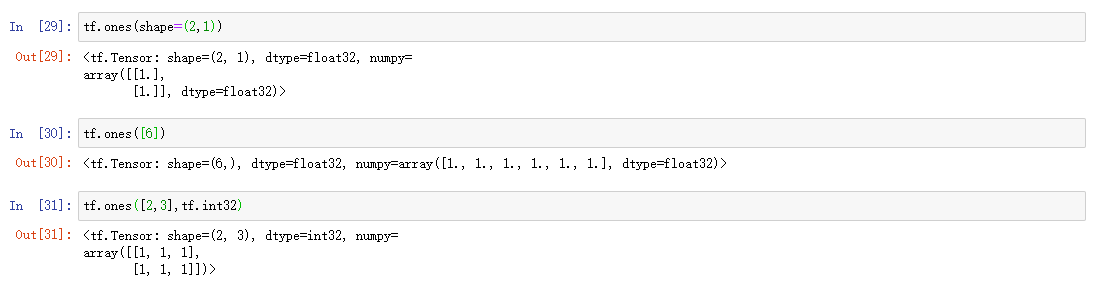
1. 全0、全1张量
tf.zeros(shape,dtype=tf.float32)
tf.ones(shape,dtype=tf.float32)
2. 创建所有元素值都相同的张量
tf.fill(dims,value)
- dims: 形状
- value: 数字,根据value自动判断类型

3. 随机数张量
正态分布
tf.random.normal(shape,mean,stddev,dtype)正态分布
- shape: 形状
- mean: 均值,默认是0
- stddev: 标准差,默认是1
- dtype: 数据类型,默认是flOat32
tf.random.truncated_normal(shape,mean,stddev,dtype)截断正态分布
不会产生偏离截断标准的值,截断标准是2倍的标准差
例如,当均值为0,标准差为1的时候。
使用tf.random.normal,可能产生[-2,2]以外的点,而tf.random.truncated_normal不会产生
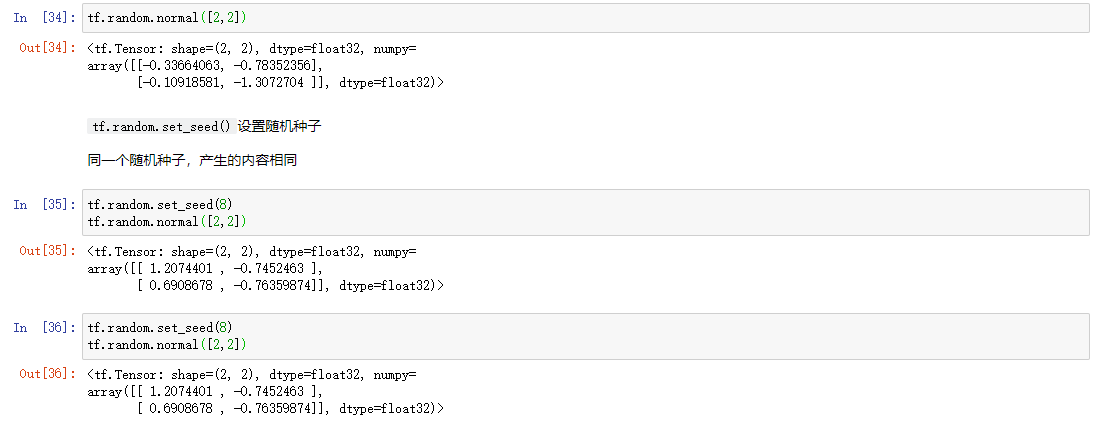
均匀分布
tf.random.uniform(shape,minval,maxval,dtype)均匀分布
- shape: 形状
- minval: 最小值
- maxval: 最大值
- dtype: 类型

随机打乱
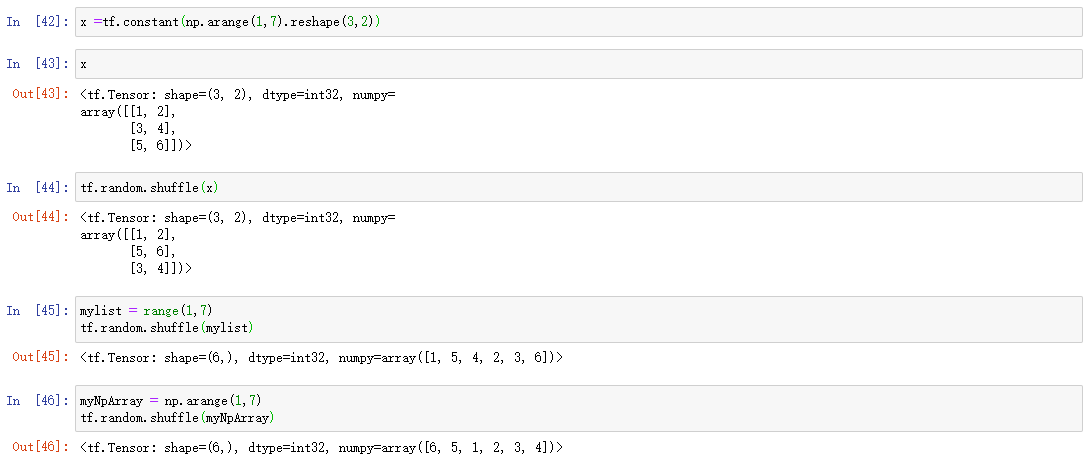
tf.random.shuffle()随机打乱函数
将张量按着第一维打乱
参数除了可以是张量以外还可以是np数组和list
创建序列
tf.range(start,limit,delta,dtype

张量的属性
- ndim 维度
- shape 形状
- dtype 类型


 浙公网安备 33010602011771号