WebSphere [Global transaction timed out after 120 seconds]

solved methodhttps://www.ibm.com/support/knowledgecenter/en/SSNGTE_7.1.0/com.ibm.tspm.doc_7.1/install/task/ConfigureTransactionLifetimeTimeout.html
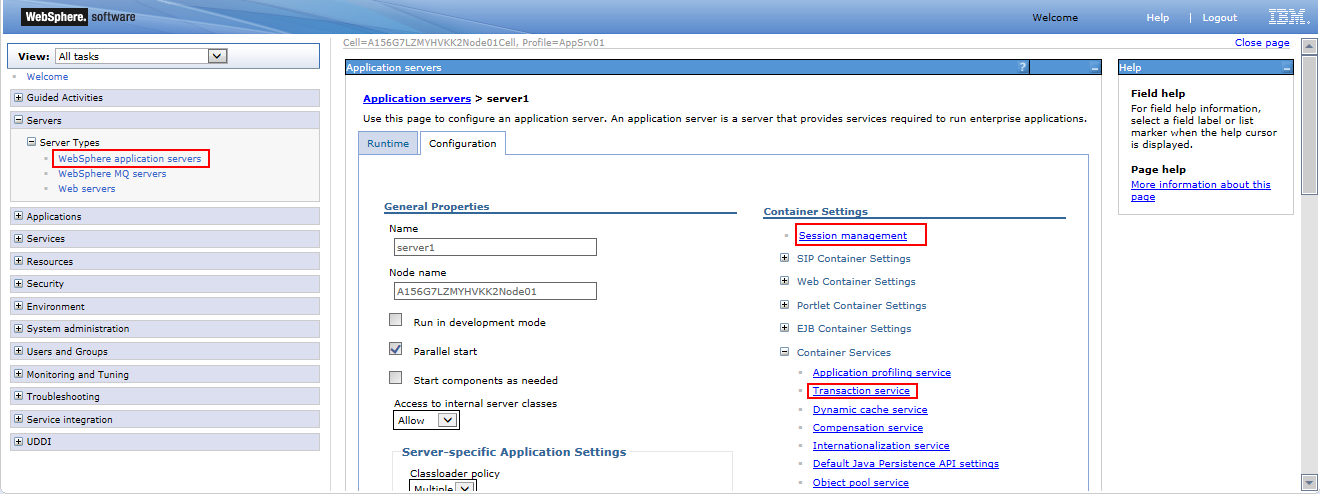
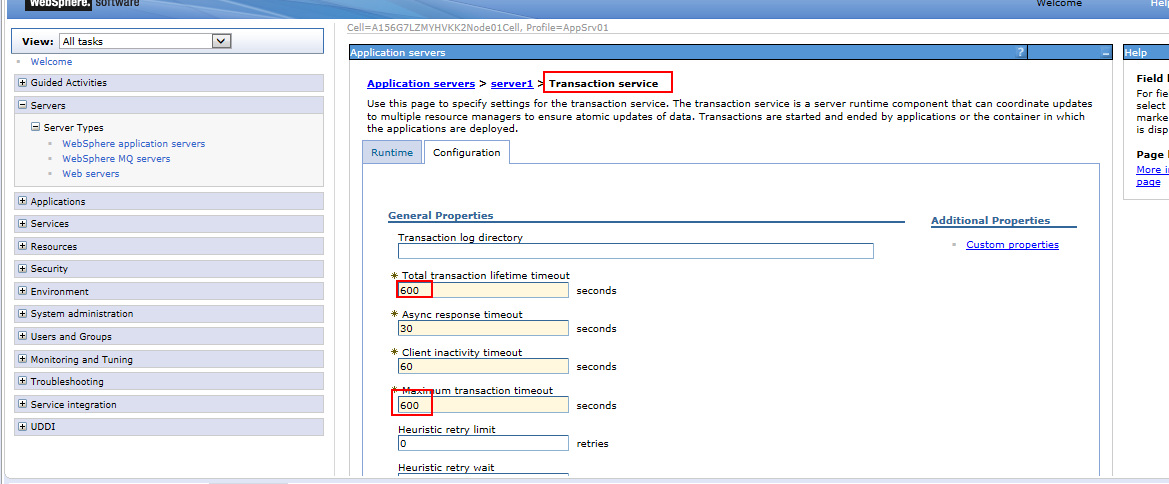


IBM Tivoli Security Policy Manager, Version 7.1


You set the transaction timeout setting in WebSphere® Application Server to support requests from Tivoli® Security Policy Manager.

Procedure
    1. Log in to the administrative console.
    2. Navigate to the Transaction service panel.
      • WebSphere Application Server 7.0: Click Servers > Server Types > WebSphere application servers > server_name >Container Services > Transaction Service.
      • WebSphere Application Server 6.1: Click Servers > Application servers > server_name > Container Services > Transaction Service.
    3. Increase the Total transaction lifetime timeout to 600.

      The default value is 120.

    4. Increase the Maximum transaction timeout to 600 seconds.

      The default value is 300.

    5. Stop and restart WebSphere Application Server.
posted @ 2018-05-11 00:35  愿世界对你温柔相待  Views(432)  Comments(0)    收藏  举报