

配置spring的xml文件的时候发现没有spring Bean configuration file
解决办法:安装Spring For Eclipse插件
1. 去官网下载插件
https://spring.io/tools3/sts/all/
注意:对应eclipse的版本
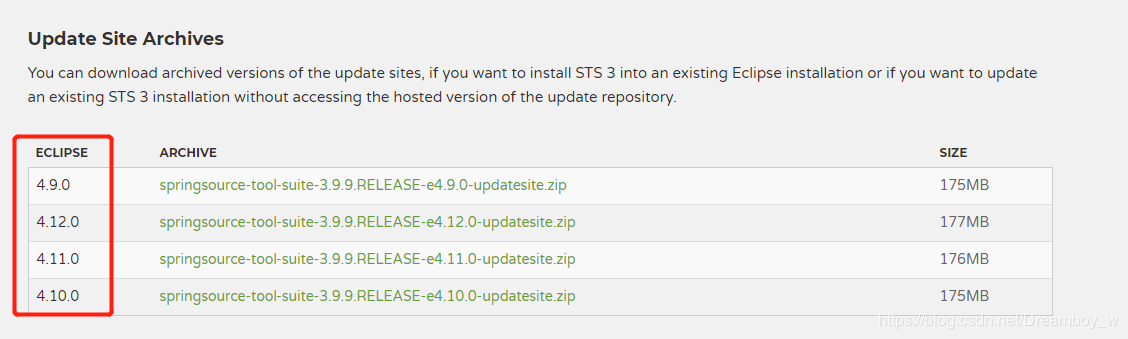
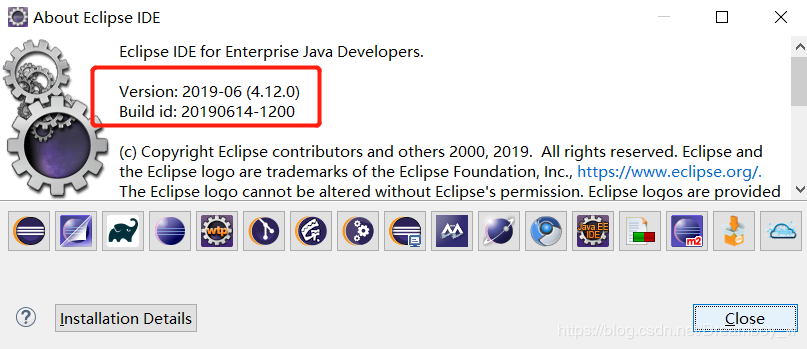
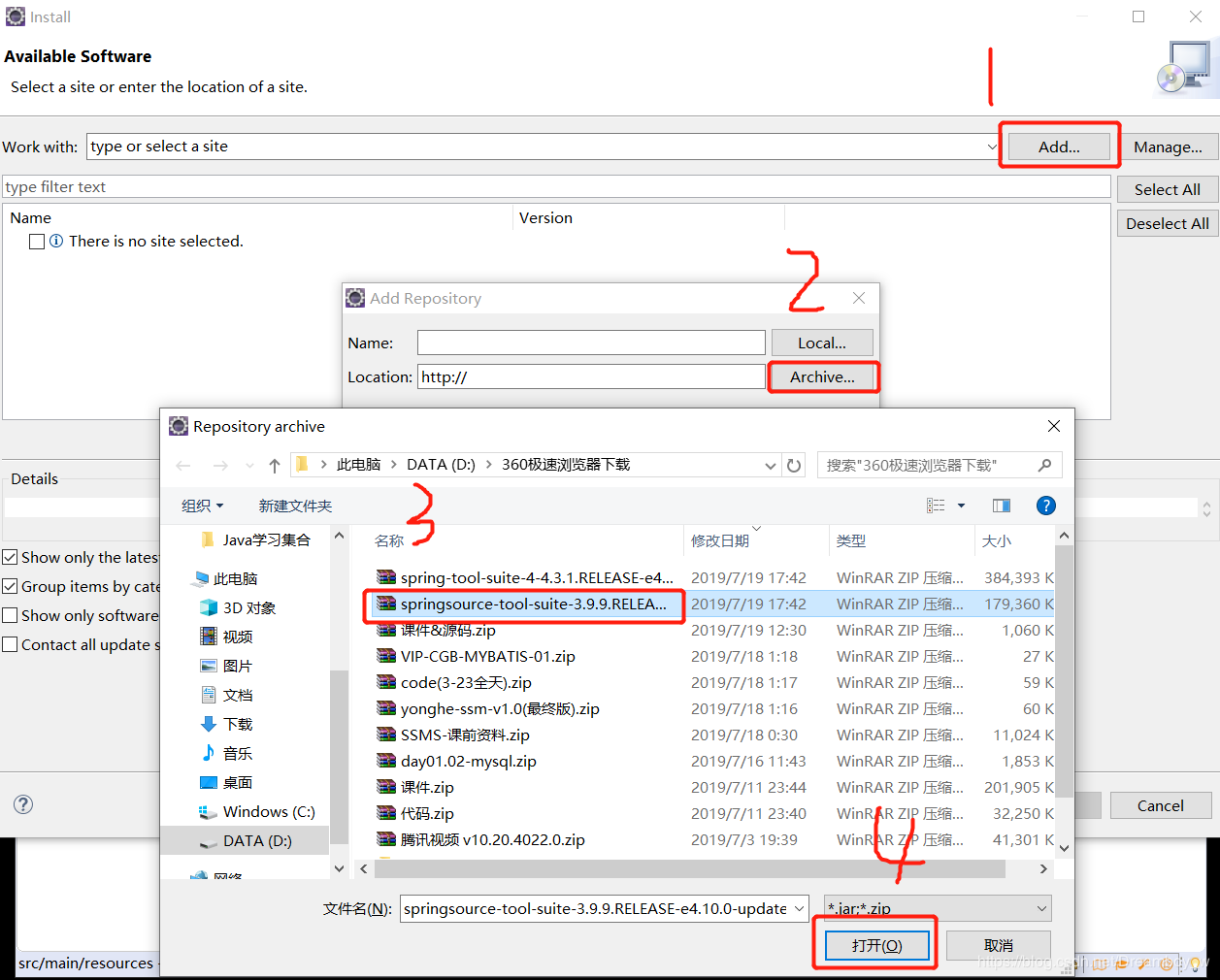
2. 安装插件
Help–>Install New Software
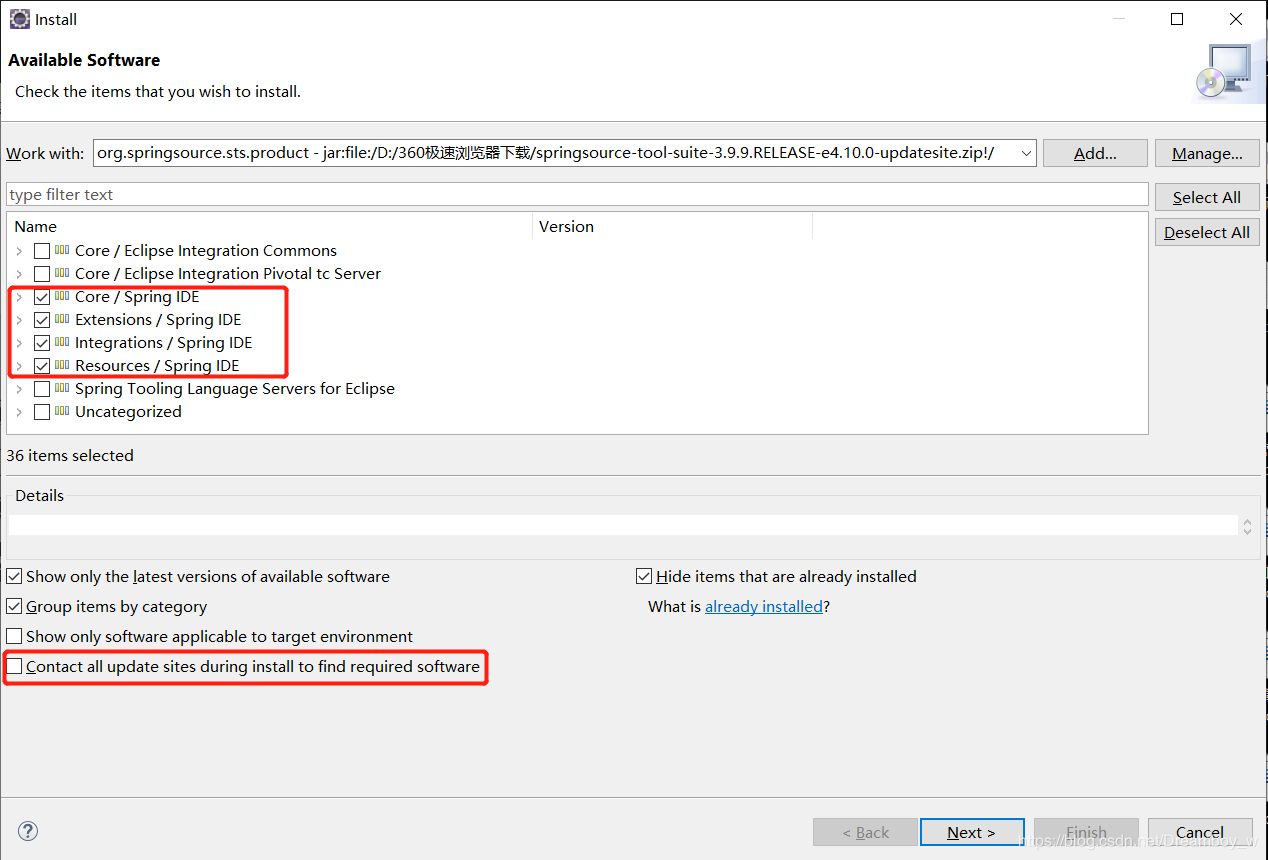
选中要安装的插件
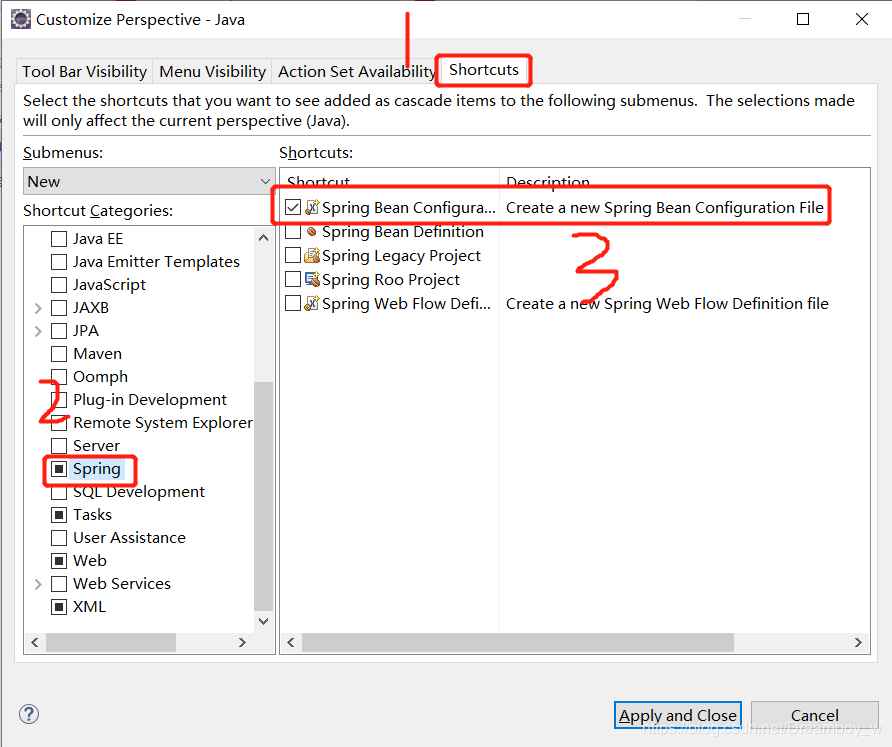
3. 设计右键快速新建菜单
点击菜单栏:Windows-Perspective-Customize Perspective

选中spring Bean configuration file
————————————————
版权声明:本文为CSDN博主「Dreamboy_w」的原创文章,遵循 CC 4.0 BY-SA 版权协议,转载请附上原文出处链接及本声明。
原文链接:https://blog.csdn.net/dreamboy_w/article/details/96489963

 浙公网安备 33010602011771号