基于LangBot的插件编写
环境准备
1.首先将LangBot环境与NapCat启动并配置好webSocket,确保NapCat能够从qq上接收信息并转发给LangBot处理。
2.在任意位置新建项目文件夹,并使用uv安装 LangBot CLI 和 SDK
uv run pip install -U langbot_plugin
3.初始化
uv run lbp init
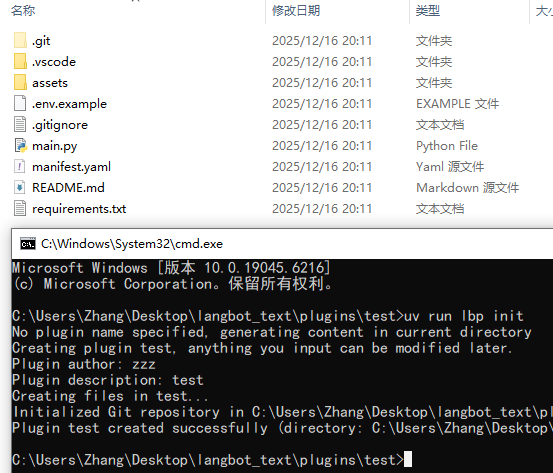
4.调整WebSocket 地址
复制插件目录下的.env.example文件为.env
copy .env.example .env
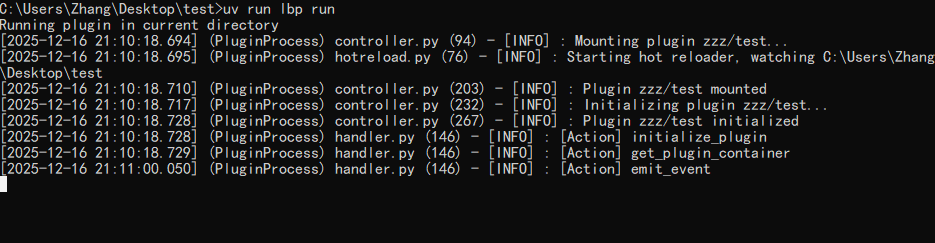
5.启动插件调试
uv run lbp run
绑定组件
在插件目录下执行以下命令,会自动生成一个事件监听器,其功能监听流水线执行期间的事件,对上下文或流水线进行修改。
uv run lbp comp EventListener
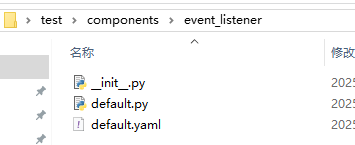
编辑default.py文件
from __future__ import annotations

from langbot_plugin.api.definition.components.common.event_listener import EventListener
from langbot_plugin.api.entities import events, context
# 导入事件上下文api
import langbot_plugin.api.entities.builtin.platform.message as platform_message

class DefaultEventListener(EventListener):

    async def initialize(self):
        await super().initialize()

        "Fill with your code here"

        #注册事件PersonMessageReceived
        @self.handler(events.PersonMessageReceived)
        async def handler(event_context: context.EventContext):
            print("Hello LangBot Plugin")
            print(event_context)

            await event_context.reply(
                platform_message.MessageChain([
                    platform_message.Plain(text=f"我正在调用api回复你"),
                ])
            )
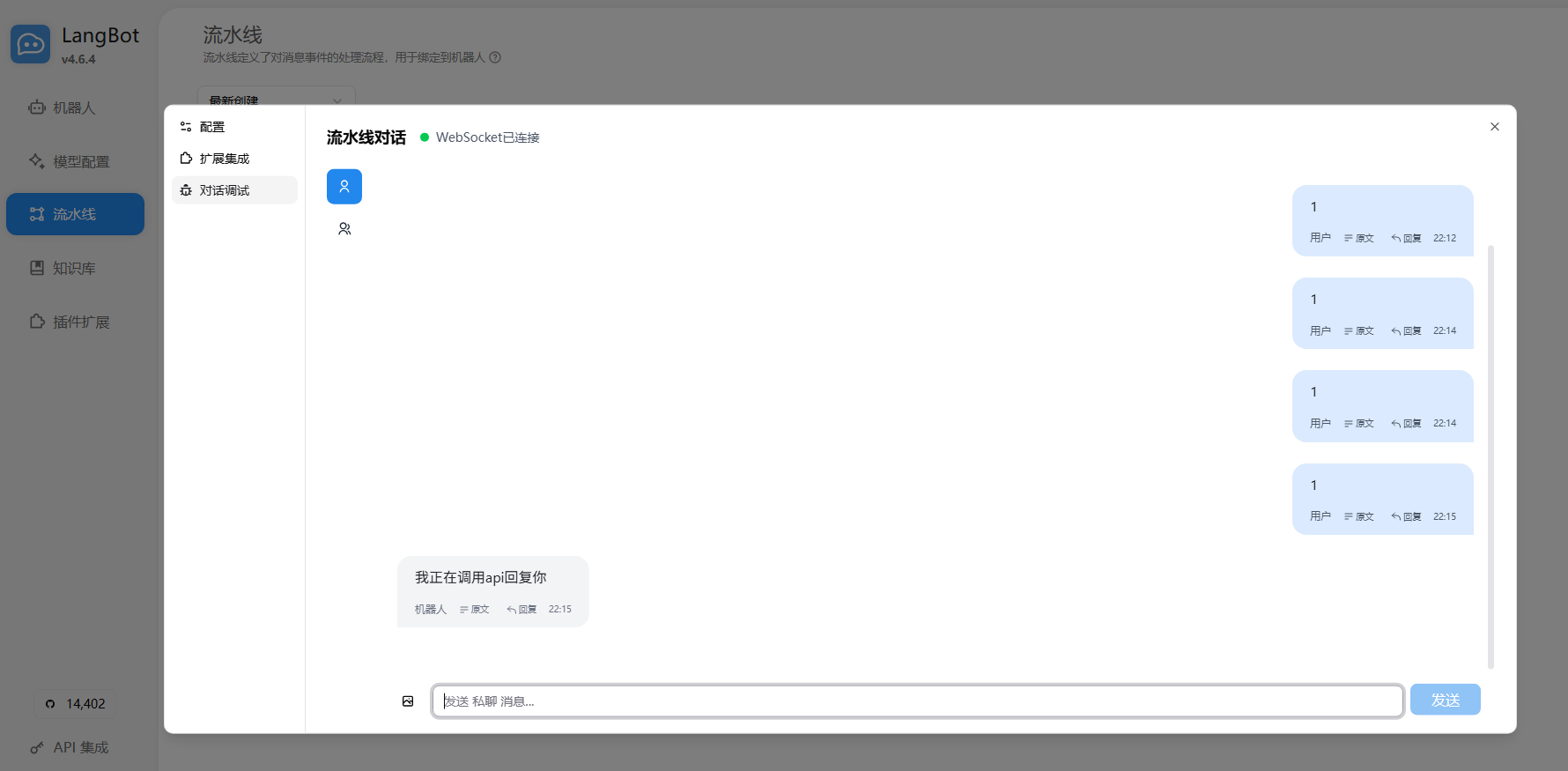
此代码的作用是:注册对PersonMessageReceived(收到来自私聊的任何消息)事件的监听,并在事件触发时打印Hello LangBot Plugin和事件的上下文(EventContext)信息,并调用事件上下文 API 回复一条消息。
消息平台界面:
控制台:
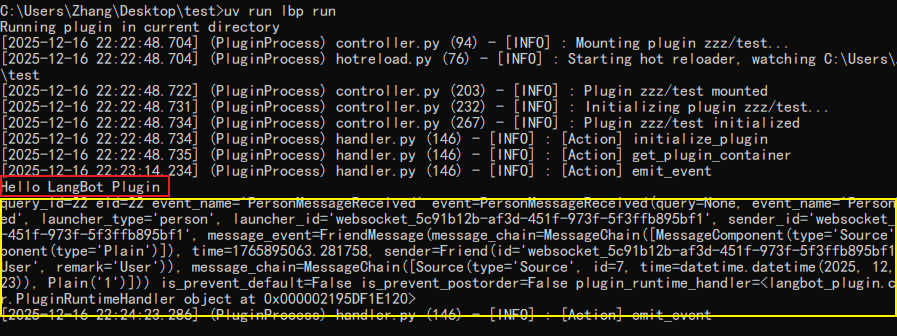
事件触发信息处理
event_context.event对象下保存着事件触发的具体信息,对其进行处理就是一个插件编写的后续了。
例如可以获取接收的信息msg = str(event_context.event.message_chain)

 浙公网安备 33010602011771号