

Eclipse - 配置优化
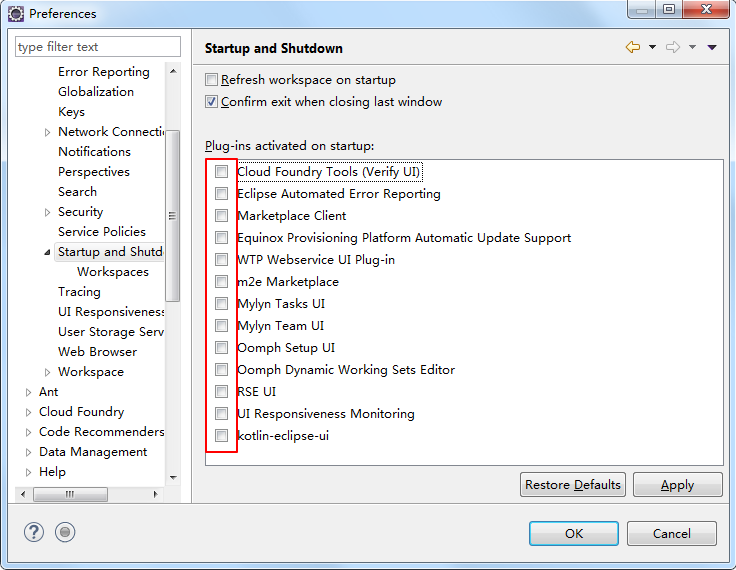
去除不需要的启动加载项
Window --> Preferences -->General --> Startup and Shutdown
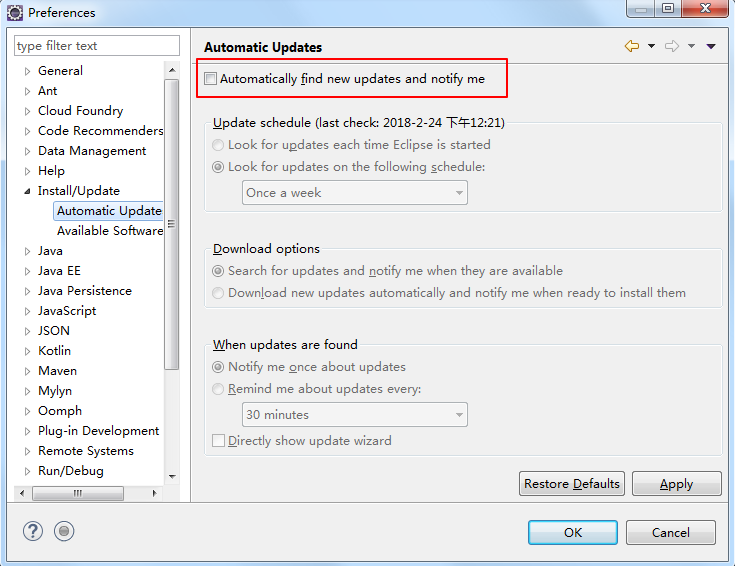
关闭自动更新
Window --> Preferences -->Install/Update --> Automatic Update
调整jvm内存 待补全
参考:https://blog.csdn.net/feng_pump/article/details/78647792
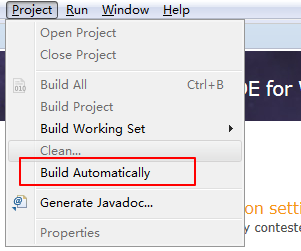
关闭自动构建
Project
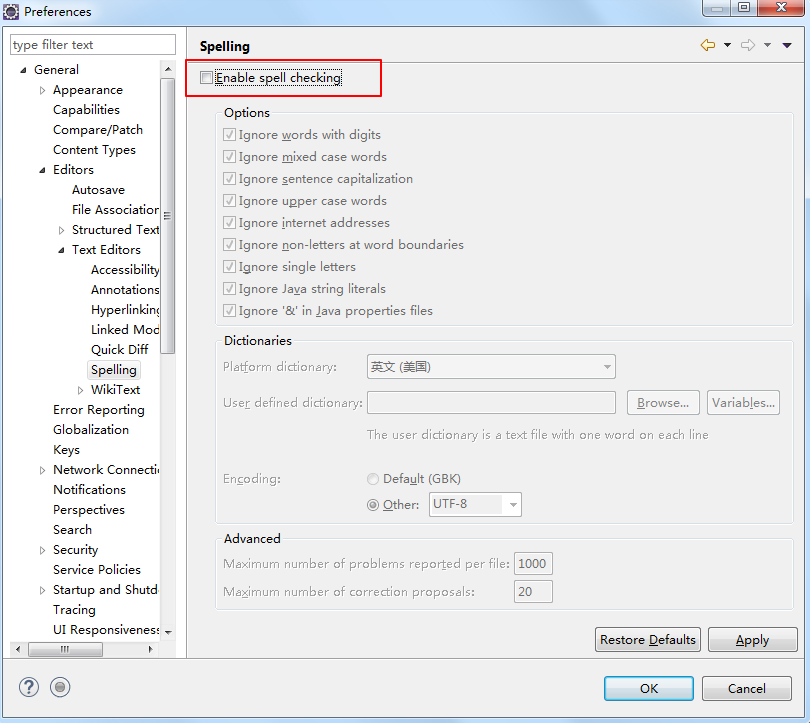
取消拼写检查
Window --> Preferences -->General --> Editors --> Text Editors --> Spelling
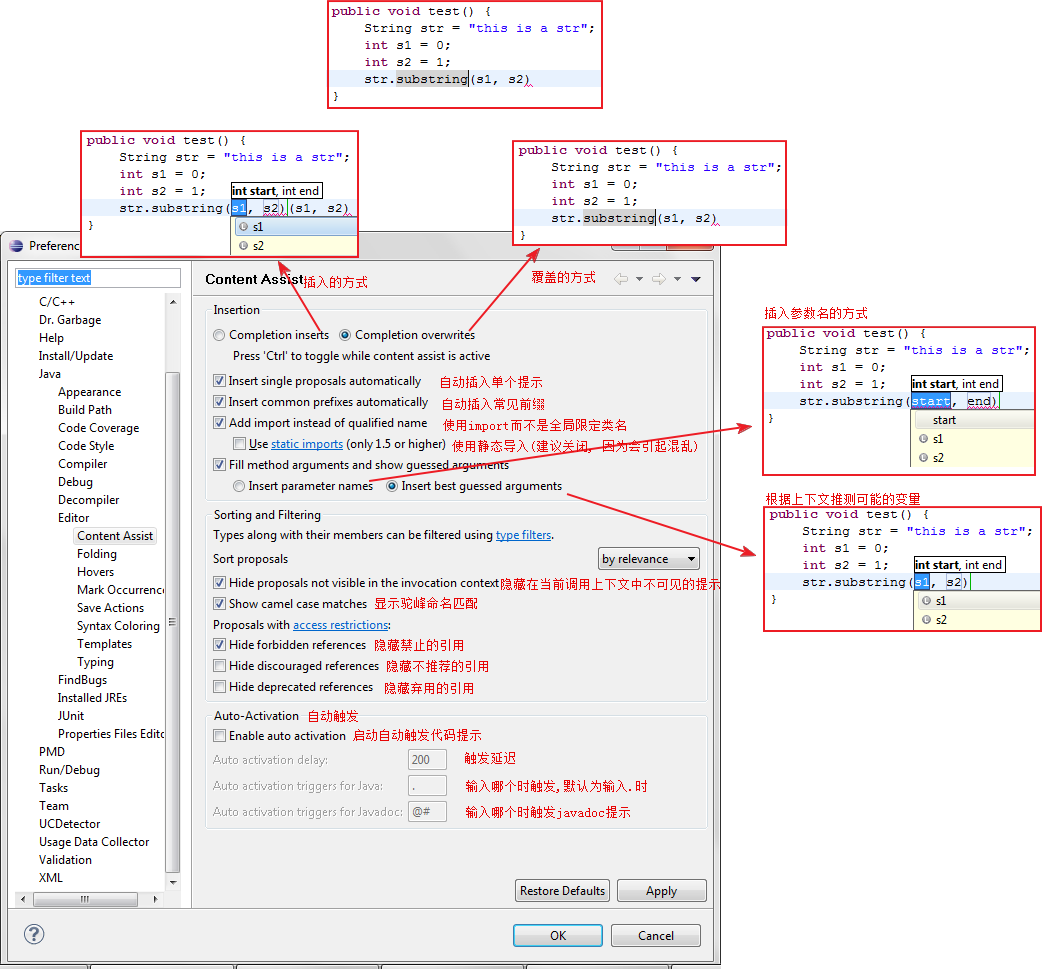
优化代码提示
Window --> Preferences --> Java Editor --> Content Assist
摘自:https://blog.csdn.net/feng_pump/article/details/78647792
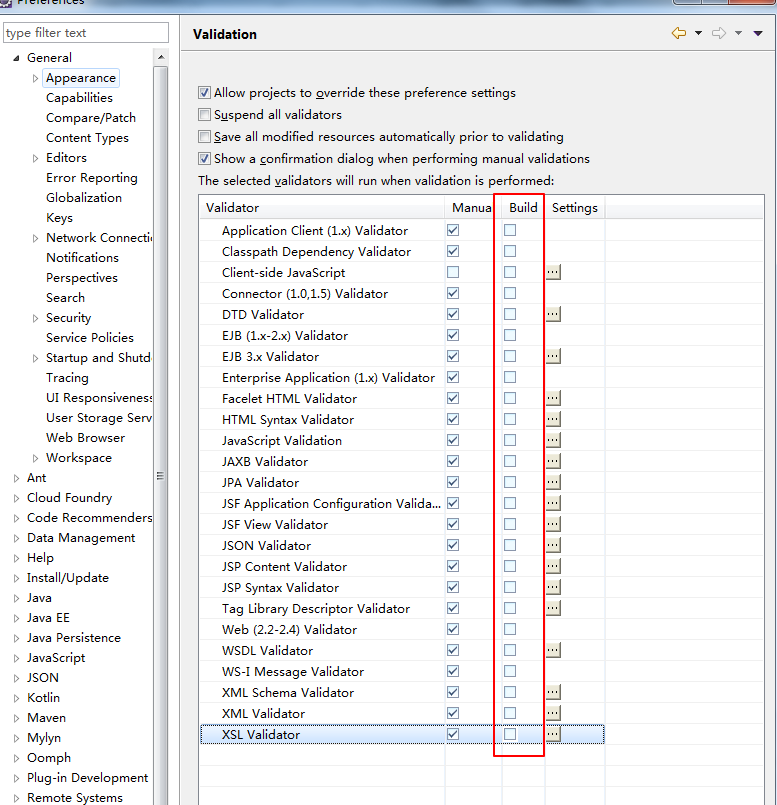
取消项目文件的自动验证
Window --> Preferences --> Validation
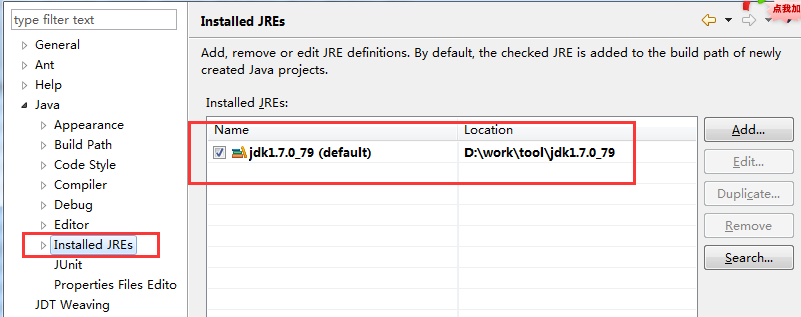
JDK设置
Window --> Preferences -->Java --> Installed JREs
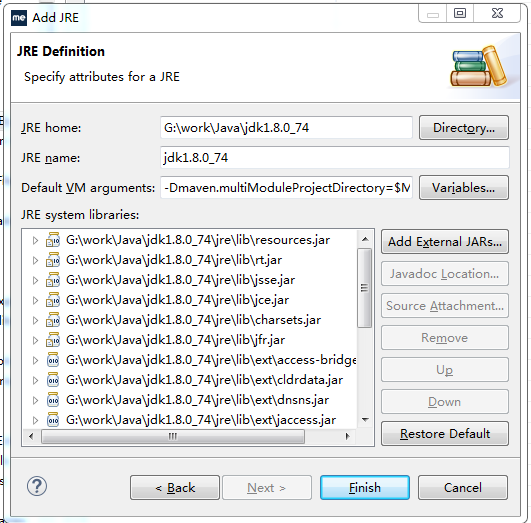
添加Default VM arguments: -Dmaven.multiModuleProjectDirectory=$M2_HOME
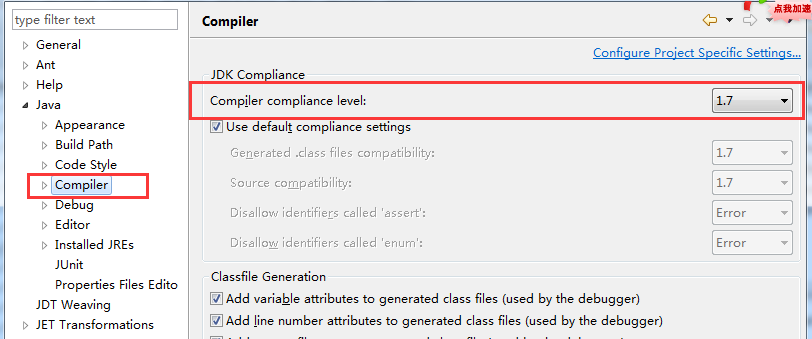
Window --> Preferences --> Java --> Compiler
Console 加大显示的行数
Window --> Preferences --> Run/Debug --> Console
去掉对Limit console output的选择,或者选择,设置一下buffer size的设定值
参考1:https://blog.csdn.net/feng_pump/article/details/78647792

 浙公网安备 33010602011771号