vue-router路由
1)安装
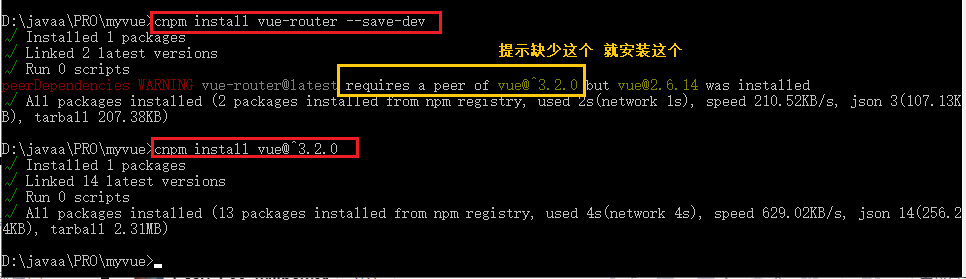
- 基于第一个vue-cli程序进行测试学习; 先查看node modules中是否存在vue-router, vue-router是一个插件包, 所以我们还是需要用npm/cnpm来进行安装的
npm install vue-router --save-dev
或者
cnpm install vue-router --save-dev
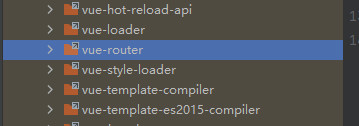
查看node modules发现导入成功:
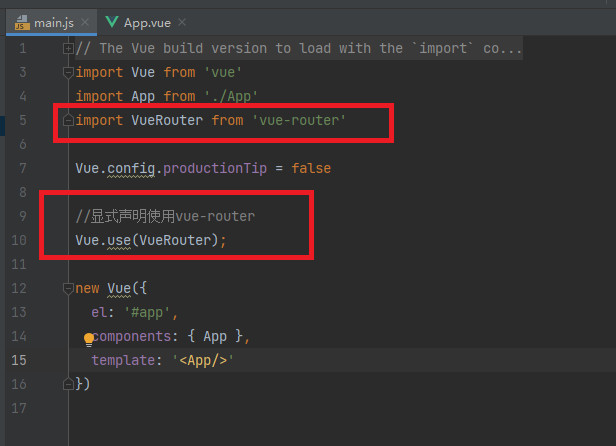
- 如果在一个模块化工程中使用它,必须要通过Vue.use()明确地安装路由功能
import VueRouter from 'vue-router'
//显式声明使用vue-router
Vue.use(VueRouter);
2)组件导入导出操作
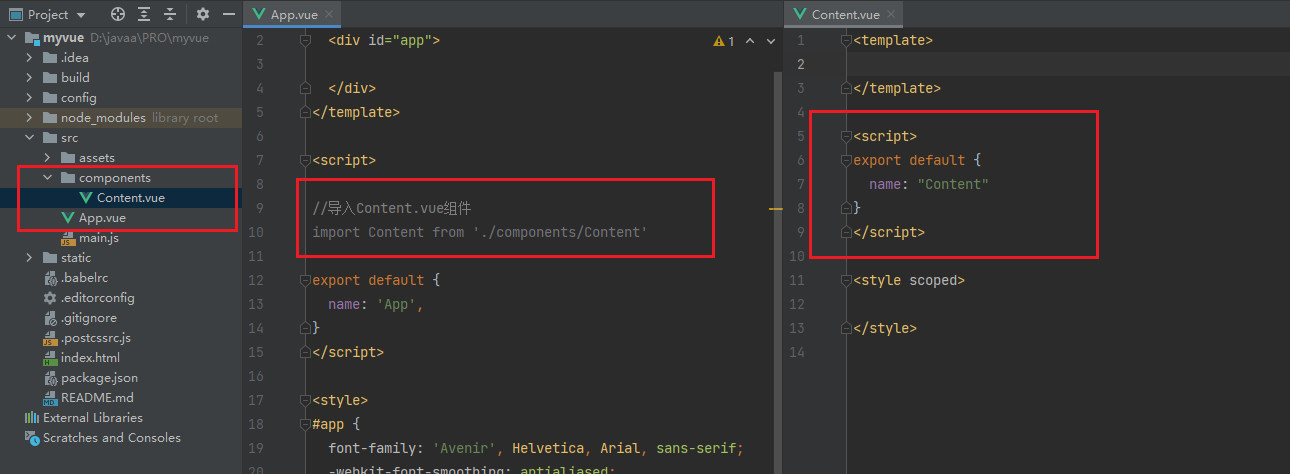
新建一个组件Content.vue,组件导入导出操作
3)测试路由
- 目录
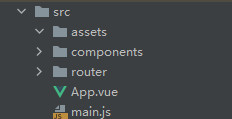
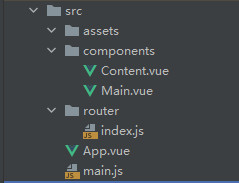
- 页面和步骤:
运行npm run dev,然后浏览器访问localhost:8080
1.先进入App.vue界面,点击跳转到内容页路径为'/content'
2.此时main.js会查看/router目录下的index.js里配置的所有路由
3.在default new VueRouter中查到路径对应的组件为Content.vue,因此跳转到Content.vue页面
- 具体代码:
App.vue组件:
<template>
  <div id="app">
      <router-link to="/main">跳转到首页</router-link>
      <router-link to="/content">跳转到内容页</router-link>
  </div>
</template>

<script>
export default {
  name: 'App',
}
</script>

<style>
#app {
  font-family: 'Avenir', Helvetica, Arial, sans-serif;
  -webkit-font-smoothing: antialiased;
  -moz-osx-font-smoothing: grayscale;
  text-align: center;
  color: #2c3e50;
  margin-top: 60px;
}
</style>
main.js:
import Vue from 'vue'
import App from './App'
import router from './router' //会自动扫描router目录下的路由配置

Vue.config.productionTip = false

new Vue({
  el: '#app',
  router,//在Vue对象中配置路由
  components: { App },
  template: '<App/>'
})
index.js:
import Vue from 'vue'
import VueRouter from 'vue-router'
import Content from "../components/Content";
import Main from "../components/Main";

//安装路由
Vue.use(VueRouter);

//配置导出路由
export default new VueRouter({
  routes: [
    {
      //配置一个路由的路径
      path: '/content',
      name: 'content',
      //跳转的组件
      component: Content
    },
    {
      path: '/main',
      name: 'main',
      component: Main
    }
  ]
});
main.vue:
<template>
    <h1>首页</h1>
</template>

<script>
export default {
  name: "Main"
}
</script>

<style scoped>

</style>
Content.vue:
<template>
 <h1>内容页</h1>
</template>

<script>
export default {
  name: "Content"
}
</script>

<style scoped>

</style>
另外
-
使用命令 --save 或者说不写命令 --save,都会把信息记录到 dependencies中;
-
dependencies 中记录的都是项目在运行时需要的文件;
-
使用命令 --save-dev 则会把信息记录到 devDependencies 中;
-
devDependencies 中记录的是项目在开发过程中需要使用的一些文件,在项目最终运行时是不需要的;
-
也就是说我们开发完成后,最终的项目中是不需要这些文件的
参考链接:https://blog.csdn.net/cvper/article/details/88728505
最后无法运行的可能有:node.js版本,vue-cli等版本的问题,可回退旧版本尝试看看

 浙公网安备 33010602011771号