<template>
  <div class="calendar">
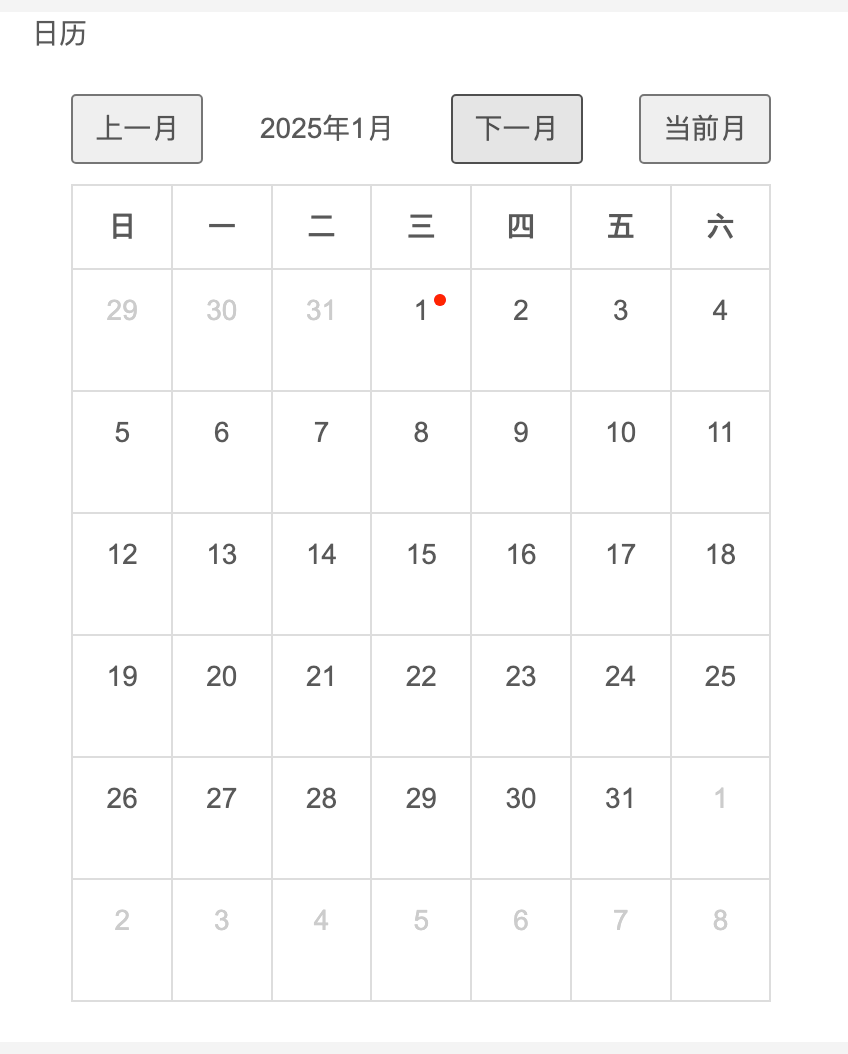
    <div class="calendar-header">
      <button @click="prevMonth">上一月</button>
      <span>{{ currentYear }}年{{ currentMonth + 1 }}月</span>
      <button @click="nextMonth">下一月</button>
      <button @click="toCurrentMonth">当前月</button>
    </div>
    <table>
      <thead>
        <tr>
          <th v-for="day in weekDays" :key="day">{{ day }}</th>
        </tr>
      </thead>
      <tbody>
        <tr v-for="(week, index) in weeks" :key="index">
          <td
            v-for="(day, i) in week"
            :key="i"
            :class="{ 'other-month': !day.isCurrentMonth, today: isToday(day) }"
          >
            <div class="day-cell" @click="today(day)">
              {{ day.date }}
              <div v-if="isSpecialDay(day)" class="red-dot"></div>
            </div>
          </td>
        </tr>
      </tbody>
    </table>
  </div>
</template>

<script>
export default {
  props: ["calendarOndate"], // 接收父组件传递的日期数组
  data() {
    return {
      currentDate: new Date(), // 默认显示当前月
      weekDays: ["日", "一", "二", "三", "四", "五", "六"],
    };
  },
  computed: {
    currentYear() {
      return this.currentDate.getFullYear();
    },
    currentMonth() {
      return this.currentDate.getMonth();
    },
    weeks() {
      const year = this.currentYear;
      const month = this.currentMonth;
      const firstDay = new Date(year, month, 1);
      const firstDayWeekday = firstDay.getDay();

      // 计算日历起始日期(包含上月末尾几天)
      const startDate = new Date(firstDay);
      startDate.setDate(1 - firstDayWeekday);

      // 生成6周(42天)的日期数据
      const days = [];
      for (let i = 0; i < 42; i++) {
        const date = new Date(startDate);
        date.setDate(startDate.getDate() + i);
        days.push({
          year: date.getFullYear(),
          month: date.getMonth(),
          date: date.getDate(),
          isCurrentMonth: date.getMonth() === month,
        });
      }

      // 将日期按周分组
      return this.chunkArray(days, 7);
    },
  },
  methods: {
    // 判断某一天是否有任务
    isSpecialDay(day) {
      const formattedDate = this.formatDate(day); // 格式化日期为 YYYY-MM-DD
      return this.calendarOndate.includes(formattedDate); // 判断是否在 calendarOndate 中
    },

    // 格式化日期为 YYYY-MM-DD
    formatDate(day) {
      const year = day.year;
      const month = String(day.month + 1).padStart(2, "0");
      const date = String(day.date).padStart(2, "0");
      return `${year}-${month}-${date}`;
    },

    // 点击某一天
    today(day) {
      const formattedDate = this.formatDate(day);
      this.$emit("checkTodayNote", { Msg: { date: formattedDate } }); // 触发父组件事件
    },

    // 切换到上一月
    prevMonth() {
      this.currentDate = new Date(this.currentYear, this.currentMonth - 1, 1);
      this.$emit(
        "getMonthList",
        this.formatDate({
          year: this.currentYear,
          month: this.currentMonth,
          date: 1,
        })
      );
    },

    // 切换到下一月
    nextMonth() {
      this.currentDate = new Date(this.currentYear, this.currentMonth + 1, 1);
      this.$emit(
        "getMonthList",
        this.formatDate({
          year: this.currentYear,
          month: this.currentMonth,
          date: 1,
        })
      );
    },

    // 切换到当前月
    toCurrentMonth() {
      this.currentDate = new Date();
      this.$emit(
        "getMonthList",
        this.formatDate({
          year: this.currentYear,
          month: this.currentMonth,
          date: 1,
        })
      );
    },

    // 判断是否是今天
    isToday(day) {
      const today = new Date();
      return (
        day.year === today.getFullYear() &&
        day.month === today.getMonth() &&
        day.date === today.getDate()
      );
    },

    // 将数组按指定大小分块
    chunkArray(arr, size) {
      return Array.from({ length: Math.ceil(arr.length / size) }, (v, i) =>
        arr.slice(i * size, i * size + size)
      );
    },
  },
};
</script>

<style scoped>
.calendar {
  font-family: Arial;
  width: 350px;
  margin: 20px;
}
.calendar-header {
  display: flex;
  justify-content: space-between;
  align-items: center;
  margin-bottom: 10px;
}
table {
  width: 100%;
  border-collapse: collapse;
}
th,
td {
  padding: 10px;
  text-align: center;
  border: 1px solid #ddd;
}
.other-month {
  color: #ccc;
}
.day-cell {
  position: relative;
  min-height: 40px;
  cursor: pointer;
}
.red-dot {
  position: absolute;
  top: 2px;
  right: 2px;
  width: 6px;
  height: 6px;
  background-color: red;
  border-radius: 50%;
}
.today {
  background-color: lightblue;
}
button {
  padding: 5px 10px;
  cursor: pointer;
}
</style>
![]()



 浙公网安备 33010602011771号